Instruction Parameters
Supported PLC Series
| PLC-AES | PLC-FB | PLC-ES |
|---|---|---|
| ✓ | ✓ | ✓ |
Supported Data Registers
| M | X | Y | K | L | F | T | C | S | Z | R | Q | D | @D | Constant | |
|---|---|---|---|---|---|---|---|---|---|---|---|---|---|---|---|
| S1 | ✓ | ✓ | ✓ | ✓ | ✓ | ✓ | ✓ | ✓ | – | ✓ | ✓ | ✓ | ✓ | ✓ | ✓ |
| S2 | ✓ | ✓ | ✓ | ✓ | ✓ | ✓ | ✓ | ✓ | – | ✓ | ✓ | ✓ | ✓ | ✓ | ✓ |
| D | ✓ | – | ✓ | ✓ | ✓ | – | ✓ | ✓ | – | ✓ | ✓ | ✓ | ✓ | ✓ | – |
Supported Flags
| Flag | Bit | Support |
|---|---|---|
| Error | F11.0 | ✓ |
| Zero | F11.1 | – |
| Carry | F11.2 | – |
Number of Steps
| Steps |
|---|
| 4 |
Operands
| Operand | Description |
|---|---|
| S1 | The first operand. Entries are WORD data registers or constants. The signed value range is -32,768 ~ 32,767 (216). The unsigned value range is 0 ~ 65,535 (216-1). The Hexadecimal value range is H0000 ~ HFFFF. |
| S2 | The second operand. Entries are WORD data registers or constants. The signed value range is -32,768 ~ 32,767 (216). The unsigned value range is 0 ~ 65,535 (216-1). The Hexadecimal value range is H0000 ~ HFFFF. |
| D | The third operand. Entries are only WORD data registers. This is where the difference is saved. |
Notice
Error Flag (F11.0) Notice
The error flag, F11.0, will be ON for one scan when the address of the data register assigned by @D exceeds the range of the data register, D. The range of the data register, D, is dependent on the CPU type. F11.0 turns ON when the value of the data for subtracting exceeds the data register assigned to S1 or S2.
Tip: Signed Notation
The signed value range for SUB and SUBP is -32,768 ~ 32,767 (216).
- If the SUB or SUBP instruction is executed while the value for the difference data register, D, is 32,767, the overflow value for the difference data register, D, will begin at -32,768 if the value being subtracted is -1.
- If the SUB or SUBP instruction is executed while the value for the difference data register, D, is -32,768, the overflow value for the difference data register, D, will begin at 32,767 if the value being subtracted is 1.
Tip: Operand Subtraction Format
S2 is subtracted from S1. (S1 – S2)
Ladder Diagram Examples
SUB

The SUB instruction subtracts a WORD value, S2, from a WORD value, S1, and saves the difference in an assigned WORD data register, D.

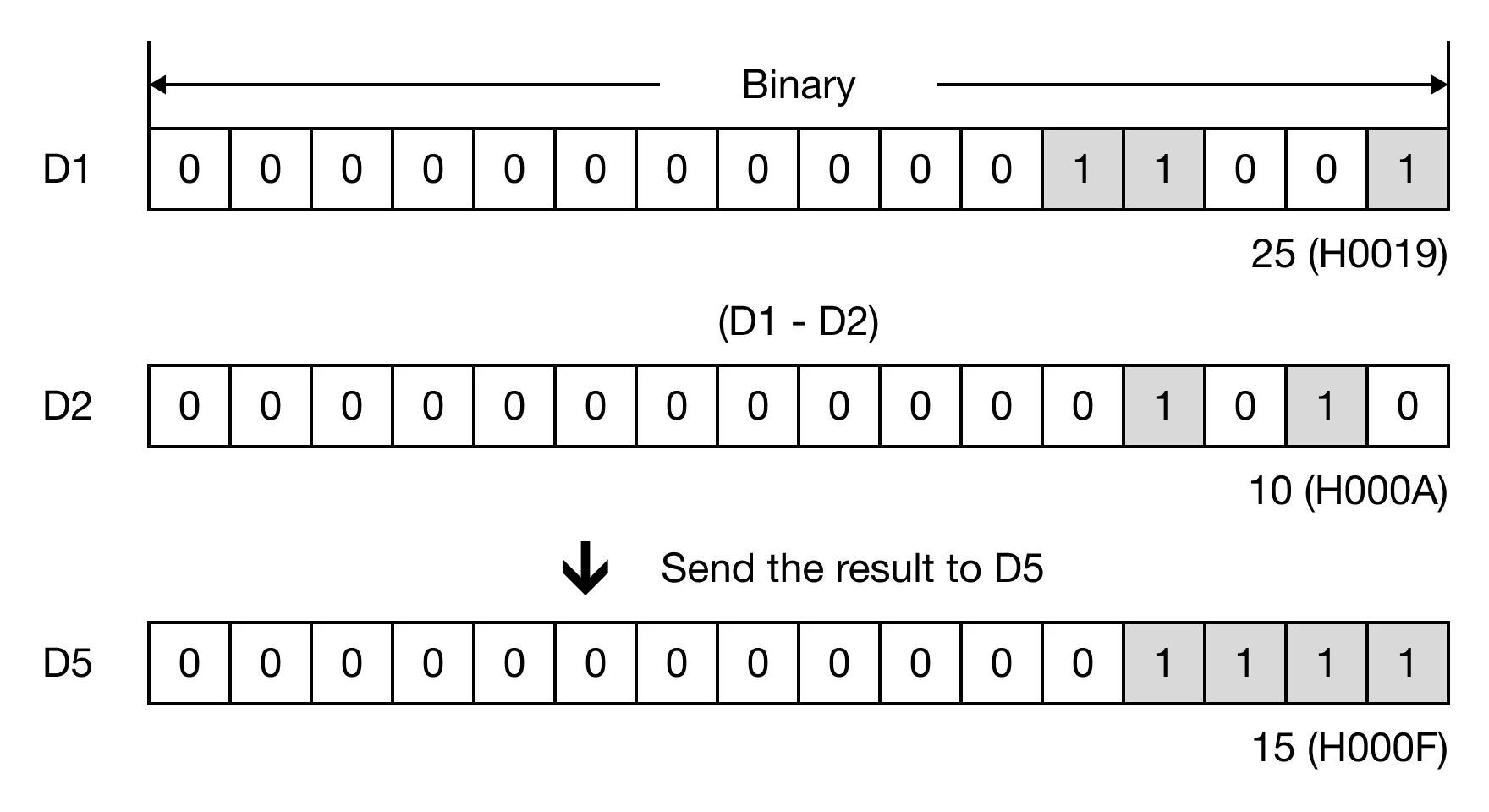
When M0.1 is powered ON, the WORD data register, D2, is subtracted from the WORD data register, D1, and the difference is saved in the WORD data register, D5.

Memory Monitor
SUBP

The SUBP one-shot instruction subtracts a word value, S2, from a WORD value, S1, and saves the difference in an assigned WORD data register, D. Every time this instruction executes, it energizes the output only once.

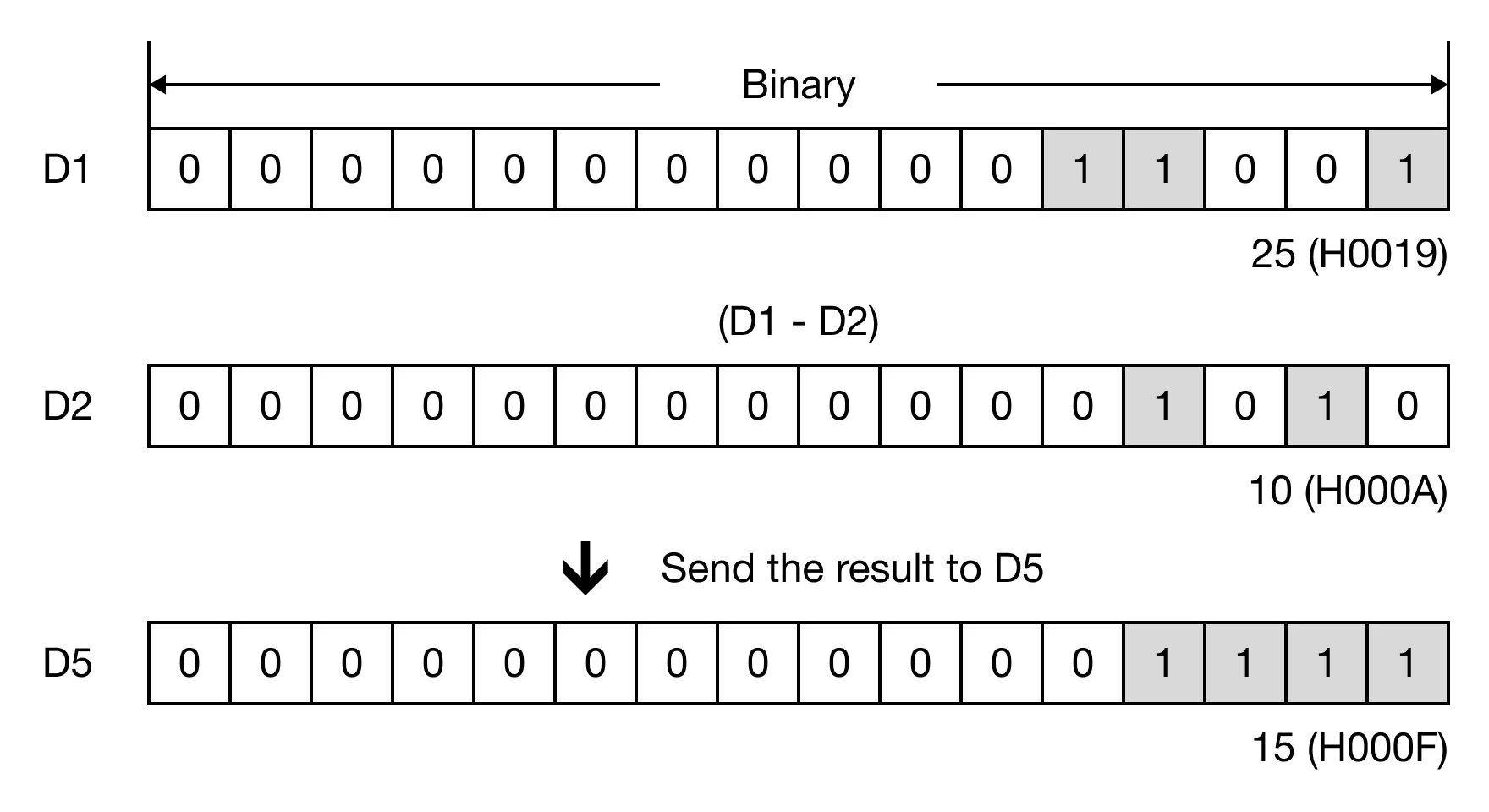
When M0.1 is powered ON, the WORD data register, D2, is subtracted from the WORD data register, D1, and the difference is saved in the WORD data register, D5.

Memory Monitor