
Bookmark
Bookmarks allow quick navigation between rungs in a ladder logic program.
Save
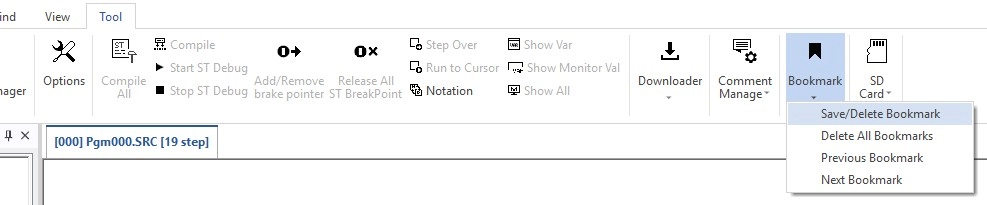
Step 1: To save a bookmark location, select the rung to bookmark and left-click Tool, left-click Bookmark, and left-click Save/Delete Bookmark.
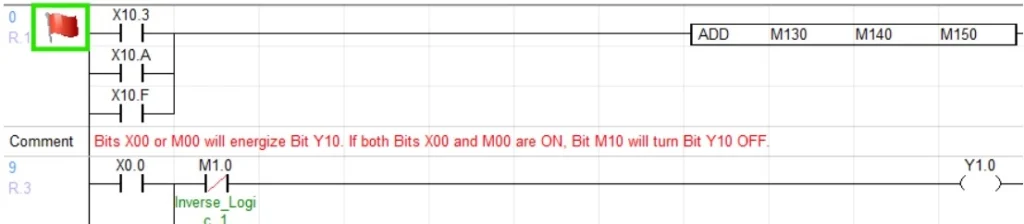
- Saved bookmarks will display a red flag at the beginning of a rung.
Delete Current
Step 1: To delete a bookmark location, select the rung to bookmark and left-click Tool, left-click Bookmark, and left-click Save/Delete Bookmark.
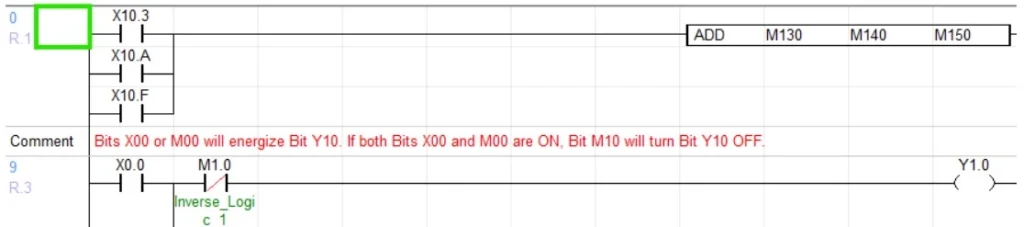
- The current rung will no longer display a red flag at the beginning.
Delete All
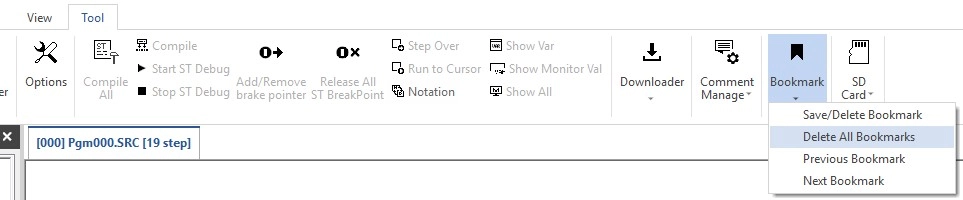
Step 1: To delete all bookmark locations, left-click Tool, left-click Bookmark, and left-click Delete All Bookmarks.
Previous
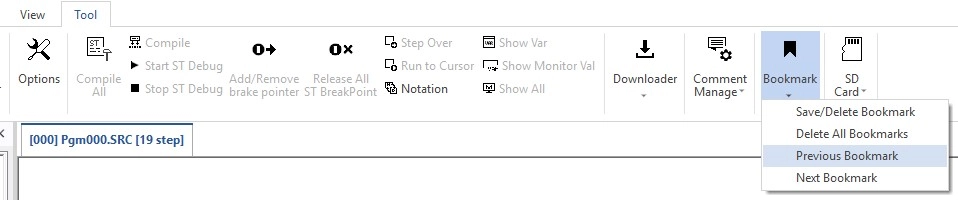
Step 1: To navigate to the previous bookmark, left-click Tool, left-click Bookmark, and left-click Prev. Bookmark.
- The previous bookmark option will navigate UP the ladder.
Next
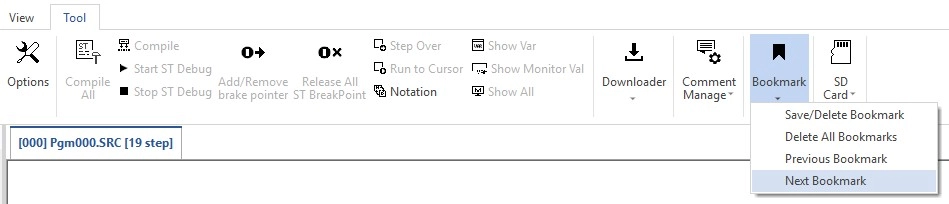
Step 1: To navigate to the next bookmark, left-click Tool, left-click Bookmark, and left-click Next Bookmark.
- The next bookmark option will navigate DOWN the ladder.