
MapleLogic Project Creation
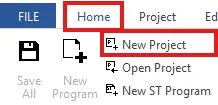
Step 1: In the menu bar, left-click Home and left-click New Project.
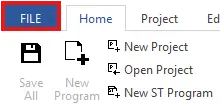
- Optionally, in the menubar, left-click File.

- Left-click New Project.
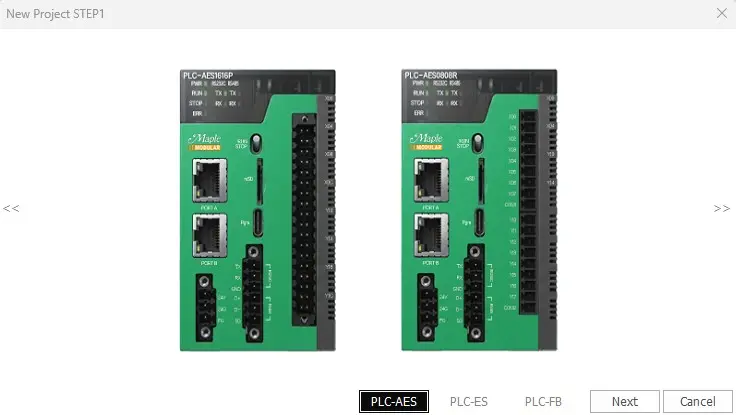
Step 2: Left-click the PLC series and left-click Next.

Step 3: Specify the file path, CPU type, project name, and developer if necessary. To set a project password, if necessary, left-click Security Settings. When finished, left-click OK.
- IMPORTANT NOTE: Maple Systems is not responsible for passwords that are lost. Maple Systems is unable to access password-protected projects.

Step 4: The name of the project will appear in the Project Window.