
Industrial Pushbuttons & Selector Switches
Industrial pushbuttons and push button switches from Maple Systems provide dependable control for electrical and automation systems. Choose momentary or maintained action with options for illuminated, selector, emergency stop, and toggle designs. Designed to support panel mounting, PCB installation, and enclosure use with common contact arrangements, these devices offer sealed protection and crisp tactile feedback for reliable operation. Built for frequent use and harsh conditions, they are used across manufacturing, transportation, energy, medical, and commercial applications.
Choosing a Push Button Switch for Every Application
Selecting industrial pushbuttons comes down to three questions: what the device needs to do, whether it fits your panel, and whether its ratings match your control circuit. Whether you need momentary pushbuttons, latching pushbuttons or selector switches, matching the action type to the function is the first step.
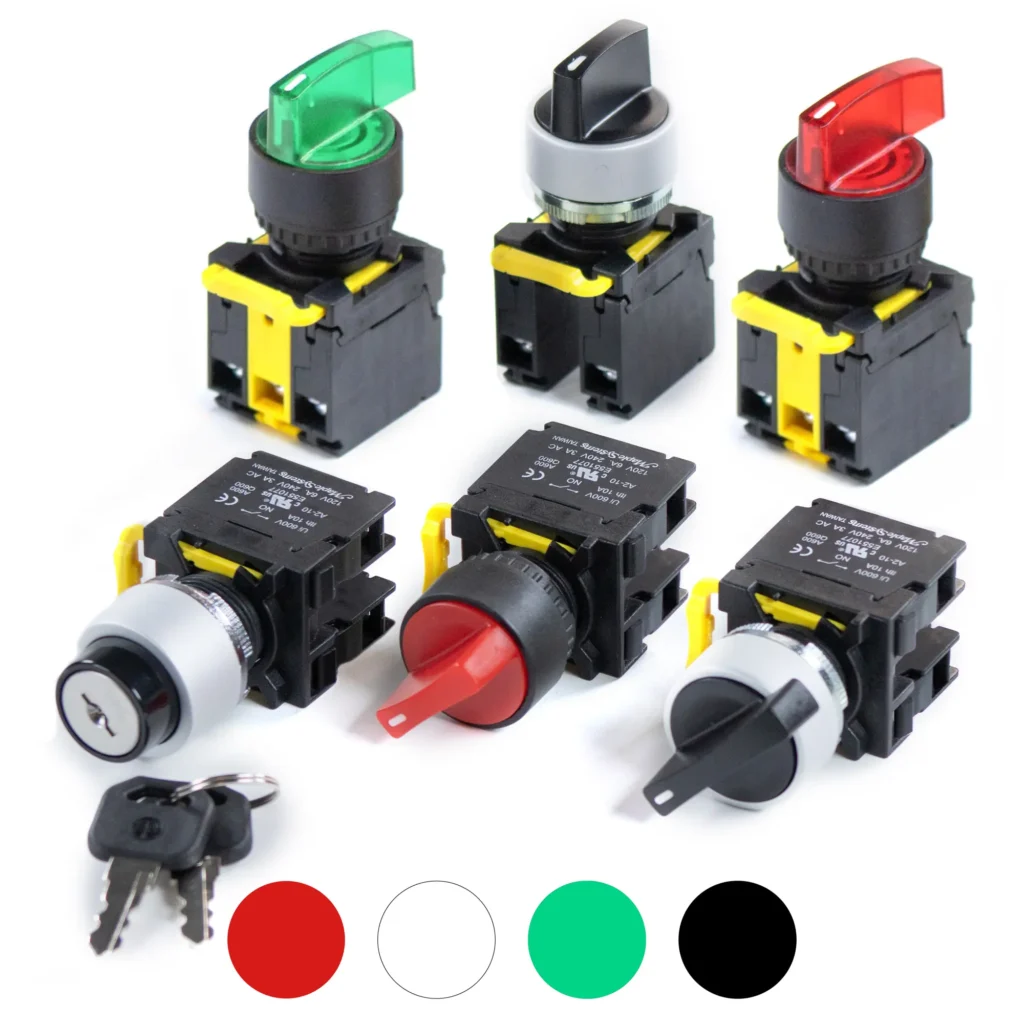
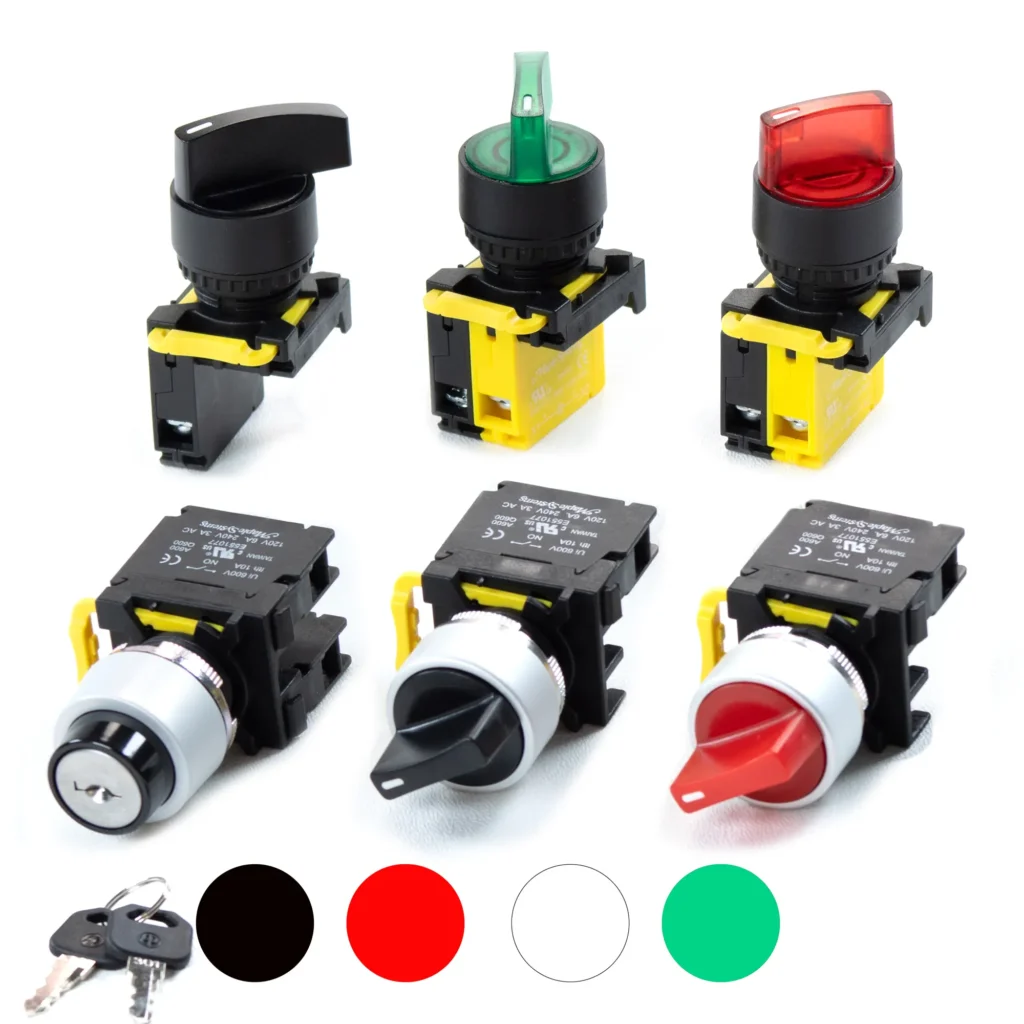
Start with the function. Momentary pushbuttons send a signal only while pressed, which suits start, reset and jog. Latching pushbuttons stay in position until pressed again. Panel mount selector switches hold fixed positions for mode selection, such as Auto/Off/Manual.
Confirm the fit. Our industrial pushbutton switches use the standard 22 mm mounting hole. Before you purchase panel mount pushbuttons, check your cutout size, the clearance behind the panel, and your control circuit voltage (VDC).
Choose the contacts and materials. Each pushbutton switch accepts contact blocks in normally open (NO) and normally closed (NC) configurations. You can choose a plastic or metal ring or head. Refer to the product specifications for voltage ratings on illuminated models.
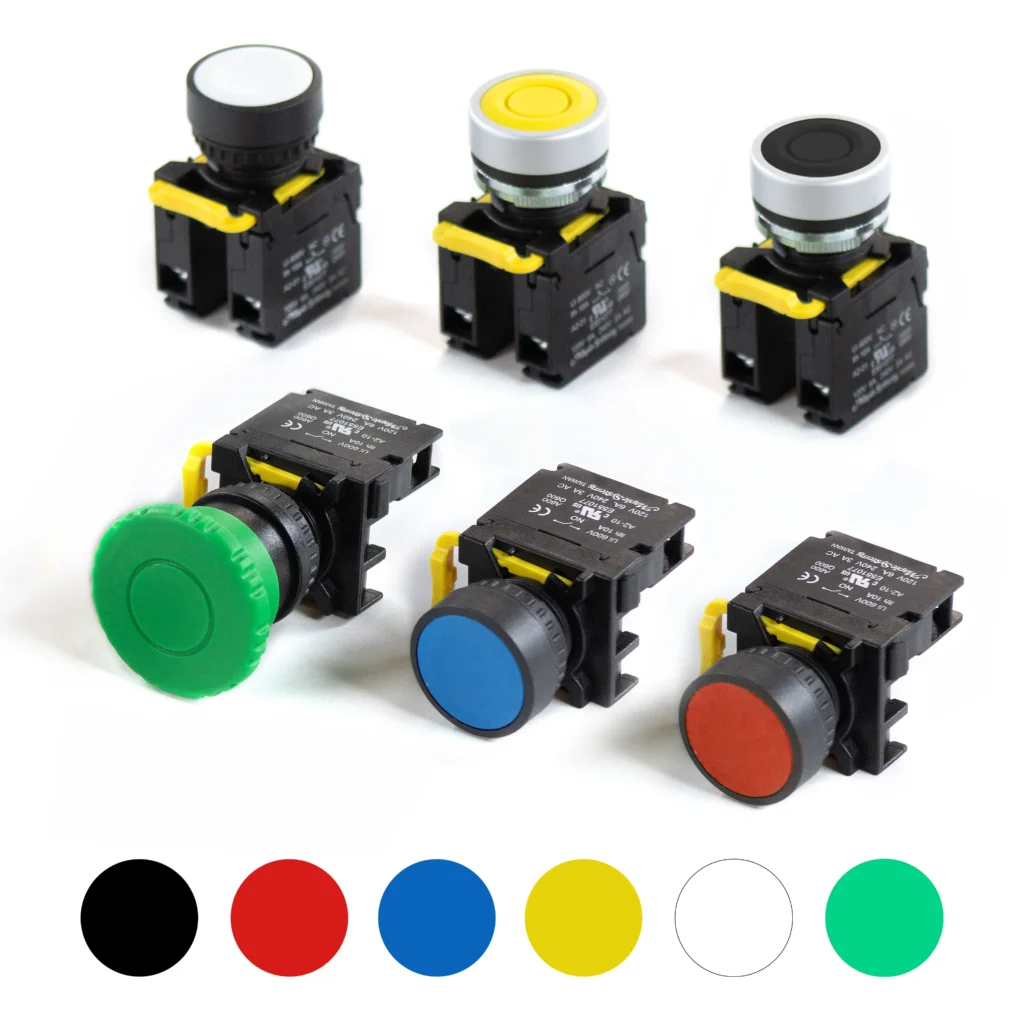
Match the color to the function. Standard color coding gives operators quick recognition of what a control does:
- Green for start or on
- Red for stop, off or emergency stop
- Yellow for abnormal conditions or intervention, such as a warning or a return-to-cycle after a fault
- Blue for mandatory actions, such as reset
- White for general-purpose functions with no specific meaning, such as auxiliary or confirm
- Black for auxiliary functions
Check the environment and certifications. Our pushbutton switches are IP65 rated and carry CE, RoHS and cURus certifications. If your application has dust, moisture or washdown exposure, confirm that the IP or NEMA rating your project requires matches the product’s rating before ordering.
Before you buy, check: sizes, contact configuration, and accessories.
New to installation? Our training videos in the Video Center will get you started. If a part isn’t the right fit, the repairs and returns page explains how to return it. For help selecting industrial pushbutton switches or panel mount selector switches, contact sales and our team will help you choose with confidence.
Save 10-20% with bulk volume pricing
Pushbutton Articles & FAQs:
- A Guide To Industrial Pushbuttons
- Control Cabinet Fundamentals for Industrial Automation
- How Push Buttons Work: Contacts, NO/NC & Momentary vs Latching
- Push Buttons, Selector Switches, and Indicator Lights in Industrial Control Systems
- What is the difference between a pushbutton and a selector switch?
- What does cURus mean?
- Do you offer warranty on your Indicator Lights, Pushbuttons, and Selector Switches?
- Are quantity discounts available on your Pushbuttons and Selector Switches?
- Are your pushbuttons illuminated?
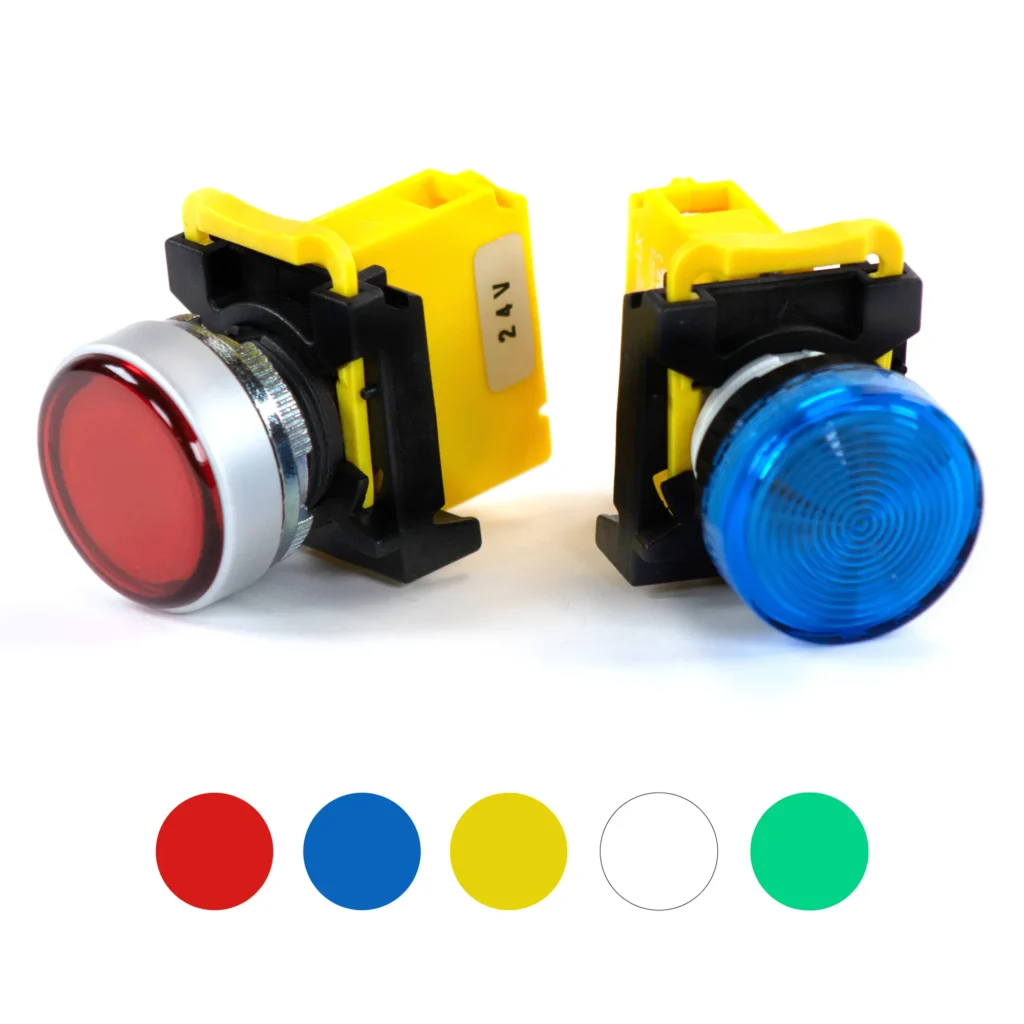
LED panel mount indicator lights for clear run, fault, and ready status on industrial control panels and machinery. Available in multiple colors and fits a standard 22 mm cutout. IP65 rated and cURus, CE, and RoHS certified.
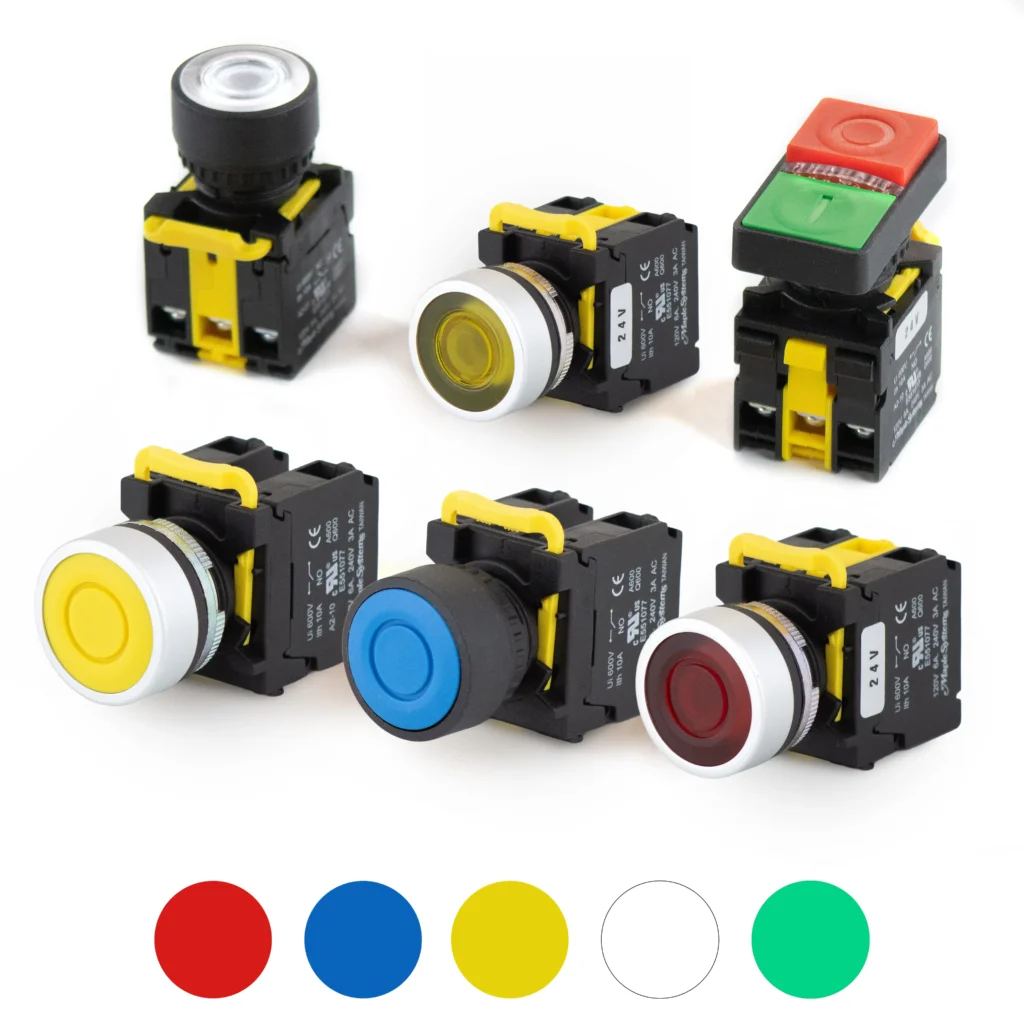
Momentary pushbuttons that send a signal only while pressed, ideal for start, reset, and jog functions. Accepts NO and NC contact blocks, fits a standard 22 mm panel cutout, and comes in plastic or metal illuminated options. IP65 rated.
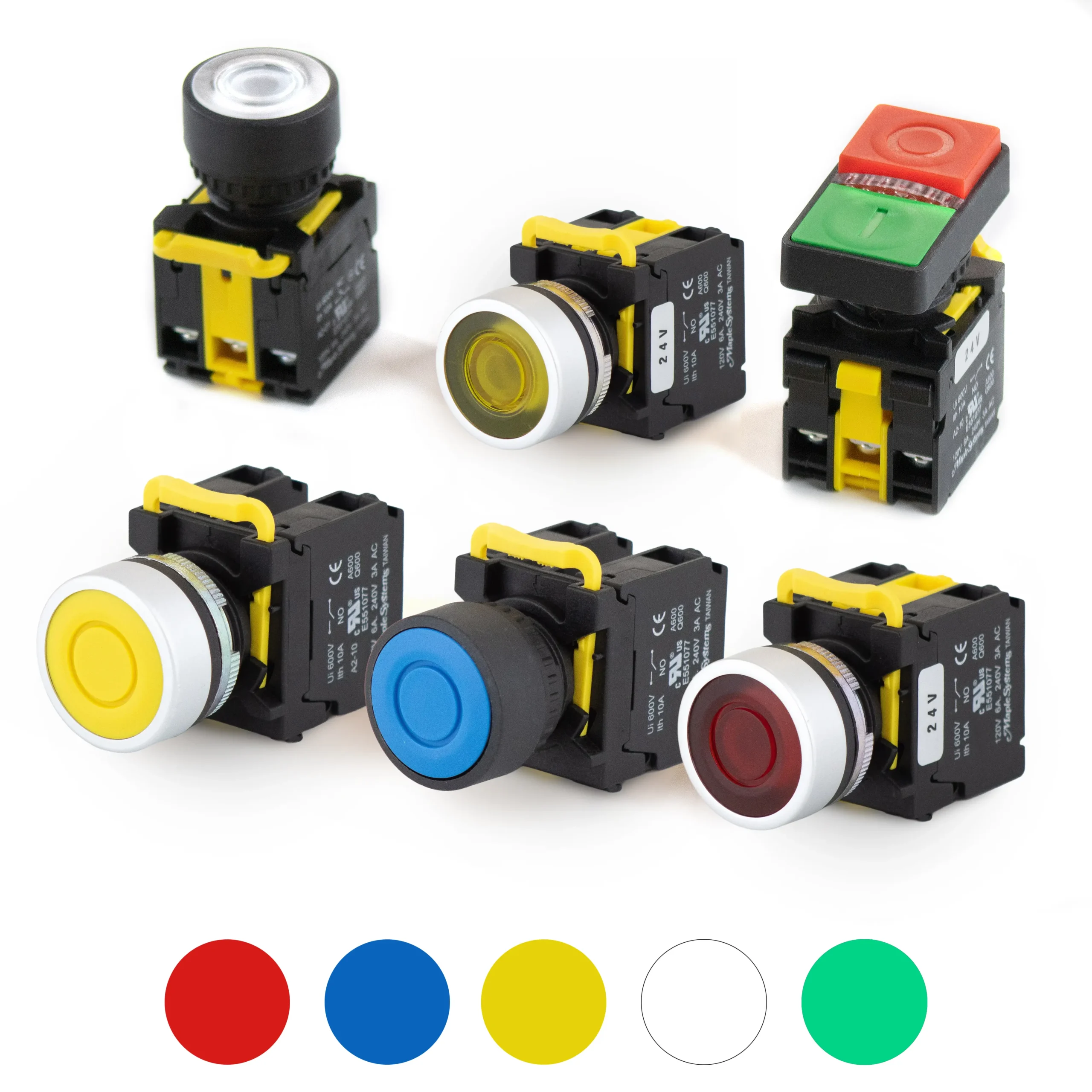
Latching (maintained) pushbuttons that stay in position until pressed again, suited for enable, power, and manual override control. Accepts NO and NC contact blocks, fits a 22 mm panel cutout, and is IP65 rated with cURus, CE, and RoHS certifications.
Two-position selector switches that hold a fixed position for simple A/B selection, on/off modes, and forward/reverse control. Accepts NO and NC contact blocks and fits a 22 mm panel cutout. IP65 rated for panels and compact enclosures.
Three-position selector switches for maintained mode selection, such as Auto/Off/Manual or forward/off/reverse control. Accepts NO and NC contact blocks, fits a 22 mm panel cutout, and is IP65 rated with cURus, CE, and RoHS certifications.
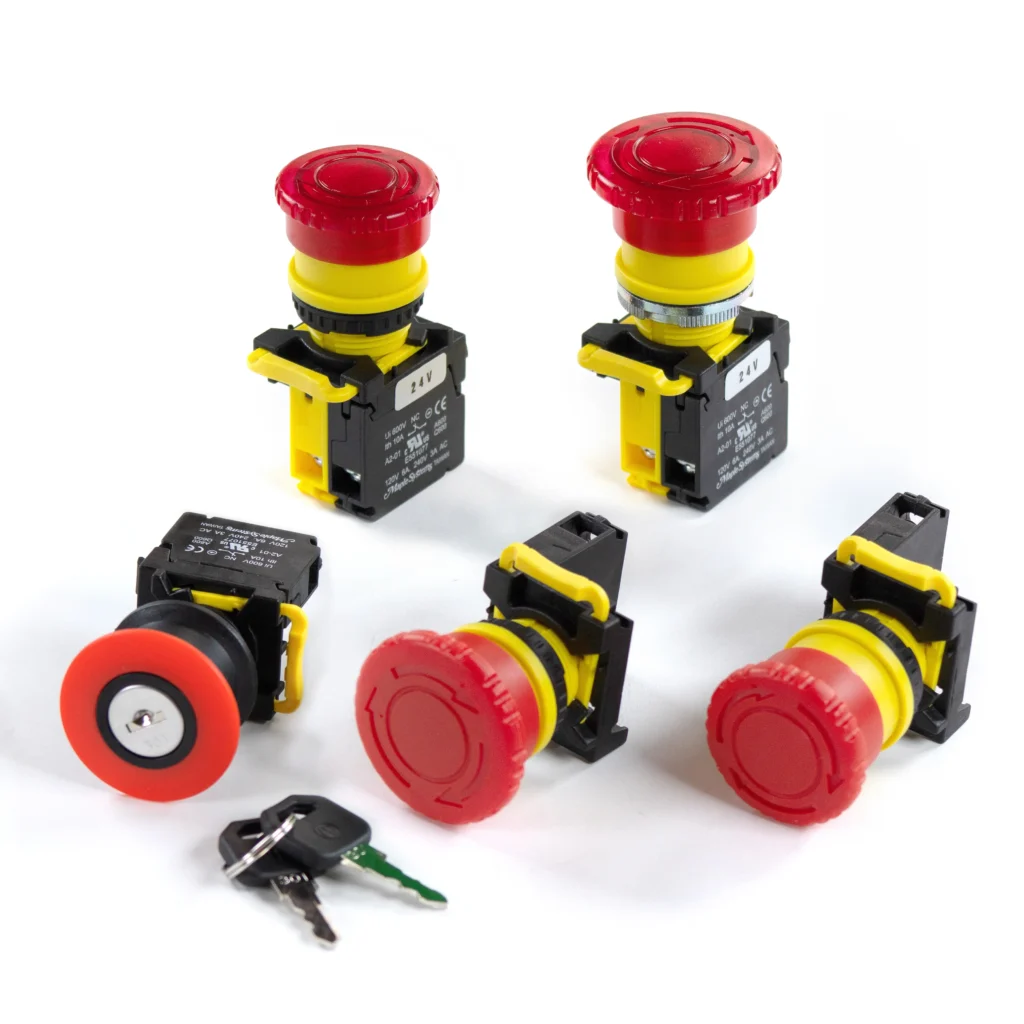
Latching emergency stop pushbuttons that lock in place when pressed and require a manual reset, providing reliable emergency shutdown control. Red mushroom-head actuator with NC contacts, a 22 mm panel cutout, and IP65 rating.
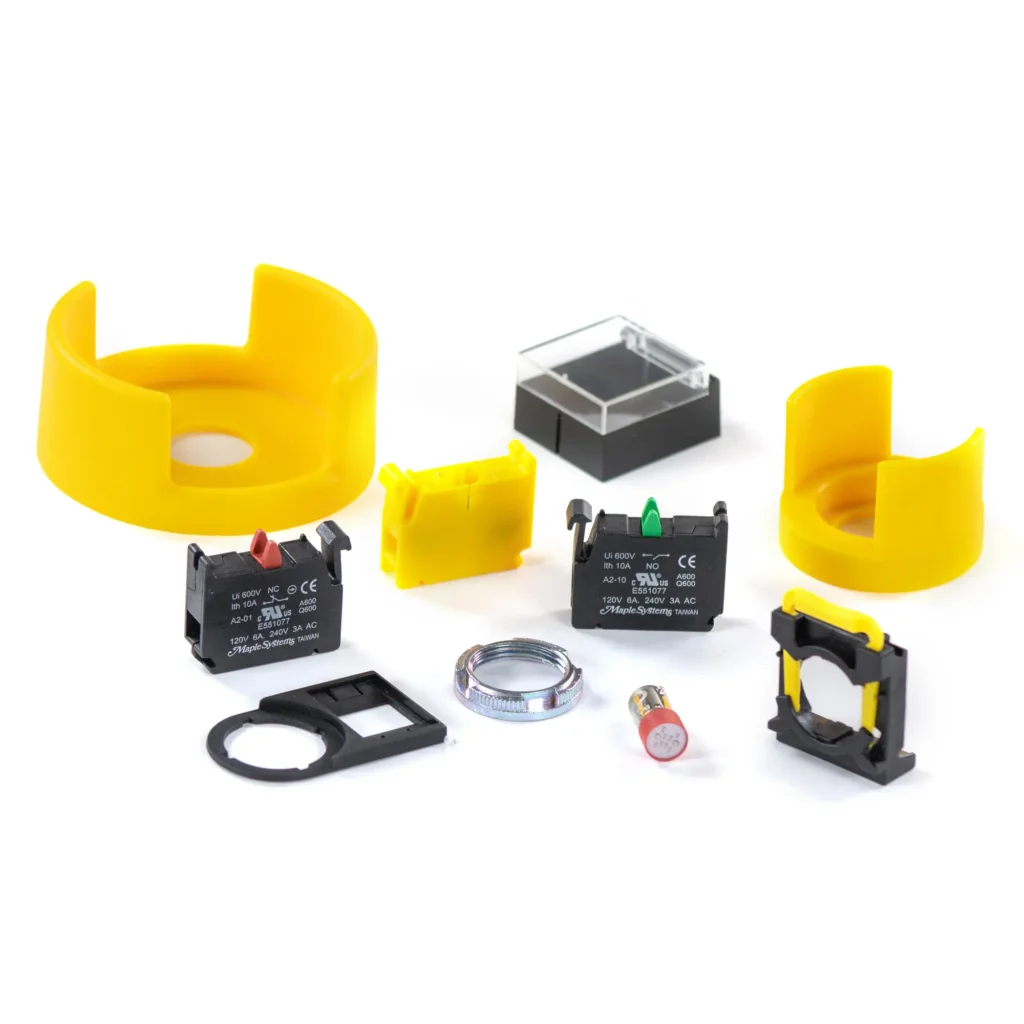
Replacement and add-on components for Maple Systems pushbuttons and selector switches, including NO/NC contact blocks, lamp modules, and mounting hardware. Keeps 22 mm panel mount devices easy to repair and configure.
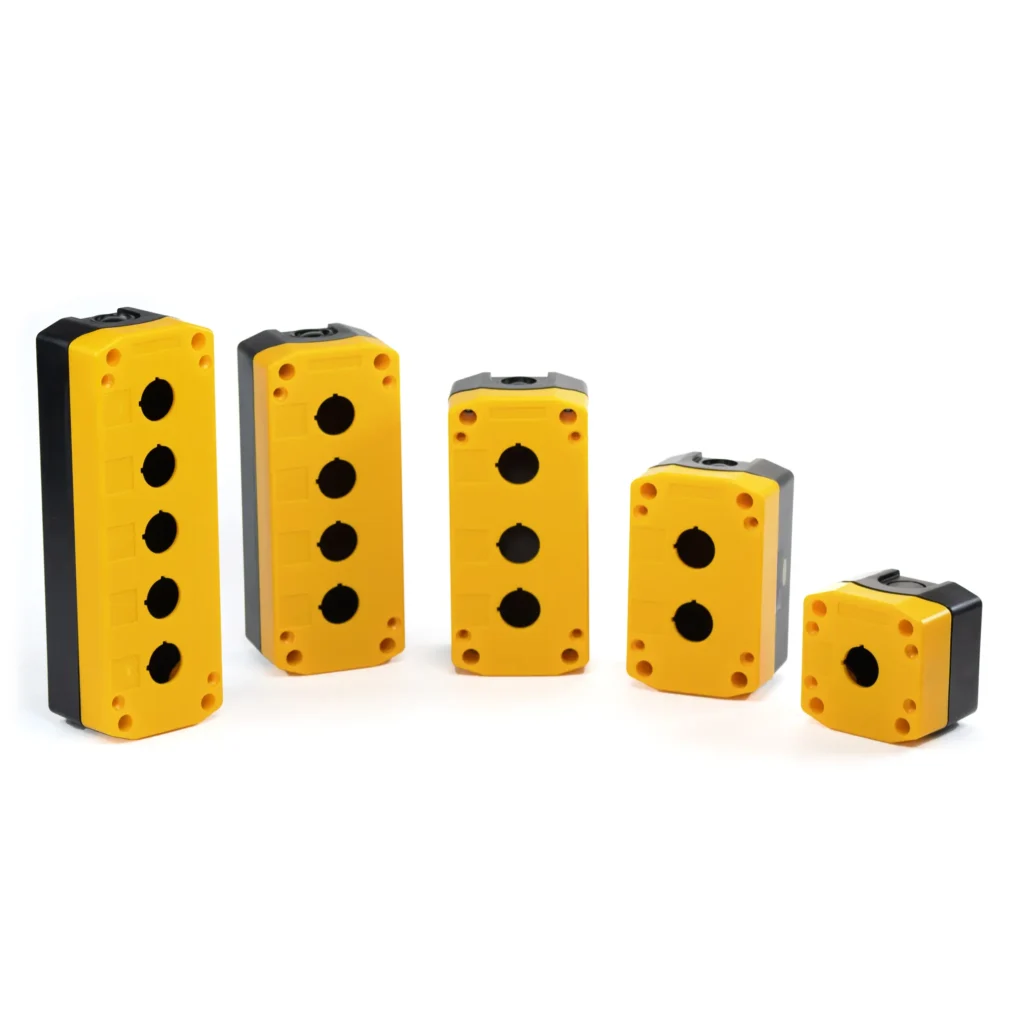
Rugged industrial pushbutton control boxes that house 22 mm pushbuttons, selector switches, and indicator lights in one operator control station. Built for reliable, long-term use in industrial applications. Available in 1-5 hole configurations.
How to Choose Pushbuttons and Switches
Choosing the right operator control starts with function, then fit, then ratings. Use the guide below to match the device type to your panel and your application. If you already know what you need, browse a product type above.
Quick Pick Guide
Need a simple press signal?
Choose Momentary Pushbuttons. Common uses: start, reset, acknowledge, jog.
Need an ON or OFF state that stays set?
Choose Latching Pushbuttons. Common uses: enable, power, manual override.
Need clear machine status?
Choose Indicator Lights. Common uses: run, fault, ready.
Need a safety stop with manual reset?
Choose Latching E‑Stop. Common uses: emergency stop circuits.
Need simple mode selection?
Choose 2-Position Selector Switches. Common uses: A/B selection, on/off modes.
Need multi-mode selection?
Choose 3-Position Selector Switches. Common uses: Auto/Off/Manual control.
Step-by-Step Checklist
Define the action
- Consider momentary action when the signal is active only while pressed.
- Consider maintained action when the state must remain set until changed.
- Use switches when the operator needs fixed positions for mode selection.
Choose signaling vs control
- Use pushbuttons and selector switches to command actions.
- Use indicator lights to show status, faults, or readiness.
- Use illuminated devices when one unit must control and signal.
Confirm mounting and space
- Verify the required panel or enclosure mounting approach.
- Check available clearance behind the panel, especially in tight enclosures.
- Confirm whether the device will mount in a panel, box, door, or station.
Review electrical compatibility
- Ensure the device aligns with your control circuit design.
- Confirm the control logic behavior required for your application.
- Verify that the connection method fits your wiring approach.
Consider environment and duty
- Plan for frequent operation where consistent tactile feel matters.
- Account for dust, oil, moisture, or washdown conditions if present.
- Consider vibration or movement in mobile or industrial environments.
Review safety notes for E‑Stops
- Consider placement and accessibility as part of the overall system design.
- Coordinate device selection with your broader safety strategy.
- Use latching emergency stops where the stop condition must remain active until reset.
Not sure what fits your panel or circuit?
Contact our team and we will help you choose the right option.
Implement with Maple Systems Products
Pushbuttons and switches are rarely used alone. Maple Systems provides a broader portfolio of operator interfaces, control hardware, and industrial computing products to support complete, maintainable automation systems.

HMIs
Provide industrial operator visualization and interaction for machines and automation systems.

HMI + PLC
Combine control logic and operator interface in a single compact industrial automation device.

PLCs & Control
Deliver centralized control and coordination for industrial automation applications.
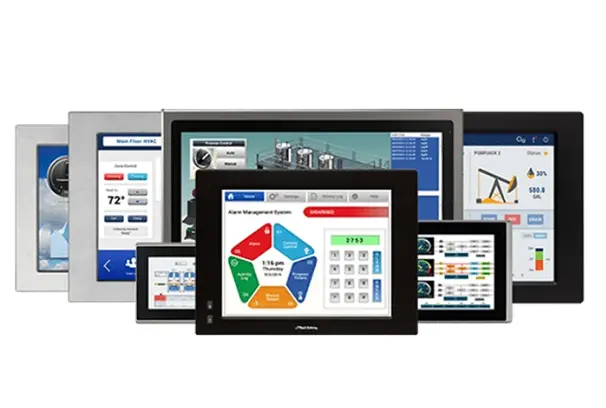
Industrial Panel PCs
Offer panel-mounted industrial computing for visualization, control, and data-driven systems.
Industrial Box PCs
Provide flexible industrial computing for enclosure-mounted and distributed control systems.
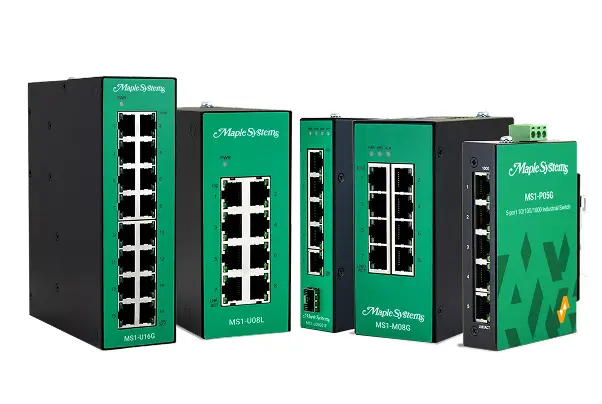
Network & Communication
Enable connectivity and data exchange between devices across industrial control systems.

Rugged Tablets
Enable remote access to industrial systems for monitoring, diagnostics, and on-site interaction.
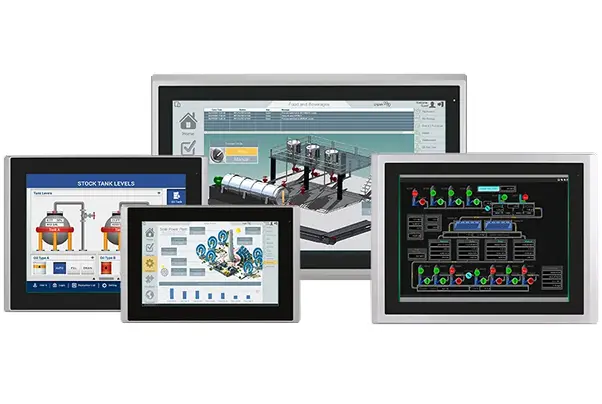
Industrial Monitors
Provide durable display solutions for visualizing data in control rooms, panels, and industrial environments.