
Sample Projects
We have created sample applications/projects and sample kits that demonstrate software features, give programming information for specific controllers, or demonstrate product capabilities. In many cases, you may need the appropriate configuration software to download and view these applications. To download one of our software demo versions, click here, and then return to this page to download the sample files.
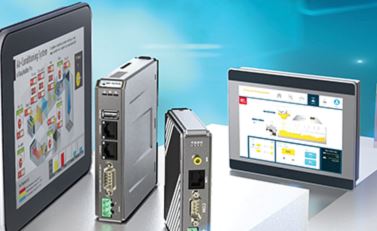
HMI & cMT Series
| Sample Project | Description | Downloaded File Name | EBPro Version |
|---|---|---|---|
| EBPro Training Series | This project introduces a new user to the features of EBPro. Our EBPro Training Series on YouTube is designed to help you build this project up from start to finish. Topics include: Numeric Displays, Bit Lamps, Toggle Switches, Bar Graphs, Scaling, Trend Displays, Modbus Addressing, Basic Macros, Alarms & Events, and Enhanced Recipes/Recipe Database. | EBPro-Training-Series.zip | EBPro v6.03.02.393 |
| Alarms and Events | Demonstrates how to display alarms and events in Alarm Bar, Alarm Display, and Event Display objects. Also demonstrates how to select a date range in a History mode Event Display object with option list dropdown menus. | Alarms and Events.zip | EBPro v6.10.02.304 |
| Alarm Pop Ups | This project demonstrates two ways to create a window that will pop up when an alarm occurs. Direct Windows are located on the Common Window (window 4) to pop up the alarm windows. | AlarmPopUp.zip | EBPro v6.10.02.304 |
| Andon Light System | Demonstrates how an HMI communicates with remote I/O over Modbus TCP to drive Andon Light system. | Andon-System-Sample-Project.zip | EBPro v6.10.01.465 EasyRemote IO v1.5.11.0 |
| ASCII Serial Communications | Learn how to send and receive ASCII strings between your HMI and a Windows PC or serial device using macros and the Free Protocol Driver. Refer to Tech Note 5126. | ASCII Serial Communication.zip | EBPro v6.10.02.304 |
| Barcode Scanner | Connect a USB or serial barcode scanner to your HMI. Use the Barcode Device driver to read data from a USB or Serial barcode reader and display in ASCII and Hex formats. Also uses a Macro to copy the data into local memory. | Barcode.zip | EBPro v6.10.01.510 |
| Connect a Schneider PLC to a Maple Systems HMI | Connect a Maple Systems HMI to a Schneider Electric Modicon PLC using the Schneider Modbus TCP/IP communication protocol. | Schneider M241 PLC to Maple Systems HMI Sample Projects | EBPro v6.10.02.304 |
| cMT Microsoft SQL Database Server | Demonstrates how to connect and disconnect an EBPro cMT project from your MS SQL database and generates data to sync to the database. Refer to the cMT Microsoft SQL Quick Start Guide located in our Manuals and Guides section of the Tech Support Center. | MSSQL quickstart AdvQuery.zip | EBPro v6.03.01.239 |
| cMT MySQL Database Server | Demonstrates how to connect and disconnect an EBPro cMT project from your MySQL database and generates data to sync to the database. Refer to the cMT My SQL Quick Start Guide located in our Manuals and Guides section of the Tech Support Center. | cMT SQL Database Server.zip | EBPro v6.10.01.510 |
| Data Transfer Object | Move data from one PLC to anther PLC, or from one area of memory to another. See our Data Handling section of our Video Center for more information. | Data Transfer Sample.zip | EBPro v6.00.01.220 |
| Date Time Sample | Display and update current date and time in 12 or 24 hour format. | Date Time Sample.zip | EBPro v6.10.02.304 |
| Display Brightness | Adjust the brightness of the HMI based on operator needs. | Display Brightness.zip | EBPro v6.10.02.304 |
| Email Alarm | Demonstrates how to configure your project to send an email when an alarm occurs. | Email Sample.zip | EBPro v6.10.02.304 |
| Email Alerts and Data Backups (Mastering EBPro) | Demonstrates how to send emails based on specific alarms, and how to back up event data via email using trigger-based backup objects. | MasteringEBPro-Alarm-Event-Backup-Email.zip | EBPro v6.03.01.239 |
| Hand/Off/Auto | Create a graphic switch reminiscent of an HOA switch. Shows how to create a three position switch using set word objects or stacked set bit and set word objects. | Hand Off Auto.zip | EBPro v6.10.02.304 |
| IP and USB Camera | Demonstrates how to integrate cameras to provide real-time machine visualization and troubleshooting support. | Camera-Sample-Project.zip | EBPro v6.10.01.510 |
| MAC Address | Display the HMI MAC address on screen. | MAC Address.zip | EBPro v6.10.02.304 |
| Macro Basics | Three separate macros show how to write strings to ASCII displays, compare two values, and sum multiple registers by reading them into an array. | Macro Basics.zip | EBPro v6.10.02.304 |
| Macro Math Functions | Use macros to calculate Sums, Averages, Variance, and Standard Deviation. | Macro Math Functions.zip | EBPro v6.03.01.239 |
| Maple Systems PLC Connection guide | Using the Maple Systems PLC Protocol Drivers in EBPro to connect a Maple Systems HMI to a Maple Systems PLC | Maple Systems PLC Drivers Sample.zip | EBPro v6.10.01.510 MapleLogic v8.21.29 |
| Media Player Control | Use the Media Player Object to play back video files from a USB stick and in Online/Offline Simulation Mode. | MediaPlayerControl.zip | Zip file contains project, readme.txt, and three video files. EBPro v6.10.02.304 |
| Meter Counter-clockwise rotation | Use built-in counterclockwise rotation feature in the Meter Display in EBPro. | Meter Counter-Clockwise (CCW).zip | EBPro v6.10.02.304 |
| Modbus Gateway Setup (Mastering EBPro) | Demonstrates how to set up an address mapping table to make register-based PLC data available to read or write from a separate Modbus Master or SCADA system. This project includes 4 different mapping rules to translate from an Allen-Bradley PLC5 into Modbus addresses. These mapping rules can be found under ‘Address Mapping Tables’ in the Driver Settings window for the Modbus Gateway device (device type: ‘Modbus TCP/IP Slave’) driver in System Parameters. | MasteringEBPro-PLC5-Modbus-Gateway.zip | EBPro v6.03.01.239 |
| MQTT Set-up | Demonstrates how to use the HMI as an Edge Gateway. The HMI is publishing data on 4 different “topics” to a locally hosted MQTT broker. | MQTT Sample.zip | EBPro v6.10.01.510 |
| Multi-State Pictures and Shapes | Demonstrates the use of Multi-State Pictures and Shapes as Word Lamps and Multi-State Switches. Includes examples of the Label Tracking feature for consistent text label alignment on multi-state objects. | Multi-State Pictures Shapes.zip | EBPro v6.03.01.239 |
| OEM Sample | Provides an overview of HMI features such as project security, multi-language support, data logging and trending, etc. that benefit machine manufacturers. | OEM Sample.zip | EBPro v6.00.01.220 |
| OPC UA | Learn how to connect a Maple Systems HMI to an OPC UA setup – both as a client and as a server. | OPC-UA-Sample-Projects.zip | EBPro v6.10.01.510 |
| Operation Log | Demonstrates using the Operation Log to record the user’s operation steps while interacting with certain objects on the screen, how to display the Operation Log using the Operation Log Results Viewer, and how the log data can be exported to a USB drive or SD card, emailed, or synced with a SQL database server (cMT models only). | Operation Log Sample.zip | EBPro v6.10.02.304 |
| Option List: Item address | Demonstrates how to change the names of items in the Option List and the number of items listed from the HMI screen. | OptionList.zip | EBPro v6.00.01.220 |
| Quick Start Guide Project Files | Project files referenced in the EBPro Quick Start Guide. Zip file contains Quick Start EX.zip and picture and group library files. | QuickStartFiles.zip | Zip file contains Quick Start Ex.zip and two library files. EBPro v6.00.01.220 |
| Recipes (RW Method) | Basic RW Recipe Example – Uses Retentive Word Index (RWI) registers to save recipe data to Retentive Word (RW) memory. Uses scaling on a numeric object to show what recipe is being viewed, and a macro to highlight the RW range. | Recipes RW.zip | EBPro v6.03.01.239 |
| Recipe RW Transfer (USB) | Transfers recipe data (RW memory) to a USB flash drive (Extended Memory) and back to the HMI using a macro. | Recipe RW Transfer to USB.zip | EBPro v6.00.01.220 |
| Recipe Database Transfer | Transfer recipe data from the Enhanced Recipe Database. Displays recipes from the database in the Recipe View Object, and shows how to edit recipes and transfer them into local memory. | Recipe-Database-Transfer.zip | EBPro v6.00.01.220 |
| Remote I/O | Demonstrates the essential steps for integrating Maple Systems remote I/O with a Maple Systems HMI using Modbus TCP in a PLC-less architecture. | Remote-IO-Sample-Project.zip | EBPro v6.10.01.510 EasyRemote IO v1.5.11.0 |
| RFID | Configure an RFID reader and build a secure RFID scanning project on an HMI. Connect and configure the reader, enable smart-card user login, display RFID tag data, and use HMI security to control access to RFID functions. | RFID-Sample-Project.zip | EBPro v6.10.02.304 |
| Scheduler | Need to schedule an event? Use the Scheduler object to turn bits on and off at scheduled times. | Scheduler.zip | EBPro v6.10.02.304 |
| Security (Basic) (Mastering EBPro) | Demonstrates how to restrict access to specific windows and objects in EBPro using a single user in Basic/General Security Mode. Includes login/logout buttons and accompanying popup windows. | MasteringEBPro-Basic-Security.zip | EBPro v6.03.01.239 |
| Security (Enhanced Mode) | Demonstrates how to use the preconfigured security windows in EBPro to log in and out with a pop up window and to modify account settings using Enhanced Security. For Advanced HMI and cMT models. | Security-Enhanced-Mode.zip | EBPro v6.03.02.393 |
| Security Password Pop-Up | Demonstrates basic (general mode) security on a function key to popup a modified window 7 warning message and modified keypad that allows you to login. | Security Password Popup.zip | EBPro v6.10.02.304 |
| Security Change Window Macro | Allows users to log in using a common screen and once logged in, the HMI will automatically take (with a macro) the user to a different screen based on the access level of the user. | Security Window Change.zip | EBPro v6.10.02.304 |
| Sparkplug B MQTT Sample Project | Demonstrates how to connect a Maple cMT HMI or cMT Server to Ignition Gateway to publish Sparkplug B MQTT payloads. Requires Cirrus Link MQTT Modules to be installed in Ignition. This sample project includes a variety of Sparkplug B tag types, including strings and integers, which are automatically discovered upon connection to Ignition. Also includes functions to start and stop MQTT connections as well as to connect to another gateway using an IP address. Refer to the Sparkplug B MQTT Quick-Start Guide located in the Manuals and Guides section of the Tech Support Center for more information. | Sparkplug B MQTT Sample Project.zip | EBPro v6.10.01.510 |
| Timer Object (On Delay) | Shows how to use the built-in Timer Object in EBPro. | Timer Object (On Delay).zip | EBPro v6.10.02.304 |
| Trending, Sampling, and Data Backups (Mastering EBPro) | Demonstrates Real-Time Trend and History Data Displays, Data Sampling, and Backup of Data Sampling. Trend Display features include: Channel Visibility, Pan and Zoom, a Watch Line to display channel values at a particular point in time, and Hold Control to pause the trend chart. Backup Objects allow for saving sampled data to USB or SD card. | Mastering EBPro Trending Sampling DataBackup.zip | EBPro v6.03.01.239 |
| Troubleshooting PLC No Response | Demonstrates different causes of and ways to resolve the PLC No Response message, including PLC Communication Parameters, Addressing, and HMI Network Configuration. Includes numeric entry objects and set bit objects allowing operators to change PLC connection parameters during runtime. Multiple informational windows describe the main causes of the PLC No Response error message, and list tips, tricks, and resources that can assist users in troubleshooting such issues. | Troubleshooting PLC No Response.zip | EBPro v6.03.01.239 |
| Update PLC IP Autoconnect | Change the target IP address the HMI is accessing from the HMI. Shows the system addresses relating to local and PLC IP settings. Uses an Maple Systems PLC driver as an example. | Update PLC IP Autoconnect.zip | EBPro v6.10.02.304 |
| USB Tethering | USB Tethering allows an Android phone to share its Internet connection with a USB connected HMI. | USB Tethering.zip | EBPro v6.00.01.220 |
| VNC Auto Log-off | Automatically logs out a person who is connected to the HMI using a remote PC with VNC Viewer after a period of time. Starts a timer when a VNC connection is detected and logs out the user after 10 minutes using a macro. | VNC Auto LogOff.zip | EBPro v6.10.02.304 |
| XY Plot | Demonstrates how to plot one set of data (X-axis) against another set of data (Y-axis) using the XY Plot object. Data is generated with a macro. | XY Plot.zip | EBPro v6.10.02.304 |
| CODESYS – Go Online with an HMI | This tutorial shows you how to activate and go online with CODESYS on an HMI using a cMT3102X. | CODESYS-Sample-Project.zip EBPro-CODESYS-Sample-Project | cMTX with CODESYS Activation and EBPro v6.07.02 or later and CODESYS 3.5.10.0 |
| CODESYS – Remote IO Demo Project | This tutorial will demonstrate how to connect an iR-ETN40R Remote I/O and a cMT device using CODESYS while communicating via Modbus. | CODESYS-Project-RemoteIOSample EasyRemoteIO-Project-RemoteIO EBPro-Project-RemoteIOSample | cMTX with CODESYS Activation, EBPro v6.07.02 or later, CODESYS 3.5.10.0, and EasyRemote IO v1.5.11.0 or later |
| CODESYS – Remote IO Control Digital I/O | This tutorial will demonstrate how to connect an iR-ETN40R Remote I/O and a cMT device using CODESYS to turn a digital input and output on and off utilizing both HMI and CODESYS programming software’s while communicating via Modbus. | CODESYS-Project-RemoteDIOSample EasyRemoteIO-Project-RemoteDIOSample EBPro-Project-RemoteDIOSample | cMTX with CODESYS Activation, EBPro v6.07.02 or later, CODESYS 3.5.10.0, and EasyRemote IO v1.5.11.0 or later |
| CODESYS – Communication Project | EBPro and CODESYS projects demonstrating how to share data between HMI and PLC applications. | EBProCODESYSCommunicationProjects.zip | cMTX with CODESYS Activation and EBPro v6.10.02 or later |
| CODESYS – iR-COP Demo Project | EBPro and CODESYS projects demonstrating how to connect to the iR-COP coupler. | EBProCODESYSiRCOPProjects.zip | cMTX with CODESYS Activation and EBPro v6.10.02.304 or later |
| CODESYS – iR-ECAT Demo Project | EBPro and CODESYS projects demonstrating how to connect to the iR-ECAT coupler. | EBProCODESYSiRECATProjects.zip | cMTX with CODESYS Activation and EBPro v6.10.02.304 or later |
| CODESYS – iR-ETN Demo Project | EBPro and CODESYS projects demonstrating how to connect to the iR-ETN coupler. | EBProCODESYSiRETNProjects.zip | cMTX with CODESYS Activation and EBPro v6.10.02 or later |
HMI + PLC Series (HMC2000/HMC3000/HMC7000 only. See other table for HMC4000 sample projects)
| Sample Project | Description | Downloaded File Name | MAPware-7000 Version |
|---|---|---|---|
| Master Demo Project (HMC2000) | These demo projects contain all of the individual features into one large project. There is 1 file for each size unit | HMC2043AM_Demo.zip HMC2070AM_Demo.zip | MAPware-7000 v2.36 Feb. 2022 |
| MAPware Alarm Testing (Native Ladder) Sample Project | This project demonstrates how to set up alarms in the native ladder programming environment. | Alarm Testing (Native Ladder).zip | MAPware-7000 v2.36 Feb. 2022 |
| Alarms (IEC) Sample Project | This sample project demonstrates how to configure alarms in the Alarms database dialog window as well as how to set up real time and historical log alarm displays. No IO or ladder logic is required as the alarms are triggered from the screen. | IEC Alarms Sample.zip | MAPware-7000 v2.36 Feb. 2022 |
| MAPware Alternative Keyboards (Native Ladder) Sample Project | This project only demonstrates the use of an alternative keyboard for entering the login username in the Native Ladder programming environment. | NL Alternative Keypads for Access Level Login.zip | MAPware-7000 v2.36 Feb. 2022 |
| ASCII (IEC) Sample Project | This project demonstrates the use of the universal serial driver (ASCII) to receive and transmit data in ASCII form to and from a slave device. The project also shows how to configure the serial parameters of the COM port on the HMC at runtime in order to match the parameters of the slave device. This project can be used together with the ASCII Serial Communication HMI sample project, which can be run in an online simulation in EBPro without purchasing additional hardware. | ASCII IEC Example HMC3043.zip | MAPware-7000 v2.36 Feb. 2022 |
| Data Logging to a USB Flash Drive (IEC) Sample Project | This sample project demonstrates two different methods of how to upload or download program data, firmware and application to a USB drive. | Logged Data to a USB Flash Drive 3043AM.zip | MAPware-7000 v2.36 Feb. 2022 |
| First In First Out (FIFO) (IEC) Sample Project | This sample project demonstrates the use of a user-defined FIFO function block written in structrured text and implemented in ladder logic. FIFO or First In First Out refers to a data structure such as an array that returns elements in the same order that they were recieved. | FIFO IEC.zip | MAPware-7000 v2.36 Feb. 2022 |
| First In First Out (FIFO) (Native Ladder) Sample Project | Demonstrates an implementation of a First In First Out buffer using Native Ladder logic instructions. | FIFO Native Ladder.zip | MAPware-7000 v2.36 Feb. 2022 |
| Modbus Example Project for HMC3070A-M and HMC3102A-M (IEC) Sample Project | This sample project is the same as the HMC Modbus sample for the HMC3043A-M, but configured for a larger screen model. | HMC Modbus Example Project.zip | MAPware-7000 v2.36 Feb. 2022 |
| Modbus Example Project for the HMC3043A-M (IEC) Sample Project | This sample project demonstrates a connection to a modbus slave and is designed to work with sample project Modbus.emtp which can be run in an online simulation with the installation of EBPro. | HMC Modbus Example Project HMC3043.zip | MAPware-7000 v2.36 Feb. 2022 |
| MAPware Pulse Width Modulation (Native Ladder) Sample Project | Demonstrates the configuration of both PWM outputs Y2 and Y4 on the IO module in Normal mode, CW and CCW mode, pulse and direction mode, and Traphezoidal PWM mode for channel 1 (Y2). This project requires hardware and wiring per the diagram in the IO module guide, as well as a means of measuring the PWM signal such as an oscilloscope. | PWM Application.zip | MAPware-7000 v2.36 Feb. 2022 |
| MAPware Recipes (Native Ladder) Sample Project | The recipe sample project demonstrates how to handle recipe data in ladder logic as well as a concise user interface for displaying and editing recipe data. | HMC Recipe.zip | MAPware-7000 v2.36 Feb. 2022 |
| MAPware Set Ethernet Parameters At Runtime (Native Ladder) Sample Project | This project provides a blank base screen that has a button to open the Ethernet parameters window at runtime. | Set Ethernet Parameters At Runtime.zip | MAPware-7000 v2.36 Feb. 2022 |
| MAPware TON Timer (IEC) Sample Project | This sample project demonstrates how to implement a TON timer in IEC mode using both ladder logic and structured text. | TON Timer Sample.zip | MAPware-7000 v2.36 Feb. 2022 |
HMI + PLC Series (HMC4000 only. See other table for HMC2000/HMC3000/HMC7000 sample projects)
| Sample Project | Description | Downloaded File Name | MAPware-7000 Version |
|---|---|---|---|
| Connecting to Maple Systems PLC | Connect a Maple Systems HMI + PLC unit to a Maple Systems PLC. This sample project covers all the configuration steps in MAPware-7000 and MapleLogic for both serial and Ethernet connections. | Maple-Systems-HMC-PLC-Sample-Project.zip | MAPware-7000 v2.36 Jul. 2024 MapleLogic v8.21.29 |
| Master Demo Project (HMC4000) | These demo projects contain all of the individual features into one large project. There is 1 file for each size unit | HMC4043AM_Demo.zip HMC4070AM_Demo.zip HMC4101AM_Demo.zip | MAPware-7000 v2.36 Feb. 2022 |
| Alarms Sample Project | This sample project demonstrates how to configure alarms in the Alarms database dialog window as well as how to set up real time and historical log alarm displays. No IO or ladder logic is required as the alarms are triggered from the screen. | Alarm_and_Email_HMC4000.zip | MAPware-7000 v2.36 Feb. 2022 |
| Email Sample Project (HMC4000 Series) | This sample project demonstrates how to send an email from the HMC unit | Email_HMC4000.zip | MAPware-7000 v2.36 Feb. 2022 |
| How to Read Analog Input Current (4-20mA) Sample Project | This sample project is part of the tutorial that shows you how to read an analog input current (4-20mA), display the raw reading, and convert the signal to more meaningful values on the User Interface. | Analog-Input-4-20mA-Sample-Project.zip | MAPware-7000 v2.36 Feb. 2022 |
| How to Read Analog Input Current (0-5V) Sample Project | This sample project is part of the tutorial that shows you how to read an Analog Input Voltage (0-5V), display the raw reading, and convert the signal to more meaningful values using an HMI+PLC combo and displaying on the user-interface. | Analog-Input-0-5V-Sample.zip | MAPware-7000 v2.36 Feb. 2022 |
| How to Turn the Digital Output On/Off using an LED Light Sample Project | This sample project is part of the tutorial that shows you how to turn the Digital Output on and off with an HMI+PLC combo using an LED Light, while displaying on the user-interface. | Digital-Output-Blink-LED.zip | MAPware-7000 v2.36 Feb. 2022 |
| How to Turn the Digital Output On/Off Blink Every 1 Second Sample Project | This sample project is part of the tutorial that shows you how to turn the Digital Output on and off for an LED light using an HMI+PLC combo, while utilizing a Timer function to Blink every one second and displaying on the user-interface. | Digital-Output-OnOff-Sample.zip | MAPware-7000 v2.36 Feb. 2022 |
| How to Use Timer Function to turn an LED On/Off Sample Project | This sample project is part of the tutorial that shows you how to use Timer Functions to turn an LED Light on and off using an HMI+PLC combo and displaying on the user-interface. | LED-Timer-Functions.zip | MAPware-7000 v2.36 Feb. 2022 |
| MAPware How to Use Pulse Width Modulation Sample Project | This sample project is part of the tutorial that shows you how to use Pulse Width Modulation and turning the Digital Output On & Off using an LED Light with an HMI+PLC combo, while displaying on the user-interface. | PWM-Simple-Sample.zip | MAPware-7000 v2.36 Feb. 2022 |
| How to Determine Motor Speed Using a High Speed Counter with a Quadrature Encoder Sample Project | This sample project will cover the configurations and IEC Ladder Logic using the High Speed Counter for the HMI + PLC Combo (HMC4070) with an IO Module (HMC3-M1210Y0210-V2) and determining motor speed using a Quadrature Encoder while displaying on the user-interface. | HSCMotorSample.zip | MAPware-7000 v2.36 May. 2024 |
| How to Program Alarms Sample Projects | This sample project is part of the tutorial that shows you how to use Alarms with an HMI+PLC combo while displaying on the user-interface. | Alarms-Sample.zip | MAPware-7000 v2.36 Feb. 2022 |
| How to Program Email & Alarms Sample Projects | This sample project is part of the tutorial that shows you how to program Email with Alarms using an HMI+PLC combo, while displaying on the user-interface. Please refer to the “How to Program Alarms” tutorial page for the complete Alarms setup. | Email-&-Alarms-Sample.zip | MAPware-7000 v2.36 Feb. 2022 |
| How to Wire and Program the Digital Output for a 24V DC Motor using Pulse Width Modulation Sample Project | This sample project is part of the tutorial that shows you how to turn the digital output on and off for a 24V DC Motor with an HMI+PLC combo, using Pulse Width Modulation, while displaying on the user-interface. | PWM-DC-Motor.zip | MAPware-7000 v2.36 Feb. 2022 |
| How to Use Counters with Proactive & Reactive Maintenance Sample Project | This sample project is part of the tutorial that shows you how to program Counter functions in a pump overload scenario & and compressor preventative maintenance, using an HMI+PLC combo while displaying on the user-interface. | Counters-Sample.zip | MAPware-7000 v2.36 Feb. 2022 |
| How to Read Temperature with a J-Thermocouple using 0-5V Analog Configuration Sample Project | This sample project is part of the tutorial that shows you how to wire and program a J-Thermocouple using a 0-5V Analog signal conditioner, with an HMI+PLC combo, while displaying on the user-interface. | J-Thermo.zip | MAPware-7000 v2.36 Feb. 2022 |
| MAPware How to Program Recipes Sample Project (HMC4000 Series) | This sample project is part of the tutorial that shows you how to configure Recipes in a HMI+PLC Combo programming software while displaying on the user-interface. | Recipe-Sample.zip | MAPware-7000 v2.36 Feb. 2022 |
| How to Connect an MQTT Broker to a Maple Systems HMI+PLC Combo Unit | This sample project is part of the tutorial that shows you how to connect an MQTT Broker to a Maple Systems HMI+PLC (HMC) Series. | MQTT Broker.zip | MAPware-7000 v2.36 Jul. 2024 |
| How to Connect an HMI+PLC Combo with a Remote I/O via Modbus Sample Projects | These sample projects are part of the tutorial that shows you how to connect an HMI+PLC combo with a Remote I/O using Modbus communication to read the analog input from a J-Thermocouple and get the digital output using an LED light. | HMC-RemoteIO_Sample.zip Remote IO.zip | MAPware-7000 v2.36 Feb. 2022 |
| MAPware How to Program a PID Loop Sample Project | This sample project is part of the tutorial that shows you how to program a PID Loop function with a HMI+PLC Combo programming software while displaying on the user-interface. | PID-Loop-Sample.zip | MAPware-7000 v2.36 Feb. 2022 |
| How to Set Up High Speed Counter with an iR-ETN40R using an HMI & PLC Combo Sample Project | This sample project is part of the tutorial that shows you how to setup High Speed Counter with an iR-ETN40R Remote I/O and an HMI+PLC combo (HMC-4070) using Modbus communication while utilizing MAPware-7000 and Easy Remote IO programming software. | iR-ETN40R HSC.zip EasyRemoteHSC.eriop | MAPware-7000 v2.36 Feb. 2022 |
PLC Series
| Sample Project | Description | Downloaded File Name | MapleLogic Version |
|---|---|---|---|
| Connect to a Maple Systems HMI | Using Maple Systems PLC protocol drivers in EBPro to connect a Maple Systems HMI to a Maple Systems PLC. | Maple Systems PLC Drivers Sample.zip | MapleLogic v8.21.29, EBPro v6.10.01.510 |
| Connect to a Maple Systems HMC | Using Modbus Protocol to connect a Maple Systems HMI +PLC combo to a Maple Systems PLC | Maple-HMC-PLC.zip | MapleLogic v8.21.29 MAPware-7000 v2.36 Jul. 2024 |
| PLC to MQTT Broker | This sample project demonstrates how to connect any Maple Systems PLC to an MQTT Broker using one of our IIoT Communication Gateways. | MQTT-Maple-PLC-and-HMI-SampleProject.zip | MapleLogic v8.20 EBPro v6.10.01.510 |
| Controlling a VFD with a PLC and HMI | These sample projects demonstrate how to control a motor using a VFD, HMI, and PLC as well as how to configure all communication parameters. | VFD-Demo-Applications.zip | MapleLogic v8.20 |
| Measuring Motor Speed Using a High Speed Counter with a Quadrature Encoder | This sample project will cover the configurations using the built-in High Speed Counter for the Maple PLC’s and determining motor speed using a Quadrature Encoder in the control software (MapleLogic). | HSCEncoderMotorSample.zip | MapleLogic v8.20 |
| Controlling the Speed of a Motor Using Pulse Width Modulation | This sample project will cover how to control the speed of a motor using a Maple PLC and PWM Module while utilizing ladder diagram logic in the control software (MapleLogic). | PWMMotorSample.zip | MapleLogic v8.20 |
| Connecting MapleSystems HMI and MapleSystems PLC Demo | This demo file contains both the HMI and PLC projects needed to demonstrate the communication between a Maple HMI and Maple PLC via Modbus TCP/IP. | HMI-PLC-Demo-Project.zip | MapleLogic v8.20 |
| PID Loop to Control Temperature | This sample project will cover how to configure a PID to control the temperature of a heater using an RTD Sensor and the Digital Output from a Maple PLC in MapleLogic. | PIDLoopSample.zip | MapleLogic v8.20 |
| Reading Temperature using a Thermocouple | This sample project will demonstrate how to read temperature with a thermocouple using a Maple Modular PLC and a Thermocouple Module in MapleLogic. | thermocouplesample.zip | MapleLogic v8.20 |
| Reading Temperature using an RTD Sensor | This sample project will demonstrate how to read temperature with an RTD Sensor using a Maple Modular PLC and an RTD Module in MapleLogic. | RTDSample.zip | MapleLogic v8.20 |
| Turning On and Off a Pump using Digital I/O | This sample project will demonstrate how to turn the digital output on and off using a pump and receiving feedback. | DigitalIOSample.zip | MapleLogic v8.20 |
| How to Read the Analog Input from a 0-10V and 4-20mA Pressure Sensor | This sample project will cover how to configure and wire the Analog Input for a pressure sensor using 0-10V and 4-20mA on a Maple Modular PLC and in MapleLogic control software. | AnalogInputVoltageCurrent.zip | MapleLogic v 8.20 |
| How to Program Timers Sample Project | This sample project will cover all the timers in MapleLogic. | TimersSample.zip | MapleLogic v8.20 |
| How to Program Counters | This sample project will cover all the counters in MapleLogic. | CountersSample.zip | MapleLogic v8.20 |
| How to Configure your I/O Modules Virtually and Convert your Ladder Diagram Sample Project | This sample project will cover how you would configure your I/O modules virtually in maple logic and converting into ladder diagram without having the physical hardware. | VirtualIO-LDConvert.zip | MapleLogic v8.20 |
| How to Communicate via Modbus with a Maple PLC as an RTU Slave & an HMI as an RTU Master Device | These sample projects will cover Modbus Communication via RTU between a Maple Modular PLC and a cMT HMI — the Maple PLC as an RTU slave, and the HMI as the master device. | ModbusRTU-TCP-Sample.zip | MapleLogic v8.20 |
| Modbus TCP Master/Slave | How to connect your Maple Modular PLC as a Modbus TCP Master Device | ModbusTCPMaster.zip ModbusTCPSlave.zip | MapleLogic v8.20 |
| Modbus RTU Slave Modular / Master Micro | How to connect your Maple PLC as a Modbus RTU Master Device | ModbusRTUSlaveModular.zip ModbusRTUMasterMicro.zip | MapleLogic v8.20 |
| Online Simulator | How to use the PLC Simulator and Online Edit in MapleLogic | OnlineSimulation.zip | MapleLogic v8.20 |
| PLC Diagnostics | How to Troubleshoot and Reset Error Codes in your PLC Diagnostics | PLCDiagnostics.zip | MapleLogic v8.20 |
| How to Program a High Speed Counter | This sample project will cover the configurations for using the built-in High Speed Counter for the Maple Modular and Micro PLC’s. | HSCSample.zip | MapleLogic v8.20 |
| How to Configure a Custom Function Block | This sample project will cover the configurations of a custom function block and using it in your ladder diagram in MapleLogic. | FunctionBlockSample.zip | MapleLogic v8.20 |
| Web Server Tutorial Sample Project | This project was designed for the specific hardware mentioned at the beginning of the tutorial and is intended to provide you guidance when programming your unit. If you are using models other than the one specified in this sample project, these steps CANNOT be duplicated within your own project. | Web-Server-Project.zip | MapleLogic v8.20 |
| Positioning Demo Application Sample Project | This downloadable file has all the necessary projects to recreate and run the positioning demo project described in this article. For use with our tutorial where we focus on how PLC’s utilize position instructions to precisely adjust the positioning of a machine component, such as a stepper motor, to move on a specific path. | Positioning-Demo-Application.zip | MapleLogic v8.20 |
| How to Import and Export Modbus Tags Sample Projects | These projects where designed for the specific hardware mentioned at the beginning of the tutorial and is intended to provide you guidance when programming your unit. If you are using models other than the ones specified in this sample project, similar steps can be duplicated within your own project. | Import-Modbus-Tags-Sample.zip | MapleLogic v8.20 |
| How to Control Motor Speed Using a PID Loop, Pulse Width Modulation and a High Speed Counter Sample Project | This project was designed for the specific hardware mentioned at the beginning of the tutorial and is intended to provide you guidance when programming your unit. If you are using models other than the ones specified in this sample project, similar steps can be duplicated within your own project. | PID-PWM-HSC-Motor-Sample-2.zip | MapleLogic v8.20 |
| Try-Before-You-Buy MapleLogic Simulation Demo | Test Drive Your PLC Project! Looking for other options to run your program? We make it easy and risk free! FREE PLC configuration software includes powerful simulation tools. | MapleLogic-Sim-Demo.zip | MapleLogic v8.20 |