PID Controllers
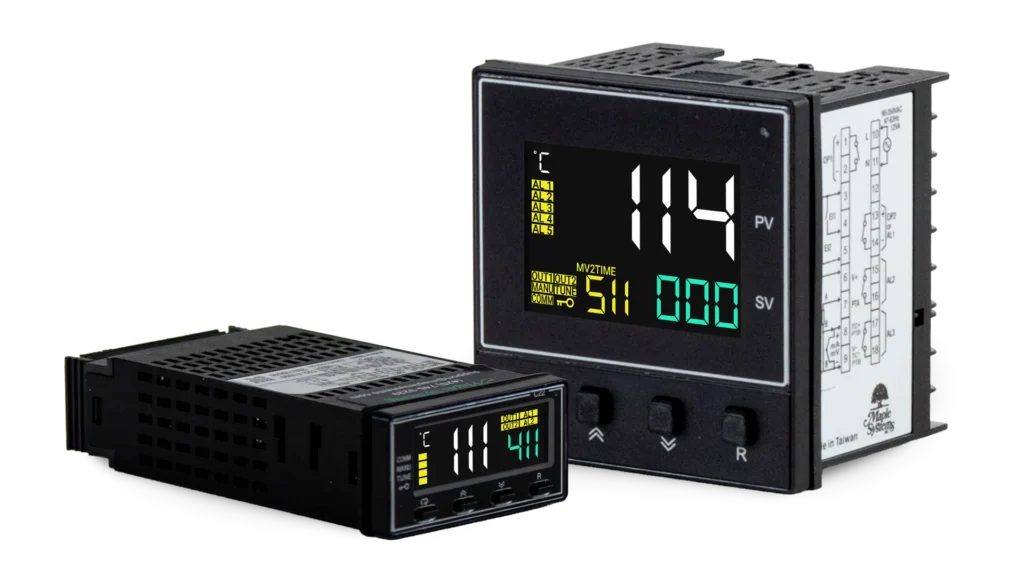
Achieve precise, reliable process control with Maple Systems PID Controllers, designed to help industrial manufacturers maintain consistent performance, reduce waste, and improve operational efficiency. Whether you’re controlling temperature, pressure, or flow, the right PID controller helps maintain your target setpoint, minimize process variation, and keep your operation running smoothly. The right PID controller parameters keep the system stable, reduce scrap and wasted energy, and prevent costly downtime in industrial processes. Maple Systems PID Controllers combine auto-tuning, fuzzy logic PID control for industrial process and temperature applications. The PID100 Series features universal thermocouple, RTD, current and voltage inputs, flexible output options, and built-in Modbus RTU communication. Compare PID111 and PID114 panel-mount controllers to match your sensor output and installation requirements.
Products
Results
-
Featured

Optional Programming Kit for PID100 Series
5304-0100A- Used for Off-Line Automatic Setup
- Used for Off-Line Testing Procedures
- Used for Firmware Upgrades
- Used for Automatic Calibration
$95.00Quantity Discounts Available -
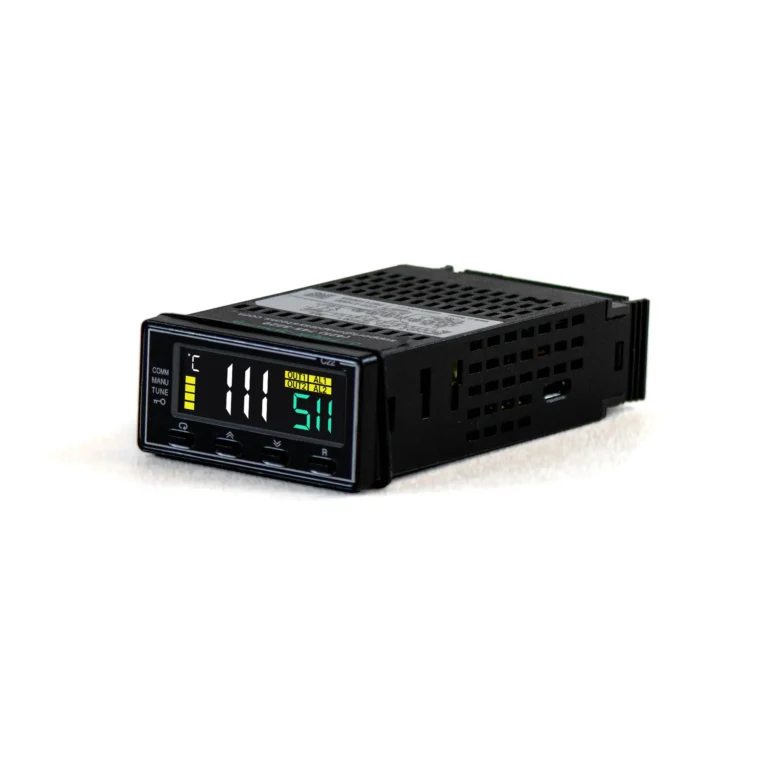
Auto Tuning Fuzzy Logic PID Temperature Controller 1/32 DIN Relay 20 – 28 VAC / 11-40 VDC
PID111-51111- Fuzzy PID Control & Autotuning
- Universal Thermocouple, RTD, mA, and Voltage Inputs
- Built-in Modbus RTU
- 18-bit Resolution
- Fast 200ms Sampling
- Analog Retransmission
- Remote Setpoint Input
- Data Communications
- Compact 1/32 DIN Panel Mount
- 20-28 VAC, 47-63 Hz / 11-40 VDC
$145.00Quantity Discounts Available -
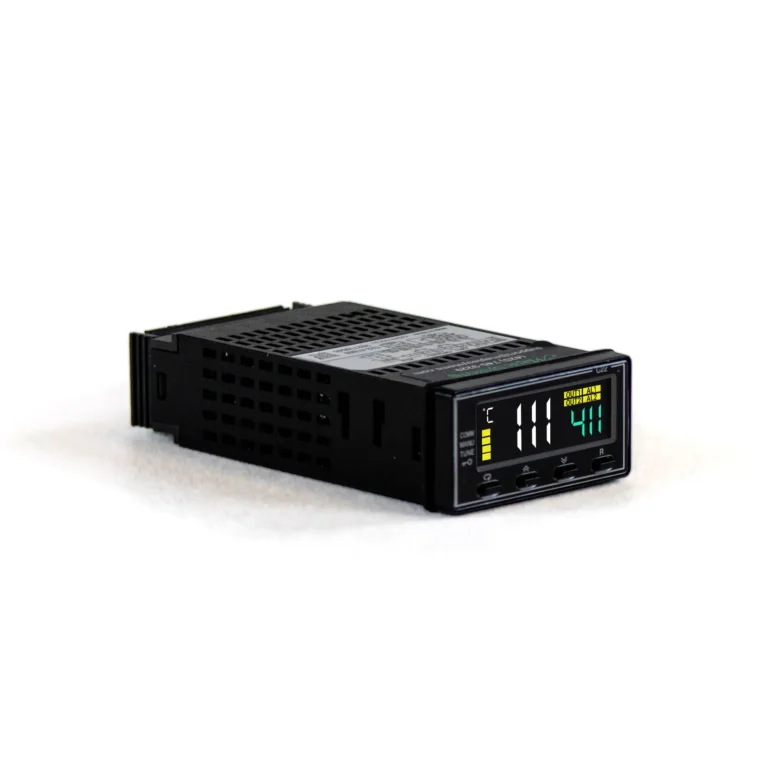
Auto Tuning Fuzzy Logic PID Temperature Controller 1/32 DIN Relay 90-250 VAC
PID111-41111- Fuzzy PID Control & Autotuning
- Universal Thermocouple, RTD, mA, and Voltage Inputs
- Built-in Modbus RTU
- 18-bit Resolution
- Fast 200ms Sampling
- Analog Retransmission
- Data Communications
- Remote Setpoint Input
- Compact 1/32 DIN Panel Mount
- 90 – 250 VAC, 47 – 63 Hz
$135.00Quantity Discounts Available -
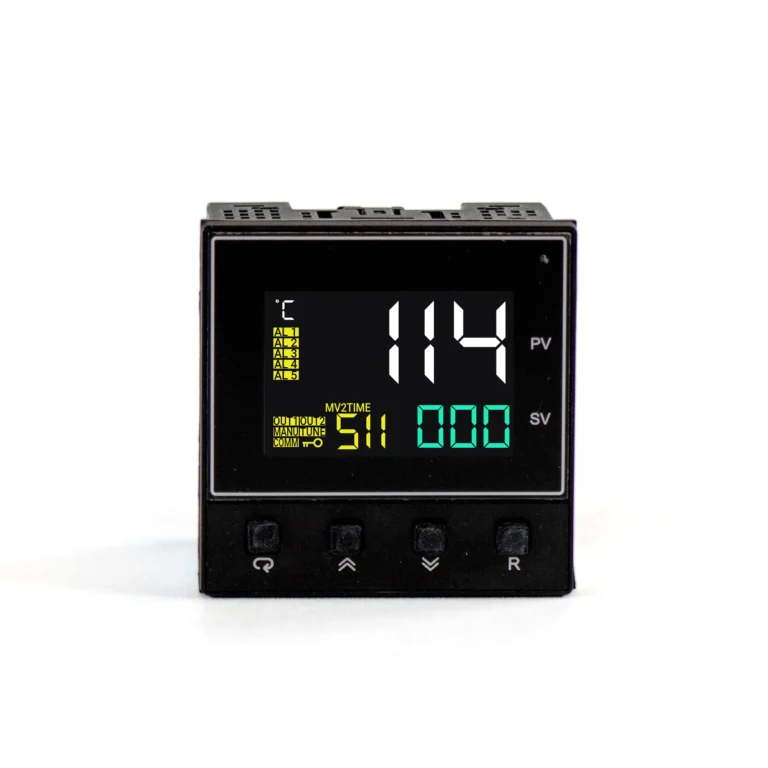
Fuzzy Logic PID Temperature Controller, 20-28VAC/11-40VDC, Auto Tuning, 9/64 DIN
PID114-51110000- Dual Heating and Cooling Control
- Fuzzy PID Control & Autotuning
- Universal Thermocouple, RTD, mA, and Voltage Inputs
- 18-bit Resolution
- Fast 200ms Sampling
- Compact 9/64 DIN Panel Mount
- 20 to 28 VAC, 47-63 Hz / 11 to 40 VDC
$135.00Quantity Discounts Available -
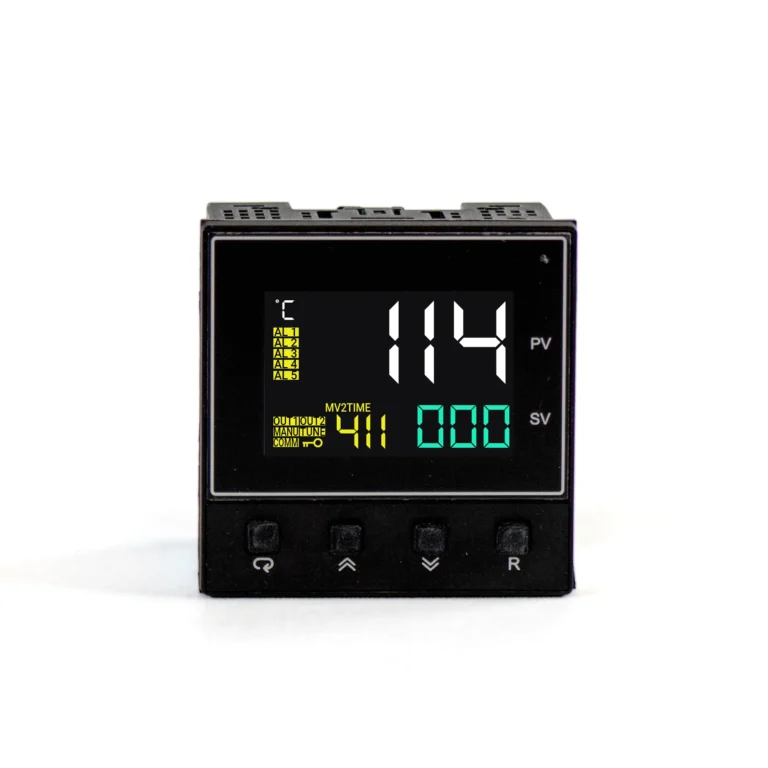
Fuzzy Logic PID Temperature Controller, 90-250VAC, Auto Tuning, 9/64 DIN
PID114-41110000- Dual Heating and Cooling Control
- Fuzzy PID Control & Autotuning
- Universal Thermocouple, RTD, mA, and Voltage Inputs
- 18-bit Resolution
- Fast 200ms Sampling
- Compact 9/64 DIN Panel Mount
- 90 – 250 VAC, 47 – 63 Hz
$125.00Quantity Discounts Available -
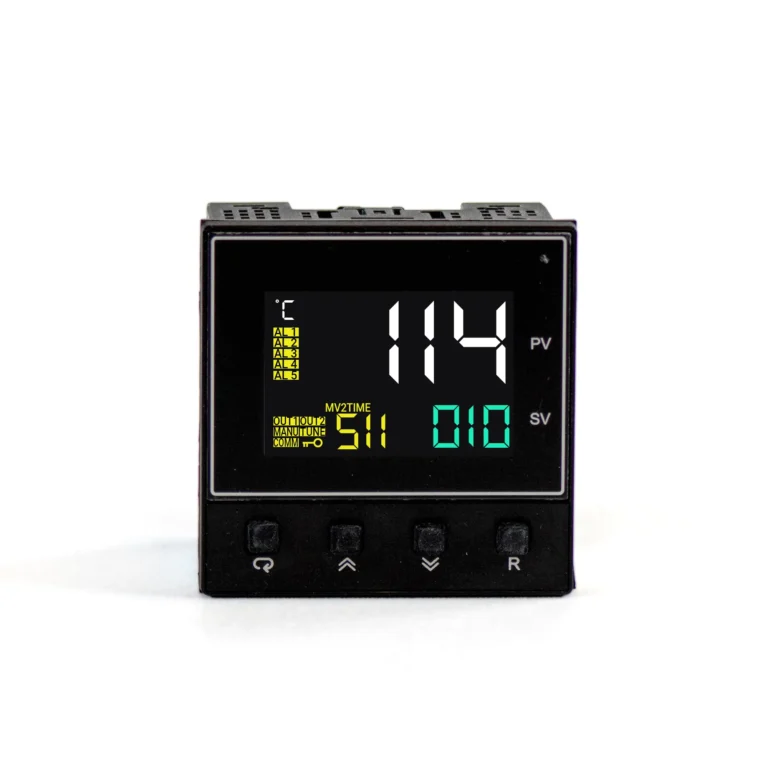
PID Temperature Controller, 20 to 28 VAC, 47-63 Hz / 11 to 40 VDC, 9/64 DIN, CT Input, Remote Setpoint
PID114-51110010- Dual Heating and Cooling Control
- Fuzzy PID Control & Autotuning
- Universal Thermocouple, RTD, mA, and Voltage Inputs
- 18-bit Resolution
- Fast 200ms Sampling
- Remote Set Point Option
- CT Input
- Compact 9/64 DIN Panel Mount
- 20 to 28 VAC, 47-63 Hz / 11 to 40 VDC
$155.00Quantity Discounts Available -
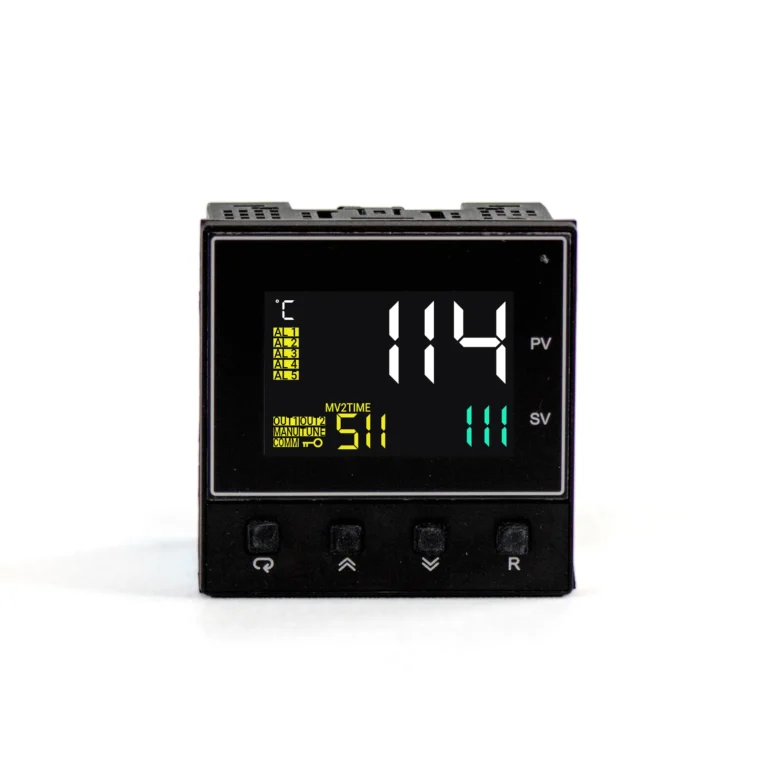
PID Temperature Controller, 20-28VAC/11-40VDC, 9/64 DIN, Analog Retransmission, CT Input, Data Communications, Remote Setpoint
PID114-51110111- Dual Heating and Cooling Control
- Fuzzy PID Control & Autotuning
- Universal Thermocouple, RTD, mA, and Voltage Inputs
- 18-bit Resolution
- Fast 200ms Sampling
- Remote Set Point Option
- Built-in Modbus RTU
- Analog Retransmission
- CT Input
- Compact 9/64 DIN Panel Mount
- 20 to 28 VAC, 47-63 Hz / 11 to 40 VDC
$225.00Quantity Discounts Available -
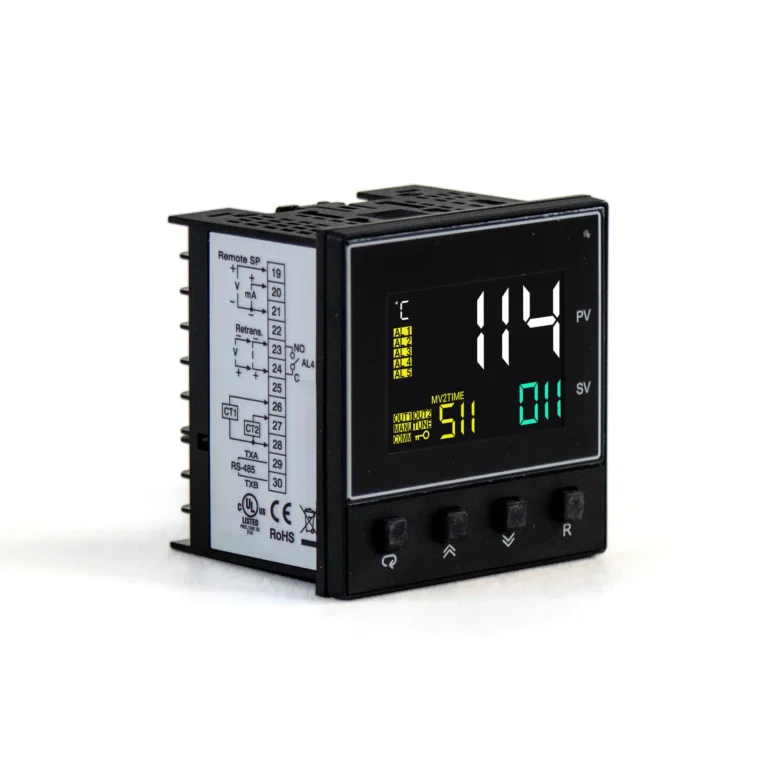
PID Temperature Controller, 20-28VAC/11-40VDC, 9/64 DIN, Analog Retransmission, CT Input, Remote Setpoint
PID114-51110011- Dual Heating and Cooling Control
- Fuzzy PID Control & Autotuning
- Universal Thermocouple, RTD, mA, and Voltage Inputs
- 18-bit Resolution
- Fast 200ms Sampling
- Remote Set Point Option
- Analog Retransmission
- CT Input
- Compact 9/64 DIN Panel Mount
- 20 to 28 VAC, 47-63 Hz / 11 to 40 VDC
$195.00Quantity Discounts Available -
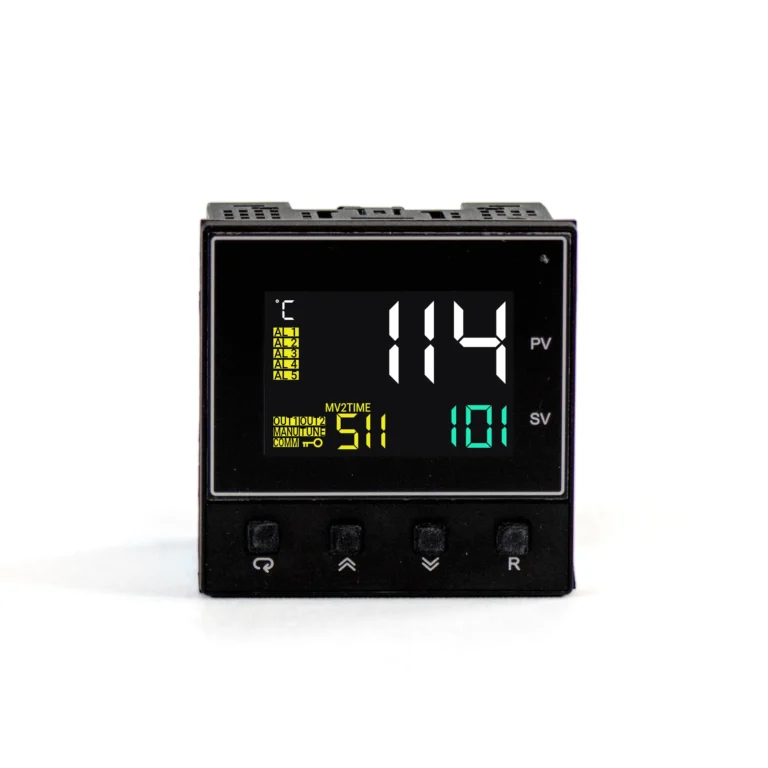
PID Temperature Controller, 20-28VAC/11-40VDC, 9/64 DIN, Analog Retransmission, Data Communications, Remote Setpoint
PID114-51110101- Dual Heating and Cooling Control
- Fuzzy PID Control & Autotuning
- Universal Thermocouple, RTD, mA, and Voltage Inputs
- 18-bit Resolution
- Fast 200ms Sampling
- Remote Set Point Option
- Built-in Modbus RTU
- Analog Retransmission
- Compact 9/64 DIN Panel Mount
- 20 to 28 VAC, 47-63 Hz / 11 to 40 VDC
$205.00Quantity Discounts Available -
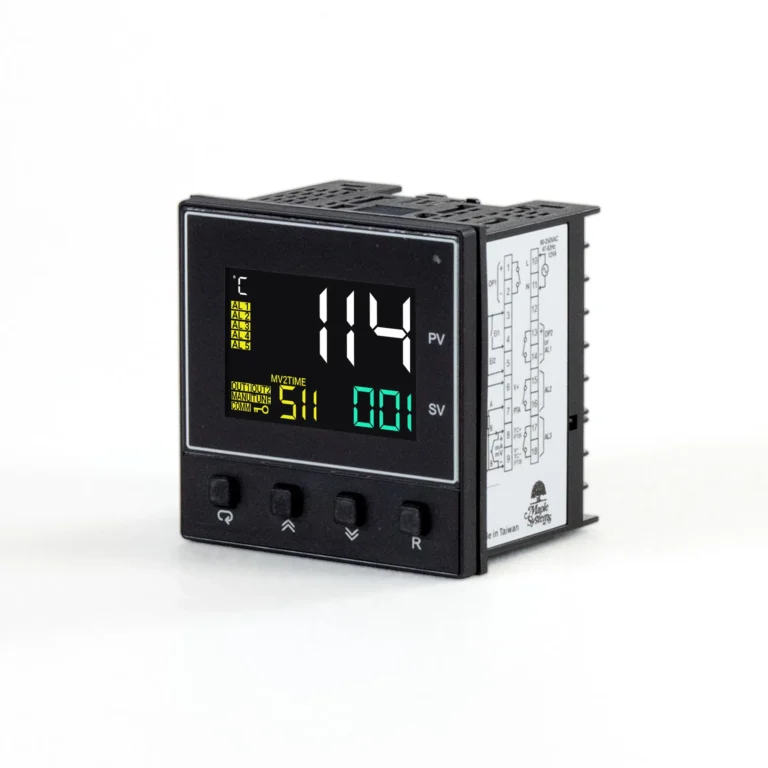
PID Temperature Controller, 20-28VAC/11-40VDC, 9/64 DIN, Analog Retransmission, Remote Setpoint
PID114-51110001- Dual Heating and Cooling Control
- Fuzzy PID Control & Autotuning
- Universal Thermocouple, RTD, mA, and Voltage Inputs
- 18-bit Resolution
- Fast 200ms Sampling
- Remote Set Point Option
- Analog Retransmission
- Compact 9/64 DIN Panel Mount
- 20 to 28 VAC, 47-63 Hz / 11 to 40 VDC
$175.00Quantity Discounts Available -
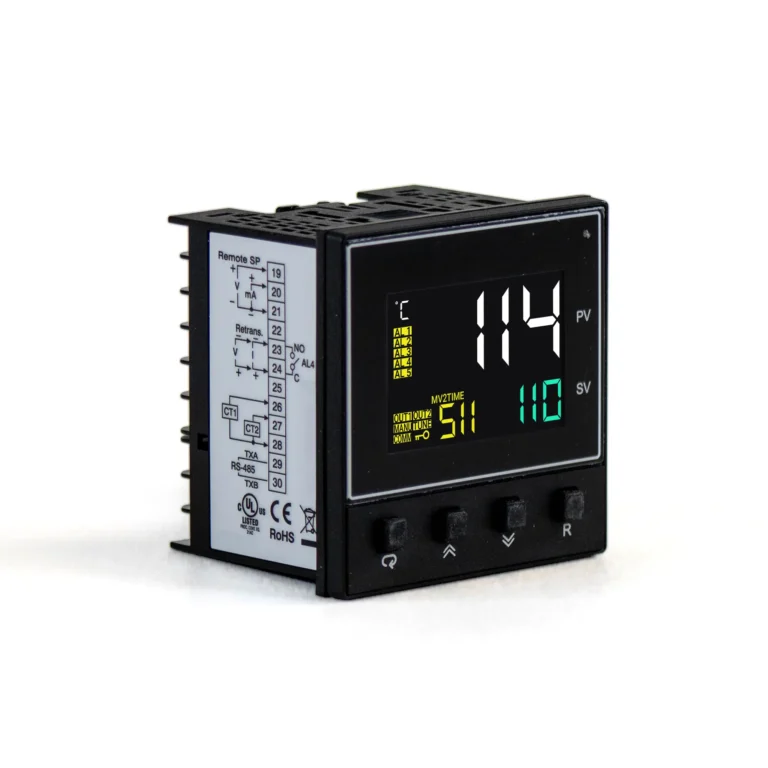
PID Temperature Controller, 20-28VAC/11-40VDC, 9/64 DIN, CT Input, Data Communications, Remote Setpoint
PID114-51110110- Dual Heating and Cooling Control
- Fuzzy PID Control & Autotuning
- Universal Thermocouple, RTD, mA, and Voltage Inputs
- 18-bit Resolution
- Fast 200ms Sampling
- Remote Set Point Option
- Built-in Modbus RTU
- CT Input
- Compact 9/64 DIN Panel Mount
- 20 to 28 VAC, 47-63 Hz / 11 to 40 VDC
$185.00Quantity Discounts Available -
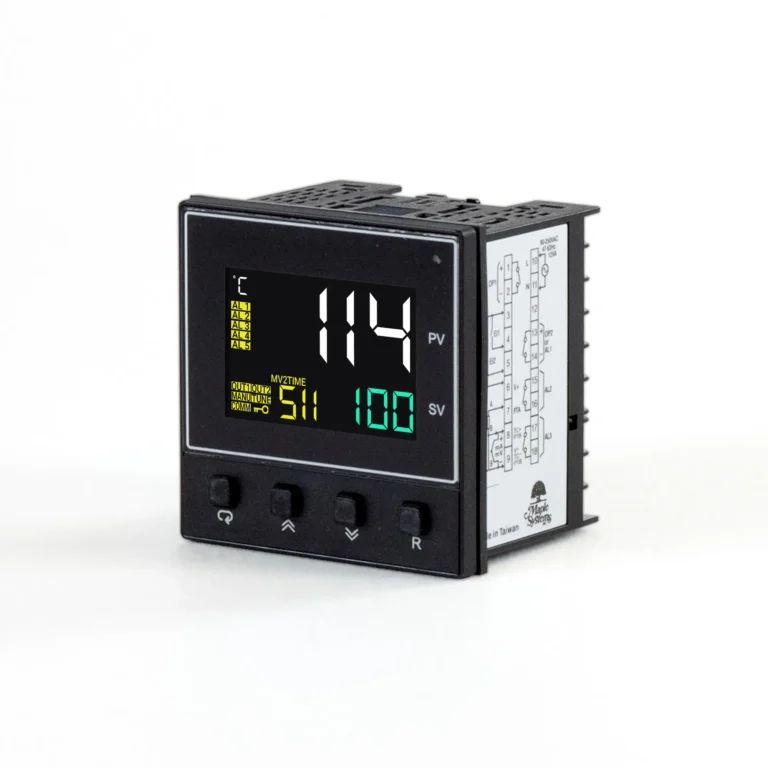
PID Temperature Controller, 20-28VAC/11-40VDC, 9/64 DIN, Data Communications, Remote Setpoint
PID114-51110100- Dual Heating and Cooling Control
- Fuzzy PID Control & Autotuning
- Universal Thermocouple, RTD, mA, and Voltage Inputs
- 18-bit Resolution
- Fast 200ms Sampling
- Remote Set Point Option
- Built-in Modbus RTU
- Compact 9/64 DIN Panel Mount
- 20 to 28 VAC, 47-63 Hz / 11 to 40 VDC
$165.00Quantity Discounts Available
How PID Controllers Are Used in Industrial Process Control Systems
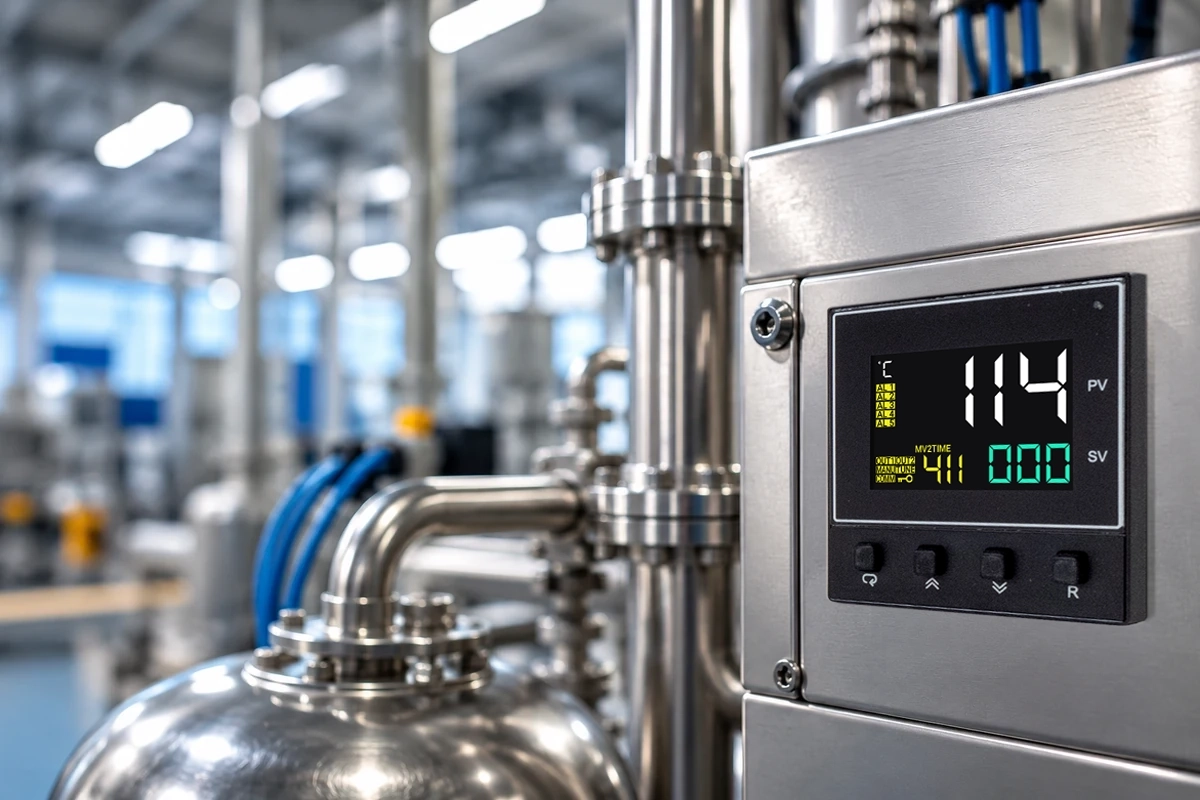
PID controllers help maintain process variables at a desired setpoint by continuously monitoring system conditions and adjusting the control output. They are commonly used to control temperature, pressure, flow and other process variables across industrial applications. PID controllers are widely used in industrial automation for process control. PID controllers regulate temperature in HVAC systems. They control pressure in chemical processing plants. PID controllers manage flow rates in oil and gas pipelines. PID controllers optimize energy capture in renewable energy systems. Across these process control applications the controller does the same job: it measures the process variable, compares it to the desired setpoint, and corrects the error.
Maintain Stable Setpoint
PID controllers compare the measured process variable with the target setpoint and continuously adjust the control output to minimize error. In industrial process control, this feedback loop helps keep temperature, pressure, flow, speed, and other process variables stable as operating conditions or system demands change.
Control Multiple Process Variables
Depending on the application and sensor input, PID controllers can regulate temperature, pressure, flow, speed, position, and other process variables. In industrial process control, each PID control loop responds to changing conditions, and a plant may use multiple PID controllers to manage separate processes or control points.
Improve Process Response
PID controllers combine proportional, integral, and derivative control to improve how quickly and accurately a process responds to change. Proper PID tuning helps reduce overshoot, eliminate steady-state error, improve transient response, and help industrial control systems reach the target setpoint with stable, consistent control.
PID Controller Closed and Control Loop System Basics
A PID controller is a widely used control loop feedback mechanism. PID stands for proportional integral derivative, and the controller works by continuously comparing the measured process variable with the desired setpoint. Because the controller acts on feedback from the process, a PID control loop is a closed loop system. Most PID control loops share this structure: the control output changes the process, the sensor measures the result, and the controller corrects whatever error remains. This closed loop control is the foundation of most process control systems, from a single temperature controller to multiple PID controllers coordinating a production line.
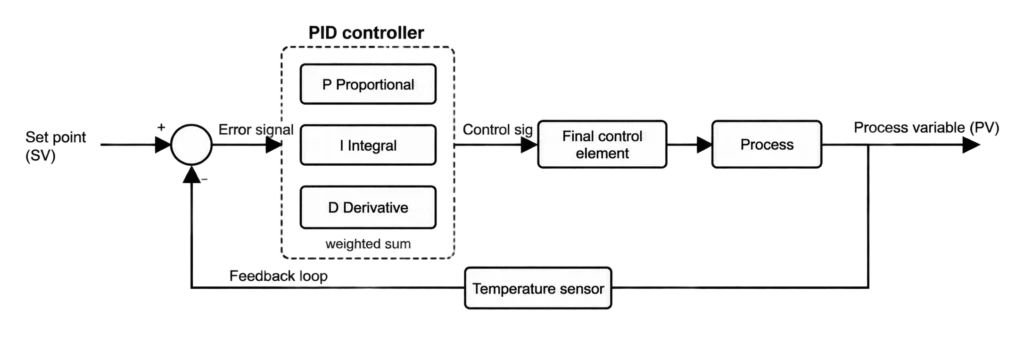
The process works the same way in every PID loop. PID controllers continuously calculate an error value from setpoint and process variable. A sensor, such as a thermocouple or another temperature sensor, reports the actual value, and the controller subtracts it from the set point to produce the error signal. The control algorithm turns that error value into a control signal, also called the controller output, which drives a final control element such as a heater, valve, or motor drive. When the system responds, the process variable moves toward the desired output and the cycle repeats. Electronic PID controllers repeat this calculation on every sampling cycle; the PID100 Series samples every 200 ms.
PID controllers can be implemented without requiring a complex mathematical model of the physical system. Among control strategies, PID control is a practical choice for temperature control, pressure, and flow: you tune the controller to the response of the real process instead of modeling it in advance. Panel-mount PID temperature controllers and other process controllers all apply the same principle.
Key Terms in a PID Control Loop
- Set point (SV): the desired setpoint the process should reach and hold.
- Process variable (PV): the measured process variable, also called the actual value, from your temperature sensor or other input.
- Control input: the sensor signal that feeds the controller, such as a thermocouple, RTD, current, or voltage signal.
- Error value: the difference between the set point and the process variable.
- Control output (MV): the control signal, or controller output, sent to the final control element.
- Final control element: the heater, valve, or drive that acts on the process.
Block Diagram of a PID Controller and Control Loop
The block diagram shows a PID control loop. Follow the signals from the set point through the error signal and controller to the process, then back through the sensor as feedback.
Proportional, Integral, and Derivative Control: How Each Term Works
PID controllers use a weighted sum of P, I, and D terms for output. The table below shows how a PID controller works on each term: the controller produces its output by adding the response to the present error, the past error, and the predicted future error.
| PID term | What it responds to | Effect on the loop |
|---|---|---|
| Proportional (P) | The Proportional term generates output proportional to current error. | Sets the main control action. Higher proportional gain gives a faster response. |
| Integral (I) | The Integral term accumulates past errors to eliminate steady-state error. | More integral time, low overshoot. |
| Derivative (D) | The Derivative term predicts future error based on its rate of change. | Damps overshoot and improves system stability, but amplifies noise. |
Proportional Control
The proportional term produces an output proportional to the current error value. Proportional gain affects the strength of the controller’s response: a higher gain reacts faster to a given error, but if the gain is too high the loop oscillates around the set point. A P controller, or proportional controller, on its own usually leaves a steady state error because the output falls as the error shrinks.
Integral Control and the Integral Term
The integral term accumulates past errors to eliminate steady-state error. Integral control adds up the accumulated error over time, so even a small error that persists keeps pushing the control output until the process variable reaches the setpoint. The integral gain sets how fast this happens. Adding integral control to proportional control gives PI control, and a PI controller is common on noisy signals such as flow, where derivative action is often left out. Many flow controllers use PI control for this reason.
Derivative Control and the Derivative Term
The derivative term predicts future error based on its rate of change. Derivative control looks at how fast the error is changing, so it can ease the control output back before the process variable overshoots the setpoint. Because it reacts to the future behavior of the error, it improves system stability. Noise can destabilize the control output in PID controllers, because the derivative term amplifies fast changes in the signal. On a noisy input, reduce the derivative term or filter the measurement.
Together, the integral and derivative terms refine the response that proportional control starts. The combined effect of the three terms determines control performance and system behavior.
When to Use P, PI, or PID Control
- PID control: slower processes with lag, such as temperature control, where derivative control reduces overshoot.
- PI control: loops that need zero steady state error but are noisy or fast, such as flow and pressure.
- P control: a simple loop that can tolerate some steady state error.
PID Controller Parameters: Setting the Integral Term and Derivative Term
PID controller parameters are the settings that decide how the controller reacts. They include proportional gain, the integral term (integral gain or reset time), and the derivative term (derivative time). These PID control parameters, also called tuning parameters, shape control performance, system response, and system stability. Finding optimal gains for a PID controller can be time-consuming and challenging, because every one of the control parameters interacts with the others and with the system dynamics of the process. The goal of PID tuning is optimal control: a fast system response, little overshoot, and steady control.
Common PID Tuning Methods
- Manual tuning adjusts PID parameters based on system response.
- Auto-tuning allows PID controllers to learn optimal settings.
How PID Settings Affect the Response
- If the response is slow, integral time a little at a time.
- If the process variable settles away from the setpoint, add integral control to remove the steady state error.
- If the control output is noisy, reduce the derivative term or filter the temperature sensor signal.
Integral Windup and Output Limits
When the control output reaches its limit, such as a heater at full power, the integral term can keep accumulating error. This is called integral windup, and it causes overshoot when the process finally catches up. Limiting the integral term while the output is saturated prevents windup and keeps the response predictable.
Maple Systems PID100 Series controllers combine fuzzy logic PID control with cold or warm start auto-tuning, so the controller can determine PID settings for your process.
Why Choose Maple Systems PID Controllers
PID temperature controllers with flexible sensor inputs, auto-tuning, and built-in communications for industrial process control.
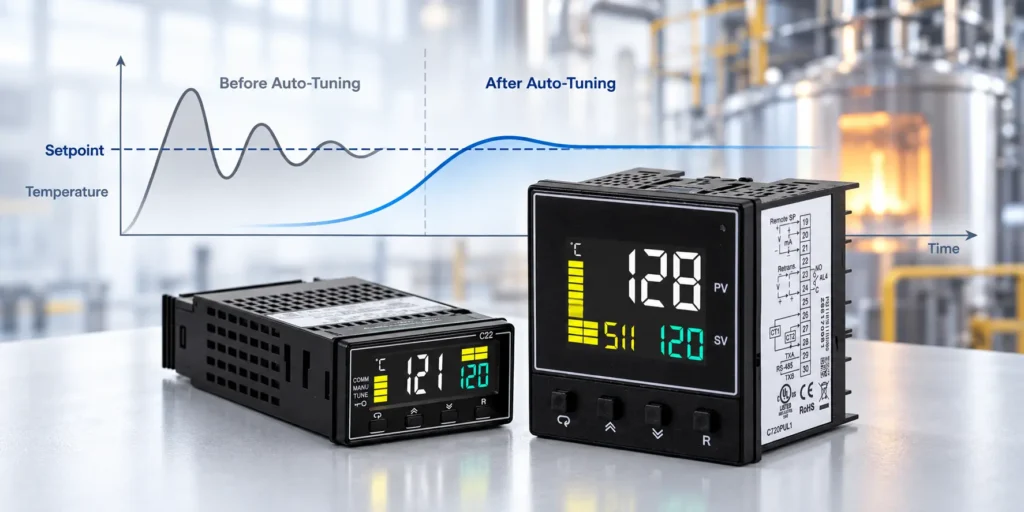
Auto-Tuning PID Control
Combine fuzzy logic PID control with automatic tuning.
Choose cold or warm start auto-tuning for your PID controller. Heating, cooling, and manual control modes provide options to match your process requirements. PID tuning is handled by the controller, so you start from tuned PID parameters.
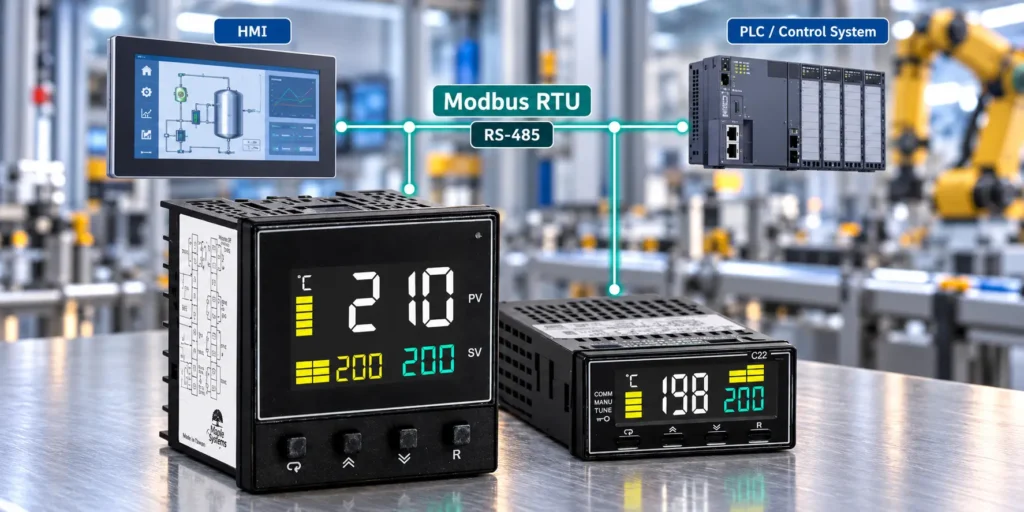
Modbus RTU Communication
Connect your PID controller to an industrial communication network.
Built-in RS-485 communication supports Modbus RTU slave operation. Configure device addresses and serial communication settings to match your network requirements. Modbus RTU communication lets a PLC or HMI exchange data with the controller.
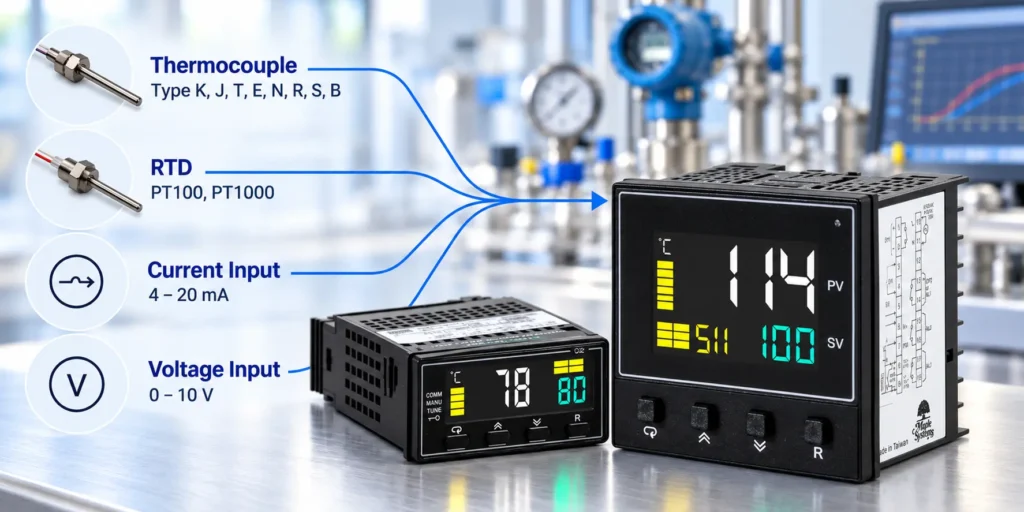
Universal Sensor Inputs
Match your temperature controller to your sensor or process signal.
Connect thermocouple, PT100 RTD, current, or voltage inputs. The PID100 Series provides 18-bit analog input resolution and 200 ms sampling for process and temperature measurements.
| PID Controller Features | PID111 | PID114 |
|---|---|---|
| DIN size | 1/32 DIN | 9/64 DIN |
| Panel cutout | 45 x 22.2 mm | 68 x 68 mm |
| LCD displays | Two 4-digit displays | Three 4-digit displays |
| Heater break detection | Not available | Supported through CT input |
| Remote set point input | Not available | Available as an option |
| Retransmission 4-20mA/0-20mA | Available | Available as an option |
| Remote Set Point | Not Available | Available as an option |
PID Controller Features
Match your PID temperature controller to your application with flexible outputs, sensor monitoring, and panel mount options.
Flexible PID Control Outputs
Check the individual PID controller model for its output configurations. The controller output you choose determines how the control signal reaches the final control element.
Heating and Cooling Control
Configure reverse action for heating or direct action for cooling. PID100 Series controllers also support PID cooling control on Output 2. Use these modes for accurate temperature control in heating and cooling processes.
Sensor Break Detection
Monitor supported thermocouple, RTD, and millivolt inputs for sensor faults. Detection is also available for specified fault conditions on 4 to 20mA and 1 to 5 VDC inputs.
Heater Break Detection
PID114 controllers support heater break detection through a CT input for heater current monitoring. This feature is not available on PID111 controllers.
Remote Set Point Input
An optional remote set point input on PID114 controllers accepts linear current or voltage signals. Choose this option when your application requires an external set point signal.
Panel Mount PID Controllers
Choose between 1/32 DIN PID111 and 9/64 DIN PID114 controllers. Match the panel cutout and available mounting depth to your installation requirements.
How to Choose the Right PID Temperature Controller for Your Control System
Choose a PID temperature controller that matches your sensor, control output, power supply, and installation requirements. Use this checklist to compare PID111 and PID114 models.
- Match your sensor input. Check compatibility with your thermocouple, PT100 RTD, current, or voltage signal.
- Confirm your power supply. Choose the controller version that matches your available AC or DC supply.
- Check panel size and mounting depth. Compare 1/32 DIN PID111 and 9/64 DIN PID114 controllers. Verify the panel cutout and available space behind the panel.
- Review communication requirements. Confirm that your system supports RS-485 communication with the PID controller operating as a Modbus RTU slave.
- Consider heater monitoring and remote set point needs. Look at PID models for heater break detection through CT input or an optional remote set point input.
- Check installation conditions. Both models are designed for indoor use with IP50 protection at the front panel and IP20 protection for the rear terminals and housing.
- Plan your PID tuning. Use auto-tuning to set the PID parameters for your process, then verify the system response at operating temperature.
Frequently Asked Questions
What is a PID controller?
The basic idea behind a PID controller is to read a sensor, then compute the desired actuator output based on a setpoint by calculating proportional, integral, and derivative responses and summing those three components to compute the output. The PID controller receives the process variable (PV) and controls the manipulation… Continue Reading
Need help matching a controller to your process?
Our team can help you choose the right PID controller for your application.
PID Control Across Industrial Applications
From manufacturing and packaging equipment to food processing, plastics, HVAC, and water systems, precise process control is critical to consistent operation. Maple Systems PID controllers help maintain accurate temperature across a wide range of industrial applications. With flexible inputs, reliable setpoint control, and multiple mounting options, they provide dependable control for machines and processes across many industries. Whether a plant runs one PID controller or multiple PID controllers, each control loop works toward precise control of its own process variable, and electronic PID controllers can be linked into larger industrial control systems through Modbus RTU communication.

PID Configuration Software
Our powerful PID Controller software, MaplePID Pro, provides powerful configuration and management capabilities for our industrial temperature controllers.
- Multi-Controller Batch Configuration. Save time by configuring and updating multiple temperature controllers at once instead of programming each device manually.
- Real-Time Data Exchange. RS-485 Modbus communication provides real-time data exchange.
- Auto Node Scan. Automatically detect and connect to devices on the network quickly without manual network mapping.
- Parameter File Backup & Restore. Save configuration files and load them onto multiple units fast, error-free standardization across production lines.
- Wide Model Compatibility. Works seemlessly across Maple Systems controller lineup.