
Instruction Parameters
Supported PLC Series
| PLC-AES | PLC-FB | PLC-ES |
|---|---|---|
| ✓ | ✓ | ✓ |
Supported Data Registers
| M | X | Y | K | L | F | T | C | S | Z | R | Q | D | @D | Constant | |
|---|---|---|---|---|---|---|---|---|---|---|---|---|---|---|---|
| S | ✓ | ✓ | ✓ | ✓ | ✓ | – | – | – | – | ✓ | – | ✓ | ✓ | ✓ | ✓ |
| D | ✓ | – | ✓ | ✓ | ✓ | – | – | – | – | ✓ | – | ✓ | ✓ | ✓ | – |
Supported Flags
| Flag | Bit | Support |
|---|---|---|
| Error | F11.0 | ✓ |
| Zero | F11.1 | – |
| Carry | F11.2 | – |
Number of Steps
| Steps |
|---|
| 3 |
Operands
| Operand | Description |
|---|---|
| S | The first operand. Entries are REAL data registers or constants. This is the value to calculate the natural log of. The value range is 1 ~ 2128 (1 ~ 3.4028237e+38). |
| D | The second operand. Entries are only REAL data registers. This is where the logarithm is saved. |
Float Representation
| Mantissa | Exponent | Sign |
|---|---|---|
| Bit 0 ~ Bit 22 | Bit 23 ~ Bit 30 | Bit 31 |
Notice
Error Flag (F11.0) Notice
The error flag, F11.0, will be ON for one scan when the address of the data register assigned by @D exceeds the range of the data register, D. The range of the data register, D, is dependent on the CPU type. F11.0 turns ON when the value of S is negative or 0.
Instruction Behavior
The LOG and LOGP instructions behave as follows:
- The natural logarithm executes using base e.
- Execution is done ln(S).
- The PLC CPU regards the constant e as 2.71828.
Ladder Diagram Examples
LOG

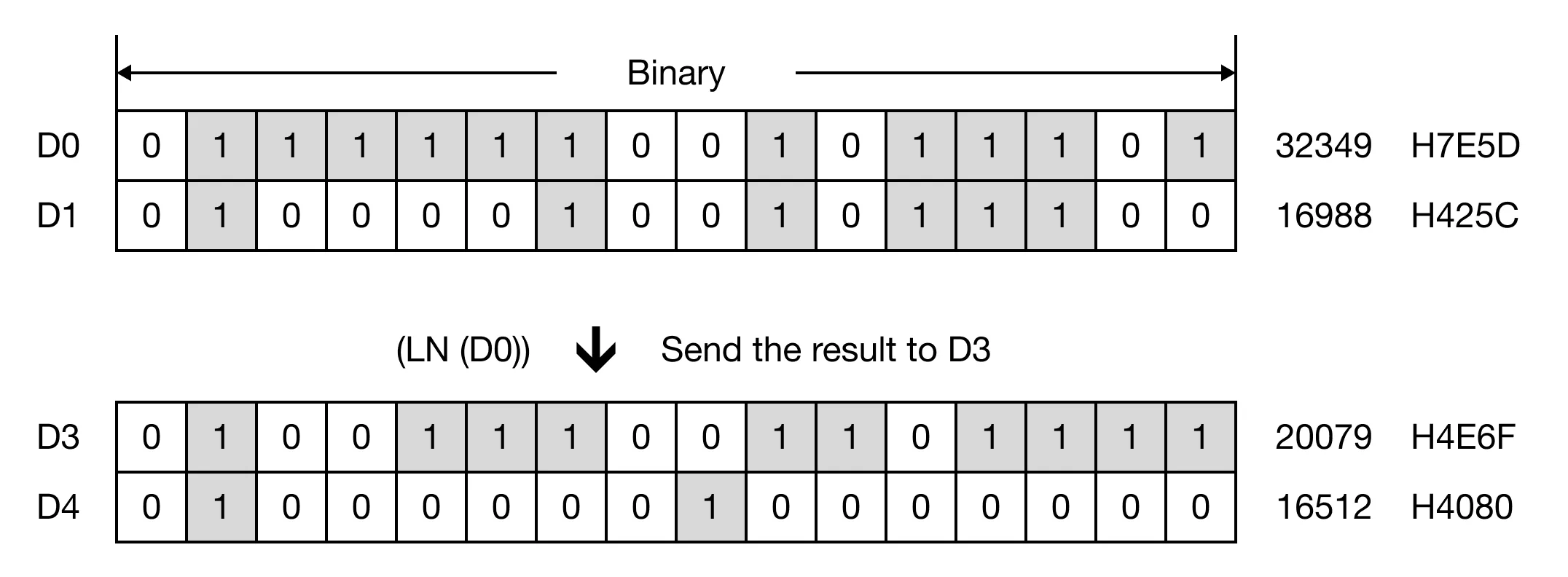
The LOG instruction calculates the natural logarithm of the REAL value, S, and saves the result in an assigned REAL data register, D.

When the contact, M0.0, is ON (1), the instruction executes ln(55.123402) and saves the result, 4.009574.
Memory Monitor
LOGP

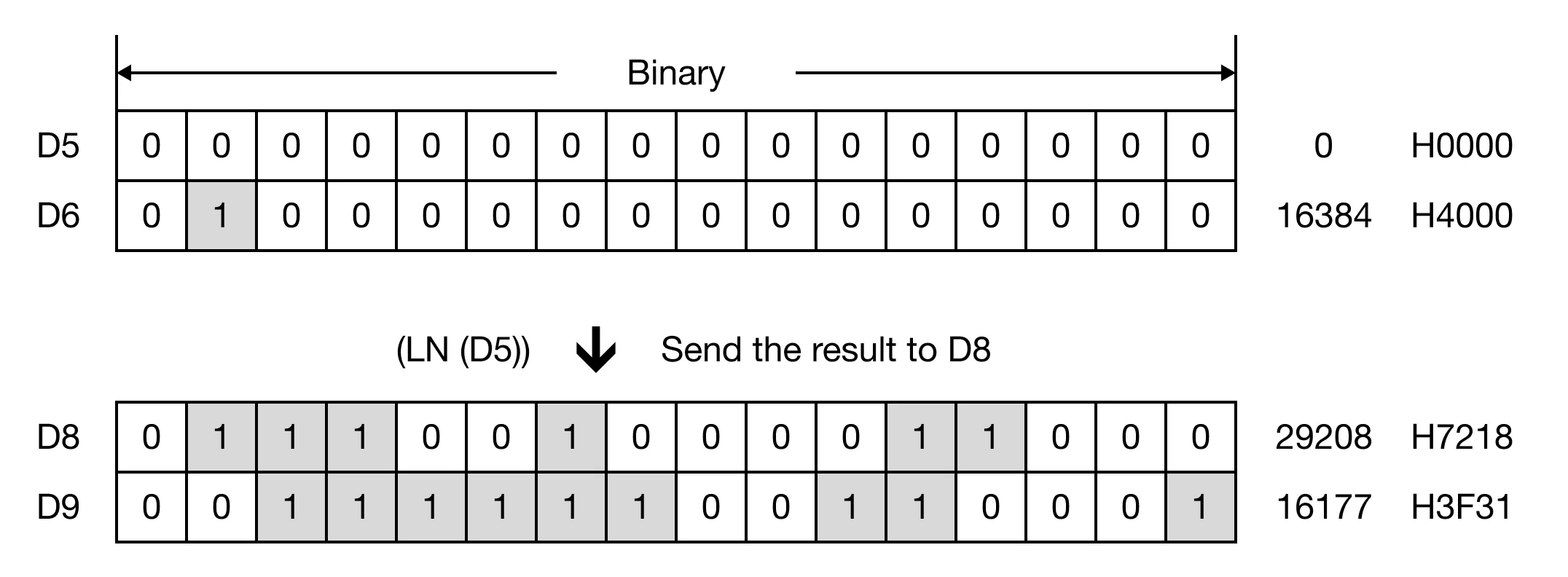
The LOGP one-shot instruction calculates the natural logarithm of the REAL value, S, and saves the result in an assigned REAL data register, D. Every time this instruction executes, it energizes the output only once.

When the contact, M0.1, is ON (1), the instruction executes ln(2.000000) and saves the result, 0.693147.
Memory Monitor
Normal Logarithm Example
The LOG and LOGP instructions calculate the natural logarithm of S. To calculate a normal logarithm with a base, use two LOG or LOGP instructions:
- Use the LOG or LOGP instruction where S equals the base of the logarithm. This value will be S2.
- Use the LOG or LOGP instruction where S equals the argument or antilogarithm. This value will be S1.
- Use the EDIV or EDIVP instruction to divide S2 by S1. This will give you the logarithm of the value used in Step 2.