
Instruction Parameters
Supported PLC Series
| PLC-AES | PLC-FB | PLC-ES |
|---|---|---|
| ✓ | ✓ | ✓ |
Supported Data Registers
| M | X | Y | K | L | F | T | C | S | Z | R | Q | D | @D | Constant |
|---|---|---|---|---|---|---|---|---|---|---|---|---|---|---|
| – | – | – | – | – | – | – | – | – | – | – | – | – | – | – |
Supported Flags
| Flag | Bit | Support |
|---|---|---|
| Error | F11.0 | – |
| Zero | F11.1 | – |
| Carry | F11.2 | – |
Number of Steps
| Steps |
|---|
| 1 |
Notice
Notice
The User WDT error occurs when one of the scan times before or after the WDT or WDTP instruction exceeds the setting value of the watchdog timer. The Watchdog Timer Error flag will be ON (1) during this time.
Instruction Behavior
The WDT and WDTP instruction behaves as follows:
- The WDT and WDTP instructions reset the watchdog timer during the execution of a sequence program.
- When the scan time exceeds the setting value of the watchdog timer, a User WDT error occurs and the PLC stops.
- If the setting value cannot be increased, the WDT or WDTP instruction must be executed during the execution of the sequence program.
- Scan time, t1, from step 0 ~ WDT or WDTP and scan time, t2, from WDT or WDTP ~ END must not exceed the setting value of the watchdog timer.
- Multiple WDT and WDTP instructions can be used during a scan.
- Doing so may cause a delay until the output refreshes.
- When a scan begins in the sequence program with the WDT or WDTP instructions being executed, the watchdog timer runs until the scan meets the WDT or WDTP instruction.
- When the scan meets the WDT or WDTP instruction, the watchdog timer is reset.
Ladder Diagram Examples
WDT Example

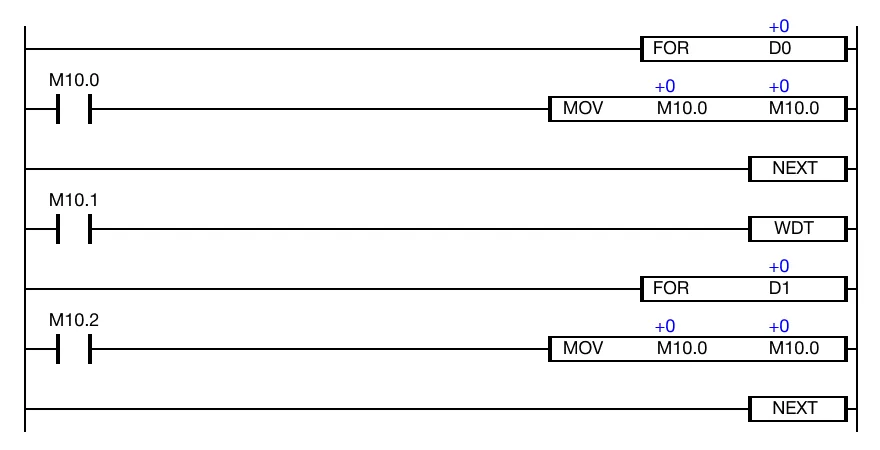
The WDT instruction resets the watchdog timer during the execution of a sequence program.
Timer Setting
For this example, the watchdog timer setting value is 10ms.
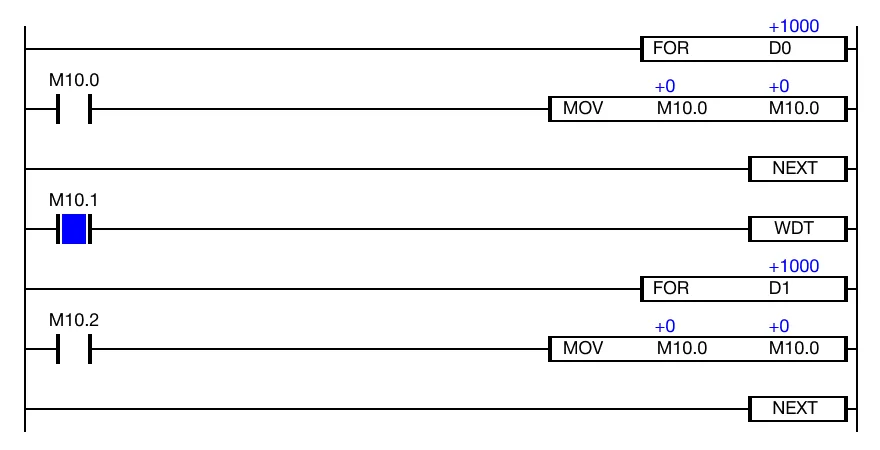
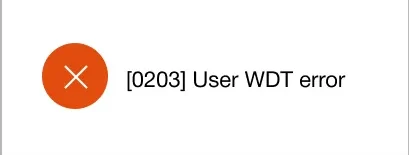
When the value, 1000, is assigned to the data registers, D0 and D1, the scan time is around 17 ~ 18ms. This is greater than the watchdog timer set value of 10ms.
The User WDT error will appear.
WDTP

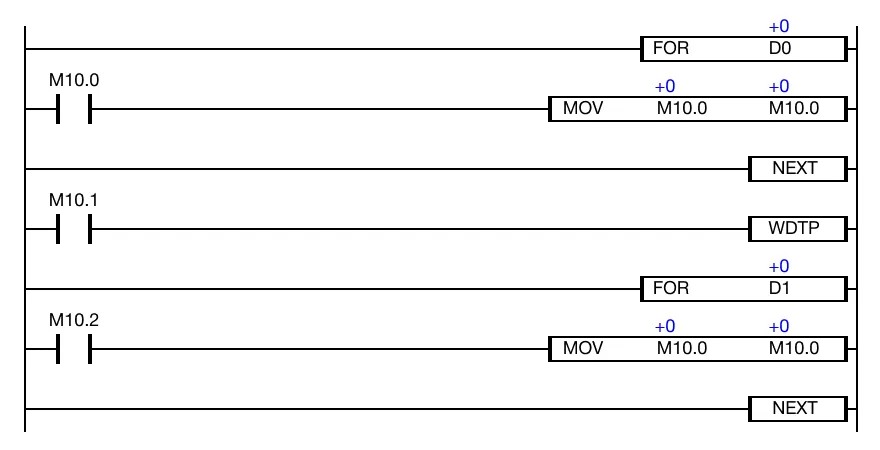
The WDTP one-shot instruction resets the watchdog timer during the execution of a sequence program. Every time this instruction executes, it energizes the output only once.
Timer Setting
For this example, the watchdog timer setting value is 10ms.
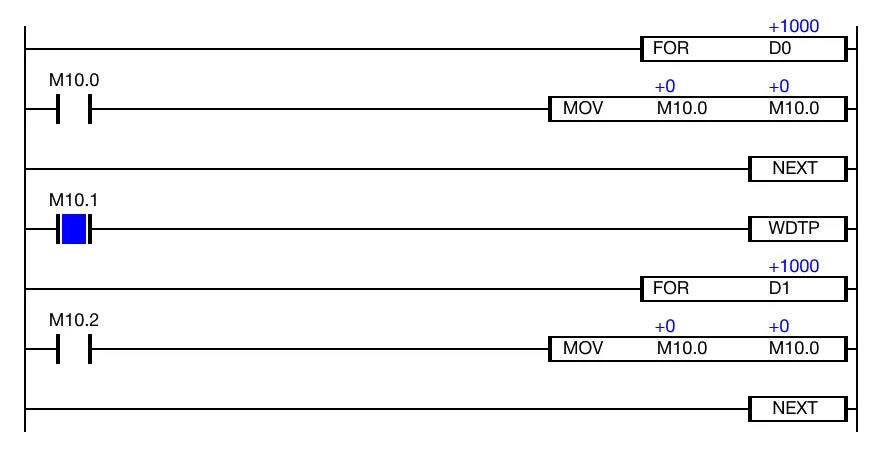
When the value, 1000, is assigned to the data registers, D0 and D1, the scan time is around 17 ~ 18ms. This is greater than the watchdog timer set value of 10ms.
The User WDT error will appear.