
Ethernet Protocol Communication Program
The Ethernet Protocol program allows users to define and configure the communication frame of the Ethernet communication module manually.
Register Ethernet Protocol Program
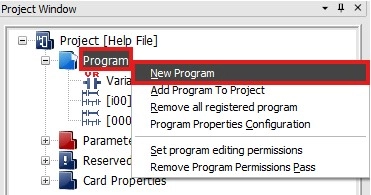
Step 1: To create a new Ethernet protocol program, in the Project Window, right-click Program and left-click New Program.
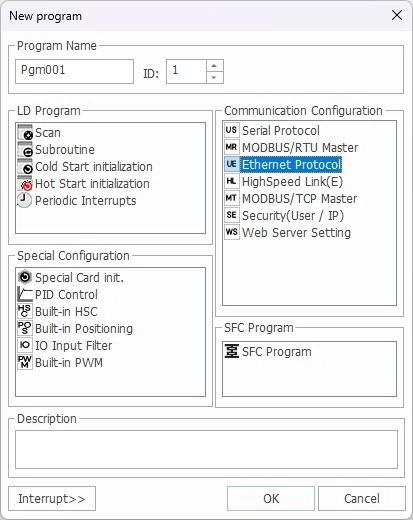
Step 2: Left-click Ethernet Protocol and left-click OK.
Write Program
- The following example reads 5 WORDs from D100 of a separate Maple Systems PLC (100.100.100.20).
- The data is saved on another Maple Systems PLC at D100 using the Ethernet protocol.
Register Host
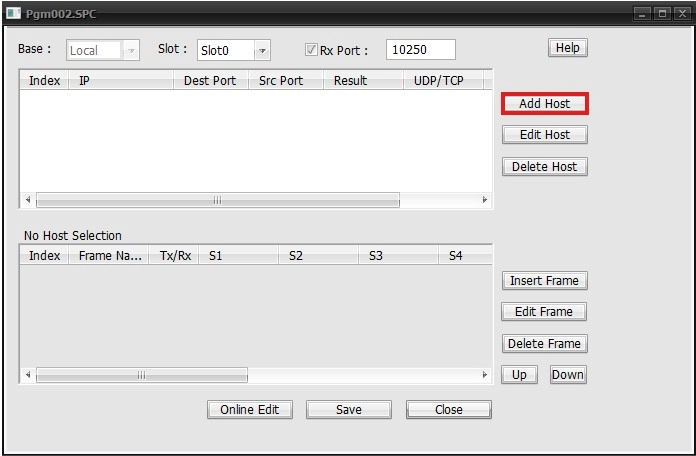
Step 1: To register a new host, left-click Add Host.
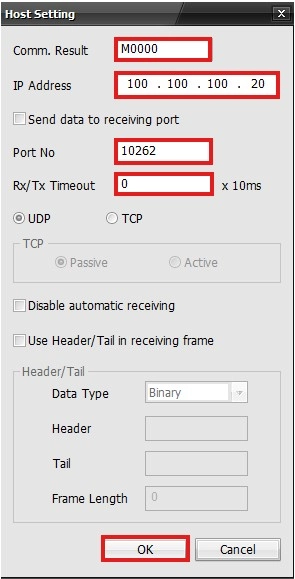
Step 2: Set the following parameters:
- Comm. Result: M0000
- IP Address: 100.100.100.20
- Port No:10262 (UDP)
- TCP uses port 10260.
- Rx/Tx Timeout: 0
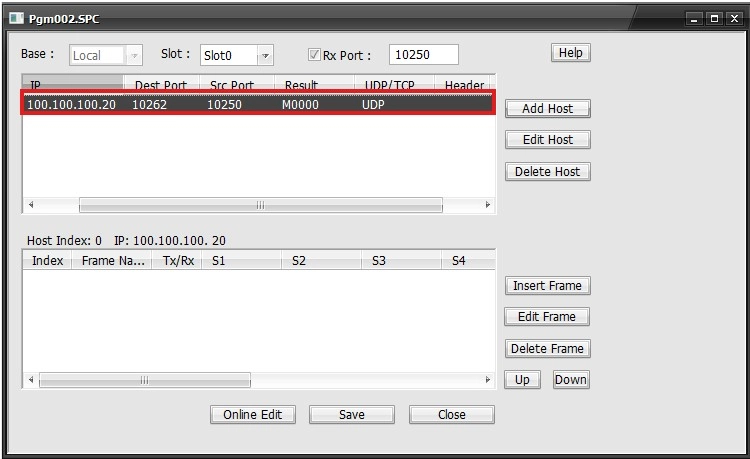
- The receive header/tail is used when the entire frame has a header and tail, but it receives as the header and tail are split.
- All frames are combined, from the time the header has been received to the time when the tail is received, to process as a frame (request or response).
Register Frame
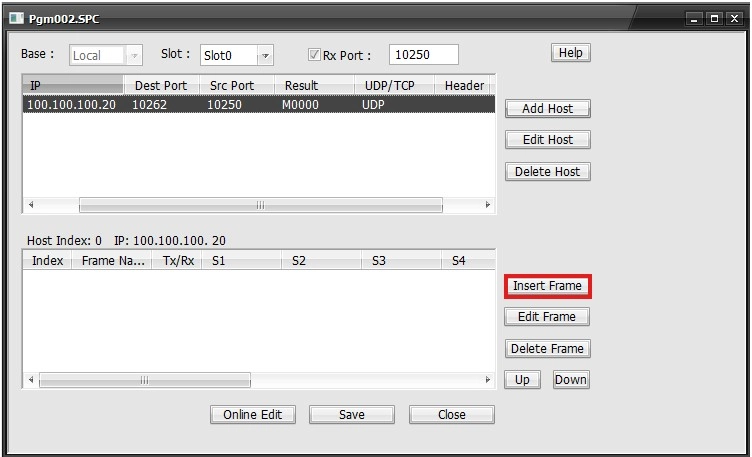
Step 1: Left-click Insert Frame.
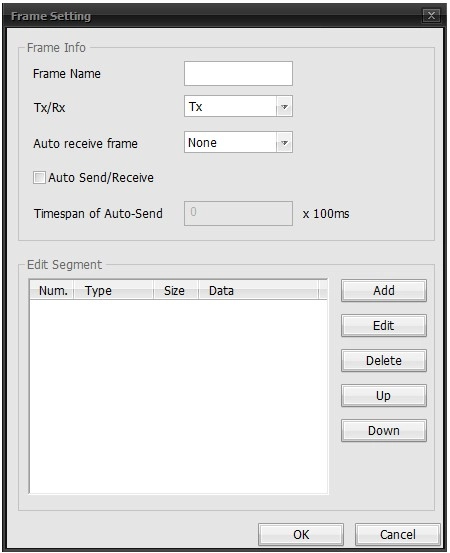
Step 2: Left-click Add.
Segment Configuration – Receiving Frame
- This Rx frame is for the WORD block read command.
Segment ID
- This will set the ID in the protocol.
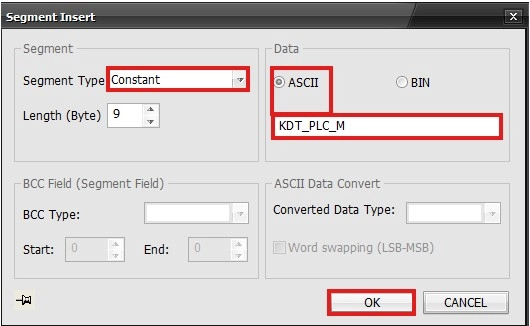
- Set the Segment Type to Constant and the ASCII to PLC_M.
Frame Number
- This sets the frame number area in the protocol.
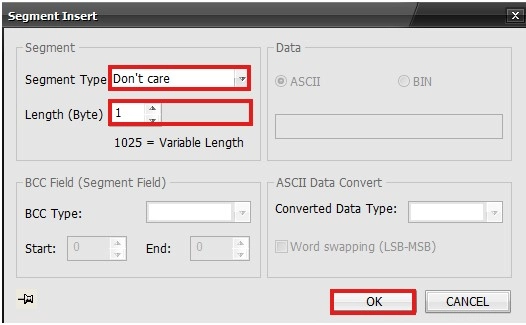
- Set the Segment Type to Don’t Care and the Length to 1.
Cmd
- The command of the ACK response to the WORD block is 52H.
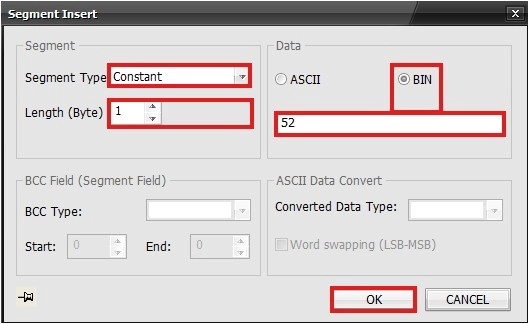
- Set the Segment Type to Constant, the Length to 1, and the Binary to 52.
Reserved Area
- The reserved area is 00H.
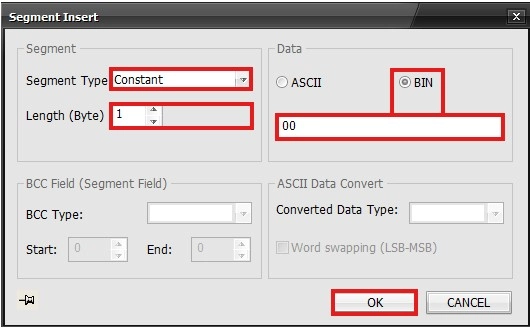
- Set the Segment Type to Constant, the Length to 1, and the Binary to 00.
Data Area
Requesting Data Register
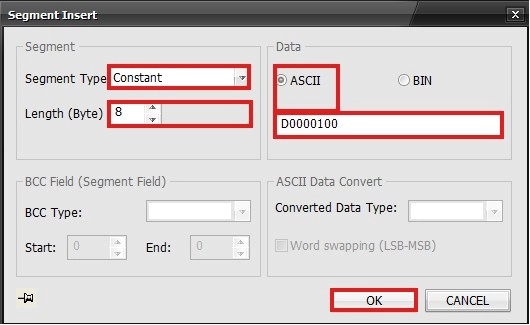
- Set the Segment Type to Constant, the Length to 8, and the ASCII to D0000100.
Number of Requesting Data
- The number of requesting data is received as 005H since 5 data is requested.
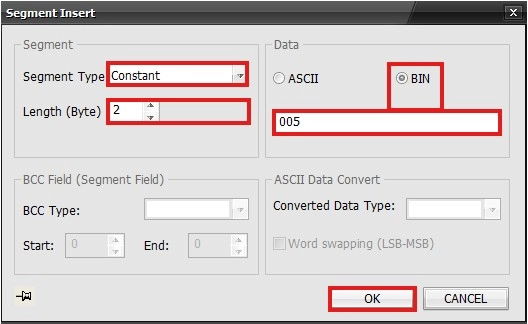
- Set the Segment Type to Constant, the Length to 2, and the Binary to 005.
Relieving Data
- The requested data is received sequentially.
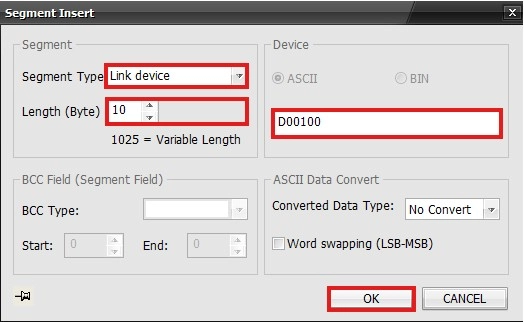
- Set the Segment Type to Lined device, the Length to 10, and the ASCII to D00100.
Check Sum
- The checksum area covers the entire frame area.
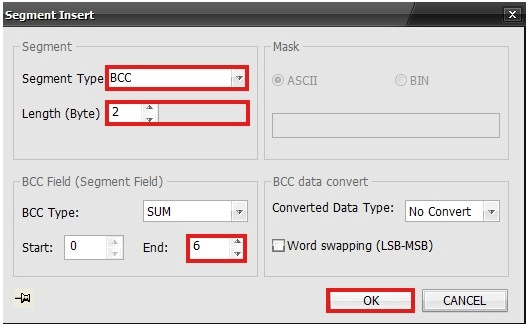
- Set the Segment type to BCC, Length to 2, and the BCC Range to 0 ~ 6.
Result
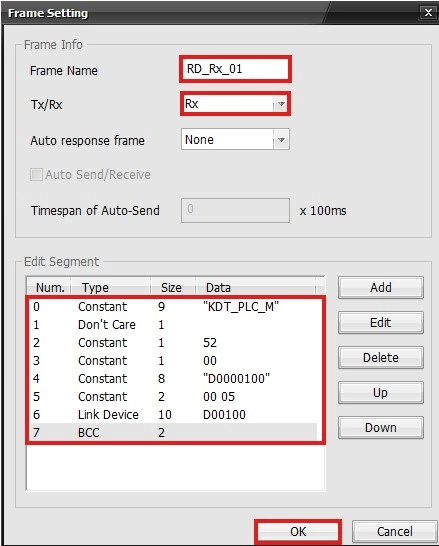
- This is the result of the receiving frame.
Segment Configuration – Transmitting Frame
- This Tx frame is for the WORD block read command.
Segment ID
- This will set the ID in the protocol.
- Set the Segment Type to Constant and the ASCII to PLC_M.
Frame Number
- This sets the frame number area in the protocol.
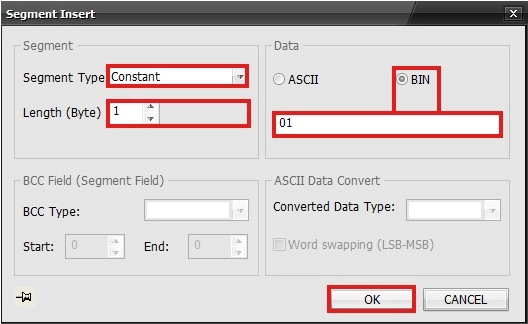
- Set the Segment Type to Constant, the Length to 1, and the Binary to 01.
Cmd
- The command of the ACK response to the WORD block is 52H.
- Set the Segment Type to Constant, the Length to 1, and the Binary to 52.
Reserved Area
- The reserved area is 00H.
- Set the Segment Type to Constant, the Length to 1, and the Binary to 00.
Data Area
Requesting Data Register
- Set the Segment Type to Constant, the Length to 8, and the ASCII to D0000100.
Number of Requesting Data
- The number of requesting data is received as 005H since 5 data is requested.
- Set the Segment Type to Constant, the Length to 2, and the Binary to 005.
Receiving Data
- The requested data is received sequentially.
- Set the Segment Type to Lined device, the Length to 10, and the ASCII to D00100.
Check Sum
- The checksum area covers the entire frame area.
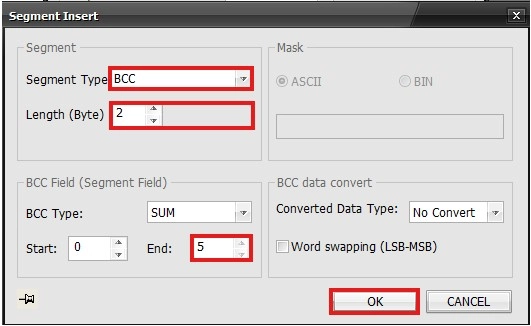
- Set the Segment type to BCC, Length to 2, and the BCC Range to 0 ~ 5.
Result
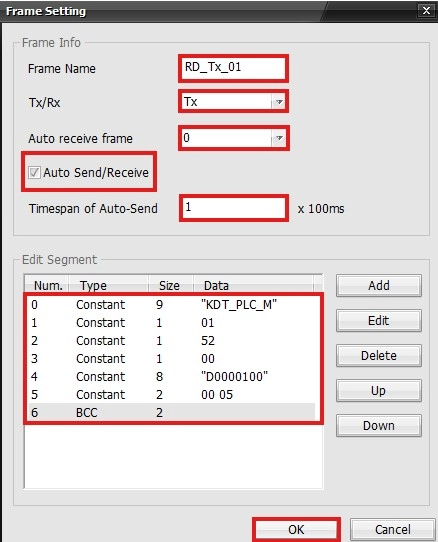
- This is the result of the transmitting frame.
- Communication is established every 0.1 seconds.
Frames
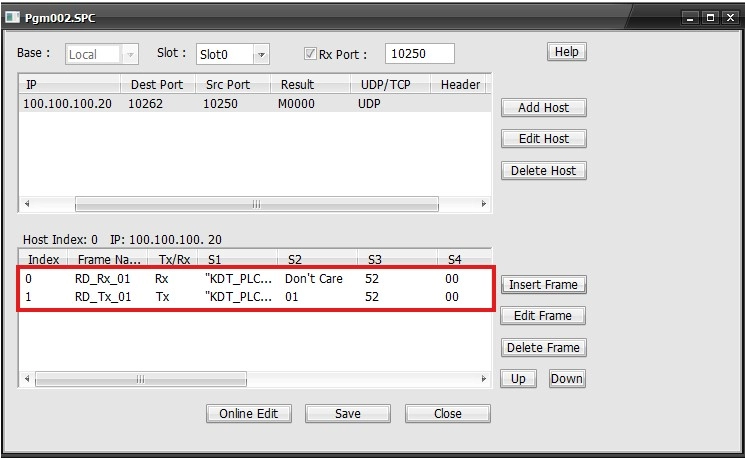
- The receiving and transmitting frames will be displayed in the special program.