
Special Card Initialization Program
The Special Card Initialization Program allows users to configure the expansion modules of a PLC chassis. The saved features for each expansion module will be applied to the PLC chassis when the project is downloaded.
Special Card Initialization Program Configuration
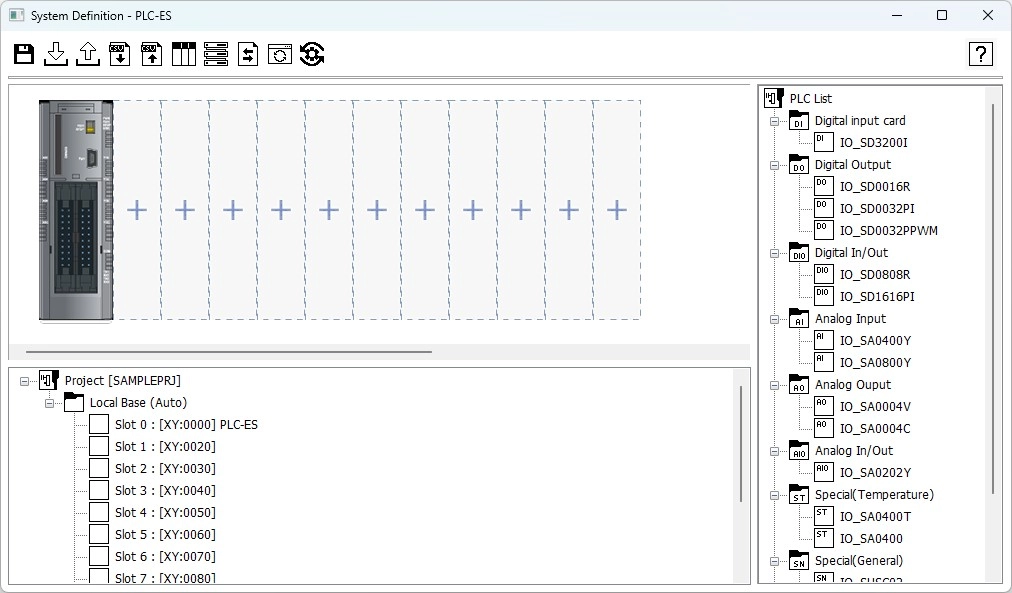
Modules can be added to the chassis for configuration.
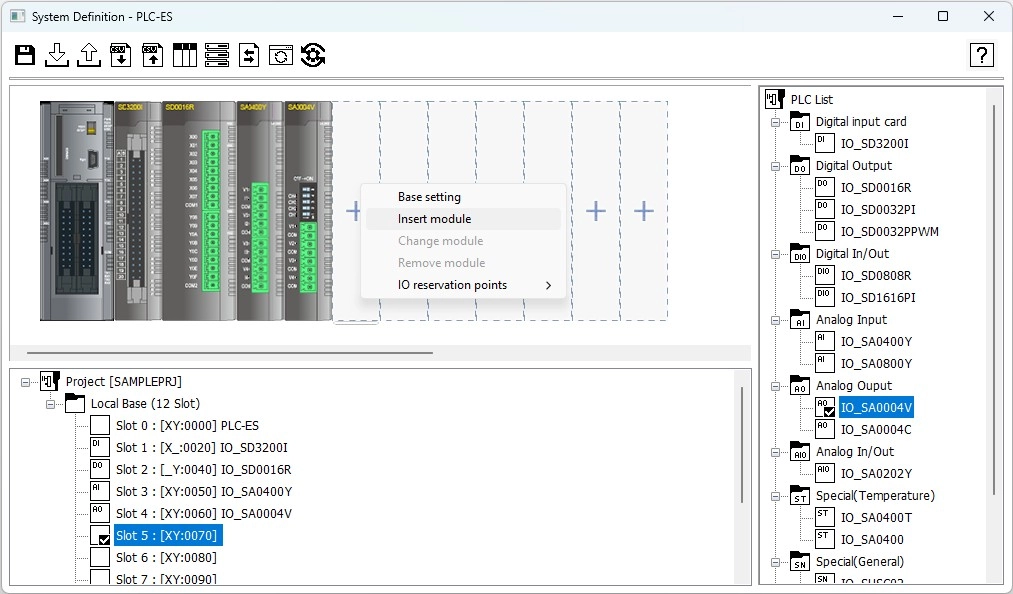
Step 1: To add a module, right-click the + icon and left-click Insert module.
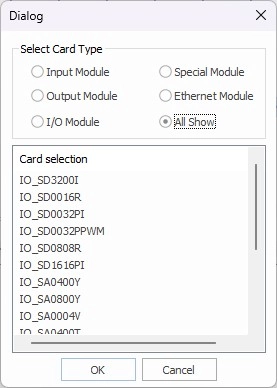
Step 2: Select the module from the list and left-click OK.
Optionally, drag-and-drop the module from the PLC List.
Step 3: To configure the module, double left-click the module.
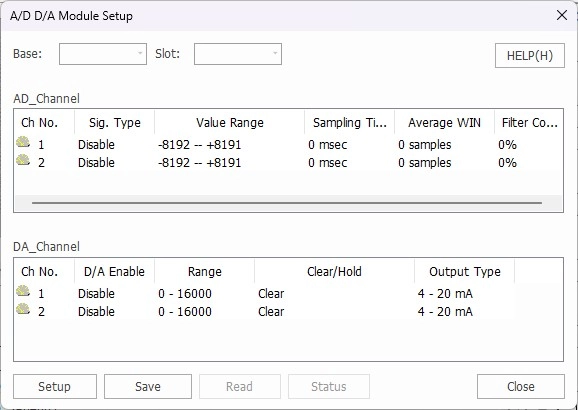
- Changes made in the module configuration screen will be applied to the special card initialization program. When downloaded to the PLC, the changes will be applied to the module.