
Online Edit
Online edit allows the PLC program to be edited while the PLC is online and connected to the computer.
Start

Step 1: To edit the PLC program, left-click Home and left-click Online Edit Start/Stop.
Download
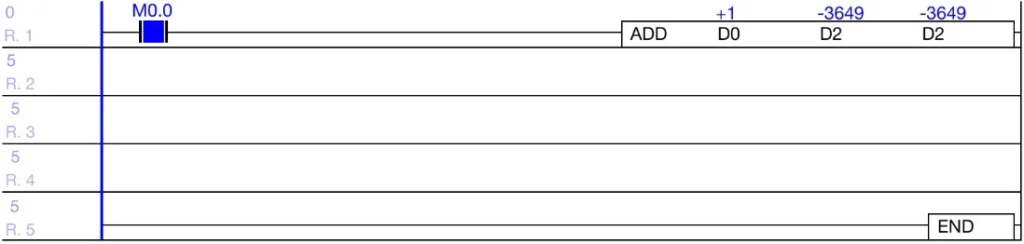
- While in Online Edit mode, the background of the ladder diagram will change to a different color.
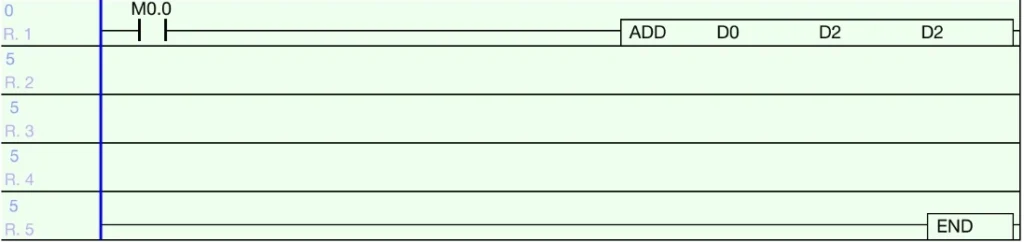
Step 2: Make the necessary changes to the ladder diagram program.
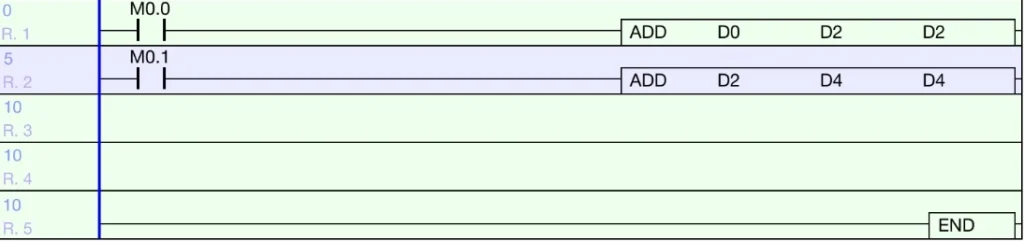
- IMPORTANT: Only 64 steps of ladder logic can be downloaded at one time.
- Otherwise, the online editor will not download any change

Step 3: To download the changes made, left-click Home and left-click Online Edit Download.
Cancel
Step 1: To cancel the Online Edit changes, left-click Home and left-click Online-Edit Start/Stop again.
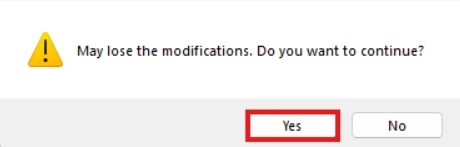
Step 2: Left-click Yes to cancel online editing.