
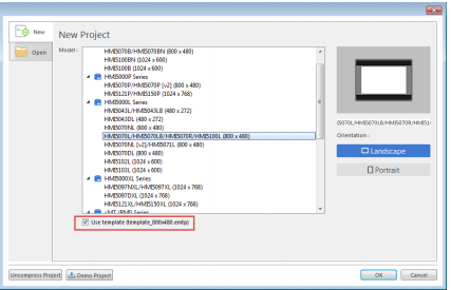
Keypads and keyboards are part of the template files included with EBPro, beginning on Window 50. When starting a new project in EBPro, make sure the “Use template” option is checked on the “New Project” window when selecting the HMI model to use.
Keypads can be added or removed from the project in the System Parameters > General tab. If the keypad and keyboard Windows® are missing from the project, Tech Note 5109, “Missing Keypads & Keyboards” will assist you with retrieving these windows.
Software Downloads & Upgrades
Manuals & Guides
Tech Notes
Videos
- Customize Your HMI
- Quick Start: Part 7 – Simulation Mode
- Set-Up Multi-State Pictures and Shapes
- Adding Objects
Sample Projects
Controller Information Sheets
Communication Cables