
Overview & Concepts
Project Simulation in EasyBuilder Pro allows a developer to run and test an HMI project directly on a computer without downloading it to physical HMI hardware. Simulation replicates the runtime behavior of the project so that screens, objects, navigation, and even logic can be verified during development. This helps confirm that the interface and project configuration operate as expected before deploying the project to an HMI device.
Simulation can operate in different modes depending on how the project needs to be tested. The simulation environment allows interaction with objects on the screen and can also communicate with connected devices if required.
Common simulation modes include:
- Offline Simulation – Runs the project locally without communicating with external devices, allowing interface and navigation testing.
- Online Simulation – Connects the simulated project to PLC devices so register values and communication behavior can be tested.
Typical uses of simulation include:
- Verifying screen layout and navigation between windows
- Testing object behavior such as buttons, indicators, and triggers
- Confirming communication with PLC devices before downloading the project to the HMI
By allowing projects to be tested in a simulated environment, EasyBuilder Pro helps developers identify configuration issues early and refine the interface before deploying the project to the target hardware.
Implementation
Both Offline and Online Simulation modes can be found in the [Project] Tab of the main EasyBuilder Pro menu.
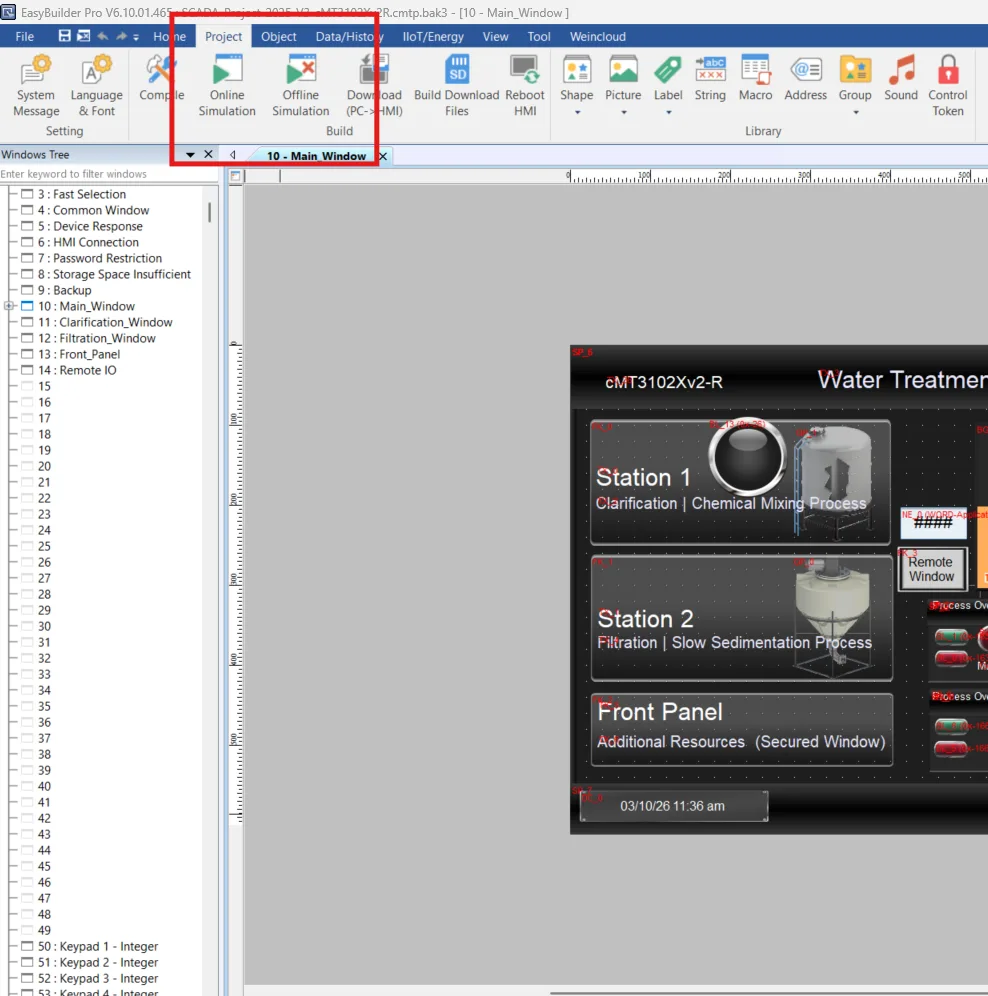

Offline Simulation
Off-line simulation: Simulate project operation on PC without the need for connecting any device.
This method is useful to verify project navigation, placement of objects and other on-screen items, and general proofing of the project operations; since no PLC is actually connected to the project, objects that reference PLC registers are simply shown with a zero value (unless the HMI project is configured to automatically place a value into the register)

Online Simulation
Online simulation: Simulate project operation on PC without downloading the project to HMI. The PLC is connected to PC, please set correct parameters.
When using Online Simulation on PC, the monitoring time is limited to one hour and a prompt window pops up every 15 minutes.
This method is useful to verify the behavior of objects that reference the PLC; in Online Simulation mode the development PC pretends to be the HMI and it does go out and attempts connection with the PLC as configured in the System Parameters menu.
PC Simulation Limitations
While the Offline and Online Simulation Modes can greatly assist users in validating an HMI project design and function, there are some features that are unable to be simulated which only work on the HMI.
When running simulation mode on the PC, the historical data is stored in a folder in the EasyBuilder Pro installation directory:
- HMI_memory: when the designated destination is HMI memory.
- SD_card: when the designated destination is SD card.
- usb1: when the designated destination is USB Disk.
- usb2: when the designated destination is USB Disk2. (Applicable only for models that support two USB disks.)
The following features do not work with Simulation Mode on the PC:
- Enhanced Security Mode – Plugin
- Media Player
- Video In: USB Camera
- Video In: IP Camera
- Video In: Video Input (analog)
- PDF Reader
- VNC Viewer
- PLC Web Browser