Overview & Concepts
The Timer object in EasyBuilder Pro is used to measure elapsed time and trigger actions after a specified delay or interval. It provides a built-in timing mechanism within the HMI project, allowing time-based behavior without requiring PLC logic or macro programming.
A Timer is configured by defining:
- The control bit used to start or enable the timer
- The preset time value (delay or duration)
- The time unit or timing parameters
- The action or status indication when the timer completes
When the timer is activated, the HMI begins counting based on the defined preset value. Once the elapsed time reaches the configured duration, the timer condition becomes true and the associated action or output state is triggered.
Typical applications include delaying screen transitions, creating timed system operations, or generating periodic actions within the HMI.
Timer Operations can be configured as a Per-Page timer (the timer can only be activated when that project window is also active) or Global (The timer starts counting when the input bit is in the ON state, regardless of the window displayed on the HMI)

Implementation
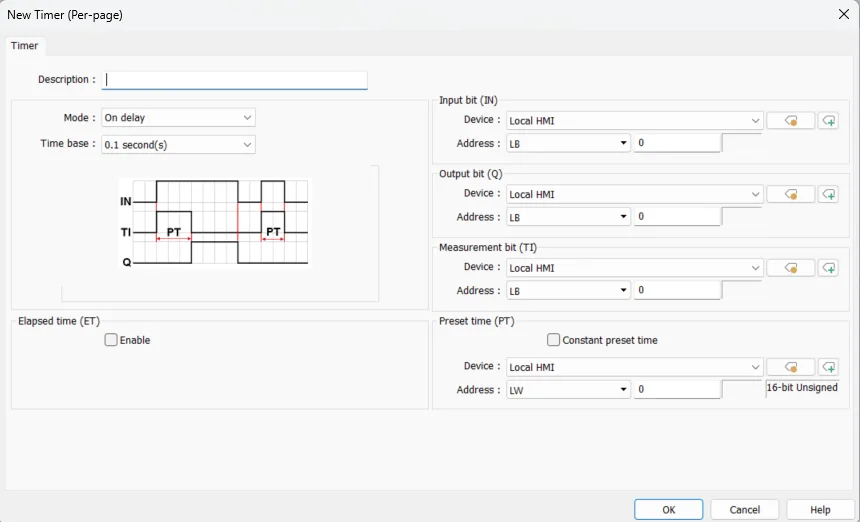
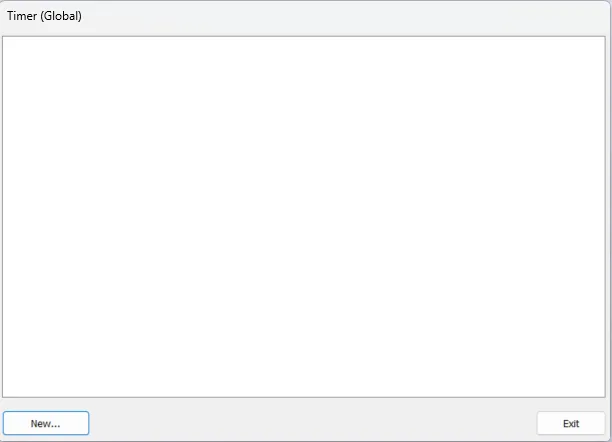
Click [Object] » [Time-related] » [Timer] icon on the toolbar to open the property dialog box as shown in the following figure. In a cMT / cMT X project, after the [Timer (Global)] icon is clicked, a Timer management window opens in which timers can be added by clicking [New].
Timer (Per-Page)
Timer (Global) – cMT / cMT X Series Models
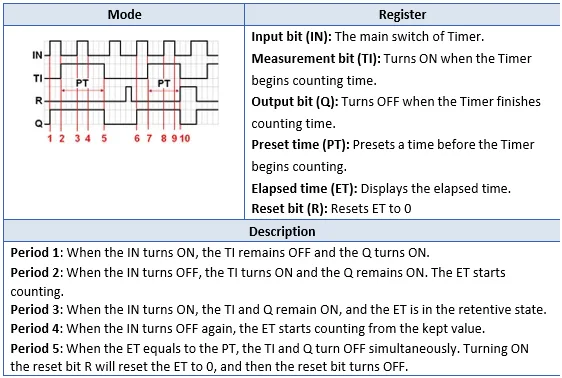
Timer Operation
ON Delay
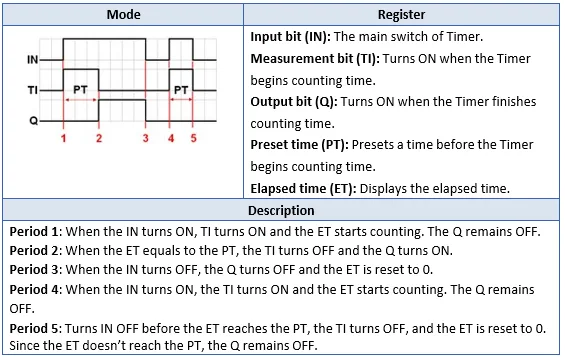
OFF Delay
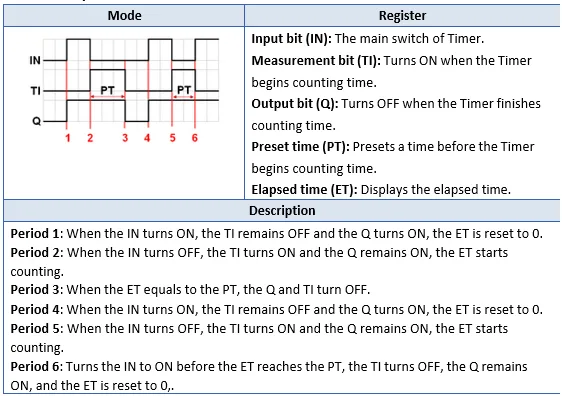
PULSE
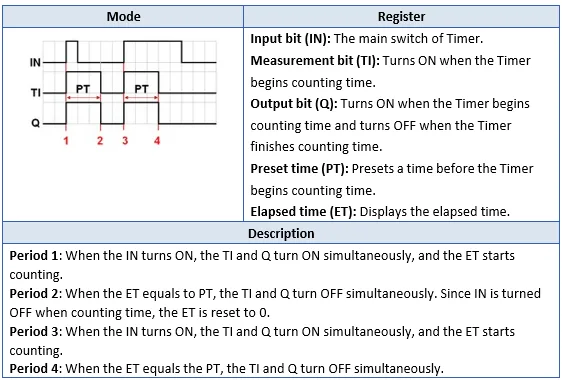
ACCUMULATED ON Delay
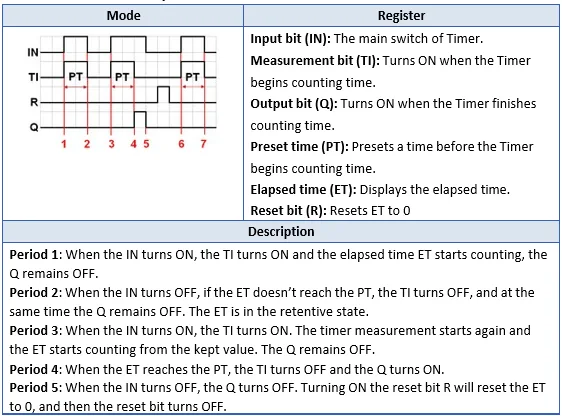
ACCUMULATED OFF Delay