
Macro Trace Function
TRACE function can be used with EasyDiagnoser / cMT Diagnoser to show the current content of the variables. For users of cMT /cMT X series, a better, more straightforward way would be to use the Macro Debugger in the cMT Diagnoser for debugging. The use of TRACE function is not required.
The following example explains how to use TRACE function in macro and then use EasyDiagnoser for monitoring.
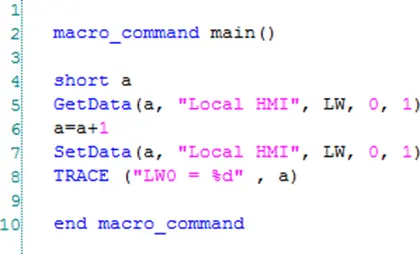
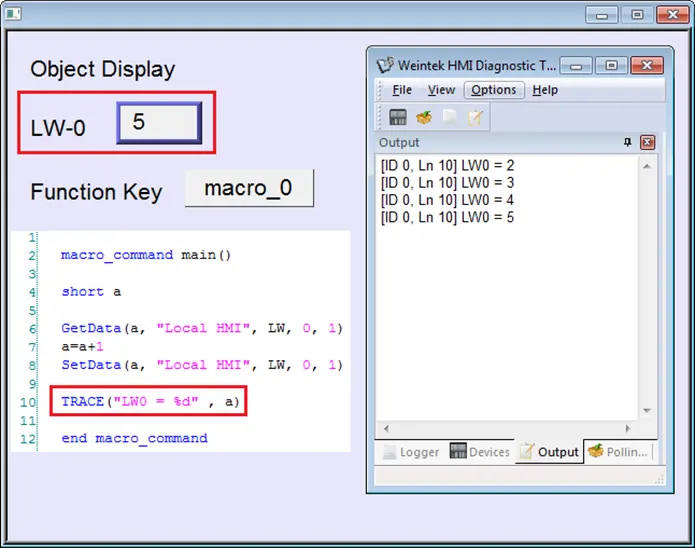
- First of all, add a new macro “macro_0” in the project, and in “macro_0” add TRACE (“LW= %d”, a). “%d” indicates display current value of LW in decimal format. The content of “macro_0” is as follows:
- Secondly, add a Numeric Display object and a Function Key object in window no. 10 of the project. The Function Key object is used to execute macro_0.
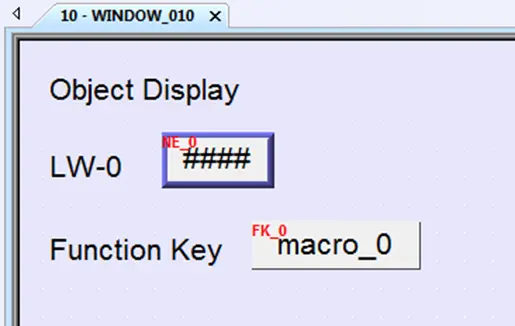
- Lastly, compile the project and execute [Off-line simulation] or [On-line simulation].
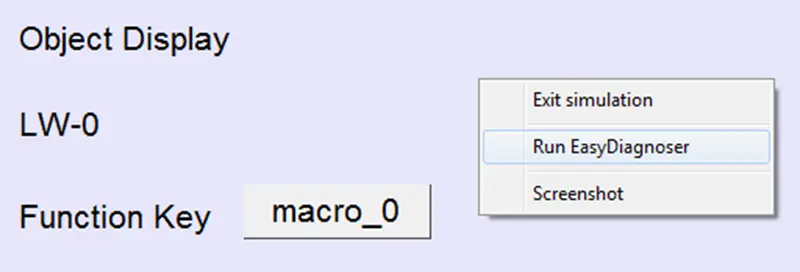
- When processing simulation on PC, right click and select “Run EasyDiagnoser” in the pop-up menu.
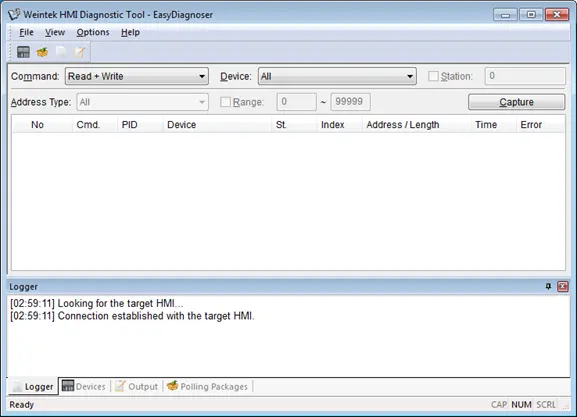
- Afterwards, EasyDiagnoser will be started. [Logger] window displays whether EasyDiagnoser is able to connect with the HMI to be watched or not. [Output] window displays the output of the TRACE function. The illustration below shows that EasyDiagnoser succeeds in connecting with HMI.
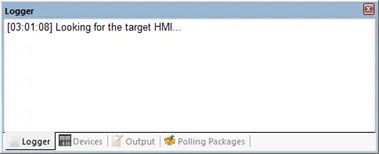
- When EasyDiagnoser is not able to connect with HMI, [Logger] window displays content as shown in the following figure:
- The possible reason of not being able to get connection with HMI can be failure in executing simulation on PC. Another reason is that the Port No. used in project for simulation on PC is incorrect (or occupied by system). Please change Port No. as shown, compile project then do simulation again.
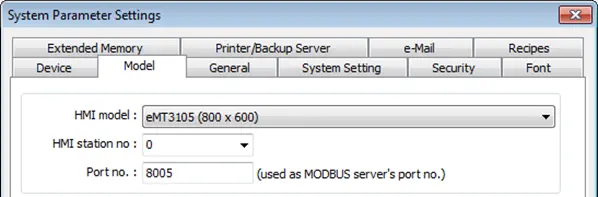
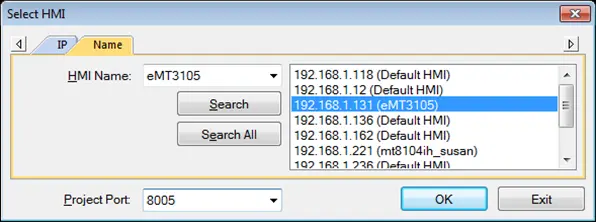
- In EasyDiagnoser, the Port No. should be set the same as the Port No. in the project.
- The three consecutive ports of the project port no. are preserved for HMI communication. In the setting above as an example, Port No. is set as 8005. Port 8005, 8006 and 8007 should be reserved. In this case when executing simulation on PC, please make sure that these ports are not occupied by other programs.
- Use LB-9059 to disable MACRO TRACE function (when ON). When set ON, the output message of TRACE won’t be sent to EasyDiagnoser.
- Users can directly execute EasyDiagnoser.exe from Utility Manager. In Utility Manager, current HMI on line will be listed; users can simply select the HMI to be watched. Please note that Project Port should be the same as Port No. used in project file.
- Download the project to HMI and start the project. If EasyDiagnoser is unable to get connection with the HMI to be watched, it is possible that HMI power is not ON, or Port No. is incorrect. This may cause EasyDiagnoser to connect then disconnect with HMI continuously. Please check the Port No. in EasyDiagnoser settings.
- When EasyDiagnoser succeeds in connecting with HMI, simply execute macro_0, [Output] window will then display the output of the TRACE function.
TRACE Syntax Table
| Name | TRACE |
| Syntax | TRACE(format, argument) |
| Description | Use this function to send specified string to the EasyDiagnoser / cMT Diagnoser. Users can print out the current value of variables during run-time of macro for debugging. When TRACE encounters the first format specification (if any), it converts the value of the first argument after format and outputs it accordingly. format refers to the format control of output string. A format specification, which consists of optional (in [ ]) and required fields (in bold underlined font), has the following form: %[flags] [width] [.precision] type Each field of the format specification is described as below: flags (optional): – : Aligns left. When the value has fewer characters than the specified width, it will be padded with spaces on the left. + : Precedes the result with a plus or minus sign (+ or -) width (optional): A nonnegative decimal integer controlling the minimum number of characters printed. precision (optional): A nonnegative decimal integer which specifies the precision and the number of characters to be printed. type: C or c : specifies a single-byte character d : signed decimal integer i : signed decimal integer o : unsigned octal integer u : unsigned decimal integer X or x : unsigned hexadecimal integer lld : signed long integer (64-bit) (cMT / cMT X Series only) llu : unsigned long integer (64-bit) (cMT / cMT X Series only) f : signed floating-point value llf : double-precision floating-point value E or e : Scientific notation in the form “[ – ]d.dddd e [sign]ddd” , where d is a single decimal digit, dddd is one or more decimal digits, ddd is exactly three decimal digits, and sign is + or –. The length of output string is limited to 256 characters. Extra characters will be ignored. The argument part is optional. One format specification converts exactly one argument. |
| Example | macro_command main() char c1 = ‘a’ short s1 = 32767 float f1 = 1.234567 TRACE(“The results are”) // output: The results are TRACE(“c1 = %c, s1 = %d, f1 = %f”, c1, s1, f1) // output: c1 = a, s1 = 32767, f1 = 1.234567 end macro_command |