
Overview & Concepts
The Contacts Editor in EBPro is a centralized tool for managing contact information used by notification and messaging features within an HMI project. Instead of entering recipient information separately for each alarm or notification, contacts can be defined once and reused throughout the project.
Common contact information that can be stored includes:
- Email recipients
- Push notification recipients
- Messaging service accounts
- Operator, maintenance, and supervisor contact information
The Contacts Editor works with features such as Email, Event Notification, and EasyAccess 2.0 push notifications. When an alarm or event occurs, the HMI can automatically use the stored contact information to determine who should receive the notification.
By separating recipient information from the notification logic, the Contacts Editor makes projects easier to maintain and scale. Contact information can be updated in a single location, helping ensure alerts and status messages are consistently delivered to the appropriate personnel.

Implementation
Click the Contacts Editor icon on the toolbar to create a Contacts Editor object. Or, click [Objects] » [Contacts Editor] in the menu.
General Tab
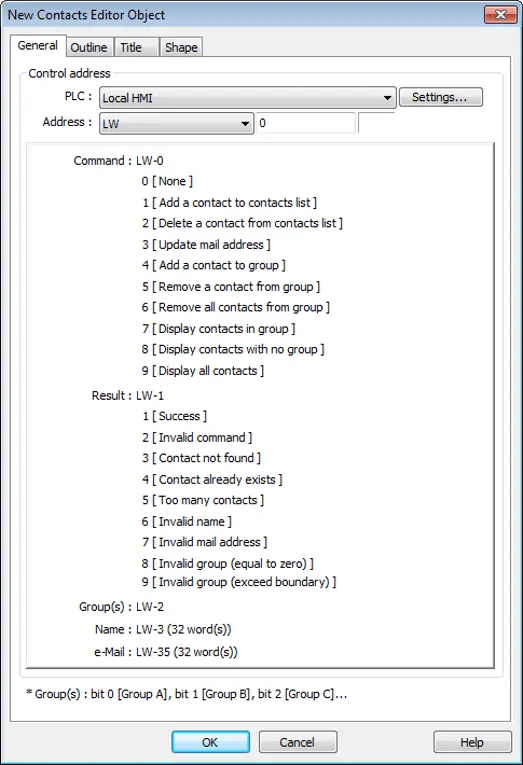
| Setting | Description |
|---|---|
| Control Address | A set of word addresses can be specified to change contact list or to show results. Control address: Gives commands 0: None 1: Add a contact to contacts list 2: Delete a contact from contacts list 3: Update mail address 4: Add a contact to group 5: Remove a contact from group 6: Remove all contacts from group 7: Display contacts in group 8: Display contacts with no group 9: Display all contacts Control address +1: Shows execution result 1: Success 2: Invalid command 3: Contact not found 4: Contact already exists 5: Too many contacts 6: Invalid name 7: Invalid mail address 8: Invalid group (equal to zero) 9: Invalid group (exceed boundary) Control address +2: Group(s), uses bits to represent groups 0: Group A 1: Group B 2: Group C 3~15: Group D ~ Group P Control address +3: Name (32 word(s)), contact name Control address +35: e-Mail (32 word(s)), e-mail address |
Notes:
- General tab cannot be found when the model used is a cMT / cMT X model.
- Contact names do not support Unicode.
- The number of groups is specified in [System Parameter Settings] » [e-Mail] » [Recipients]. Please note that the number of groups cannot be dynamically changed on HMI.
Outline Tab
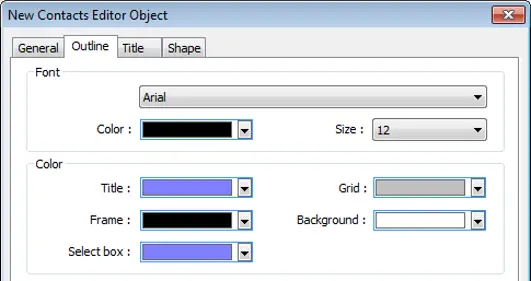
| Setting | Description |
|---|---|
| Font & Color | Select Contacts Editor object’s font and color. |
Title Tab
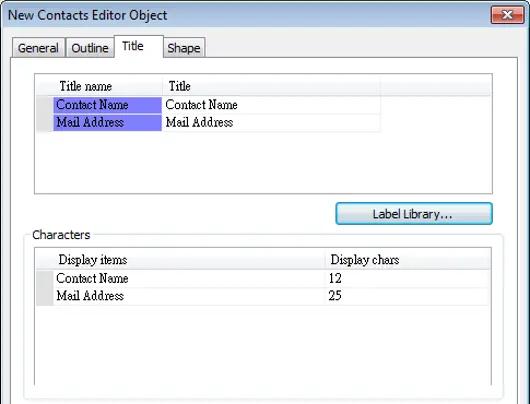
| Setting | Description |
|---|---|
| Title | The title shown in Contacts Editor. |
| Display chars | The displayable data length of each title in Contacts Editor. Range: 1~60 |