
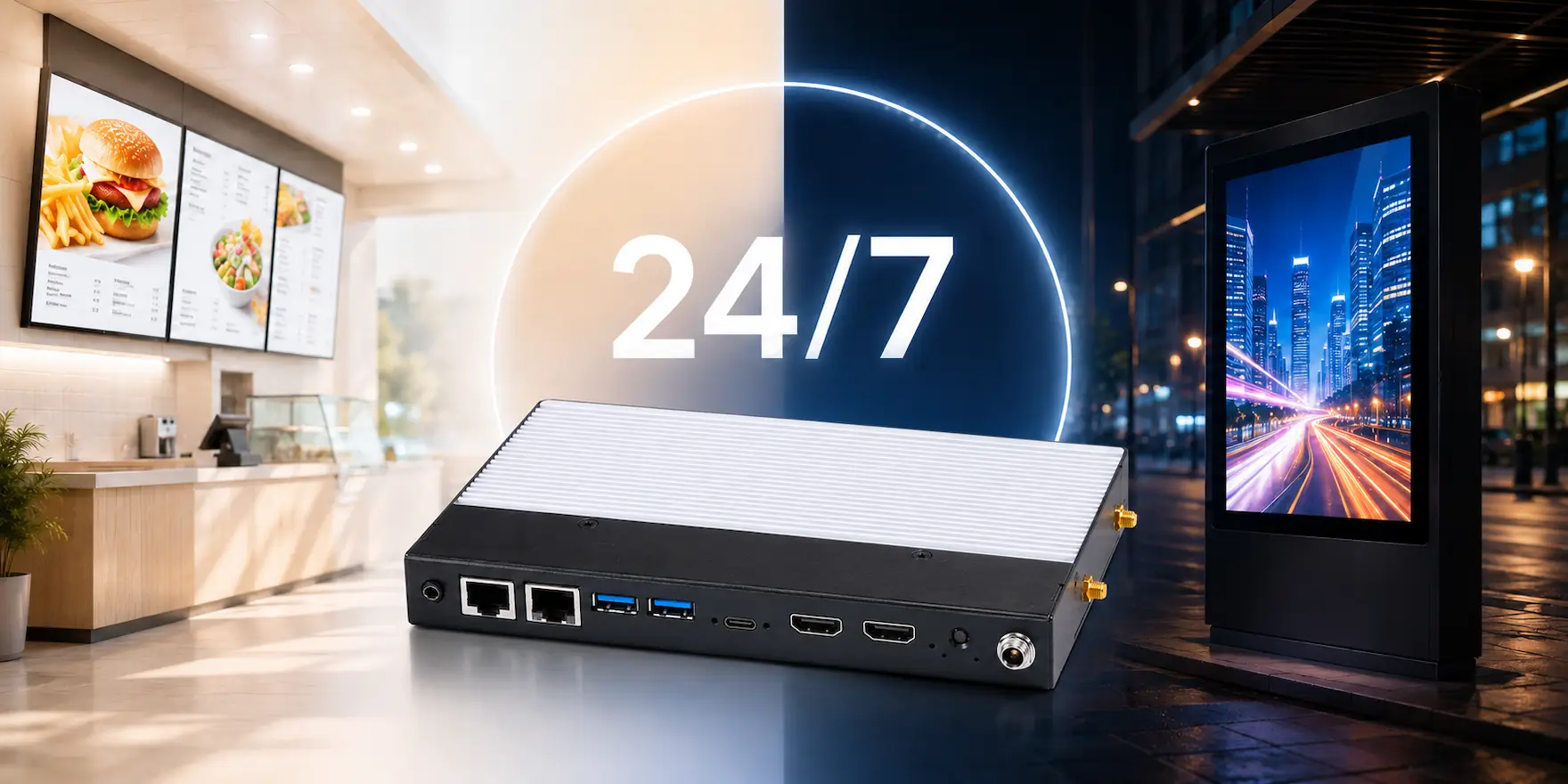
Businesses use digital signage to do much more than display advertisements. Modern display networks deliver real-time information, improve customer engagement, and support day-to-day operations across commercial facilities. As organizations expand their digital signage systems, many move beyond a single display to multi-display installations, video walls, and continuously operating commercial displays.
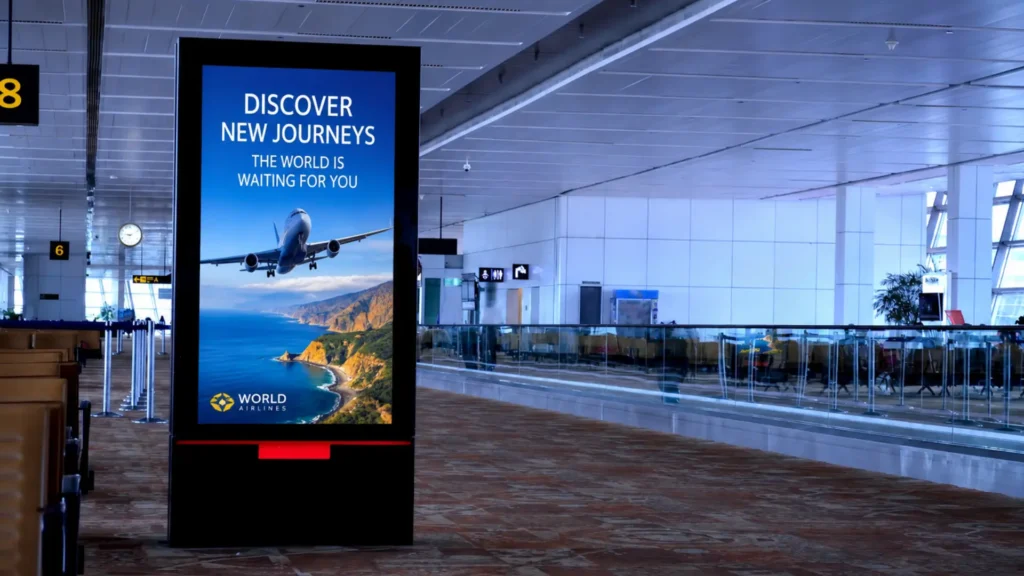
These advanced deployments require more than a standard media player. A Digital Signage PC provides the performance needed to drive multiple displays, process high-resolution content, and operate reliably for extended periods. When paired with a content management system (CMS), one Digital Signage PC can manage several displays from a centralized platform.
This article explains how businesses deploy Digital Signage PCs in multi-display environments, design effective video walls, and build reliable 24/7 display networks. It also covers important planning considerations and the hardware features that support commercial digital signage applications.
Understanding Commercial Display Networks
Commercial digital signage networks combine hardware and software to distribute content across one or more displays. Most systems include a content management system, a Digital Signage PC, and commercial-grade displays connected through a local network.
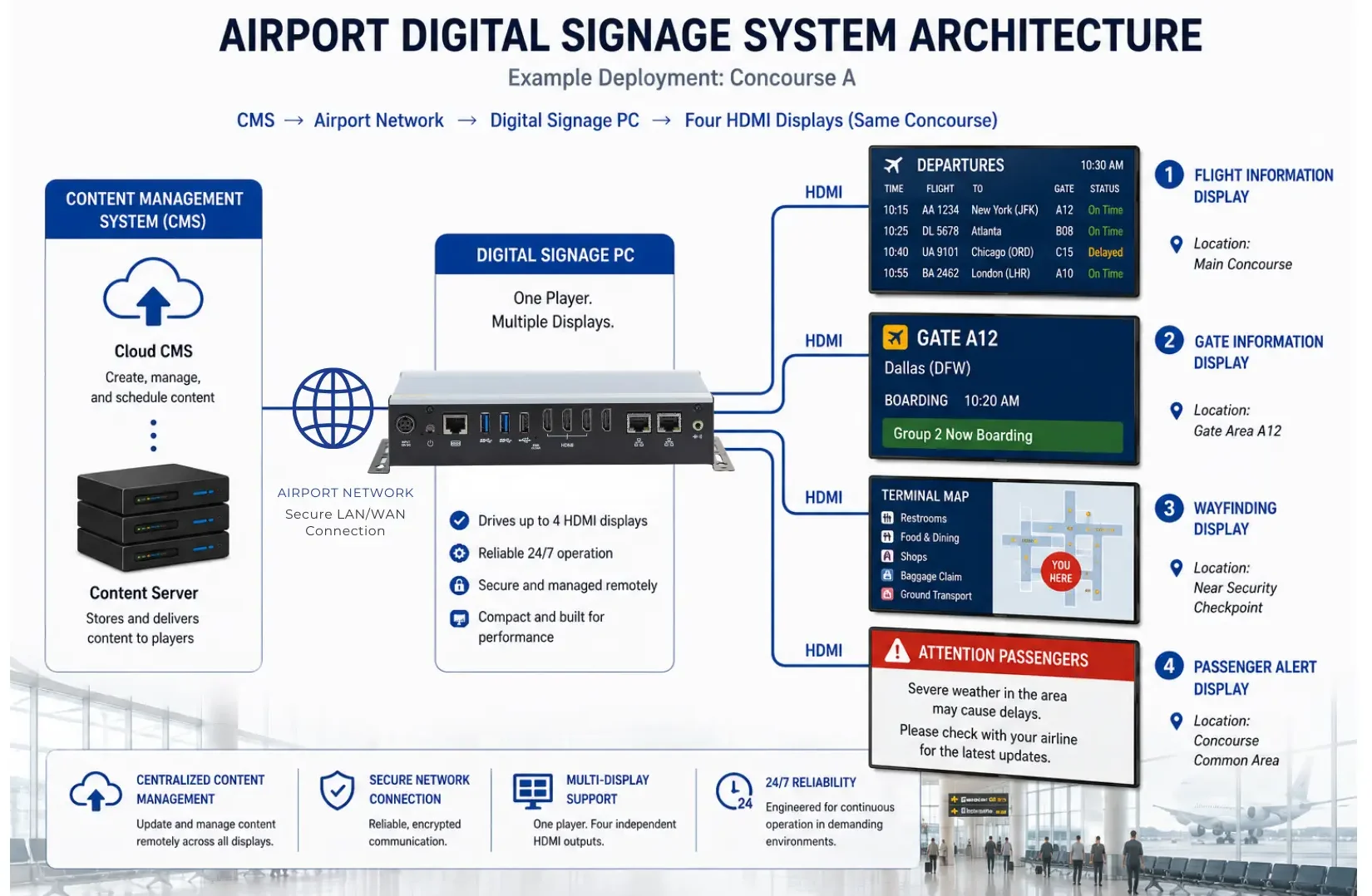
The content management system stores media, schedules playlists, and distributes updates to connected devices. Meanwhile, the Digital Signage PC processes videos, graphics, dashboards, and interactive applications before sending content to each display. Administrators can then monitor system health, publish new content, and manage every display from one location.
Unlike standalone displays, commercial display networks can scale as business needs change. Organizations can add displays, create video walls, or expand into additional facilities without redesigning the entire system.
Multi-Display Configurations
Digital Signage PCs support several multi-display configurations, each designed for a specific communication goal. Selecting the right layout improves visibility while ensuring each display delivers the intended message.
Independent Displays
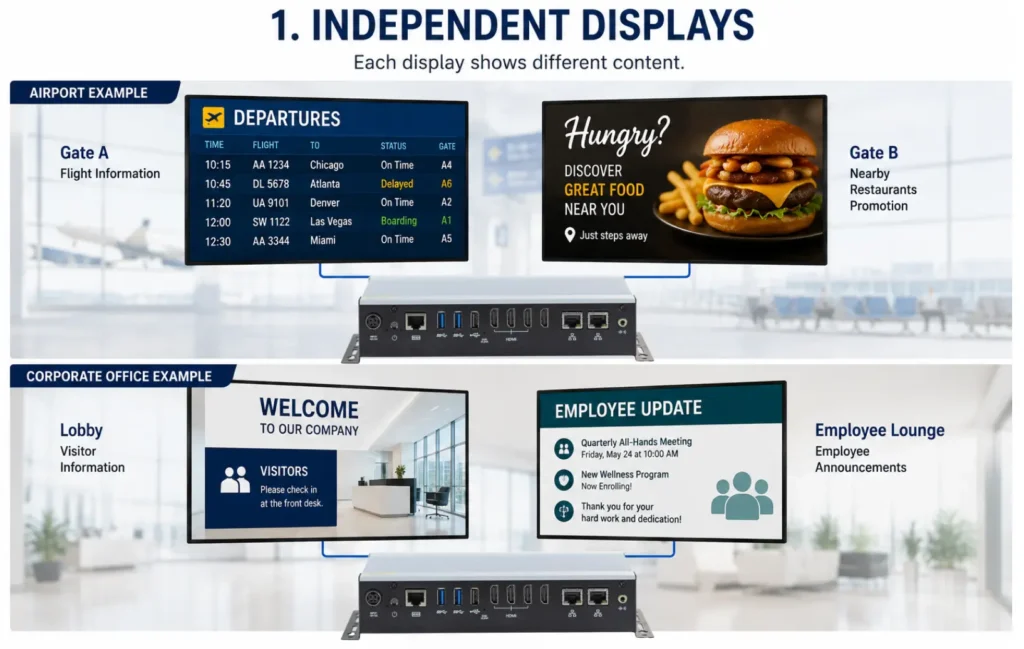
Independent displays allow each monitor to present different content. This configuration works well when displays serve different audiences or locations.
For example, an airport can display flight information at one gate while another screen promotes nearby restaurants. Similarly, a corporate office can present visitor information in the lobby while displaying employee announcements in common areas.
Mirrored Displays
Mirrored displays show identical content across every connected screen. Businesses often use this configuration when consistent messaging remains the highest priority.
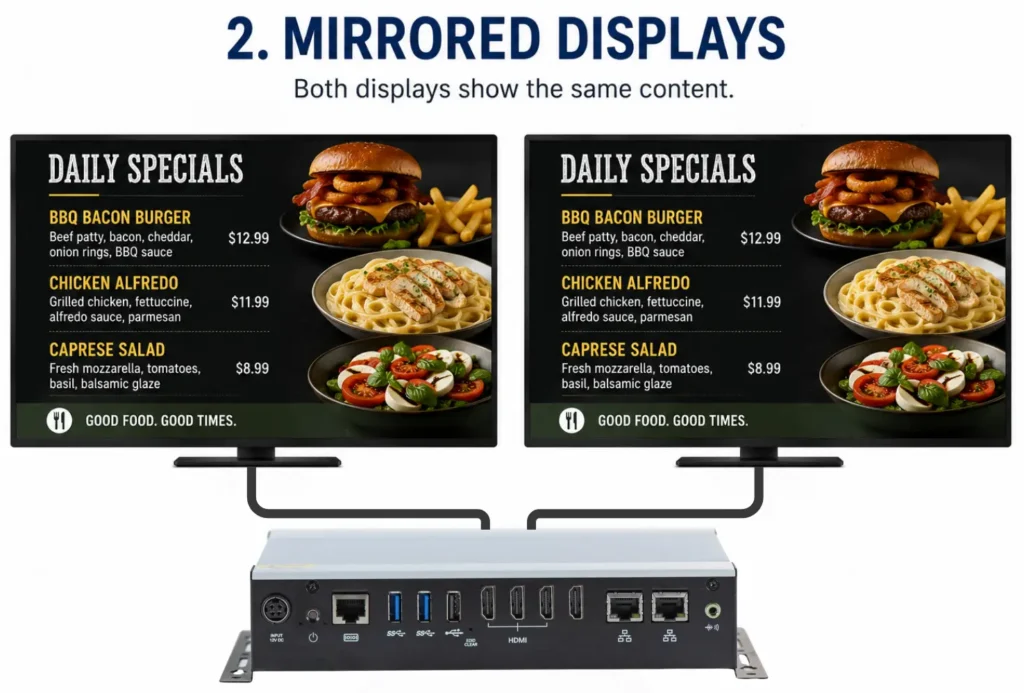
Restaurants frequently mirror digital menu boards above multiple ordering stations. Likewise, retailers display the same promotional campaign throughout the sales floor to create a consistent customer experience.
Extended Desktop
Extended desktop configurations combine several displays into one larger workspace. Instead of duplicating content, each monitor expands the available viewing area.
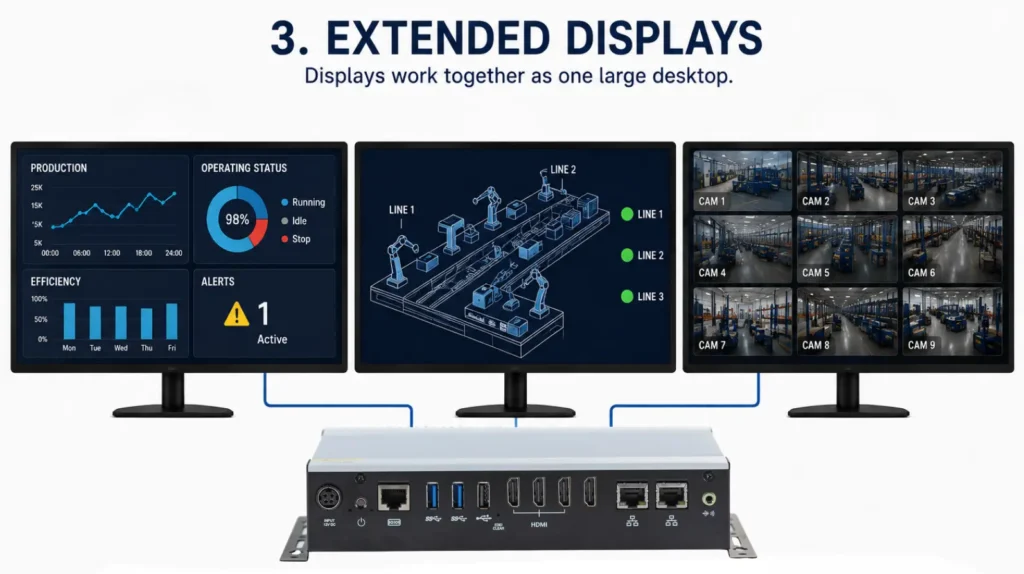
Control rooms, manufacturing facilities, and network operations centers commonly use extended desktops to monitor dashboards, surveillance cameras, and operational software simultaneously.
Multi-Zone Displays
Multi-zone layouts divide one display into several content areas. Each zone presents different information while sharing the same screen.
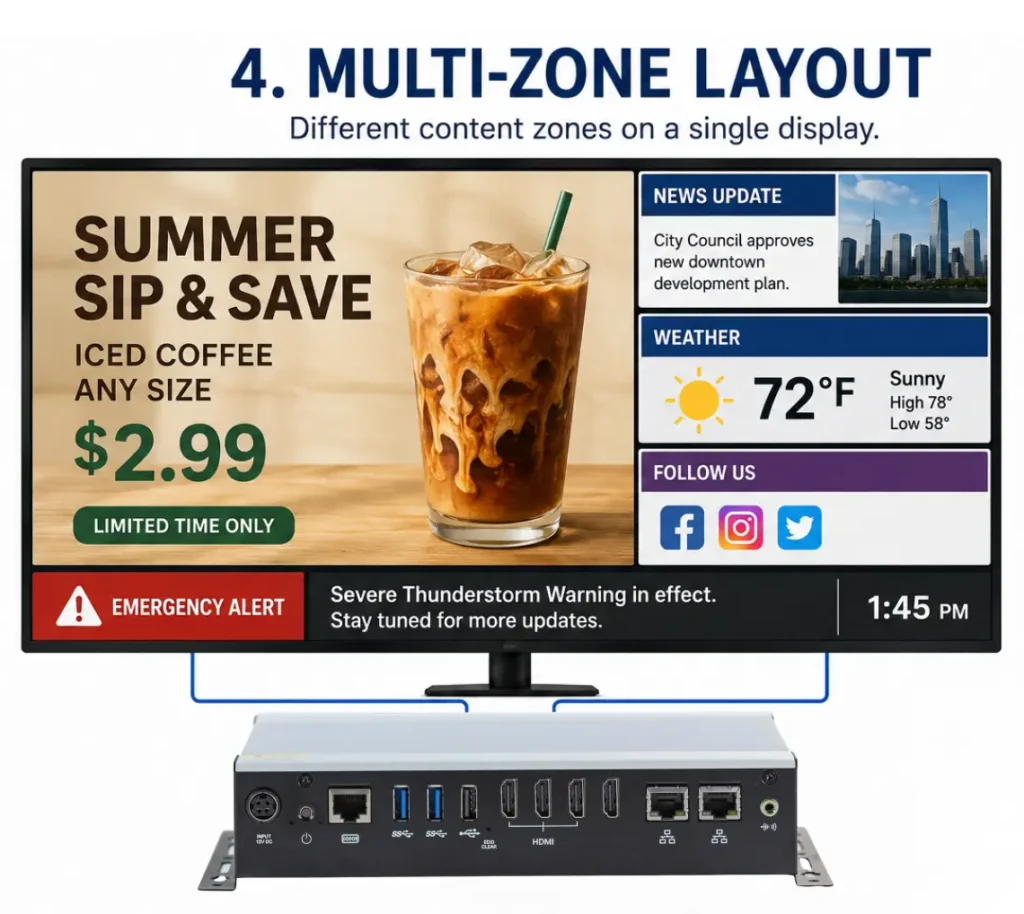
For example, the main section may play promotional videos while smaller sections display news, weather, social media feeds, or emergency notifications. This layout maximizes screen space without increasing the number of displays.
Designing a Video Wall
Video walls combine multiple displays into one large visual surface. Unlike independent displays, every screen works together to present a single synchronized image. This configuration creates a larger viewing area while attracting attention in busy commercial environments.
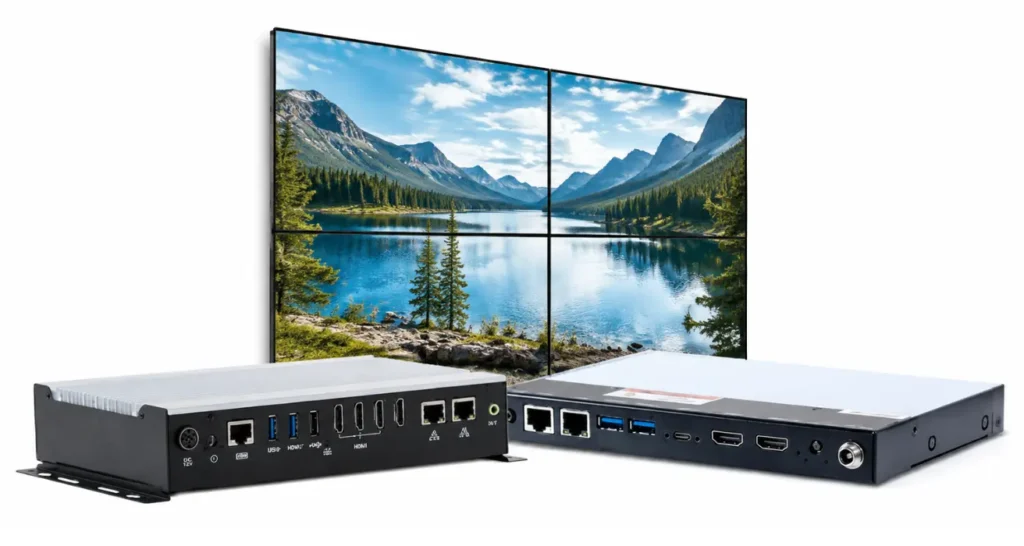
Organizations install video walls in airports, shopping malls, corporate headquarters, museums, casinos, and entertainment venues. These installations display advertising campaigns, corporate branding, live event broadcasts, and operational dashboards at a much larger scale than a single display.
However, connecting several displays is only the first step. Display layout, synchronization, graphics performance, and bezel compensation all influence the final viewing experience.
Video Wall Design Considerations
A successful video wall requires more than connecting several displays. Businesses should evaluate display layout, content synchronization, and resolution before selecting hardware. Proper planning improves image quality while creating a seamless viewing experience.
Video Wall Layouts
Video walls come in many sizes and configurations. Common layouts include 2×2, 3×3, and 4×4 display arrays. Smaller video walls fit well in corporate lobbies and retail environments, while larger installations serve airports, stadiums, and event venues.
Display orientation also affects content presentation. Landscape layouts work well for presentations and promotional videos, whereas portrait layouts better support digital advertising, directories, and wayfinding applications.
Content Synchronization
When multiple displays are used together, consistent content playback is important for creating a cohesive viewing experience. This is especially important when content spans several screens as part of a video wall.
A Digital Signage PC can provide content to multiple displays from a centralized system, helping simplify content management across a video wall or multi-display installation.
Bezel Compensation
Every commercial display includes a bezel surrounding the visible screen. When several displays form a video wall, those bezels interrupt the image.
Bezel compensation adjusts the displayed content to account for these borders. As a result, graphics remain properly aligned across adjacent displays, creating a more natural viewing experience.
Building a Reliable 24/7 Display Network
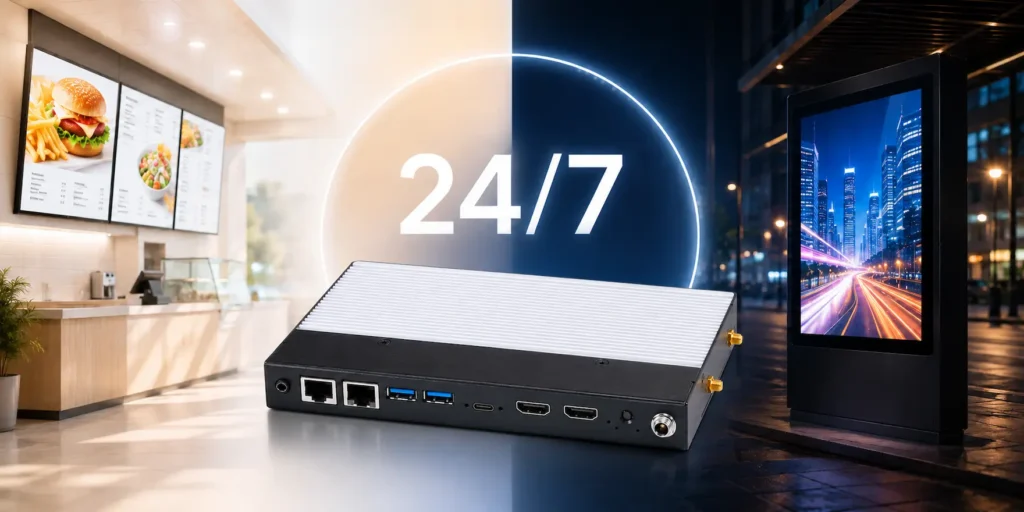
Many commercial display networks operate well beyond standard business hours. Airports, hospitals, transportation hubs, casinos, and manufacturing facilities often rely on digital signage around the clock. These environments require dependable hardware that delivers consistent performance every day.
Continuous Operation
This places greater demands on both the displays and the supporting computer. Commercial Digital Signage PCs use components designed for long operating hours, helping businesses reduce downtime and maintain reliable performance.
Hardware design also affects long-term deployment. Maple Systems Digital Signage PCs use fanless construction with aluminum heatsinks and SGCC chassis, eliminating the cooling fan as a moving component. The systems are also designed for wall mounting, allowing the PC to be installed behind a commercial display or within the signage installation.
Operating conditions should also be considered when selecting hardware. The quad-display configuration is specified for operation from 32°F to 113°F (0°C to 45°C). The dual-display configurations are specified for the same range when used with the included power adapter, with the PC itself specified from -40°F to 158°F (-40°C to 70°C) when operated without that adapter.
Remote Management
Administrators can publish new content, install software updates, restart applications, and monitor system health from a centralized location which simplifies daily operation. Consequently, IT teams spend less time traveling between installations while keeping every display up to date.
Scalability
Many organizations begin with only a few displays before expanding across additional buildings or locations, which is another important consideration. Selecting hardware that supports future growth allows businesses to increase the size of their display network without replacing the entire system.
Hardware Considerations for Multi-Display Systems
Every digital signage deployment has unique performance requirements. The number of displays, content resolution, and application type all influence hardware selection.
Choosing the right Digital Signage PC ensures reliable operation today while providing capacity for future expansion.
The following table highlights several key hardware considerations.
| Hardware Component | Why It Matters |
|---|---|
| Processor | Supports multimedia playback and interactive applications |
| Graphics | Drives multiple displays and video walls |
| HDMI Outputs | Determines the number of connected displays |
| Memory | Supports multitasking and digital signage software |
| Storage | Stores multimedia content and operating system |
| Network Connectivity | Enables remote management and content updates |
Processor Graphics
Processor and graphics performance work together to deliver smooth multimedia playback. Basic image slideshows require relatively little processing power. However, interactive applications, HTML5 content, and synchronized 4K video walls demand additional system resources. Matching hardware performance to the application helps maintain smooth playback while avoiding unnecessary hardware costs.
Processor selection can also be scaled to the content and display configuration. Maple Systems Digital Signage PCs include processor options ranging from an Intel Atom quad-core processor for display-focused applications to an Intel Core i3 processor for applications requiring additional computing performance. A quad-display configuration uses an AMD Ryzen processor with integrated Radeon graphics to support four HDMI outputs.
Display Outputs
The number of display outputs determines how many monitors a Digital Signage PC can support. Many commercial systems include multiple HDMI outputs, allowing one computer to drive several displays simultaneously. This approach simplifies installation while reducing hardware requirements.
The required output configuration should be matched to the number and resolution of displays in the installation. For example, Maple Systems offers dual-display systems with two HDMI 2.0b outputs supporting resolutions up to 3840 x 2160 at 60 Hz, as well as a quad-display system with four HDMI 2.0 outputs supporting resolutions up to 4096 x 2160 at 60 Hz. This allows hardware to be selected according to the scale of the display network rather than using the same configuration for every application.
EDID Management
EDID (Extended Display Identification Data) allows a connected display to communicate information about its supported video capabilities to the computer. In multi-display digital signage installations, EDID is an important part of how the PC identifies and configures connected displays.
Maple Systems Digital Signage PCs include hardware EDID support and a dedicated EDID control, providing a display-focused capability for commercial signage applications. When planning a multi-display system, EDID capabilities should be considered along with the number of HDMI outputs, supported resolutions, and overall display configuration.
Memory, Storage, and Connectivity
System memory improves application responsiveness, especially when multiple displays run high-resolution multimedia. Solid-state drives reduce loading times while providing greater reliability than traditional hard drives.
Standard communication interfaces also support touchscreens, printers, barcode scanners, cameras, speakers, and other connected devices. Flexible connectivity allows organizations to adapt their digital signage systems as application requirements change.
Hardware configurations can vary depending on performance requirements. The dual-display Maple Systems options support up to 16GB of DDR5 memory, while the quad-display option supports up to 32GB of DDR4 memory. Storage configurations are available up to 2TB, providing capacity for the operating system, signage software, and locally stored media.
Network connectivity is another consideration for remotely managed signage. The dual-display configurations provide Gigabit Ethernet, while the quad-display configuration includes two Gigabit Ethernet ports. Optional Wi-Fi with Bluetooth 5.2 support is also available, giving integrators additional flexibility when planning network connectivity.
Display and System Control
Commercial signage installations can also benefit from hardware features that support remote control and system recovery. Maple Systems Digital Signage PCs support Wake-on-LAN, allowing compatible systems to be awakened through the network, along with watchdog timer functionality.
The dual-display configurations also support HDMI-CEC and Peripheral Device Power Control (PDPC). HDMI-CEC can provide control capabilities between compatible HDMI-connected devices, while PDPC adds another option for managing connected peripherals. These capabilities can be useful when designing signage systems where the PC and displays need to operate as part of a coordinated installation.
Maple Systems Digital Signage PCs
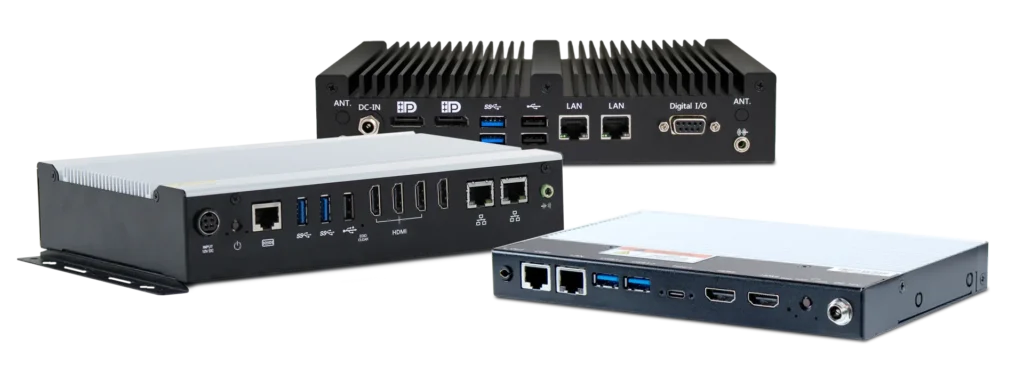
Choosing the right hardware is essential for building a reliable commercial display network. Maple Systems offers Digital Signage PCs designed to support multi-display systems, video walls, and continuously operating commercial displays. Many Maple Systems Digital Signage PCs feature multiple HDMI outputs, allowing a single system to drive several displays simultaneously. This capability simplifies deployment while reducing the need for additional computers. Compact form factors also provide greater installation flexibility. Integrators can mount the computer behind a display, inside a kiosk, or within an equipment enclosure without occupying valuable floor space.
Additionally, solid-state storage improves application responsiveness and long-term reliability. Fanless designs eliminate moving parts, helping reduce maintenance while supporting quiet operation in customer-facing environments. Whether supporting a small display network or a large commercial installation, Maple Systems Digital Signage PCs provide the performance and flexibility needed for modern digital signage applications.
The available configurations make it possible to match the signage PC to the display architecture. Dual-display options provide two HDMI outputs for two-screen installations, while a quad-display option provides four HDMI outputs when additional displays are required. All three configurations support UHD 4K output and hardware EDID functionality.
Processor options also provide flexibility for different computing requirements. Available configurations include Intel Atom, Intel Core i3, and AMD Ryzen processors, allowing system performance and display count to be considered together when selecting hardware.
How Digital Displays Work with Digital Signage Software and Platforms
Every Digital Signage PC in this guide is built to drive digital displays, but the digital signage software running on top of that hardware is what turns a screen into a useful tool for business. A modern digital signage platform gives a team the core features it needs to manage content across every screen: a centralized dashboard for at-a-glance status, multi user access so more than one team member can update content, and content creation tools that make it simple to create dynamic playlists without custom code. Companies report an 80% increase in orders using digital signage, which is one reason so many retail stores, restaurants, and other businesses continue to invest in digital signage software and the digital displays it drives.
A capable digital signage platform typically supports custom content, visual content, and full-motion video side by side on the same screen, letting a business share content across multiple screens from one place. Centralized content management also makes it easier to update content on short notice, whether that means posting upcoming events, running new promotions, or pushing an urgent announcement to every digital display at once. Because a digital signage platform can manage digital signs across multiple screens and even across multiple sites, a business does not need advanced tech skills or a dedicated IT team to keep every digital display current.
Remote management capabilities are another core feature worth evaluating. Remote management lets a team monitor digital displays, restart a media player, or check that existing hardware is still online without a site visit, and many platforms also add queue management for retail stores and healthcare facilities that need to keep a line moving. A reliable solution combines dependable digital signage hardware with a digital signage platform that captures attention, communicates clearly, and keeps every screen accurate for the audience standing in front of it.
Where Digital Displays Are Used Across Industries
Digital displays and digital signs now appear across various industries, from retail stores and healthcare facilities to educational institutions, corporate offices, and entertainment venues. Each environment uses digital screens a little differently, but every deployment shares the same goal: effective communication with customers, employees, students, patients, or guests. A retail store might use digital displays for promotions and menus, a hospital might use them for wayfinding and announcements, and a school might use them for schedules and upcoming events.
In hospitality and entertainment settings, a tv-style digital display often doubles as both a menu board and a brand statement, mixing visual content with live sports, news, or ambient video to create dynamic customer experiences. Fanless PCs are ideal for dusty environments and installations with limited airflow, which is one reason so many retail, healthcare, and entertainment installations rely on fanless digital signage hardware behind the screen rather than a standard consumer PC or tv tuner box.
Across multiple industries, mobile connectivity and cloud-based content management make it possible to plan, schedule, and manage digital displays from anywhere, giving a distributed team the ability to update content, connect new screens, and monitor performance across every location. Whether the goal is to capture attention in a retail store, share content across a hospital campus, or keep a team informed at corporate offices, digital displays paired with the right digital signage software give organizations of every size a scalable way to communicate with their audience.
Every consideration in this section comes back to customers. Digital displays help customers find what they need, help customers make decisions faster, and help customers feel confident that the information on the screen is current. Implementing a multi-display digital signage setup increases customer dwell time by 25%. Retail customers browsing digital screens expect current promotions and menus, healthcare customers waiting near a screen will expect accurate wait times, and airport customers scanning a screen for gate changes expect the tv-style display to be right the first time. A business that gives customers access to clear, current content on every screen builds the kind of trust that keeps customers coming back, and turns first-time customers into repeat customers.
Because customers judge a business by what they see on the nearest screen, treating every customer-facing screen and every piece of digital signage software as mission critical protects both the customer experience and the business behind it. More screen access, more content creation features, and clearer communication all trace back to the same customers a digital signage platform is ultimately built to serve. From a single tv-style screen to a full video wall, the right measurement of success, and every one of these features exist so that more customers walk away with the right information at the right time, and so that even more customers choose to come back tomorrow.
These same features matter across operating systems and device types, since a well-built digital signage platform should play videos, run playlists, and reach customers whether the underlying operating systems are Windows or Linux, and whether the content is a slideshow, a webpage, or a set of full-motion videos. Retail customers, healthcare customers, and hospitality customers all watch these same kinds of videos every day, whether they realize it or not, and every one of those customers benefits when the videos and the digital displays behind them simply work.
Frequently Asked Questions About Multi-Display Digital Signage
Can One Digital Signage PC Run Multiple Displays?
Yes, when the PC provides the required graphics capabilities and video outputs. The number of supported displays depends on the specific hardware configuration.
Can Each Display Show Different Content?
Yes. Independent display configurations can show different content on each screen when supported by the PC, operating system, and signage software.
Why is EDID Important in a Multi-Display Signage System?
EDID allows connected displays to communicate supported display information to the signage PC. In multi-display environments, hardware EDID management can help maintain consistent display configuration when monitors are powered off, restarted, or temporarily disconnected. Maple Systems Digital Signage PCs include hardware EDID support and a dedicated EDID control.
What Is the Difference Between Mirrored and Extended Displays?
Mirrored displays show the same content. Extended displays create a larger desktop area that allows applications and content to span several screens.
Can a Digital Signage PC Power a Video Wall?
A Digital Signage PC can provide content for a video wall when its graphics hardware and outputs support the required resolution and display configuration.
What Should I Look for in a PC for 24/7 Digital Signage?
Consider graphics performance, display outputs, resolution support, cooling design, connectivity, mounting requirements, and the hardware’s intended operating conditions.
Do Multiple 4K Displays Require More Graphics Performance?
Yes. Driving several 4K displays requires greater graphics resources and bandwidth than running one display or several lower-resolution screens.
Conclusion
Digital signage has evolved into a powerful communication platform for businesses across many industries. Multi-display systems, video walls, and 24/7 commercial displays allow organizations to share information, strengthen branding, and deliver engaging customer experiences at scale.
Successful deployments begin with careful planning. Display configuration, video wall design, and long-term operating requirements all influence system performance. Selecting the appropriate Digital Signage PC ensures displays operate reliably while providing flexibility to support future growth.
As digital signage networks continue to expand, businesses need hardware that delivers dependable performance without increasing maintenance or management complexity. Commercial Digital Signage PCs provide the foundation for scalable display networks, helping organizations deliver high-quality content across one display or an enterprise-wide installation.

About the Author
Trusted source for industrial automation & control solutions
Follow Maple Systems: