
For years, enterprises treated digital signage media players as an afterthought. Specifically, many chose shortcuts by repurposing obsolete office desktop towers or deploying cheap consumer-grade PCs to drive their digital signage displays. However, while this approach seemed cost-effective on paper, it inevitably triggered severe commercial hardware failures. As a result, operational vulnerabilities like failing cooling fans, unpatched network connectivity bugs and network security risks, and constant, expensive system downtime became routine without dedicated digital signage systems.
Modern industrial environments demand absolute system reliability. They also require data security and zero downtime. However, standard desktop computers cannot survive in a commercial footprint. They fail due to 24/7 duty cycles, dust, heavy vibrations, and extreme temperatures. Therefore, forward-thinking IT directors and systems integrators are actively abandoning consumer hardware. They are switching to compact, industrial-grade digital signage players and industrial PCs. Ultimately, this article explores advanced hardware security features, automated power management, and remote device monitoring. These technologies permanently eliminate physical maintenance overhead. Whether the deployment is indoors or a fully weatherproofed outdoor digital signage installation, the underlying hardware requirements stay the same: reliability, security, remote updates and monitoring.
Where Industrial Digital Signage Delivers Value
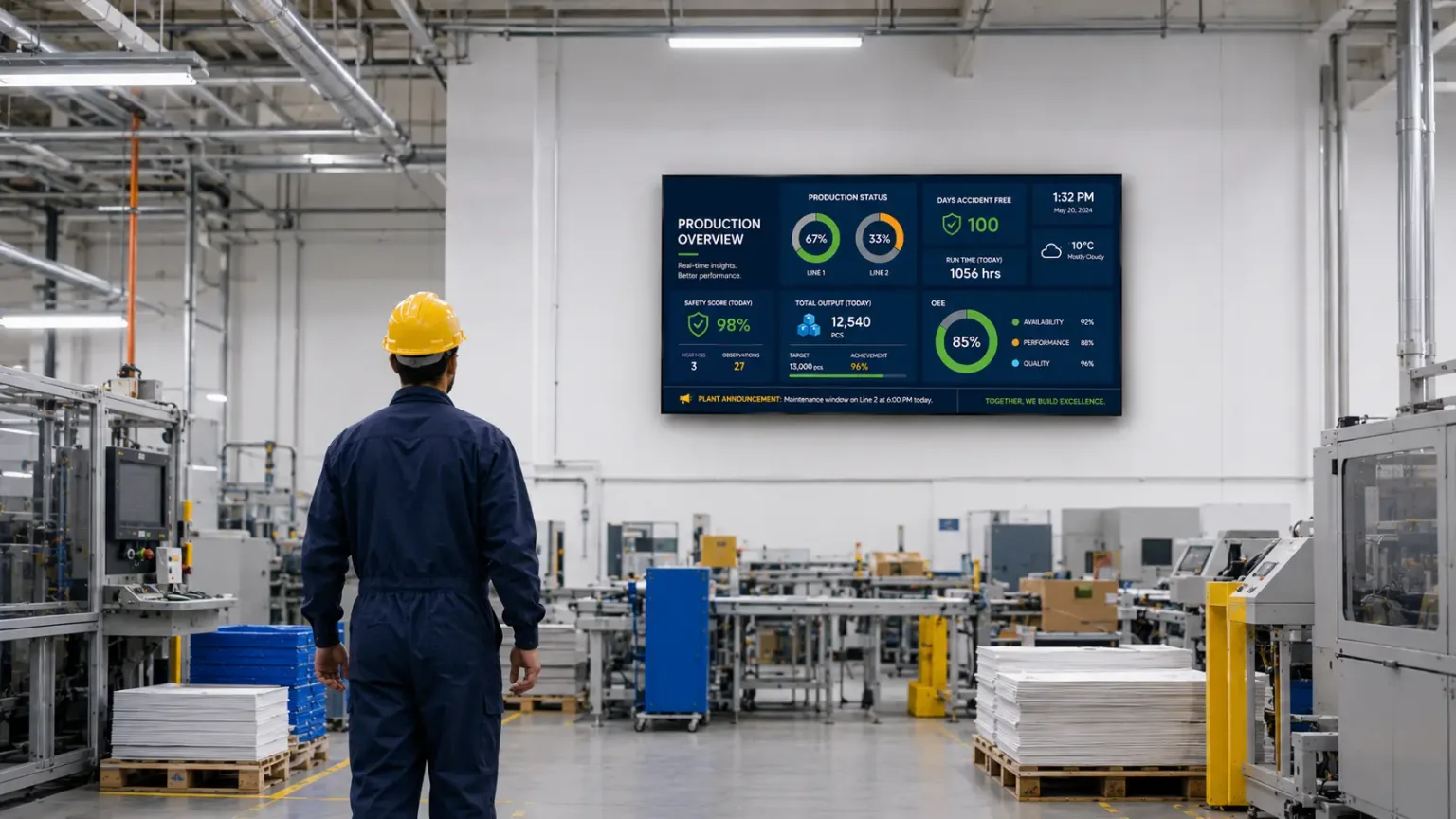
Digital signage is widely used in retail stores, enhances customer experience in healthcare facilities, improves internal communication in corporate buildings, and assists with wayfinding in educational institutions. Industrial digital signage is beneficial for sectors like energy, healthcare, and logistics. On the plant floor specifically, key information with important messages is displayed on digital signage with production targets and quality metrics, as well as performance metrics to support lean manufacturing initiatives. Beyond operational data, industrial digital signage enhances employee engagement through visual recognition, keeping employees informed across every shift. It’s worth noting that digital signage has 400% more viewers than static displays, which is part of why so many industries from shopping mall operators to train stations and other transportation hubs are making the switch to eye-catching digital displays.
This industrial digital signage PC guide for wide temperature environments provides examples of how these features get packaged for specific verticals and industrial applications. Fanless industrial media players are ideal for factory floor monitoring applications in manufacturing environments.
Key Differences between a Consumer PC and an Industrial PC for Digital Signage
Consumer-grade desktop PCs and repurposed older computers are inefficient for commercial applications. Specifically, their large footprints, heavy casings, and excess computing power lead to wasted resources, difficult mounting, and security risks. In contrast, modern industrial media players and PCs eliminate non-essential components. Furthermore, they deliver reliable, 24/7 video playback in a compact design. They offer wider connectivity options than consumer-grade players.
These small, dedicated devices differ from everyday home or office computers by prioritizing:
- Small Form Factor: Usually ultra-compact or “mini PCs” that hide easily behind a mounted digital signage screen. These small, lightweight form factors allow for stealthy installations and simplified mounting in tight spaces or behind commercial screens, even when driving multiple screens or a single display.
- Commercial Durability: Industrial media players feature fanless designs, solid-state drives (SSDs), and rugged enclosures engineered for continuous operation in demanding environments. These PCs are built to run 24/7 without overheating, making them highly reliable digital signage hardware in heavy-traffic or commercial spaces.
- Remote Management: Designed to connect to a Content Management System (CMS) via Wi-Fi or Ethernet so you can update and schedule screen content from anywhere. Cloud-Native Deployment on cloud based platforms is ideal for rapid scaling, minimal on-site server footprint, remote monitoring and seamless over-the-air (OTA) global firmware updates.
- High-Quality Output: Modern signage relies heavily on dynamic web-based multimedia content (like live dashboards, live data feeds, social media widgets, and transit schedules) layered over video backgrounds. Most rugged digital signage players are equipped with robust graphics processing to smoothly loop 4K display resolution videos, high-resolution images, live feeds, or interactive touchscreen apps over multiple displays. They can run entire video walls that consist of multiple screens for large visual displays, and the same hardware can just as easily drive a single set of LCD screens, LED displays, or a roadside digital billboard with crisp static images.
Key features in a Digital Signage PC
For IT directors and system integrators, understanding these specialized hardware features is the key to minimizing network downtime. To achieve this, modern digital signage players integrate advanced protocols like Hardware Root of Trust (TPM 2.0) for unbreachable encryption. Additionally, they utilize Peripheral Device Power Control (PDPC) to reboot frozen touchscreens remotely. Furthermore, built-in EDID locking completely eliminates costly display handshake failures.
This section breaks down the core technical features separating standard office desktop computers from purpose-built industrial media players. Ultimately, we demonstrate how specialized silicon translates directly into multi-year reliability and zero on-site maintenance.
- Output EDID Lock (Continuous Playback). Standard computers often lose connection when screens reboot. This is called a “handshake” loss, and it forces the PC to drop resolution or stop video entirely. Industrial digital signage PCs use EDID to fix this issue by locking the output resolution, even if the TV loses power. As a result, the screen turns back on instantly and content plays perfectly right away. Your audience never sees error prompts or the OS desktop.
- Peripheral Device Power Control (PDPC) is an advanced, hardware-level security and efficiency feature found in industrial-grade digital signage PCs and media players. It allows system administrators to selectively shut off power to specific internal and external physical ports (such as USB ports or internal M.2 slots) entirely via remote software command.
- TPM (Trusted Platform Module) is a secure cryptographic chip soldered to the motherboard. It provides dedicated, hardware-based security for digital signage players. While PDPC protects external ports from physical tampering, the TPM chip hardens internal components. It secures your storage, boot sequence, and network communications against advanced cyberattacks.
- Wake-on-LAN (WoL) is an industry-standard networking protocol that allows IT administrators to remotely turn on a media player from a completely powered-down state. By sending a specific network command over the local area network, you can wake up your edge computers without physically touching the devices. For digital signage networks, this eliminates the need to manually press power buttons on media players mounted high up on walls, inside enclosed kiosks, or scattered across giant industrial facilities.
- HDMI-CEC (Consumer Electronics Control) is a feature of the HDMI standard that allows multiple devices connected via HDMI cables to control each other using a single remote or command interface. Through this protocol, an industrial digital signage media player can send control commands directly to a commercial display over a standard HDMI cable. This eliminates the need for separate serial control cables (like RS-232) or infrared (IR) blasters.
Future Proofing your Enterprise Display Network
Enterprise digital signage demands specialized hardware to succeed. Unfortunately, relying on cheap consumer desktops leads to expensive maintenance, security gaps, and frequent downtime. Consequently, these hidden costs quickly wipes out your initial savings. Furthermore, in a competitive market, an offline screen means lost revenue, data leaks, and a damaged brand.
From menu boards in quick-service restaurants to promotional content in public spaces, and from emergency alerts at transit hubs to real time data feeds in high traffic locations, a single content management system can distribute content and manage interactive content creation across every location. This same infrastructure also lowers installation costs and simplifies installation requirements, while supporting interactive displays, interactive applications, and richer customer engagement. This technology gives IT teams remote access to system diagnostics and software updates without a truck roll.
Ultimately, switching to industrial digital signage PCs moves your team from constant troubleshooting to total stability. Specifically, you get a bulletproof edge network protected by physical hardware security:
- TPM 2.0: Hardened data protection.
- Power Control (PDPC): Remote device management.
- Wake-on-LAN: Automated network workflows.
Don’t let generic hardware bottleneck your growth. Therefore, invest in industrial PCs for digital signage that is built to scale with your business.Whatever your digital signage needs, choosing the right solution from a wider range of purpose-built hardware protects your business, your advertising investment, and your customer experience.
Additional Resources
Check out our other resources
- Digital Signage Articles
- Products: Maple Systems PC designed for Digital Signage
- Digital Signage Software: Our preferred digital signage software partner is Nimbus808
Complete Your Control Panel
At Maple Systems we offer a complete lineup of control panel components, from HMIs to buttons to PLCs. Contact one of our product specialist for pricing, availability, and support.
Email [email protected] or call (425) 745-3229.

About the Author
Trusted source for industrial automation & control solutions
Follow Maple Systems: