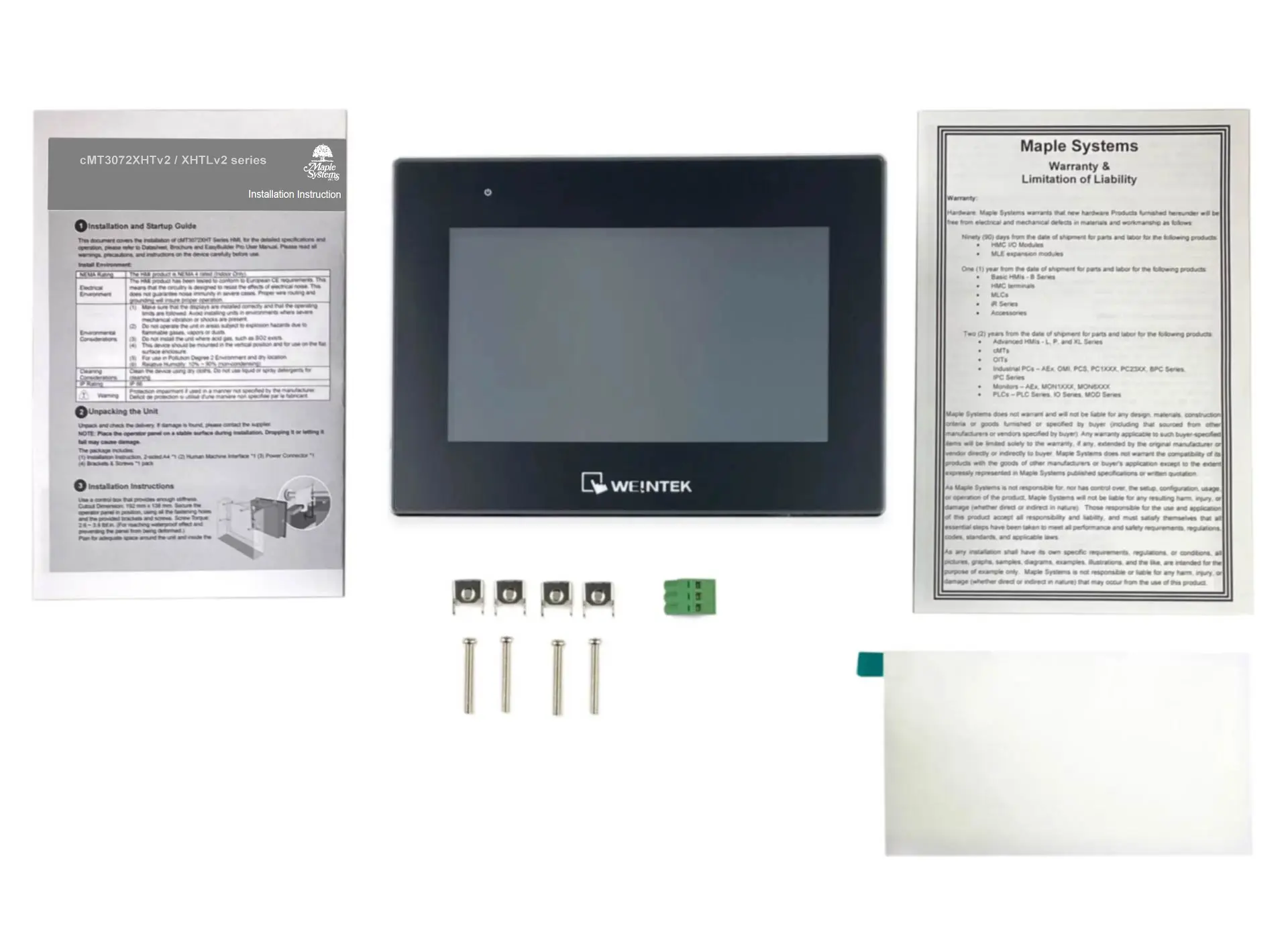
7.0" UL Rated, High Brightness, Extended-Temperature HMI
$1,108.00
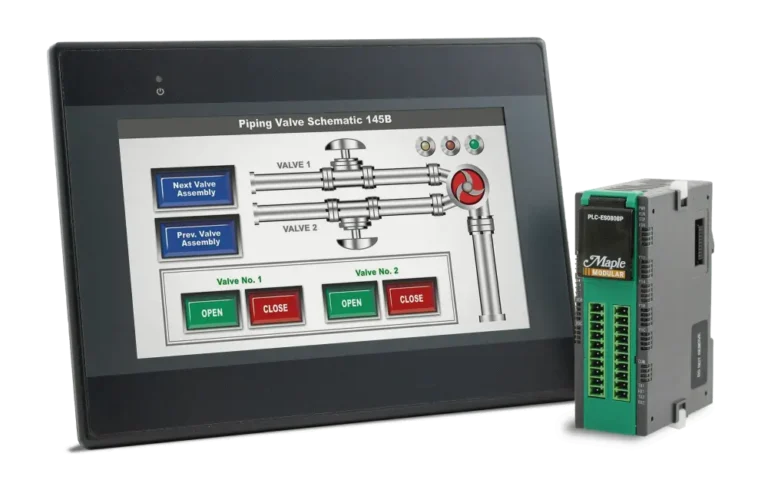
Our Class I, Division 2 rated, 1200 nit high-brightness cMT3072XHTLv2 with an activated CODESYS license is an innovative, high-performance operator interface ideal for applications requiring an extended temperature range -4° ~ 131°F, an enhanced feature set, aluminum enclosure which is significantly more durable with better heat dissipation and EMI immunity, remote access, and/or IIoT functionality. A quad-core CPU which allows 2 cores to run a CODESYS application for soft PLC functionality, and the other 2 cores to run your HMI application.
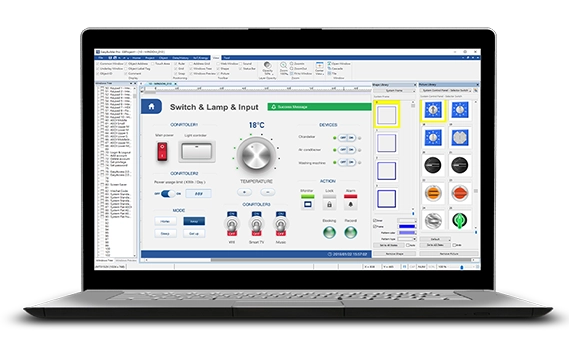
Try Before You Buy: Follow along to learn how EBPro, our 100% free HMI configuration software, allows you to develop and simulate your HMI program entirely free of charge.
- Customize product with your company logo. Minimum quantities apply.
- Connect to +400 PLCs and Controllers.
- US-based technical support.
Share the product:
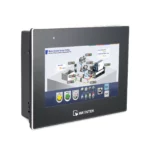
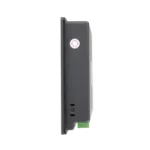
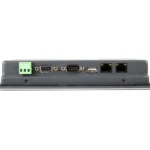
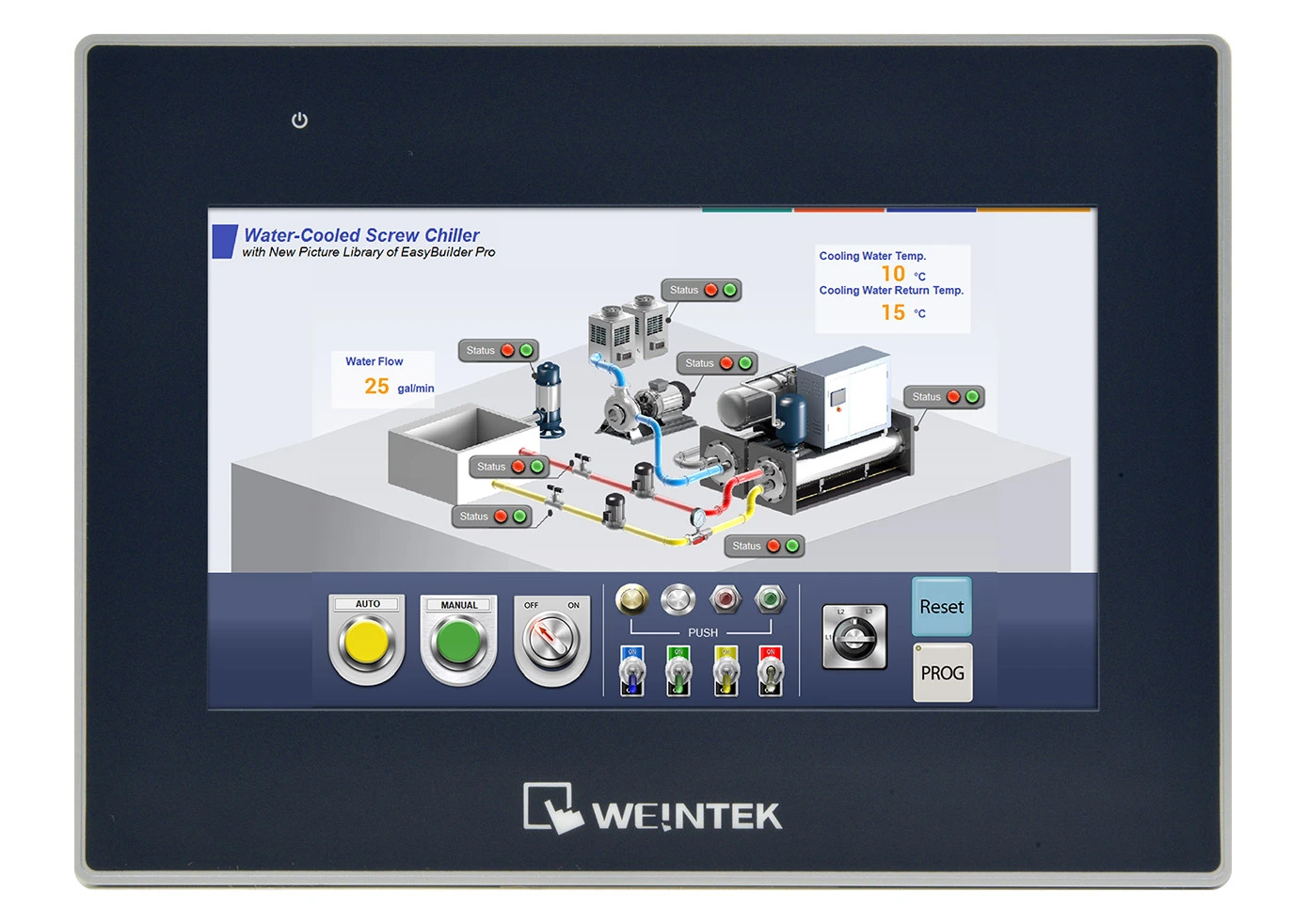


- 1024 x 600 High Resolution Display
- CANbus, 2 Ethernet, 1 USB, 2 Serial Ports
- Quad-Core 64-bit RISC Cortex-A35, 1.5 GHz
- Aluminum Enclosure, -4° ~ 131°F Operating Temperature Range
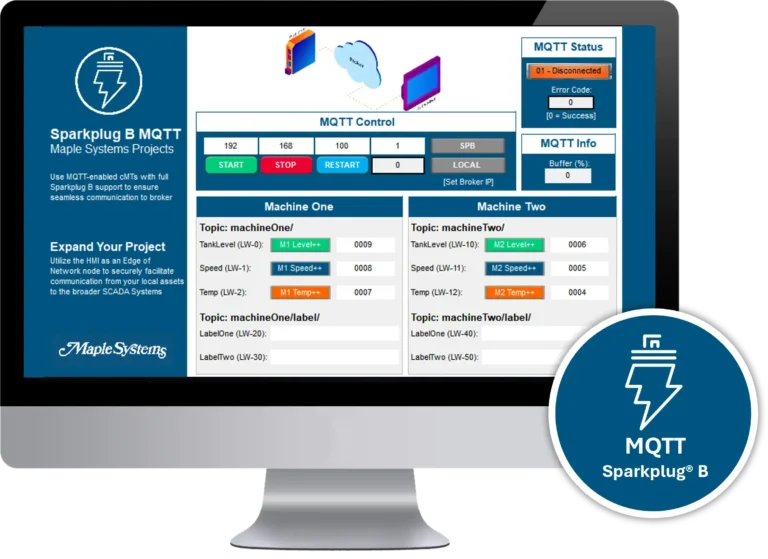
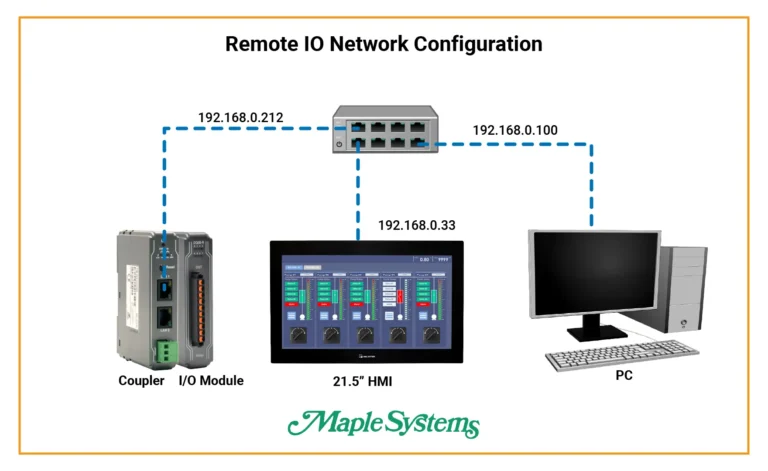
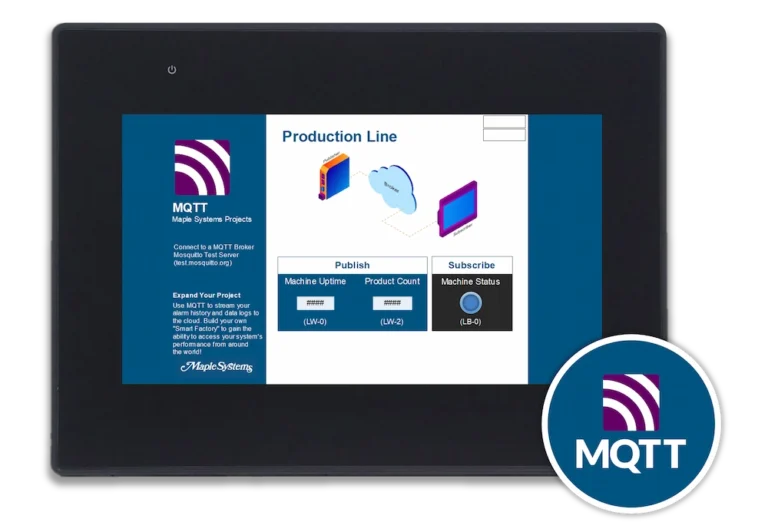
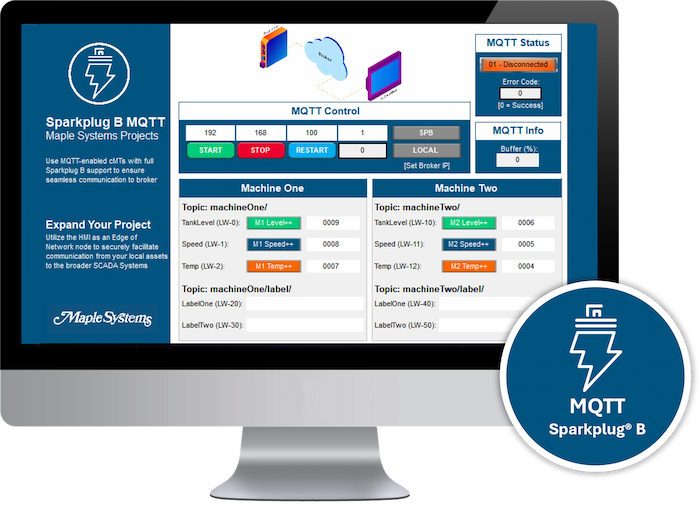
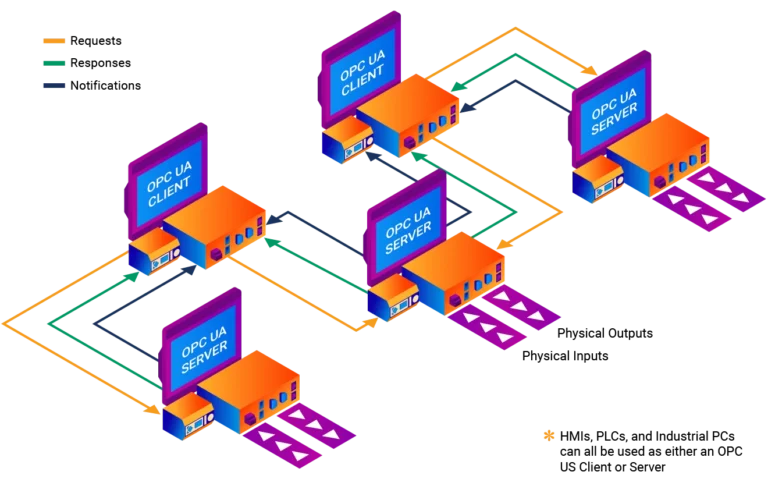
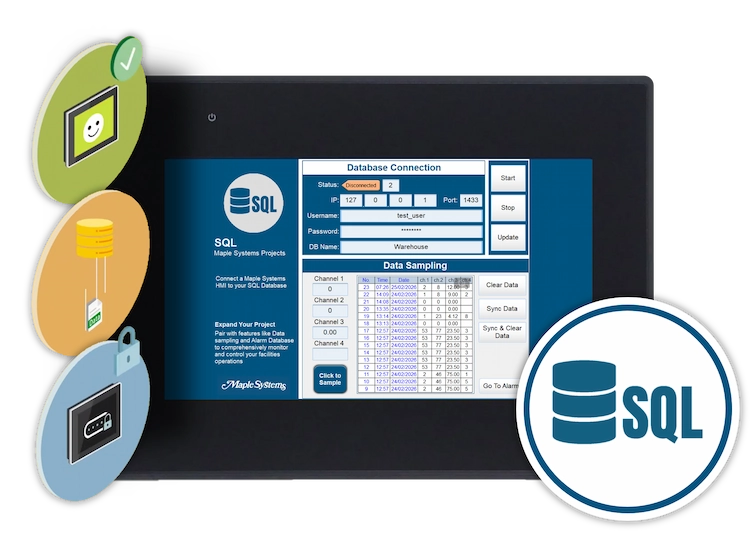
- MQTT, OPC UA, SQL Database Integration
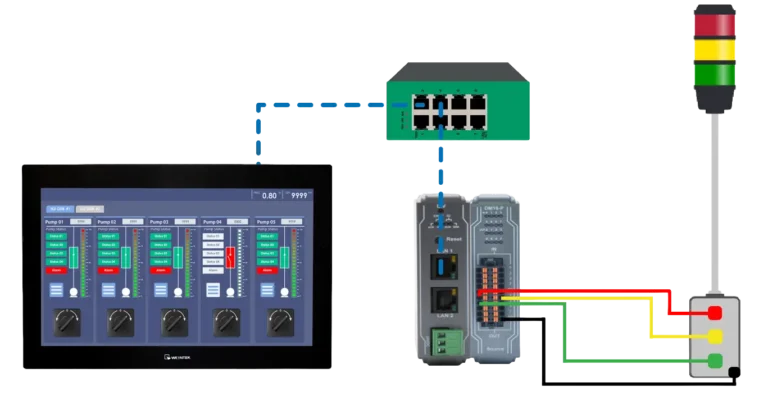
- Add CODESYS and our I/O iR Modules for PLC control
System
| CPU | Quad-Core 64-bit RISC 1.5 GHz |
|---|---|
| Memory (RAM) | 1 GB |
| Memory (Flash) | 4 GB |
| RTC | Built-in |
| Programming Software | EBPro (Latest Version) |
I/O Ports
| Ethernet/LAN | 10/100 Base-T x 2 |
|---|---|
| CANbus | Yes |
| Audio Output | N/A |
| SD Card Slot | N/A |
| USB Host Ports | USB 2.0 x 1 |
| USB Client Ports | N/A |
| Wi-Fi | N/A |
| COM Port | CANbus 1 x DE9S COM2: RS-485 2 or 4 wire, COM3: RS-485 2 wires 1 x DE9P COM1: RS-232, COM3: RS-232 |
| RS-485 Dual Isolation | N/A |
| Local bus | N/A |
| HDMI Port | N/A |
| Video Input | N/A |
| Serial Ports | 2 |
Display
| Display Size | 7" WVA LCD |
|---|---|
| Resolution | 1024 x 600 |
| Luminance (cd/m^2) | 1200 |
| Contrast Ratio | 800:1 |
| Backlight Type | LED |
| Backlight Lifetime (hrs) | 30,000+ |
| Colors | 16.7 M |
| Display Type | 7" WVA |
| Viewing Angle (H°/V°) | 170/170 |
| Size (W x H) | 6.02 x 3.39 inches [153 x 86 mm] |
Touch Screen
| Type | 4-wire resistive touch |
|---|---|
| Accuracy | Length (X) ±2%, width (Y) ±2% |
Electrical
| Input Power | 19.7 W |
|---|---|
| Power Isolation | Built-in |
| Power Dissipation | N/A |
| Current for Internal Bus | N/A |
| Current Consumption | N/A |
| Isolation Resistance | Exceed 50 MΩ – @ 500 VDC |
| Input Voltage | 24 ± 20% VDC |
| Input Current | 820 mA @ 24 VDC |
Mechanical
| Vibration Endurance | 10 to 25 Hz (X, Y, Z direction, 2G, 30 minutes) |
|---|---|
| Enclosure Material | Aluminum |
| PCB Coating | Yes |
| Dimensions WxHxD | 7.89 x 5.77 x 1.42 inches [200.4 x 146.5 x 36 mm] |
| Panel Cutout (inches) [mm] | 7.56 x 5.43 [192 x 138] |
| Weight | Approx. 1.76 lbs. [0.8 kg] |
| Mounting | Panel mount |
Environmental
| Operating Temperature | -4° ~ 131°F (-20° ~ 55°C) |
|---|---|
| Storage Temperature | -4° ~ 140°F (-20° ~ 60°C) |
| Relative Humidity | 10% ~ 90% (non-condensing) |
Certification
| UL Type Rating | UL Class 1 Div 2 |
|---|---|
| NEMA Rating | NEMA4 |
| IP Rating | IP66 Compliant Front Panel |
| CE | Yes |
| UL | cULus Listed |
| Class 1 Div 2 | Yes |
| ATEX | N/A |
| RoHS | Yes |
Unboxing a cMT3072XHTL
We'll unbox, show the I/O ports and accessories, and explore demo project and system settings
FREE User Friendly HMI Software
Download our free, full-featured HMI configuration software to create custom control applications for your industrial process. EBPro supports over 300 PLC & controller protocols, ensuring seamless integration with new or existing systems. No license or key required.
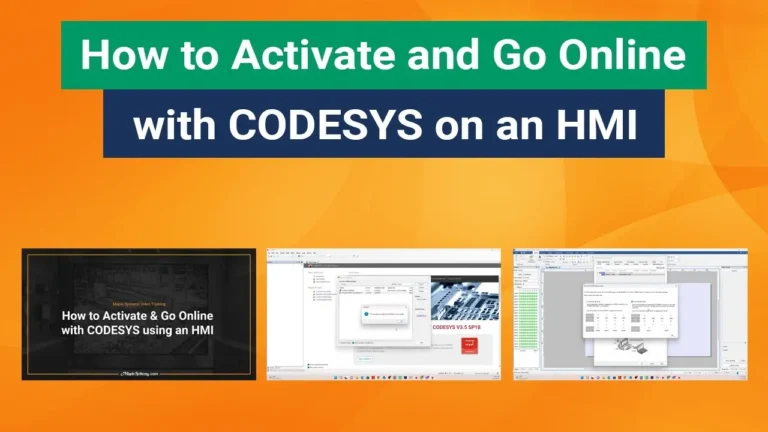
How do I get started with CODESYS on Maple Systems devices?
First you’ll want to make sure your device supports CODESYS:
Next, you’ll need to install the CODESYS Development System on your PC. This installs the IDE only, not the runtime on your device (we’ll get there):
- Go to Maple Systems Software Downloads and Upgrades
- Click on the download link for CODESYS IDE (32bit or 64bit)
Then, make sure to install our add on package. This ensures CODESYS knows how to talk to your cMT device:
- Go to Maple Systems Software Downloads and Upgrades
- Click on the download link for CODESYS & Remote IO Package
Now, we’re going to install and update the CODESYS Runtime on your Maple Systems device:
- If you don’t have EBPro installed, go to Maple Systems Software Downloads and Upgrades and click the download link for EBPro.
- Once that’s installed, open EBPro Utility Manager and choose the model number of the device you’re using.
- Select CODESYS Firmware Upgrade. The latest Firmware can be found in the Software Downloads and Upgrades page.
Your HMI has now become a PLC runtime that can execute IEC 61131-3 Logic!
Ensure your PC and cMT device are on the same network/subnet. Your device will show a CODESYS runtime IP address on the screen, you’ll need this IP to connect from CODESYS IDE.
To create a new CODESYS project, in the CODESYS IDE system:
- Click on File – New Project
- Choose the model number (this will only show up after you’ve installed the CODESYS & Remote IO Package)
- Select your preferred programming language (LD, ST, FBD, SFC, etc.)
Now you’re ready to create your project, download it, run and debug!
Manuals & Guides
- EasyRemote IO User Manual
- iR Series Remote I/O Product Data Sheet
- iR-ETN40R/P User Manual
- iR-ETN User Manual
- iR-ECAT User Manual
- iR-COP User Manual
- cMT-CTRL01 User Manual
- iR-AQ04-VI, iR-AM06-VI, iR-AI04-VI User Manual
- iR-AI04-TR User Manual
- CODESYS Activation Instructions
Sample Projects
- Communicating to I/O Module Sample Project
- iR-COP Sample Project
- iR-ECAT Sample Project
- iR-ETN Sample Project
- iR-ETN40R Sample Project
Tutorials
Tech Notes
- See our list of Tech Notes
Solutions
- See our Case Studies & Solutions
Controller Information Sheets
- See our list of Controller Information Sheets
Videos
- See our list of Training Videos
CODESYS runtime supported protocols
The built-in CODESYS runtime for the cMT and cMT X series supports the following protocols for communicating with external party devices:
- Modbus TCP/IP (Master, AKA. Client), up to 32 devices
- EtherCAT (Master, AKA. Client), up to 65,535 devices
- EtherNet/IP (Master, AKA. Client), up to 32 devices
- CANopen (Master, AKA. Client), up to 126 devices
- PROFINET (Controller, AKA. Master), up to 64 devices
When structuring a project in CODESYS IDE for the cMT Series’ built-in CODESYS runtime, users are advised to utilize the following drivers:
| CODESYS IDE Device | Recommended Version |
|---|---|
| Ethernet adapter (added above any drivers for connecting to ethernet devices) | 3.5.15.0 |
| EtherNet/IP Scanner | 3.5.15.50 |
| Modbus TCP Master/Modbus TCP Client | 3.5.15.0 |
| EtherCAT Master/EtherCAT Client | 3.5.12.0 |
| CANbus | 3.5.15.0 |
| CANopen Manager | 3.5.15.0 |
| PN-Controller | 3.5.12.60 |
Note: The built-in CODESYS runtime is not natively able to act as a Modbus TCP Slave/Server using a single Modbus Slave/Modbus Server device in the Device Tree of a CODESYS IDE project. Users can, however, utilize function blocks provided by the ModbusTCP Slave library to achieve similar functionality.
Note: The built-in CODESYS runtime must be running on a cMT series device featuring a CANbus interface to offer CANopen functionality in CODESYS IDE projects.
Software Needed
Manuals & Guides
- EasyRemote IO User Manual
- iR Series Remote I/O Product Data Sheet
- iR-ETN40R/P User Manual
- iR-ETN User Manual
- iR-ECAT User Manual
- iR-COP User Manual
- cMT-CTRL01 User Manual
- iR-AQ04-VI, iR-AM06-VI, iR-AI04-VI User Manual
- iR-AI04-TR User Manual
- CODESYS Activation Instructions
Sample Projects
- Communicating to I/O Module Sample Project
- iR-COP Sample Project
- iR-ECAT Sample Project
- iR-ETN Sample Project
- iR-ETN40R Sample Project
Tutorials
Tech Notes
- See our list of Tech Notes
Solutions
- See our Case Studies & Solutions
Controller Information Sheets
- See our list of Controller Information Sheets
Videos
- See our list of Training Videos
Do your CODESYS-activated HMIs support WebVisu?
WebVisu is primarily intended for browser based deployment. Our CODESYS-activated HMIs concentrate on local visualization, providing fast performance, reliable operation and simplified configurations for machine-level applications.
If more supervisory-level devices are needed, our IPCs support CODESYS WebVisu. Offering Linux or Windows based flexibility, larger storage, more processing power with the option to run multiple WebVisu clients simultaneously, making the ideal for centralized supervisory visualization with distributed operator access.
Pairing one of our IPCs with our Web HMIs, you’re getting a durable, industrial-grade touchscreen interface with minimal setup. You can display any WebVisu project hosted on our IPC, with no additional CODESYS licensing or programming required on the HMI.
If you’d like to learn more about how to use CODESYS WebVisu with our product, check out our how-to article, giving you step by step instructions on how to set up our WP4000 Series or our cMT Series Web HMIs with an IPC running CODESYS Linux SL Runtime using the CODESYS WebVisu functionality:
How to use CODESYS WebVisu on a Web HMI

Products
Manuals & Guides
- IPC2110A Series Operations Manual
- IPC2200A Series Operations Manual
- IPC2400A Series Operations Manual
- IPC2550A Series Operations Manual
- IPC2600A Series Operations Manual
- IPC2700A Series Operations Manual
- BPC2300 Operations Manual
- AEX Series Operations Manual
- CODESYS Activation Instructions
Tutorials
Tech Notes
- See our list of Tech Notes
Solutions
- See our Case Studies & Solutions
Controller Information Sheets
- See our list of Controller Information Sheets
Videos
- See our list of Training Videos
Does Maple Systems CODESYS SoftPLC Platform support PROFINET?
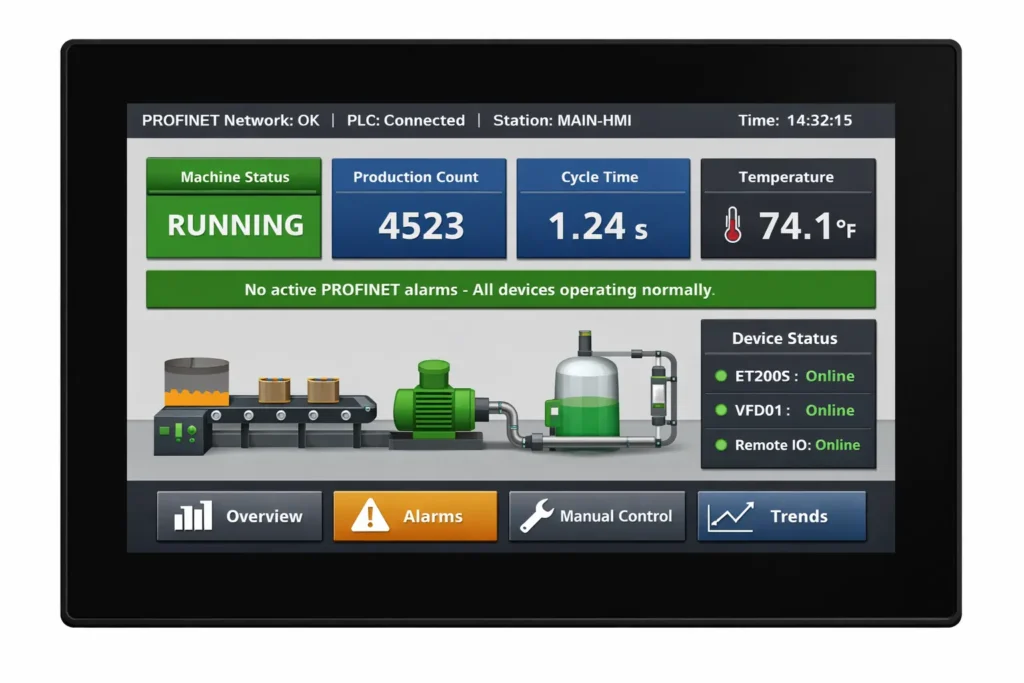
Yes! Our CODESYS SoftPLC Platform does support PROFINET IO Master functionality now! This enhancement allows our advanced and high-performance HMIs and cMT-CTRL01 to function as a PROFINET IO controller, facilitating command transmission to various PROFINET IO devices, such as remote IO, drives, and sensors. This upgrade significantly boosts system integration and scalability, delivering a comprehensive PROFINET communication protocol solution.
Some of the key features of CODESYS SoftPLC Profinet IO Master:
- Diverse Device Communication: With our CODESYS activated devices functioning as a PROFINET IO Master, you can seamlessly connect to multiple major brand PROFINET IO Slave devices, enabling easy selection and rapid deployment of field devices for enhanced communication and control.
- Easy Setup via CODESYS: PROFINET device GSDML files can be imported into the CODESYS development environment, streamlining configuration and datapoint setup with minimal learning barriers.
- Real-Time, Stable Performance: Real-time control that addresses the most demanding industrial applications, PROFINET provides high-speed data transmission, combined with our CODESYS Runtime System built in on our pre-activated cMT-CODESYS devices.
- Multi-Protocol Integration: Supporting Modbus TCP, EtherNet/IP, CANopen, EtherCAT, and now PROFINET, our CODESYS activated SoftPLC devices serve as a multi-protocol integrated controller, ideal for complex environments with devices from various brands and mixed systems.
If you’d like more information on how to configure a cMT-CODESYS project as a PROFINET Controller, check out our Technical note 5160
Software Needed
Manuals & Guides
- EasyRemote IO User Manual
- iR Series Remote I/O Product Data Sheet
- iR-ETN40R/P User Manual
- iR-ETN User Manual
- iR-ECAT User Manual
- iR-COP User Manual
- cMT-CTRL01 User Manual
- iR-AQ04-VI, iR-AM06-VI, iR-AI04-VI User Manual
- iR-AI04-TR User Manual
- CODESYS Activation Instructions
Sample Projects
- Communicating to I/O Module Sample Project
- iR-COP Sample Project
- iR-ECAT Sample Project
- iR-ETN Sample Project
- iR-ETN40R Sample Project
Tutorials
Tech Notes
- See our list of Tech Notes
Solutions
- See our Case Studies & Solutions
Controller Information Sheets
- See our list of Controller Information Sheets
Videos
- See our list of Training Videos
How many devices can a Maple Systems CODESYS-activated HMI communicate with?
It depends on which protocol you’re using:
| Modbus TCP/IP | 32 devices |
| EtherCAT | 65,535 devices |
| CANopen | 126 devices |
| EtherNet/IP | 32 devices |
| PROFINET | 32 devices |
See our full list of CODESYS-activated HMIs.
Software Needed
Manuals & Guides
- EasyRemote IO User Manual
- iR Series Remote I/O Product Data Sheet
- iR-ETN40R/P User Manual
- iR-ETN User Manual
- iR-ECAT User Manual
- iR-COP User Manual
- cMT-CTRL01 User Manual
- iR-AQ04-VI, iR-AM06-VI, iR-AI04-VI User Manual
- iR-AI04-TR User Manual
- CODESYS Activation Instructions
Sample Projects
- Communicating to I/O Module Sample Project
- iR-COP Sample Project
- iR-ECAT Sample Project
- iR-ETN Sample Project
- iR-ETN40R Sample Project
Tutorials
Tech Notes
- See our list of Tech Notes
Solutions
- See our Case Studies & Solutions
Controller Information Sheets
- See our list of Controller Information Sheets
Videos
- See our list of Training Videos
Can this HMI communicate with my PLC?
Maple Systems cMT HMIs support over +400 PLC and controller communication protocols via the built-in software, eliminating the need for additional converter hardware or software. Our cMT HMIs also support protocols such as Modbus TCP/IP or Modbus RTU, opening them up for use with a wide range of devices.
If you want to see the protocols that EBPro supports, visit our Controller Information Sheets page for more information. You can also download the EBPro software from our website for free, which includes simulation features. You can use these to test connections to your other devices before buying any hardware from Maple Systems.

Product
Software Downloads & Upgrades
Manuals & Guides
Tech Notes
Solutions
See our
Controller Information Sheets
Communication Cables
Videos
How much available memory on the cMT CODESYS runtime?
The allocated memory for “Data, Input, Output, Memory, Code” is the maximum size of a CODESYS IDE project. Project files may not exceed the available memory on the cMT series’ CODESYS runtime, or else “Out of code memory…No download possible” errors will occur.
Memory limits on CODESYS firmware revisions prior to v20240703 are as follows:
| Subsystem | Available Memory |
|---|---|
| Data, Input, Output, Memory, Code | 3 MB |
| Retain area (Data persisting after reboots) | 16 KB (Data is saved every 1 minute) |
| Persistent area (Data persisting after project downloads) | 16 KB (Data is saved every 1 minute) |
| File system | 8 MB |
Additional memory is available on cMT/cMT X series devices running version v20240703 or higher of the CODESYS firmware. Memory limits on CODESYS firmware revisions v20240703 and higher are as follows:
| Subsystem | Available Memory |
|---|---|
| Data, Input, Output, Memory, Code | 5 MB |
| Retain area (Data persists after reboots) | 32 KB (Data is saved every 1 minute) |
| Persistent area (Data persists after downloads) | 32 KB (Data is saved every 1 minute) |
| File system | 12 MB |
NOTE: “CODESYS & Remote IO Package” version 1.5.3.500 or later must be used in CODESYS IDE for cMT/cMT X series devices is running CODESYS firmware v20240703 or higher.
Software Needed
Manuals & Guides
- EasyRemote IO User Manual
- iR Series Remote I/O Product Data Sheet
- iR-ETN40R/P User Manual
- iR-ETN User Manual
- iR-ECAT User Manual
- iR-COP User Manual
- cMT-CTRL01 User Manual
- iR-AQ04-VI, iR-AM06-VI, iR-AI04-VI User Manual
- iR-AI04-TR User Manual
- CODESYS Activation Instructions
Sample Projects
- Communicating to I/O Module Sample Project
- iR-COP Sample Project
- iR-ECAT Sample Project
- iR-ETN Sample Project
- iR-ETN40R Sample Project
Tutorials
Tech Notes
- See our list of Tech Notes
Solutions
- See our Case Studies & Solutions
Controller Information Sheets
- See our list of Controller Information Sheets
Videos
- See our list of Training Videos
What determines how fast the cMT series built-in CODESYS runtime is?
Select cMT and cMT X series devices can operate their own built-in CODESYS runtime to run PLC programs defined in CODESYS IDE. Below are some baseline metrics that can help explain how fast the cMT series’ built-in CODESYS runtime is:
| Operation | Execution Time |
|---|---|
| LD | 10 nanoseconds |
| MOV | 16 nanoseconds |
It’s important to note that these metrics do not necessarily determine how fast a project developed in CODESYS IDE will execute on the cMT series. Execution speed will depend heavily on a variety of factors such as:
- Task configuration of the CODESYS projects
- Number of POUs called by a task
- Execution type of the task (Cyclic, Freewheeling etc.)
- Task priority
- Complexity of POUs being executed
- Blocking/non-blocking behavior of POUs in Tasks
It’s important to consider the overall structure and design of a CODESYS project, as well as the complexity of individual POUs that are called in the project’s tasks. Small optimizations or more fleshed-out programs can significantly improve the execution behavior of a project on the cMT series.
Software Needed
Manuals & Guides
- EasyRemote IO User Manual
- iR Series Remote I/O Product Data Sheet
- iR-ETN40R/P User Manual
- iR-ETN User Manual
- iR-ECAT User Manual
- iR-COP User Manual
- cMT-CTRL01 User Manual
- iR-AQ04-VI, iR-AM06-VI, iR-AI04-VI User Manual
- iR-AI04-TR User Manual
- CODESYS Activation Instructions
Sample Projects
- Communicating to I/O Module Sample Project
- iR-COP Sample Project
- iR-ECAT Sample Project
- iR-ETN Sample Project
- iR-ETN40R Sample Project
Tutorials
Tech Notes
- See our list of Tech Notes
Solutions
- See our Case Studies & Solutions
Controller Information Sheets
- See our list of Controller Information Sheets
Videos
- See our list of Training Videos
What libraries are compatible with the cMT CODESYS runtime?
The cMT series‘ built-in CODESYS runtime is compatible with wide range of standard libraries and features available in CODESYS IDE, with some limitations. Generally, libraries that do not require OS and hardware support are compatible with the cMT series’ CODESYS runtime.
The table below lists libraries known to be compatible with the cMT series’ built-in CODESYS runtime:
| Sys Library | Cmp Library | CAA Library |
|---|---|---|
| SysTimeRtc | CmpTraceMgr | CAAType |
| SysTimer | CmpSrv | CAATick |
| SysTime | CmpSettings | CAATickUtil |
| SysTask | CmpSchedule | CAAStorage |
| SysTarget | CmpRouter | |
| SysSocket | CmpPlcShell | |
| SysMem | CmpLog | |
| SysFile | CmpIoMgr | |
| SysExcept | CmpIoDrvC | |
| SysEvent | CmpIecVarAccess | |
| SysEthernet | CmpIecTask | |
| SysDir | CmpEventMgr | |
| SysCpuHandling | CmpDynamicText | |
| SysCom | CmpCheckSum | |
| CmpChannelServer | ||
| CmpBinTagUtilIec | ||
| CmpAsyncMgr | ||
| CmpAppBP |
Libraries incompatible with the cMT series’ CODESYS runtime can be added to a CODESYS IDE project and compiled or downloaded without issue. However, they may cause “unresolved reference” errors when logging in via CODESYS IDE, or certain function blocks may not operate correctly, leading to compile errors. This indicates incompatibility, and such libraries should be removed from the project.
Compatible libraries may still have limitations. For instance, using the SysTimeRtcSet function from the SysTimeRtc library will result in a “Not implemented” error in CODESYS IDE, as the cMT’s CODESYS runtime does not control the hardware clock.
The cMT series’ built-in CODESYS runtime does not support the following features:
- OPC UA features
- Network Variable List
- Alarm Configuration (Alarm Manager)
- Redundancy Configuration
- CODESYS TargetVisu
- CODESYS WebVisu
- CODESYS HMI
- SoftMotion
- CODESYS IIoT Libraries SL
- CODESYS OPC UA Client SL
- CODESYS OPC UA Server SL
- CODESYS Safety for EtherCAT Safety Module SL
Note: It is always suggested users verify functionality of any CODESYS IDE logic prior to using external libraries & function blocks in a production environment.
Software Needed
Manuals & Guides
- EasyRemote IO User Manual
- iR Series Remote I/O Product Data Sheet
- iR-ETN40R/P User Manual
- iR-ETN User Manual
- iR-ECAT User Manual
- iR-COP User Manual
- cMT-CTRL01 User Manual
- iR-AQ04-VI, iR-AM06-VI, iR-AI04-VI User Manual
- iR-AI04-TR User Manual
- CODESYS Activation Instructions
Sample Projects
- Communicating to I/O Module Sample Project
- iR-COP Sample Project
- iR-ECAT Sample Project
- iR-ETN Sample Project
- iR-ETN40R Sample Project
Tutorials
Tech Notes
- See our list of Tech Notes
Solutions
- See our Case Studies & Solutions
Controller Information Sheets
- See our list of Controller Information Sheets
Videos
- See our list of Training Videos
Can I access my HMI from a remote network location?
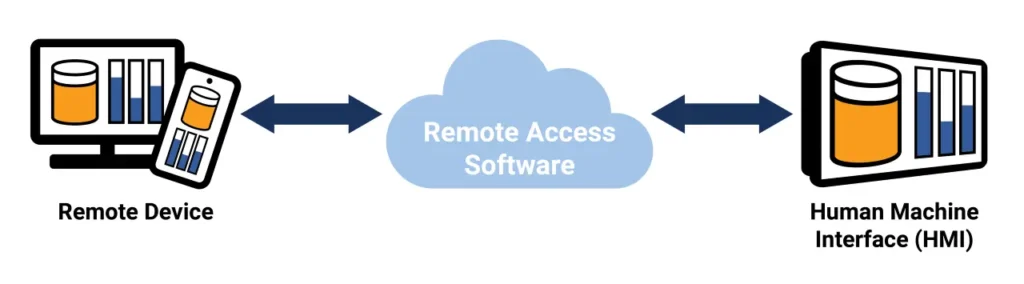
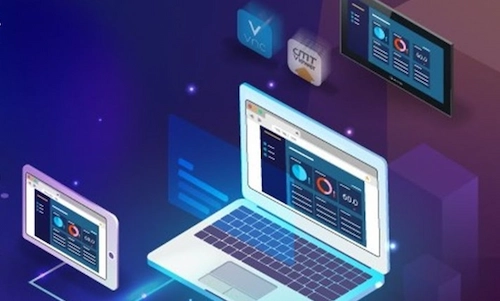
Yes. Our HMIs support remote access features via the EasyAccess 2.0 application. EasyAccess provides a simple built-in solution for creating a secure VPN connection to a remote network, which will allow you to monitor and control your HMI from anywhere in the world.
Once the VPN tunnel has been established, the HMI can be accessed using the cMT Viewer application included with EBPro, or through VNC client software.
Using the EasyAccess 2.0 application does require a one-time license activation fee, which allows for 3 GB of monthly high-speed data at no additional cost. Our HMIs can also be purchased with a pre-activated license for EasyAccess 2.0 already installed.
Product
Software Downloads & Upgrades
Manuals & Guides
Tech Notes
Solutions
See our
Controller Information Sheets
Communication Cables
Videos
I need to use an IP camera and other peripherals in my project. Do Maple Systems HMIs support these devices?
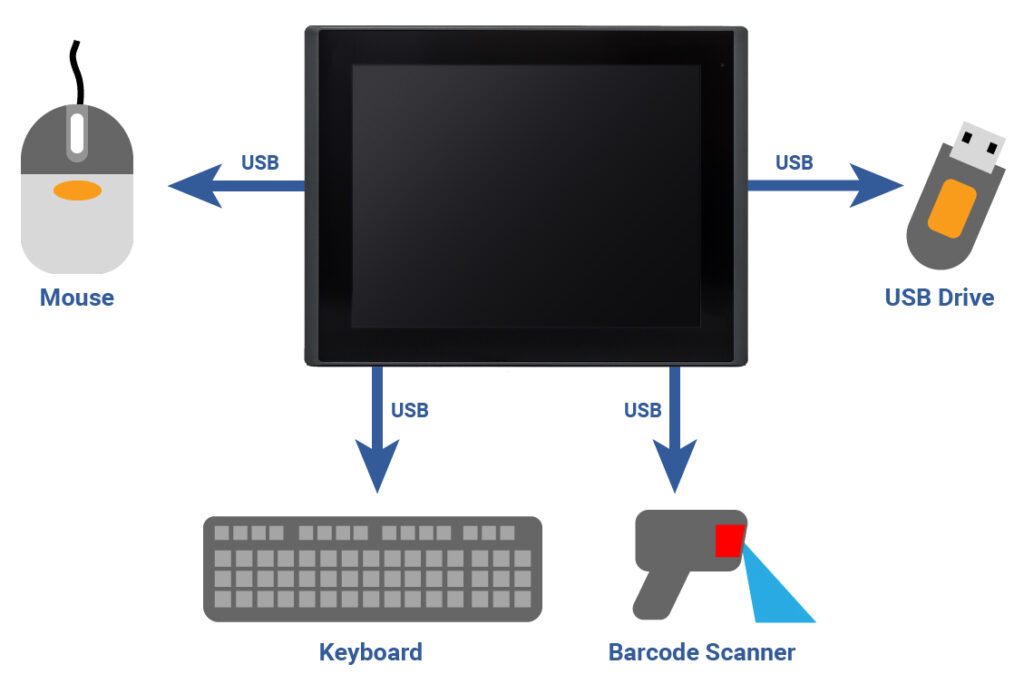
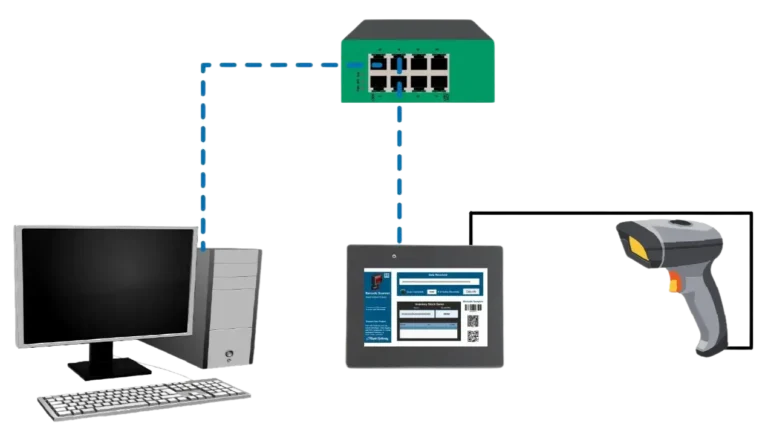
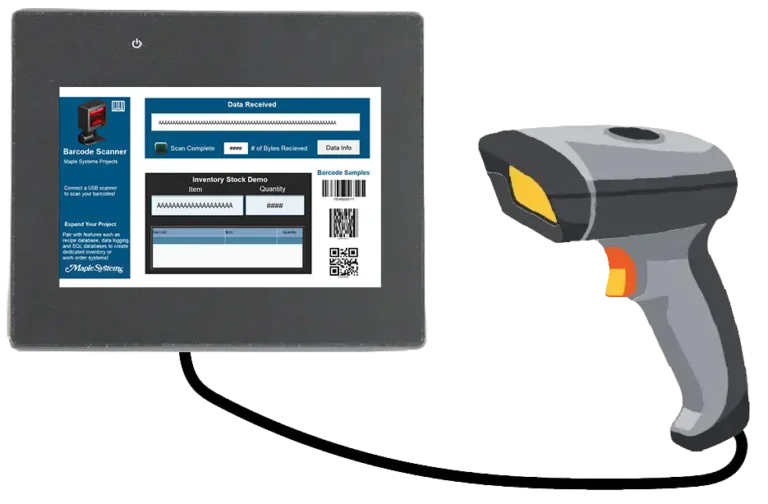
Yes. Maple Systems HMIs are compatible with a wide range of peripheral devices such as printers, barcode scanners, cameras, keyboards, mice, flash storage drives, and more. For projects using multiple USB devices at once, a USB hub can expand a single USB port into many, allowing several devices to connect simultaneously.
Note: USB ports on Maple HMIs do not support charging for mobile phones, tablets, or unpowered speakers. The USB ports on our HMIs are for data storage or keyboard/mouse connection only. Using the ports in a manner inconsistent with their documented purpose can potentially damage the device.
Product
Software Downloads & Upgrades
Manuals & Guides
Tech Notes
Solutions
See our
Controller Information Sheets
Communication Cables
Videos
Does Maple Systems offer technical support?
Yes. Maple Systems provides 100% free, US-based technical support for all customers. Our Support Center includes extensive documentation, tutorials, and resources. However, if you’re unable to find what you need, our technical support team is ready to assist. You can reach our technicians by phone at (425) 745-3229 or by email at [email protected].
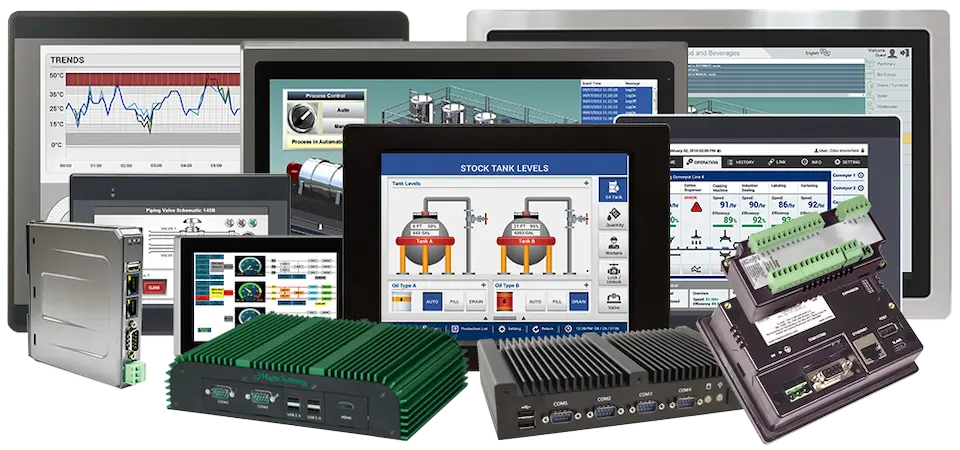
- Human Machine Interface (HMI)
- Industrial Panel PCs
- Industrial Box PCs
- Waterproof PCs
- PLCs and Control
- Network Switches
- HMI + PLC Combo Units
- Industrial Monitors
- Alphanumeric OIT
- Rugged Tablets
Need More Help?
- [email protected]
- 425.745.3229
Do you have models that meet the Class I, Division 2 requirement?
Yes we do. Our HTML5 Web HMIs, HMI + PLCs series, AEx Industrial Panel PCs and Embedded Box PCs, select Standard HMIs, and OIT series meet strict Class I, Division 2 requirements. These products are used in industries including: oil and gas, mining, painting, chemical processing, pharmaceutical, food processing, and more. Read our solutions page to learn more about our Class I, Division 2 products.
Software Downloads & Upgrades
Manuals & Guides
Documents
Manuals
- EBPro Programming Manual
- EBPro Quick Start Guide
- EasyWeb 2.0 Operations Manual
- cMT Quick Start Guide
- cMT MySQL Quick Start Guide
- cMT Microsoft SQL Quick Start Guide
- OPC-UA Set-up Overview
- CODESYS Quick-Start Guide
- Activate CODESYS on cMT Models Quick Start Guide
- CMT3072XHTv2, CMT3072XHTLv2 Installation Guide
Certifications
- CE UK Declaration of Conformity – CMT3072XHT – CMT3072XHTL
- UL Certification Declaration – cMT Series
- UL Certification Declaration (Class I, Div 2) – cMT2158X, cMT3072XHT, cMT3072XHTL, cMT3108XH
- RoHS Declaration of Conformity (all series)
- REACH EU Declaration of Conformity
- Trade Agreement Act Declaration of Conformity
- EU Declaration of Conformity (Battery Regulations)
- Russian Iron and Steel Declaration
- Country of Origin Certification
CAD Files
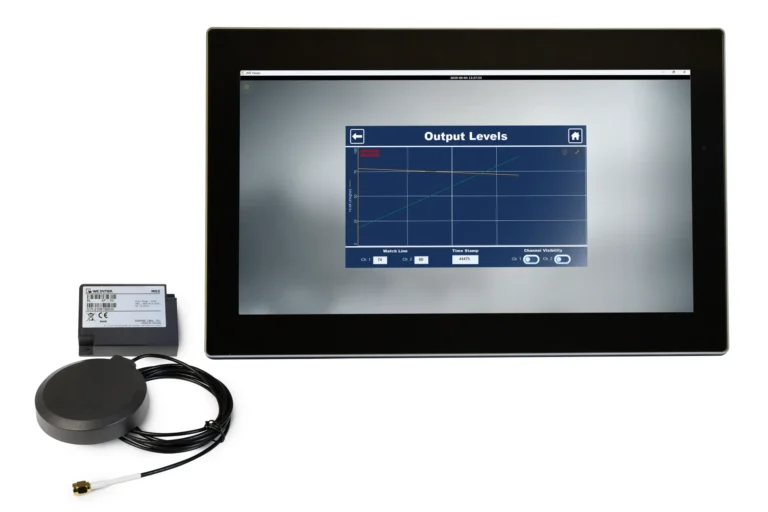

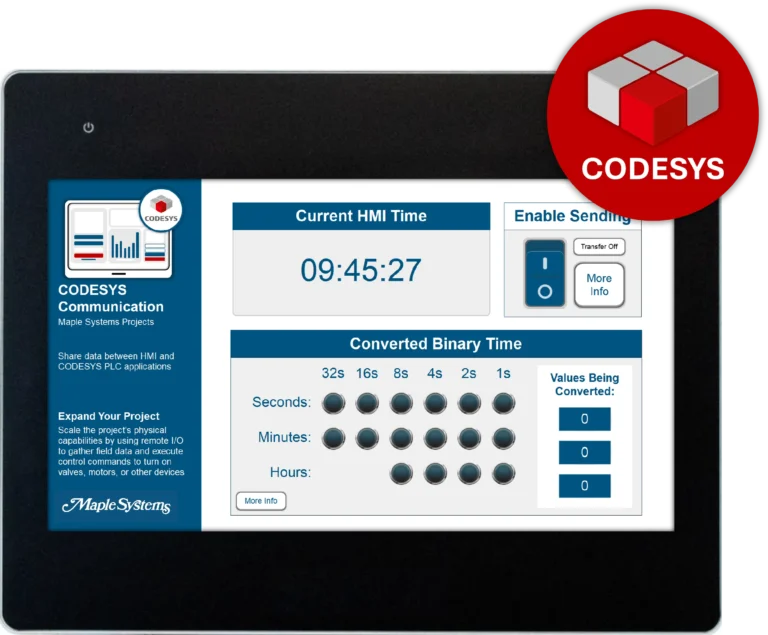
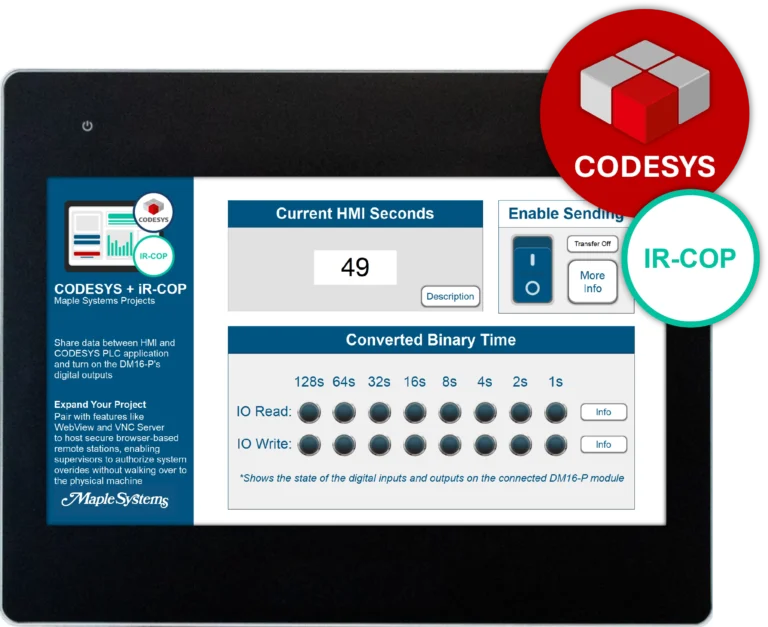
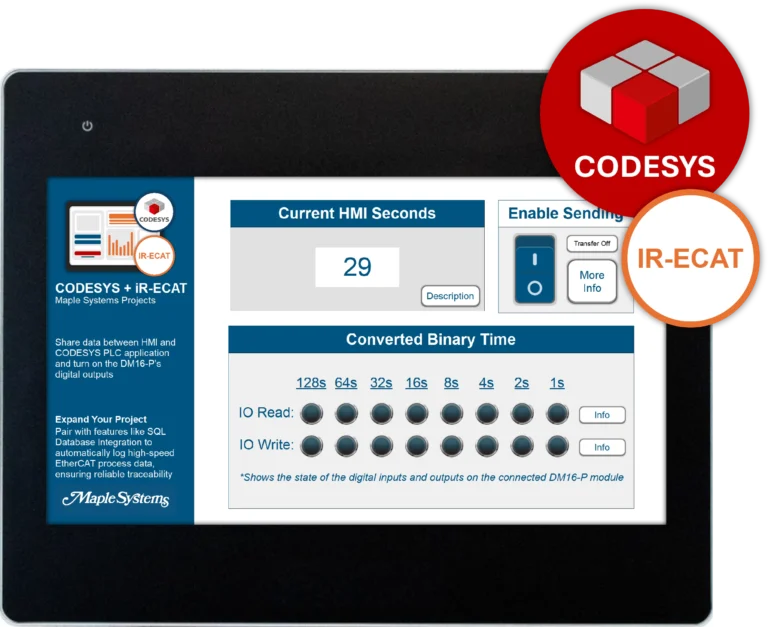
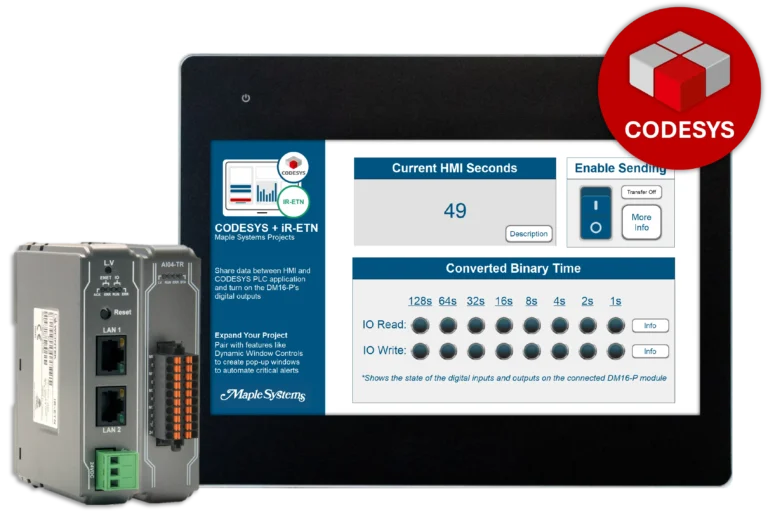


When you order the cMT3072XHTLv2-CODESYS the following items are included in the box:
- cMT3072XHTLv2-CODESYS Touchscreen HMI
- Warranty Statement
- Installation Instruction
- Product Flyer
- Power Connector
- Mounting Clips
- Screen Cover