
10.1" Handheld HMI with E-Stop
$2,229.00
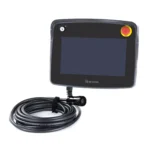
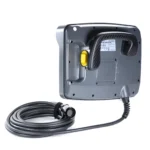
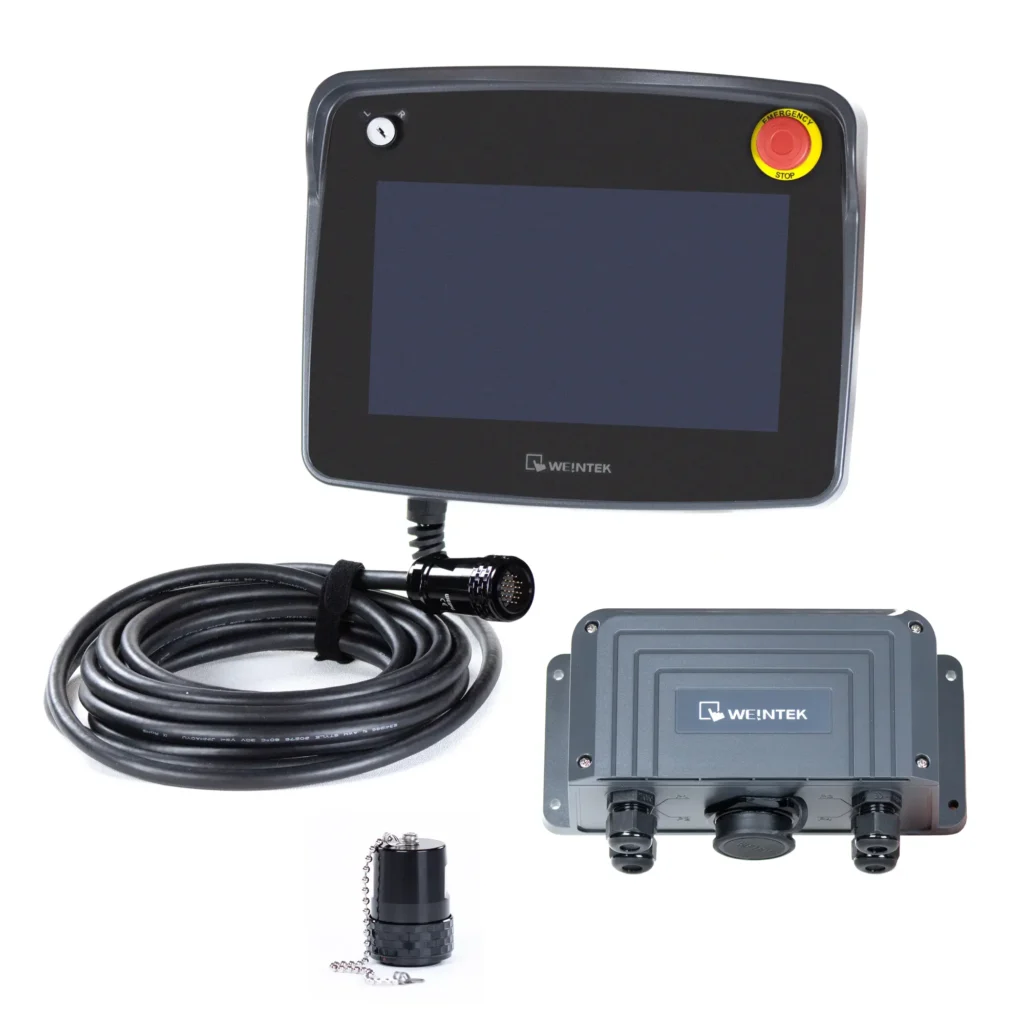
Built for flexible operation in harsh industrial environments, the cMT3106XM helps operators monitor and control machines directly at the equipment or between nearby workstations. It features an integrated handle, responsive touchscreen, advanced connectivity, reliable performance, and built-in safety controls, including a Key Switch, Emergency Stop Switch, and 3-Position Enable Switch.
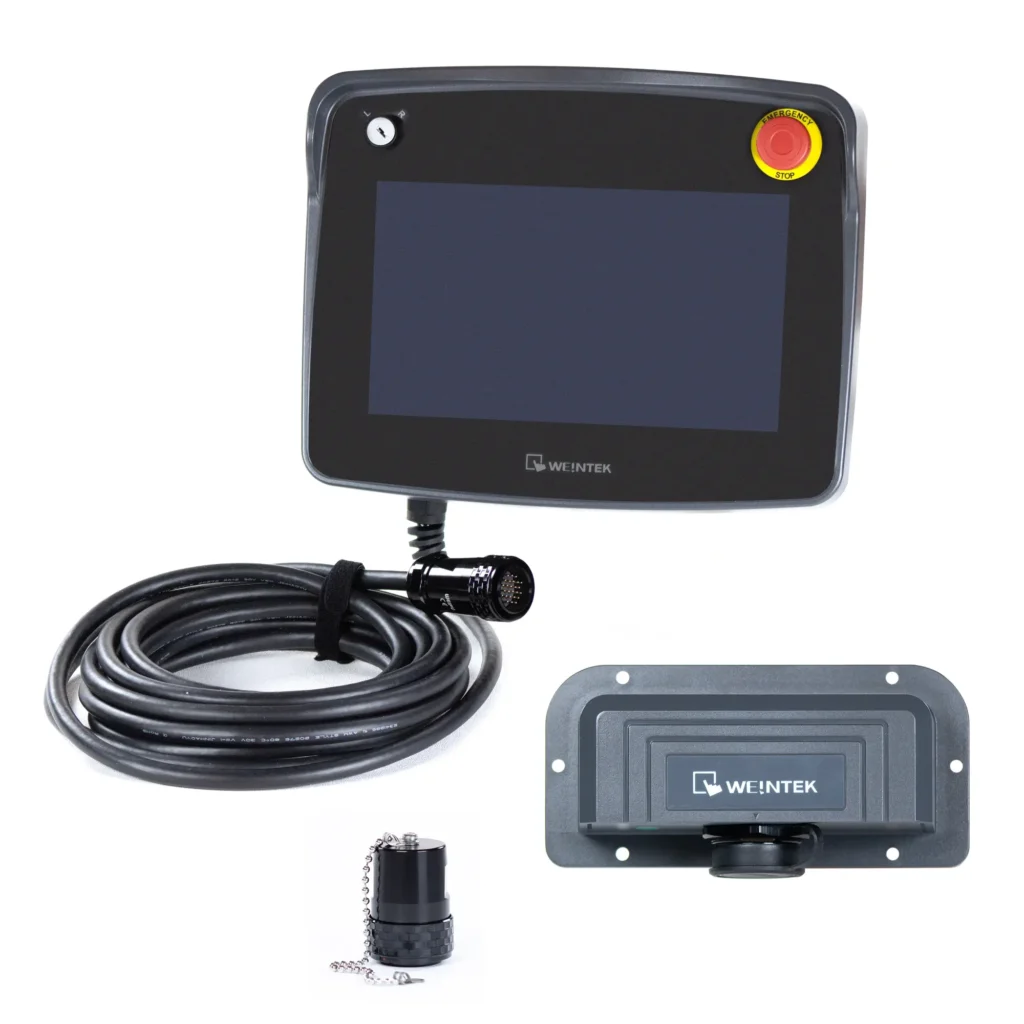
Available with a 6 meter or 10 meter cable, the cMT3106XM connects to each workstation through a required connection box.
Important: One connection box is required for each workstation. Choose one of the following connection box options:
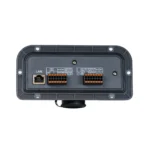
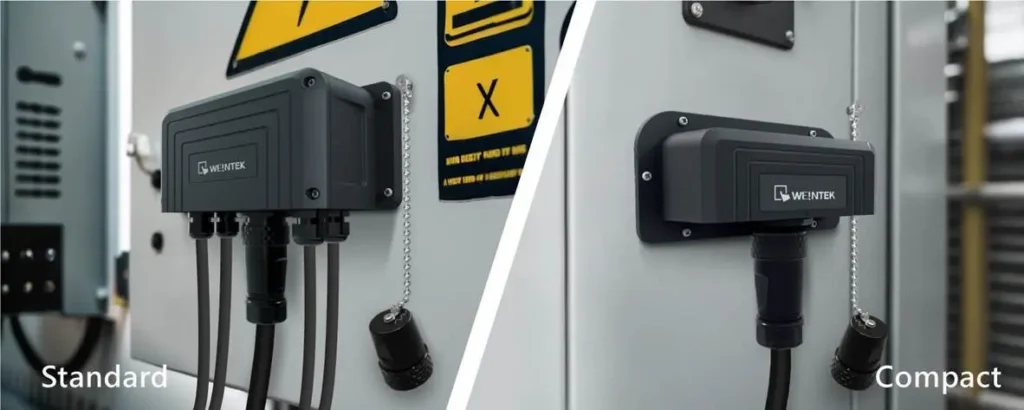
- cMT-XMBS Standard Connection Box – Mounts outside control cabinets or on walls for easier access and maintenance.
- cMT-XMBC Compact Connection Box – Installs inside the control cabinet for a clean, organized setup.
Both connection boxes support the cMT-XM-ESP E-Stop Bypass Plug, which keeps the safety circuit closed when the handheld HMI is disconnected.
- Customize product with your company logo. Minimum quantities apply.
- Connect to +400 PLCs and Controllers.
- US-based technical support.
Share the product:


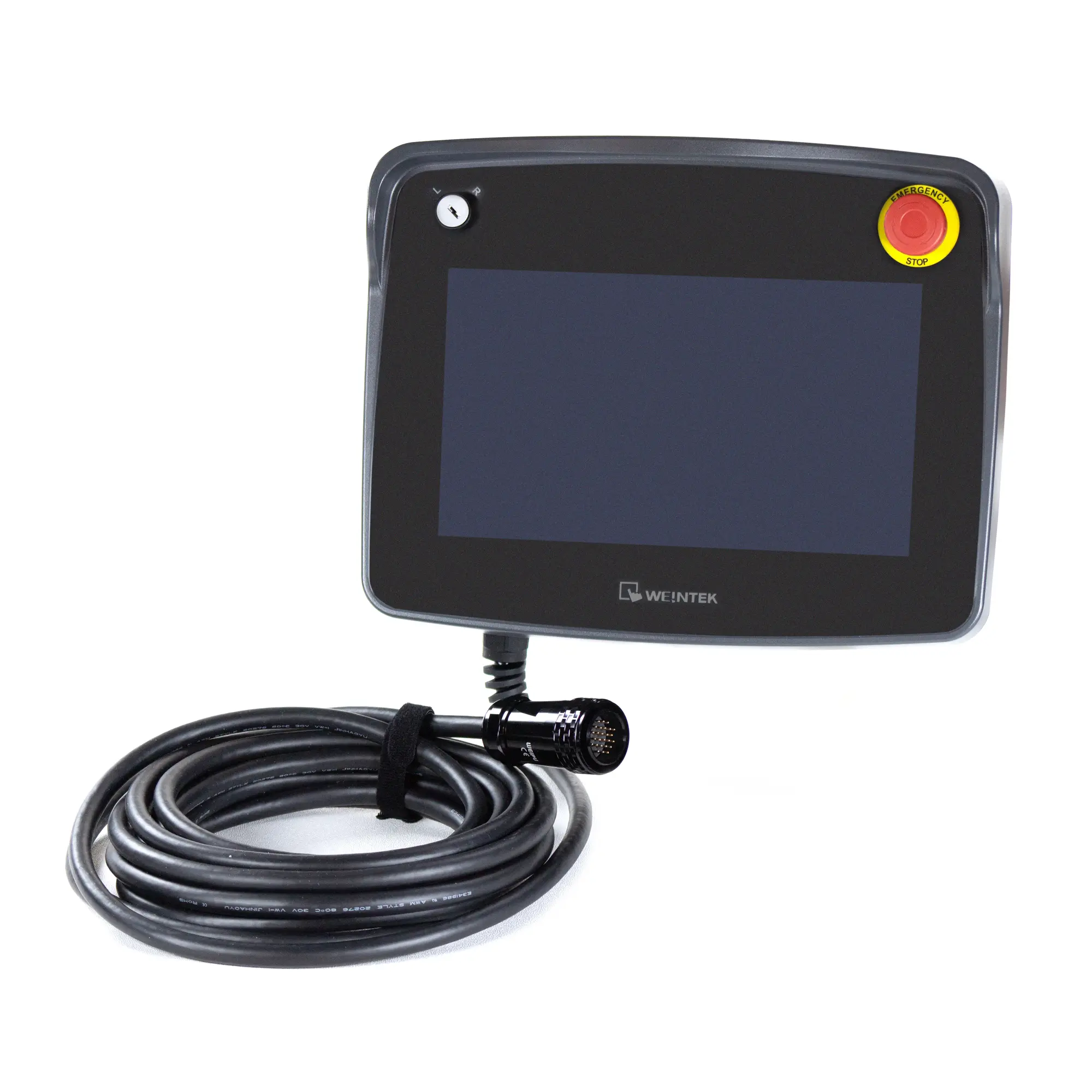
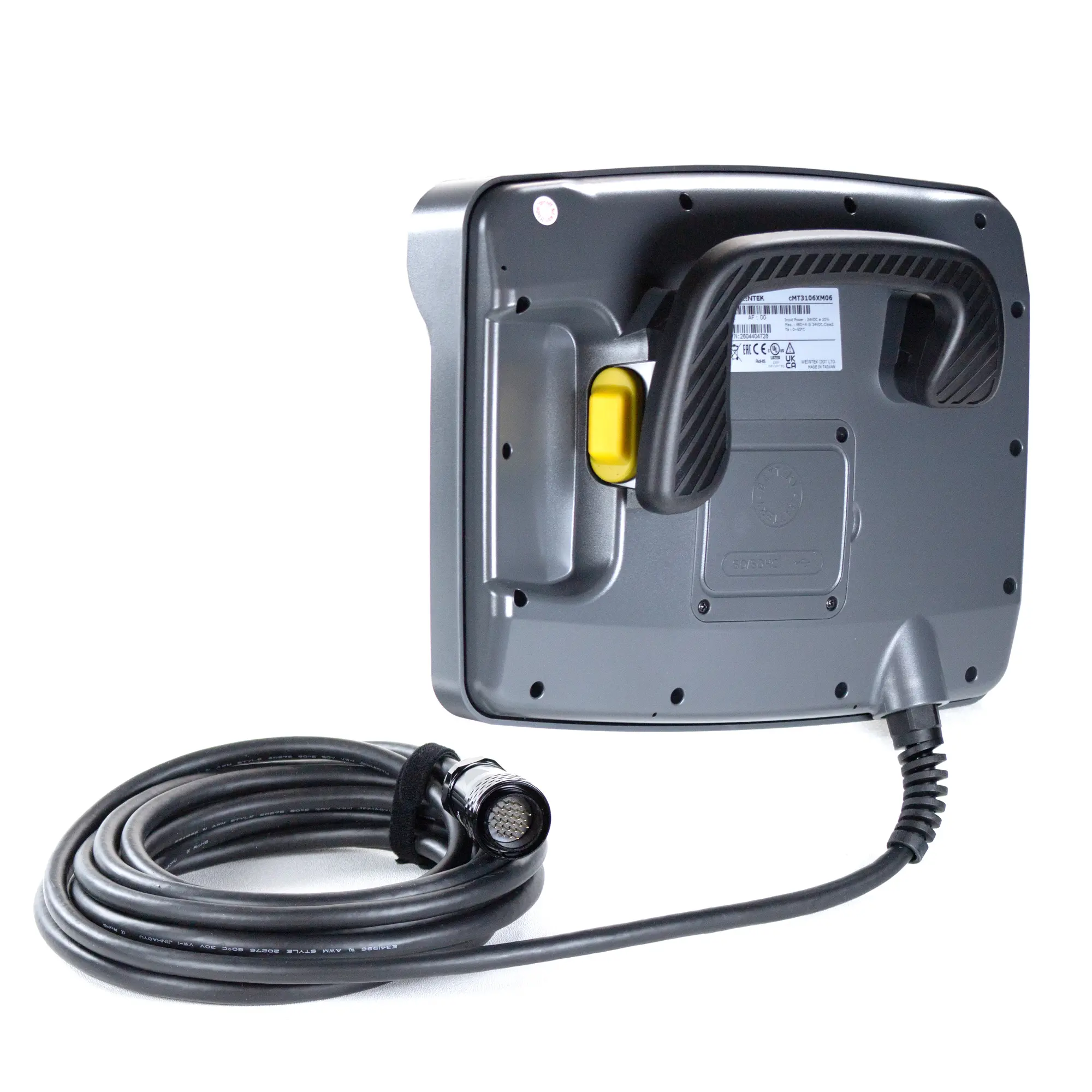
- 1024 x 600 Resolution, Ethernet, Serial, USB 2.0 Ports, SD/SDHC Slot
- Built-in E-Stop, Key Switch, and 3 POS Switch for Enhanced Safety
- Ergonomic Rear Handle . Wall Mount Included
- Web Browser, Email, and More
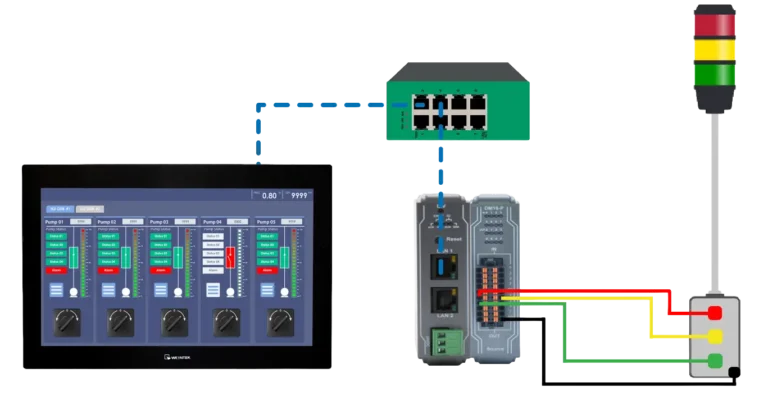
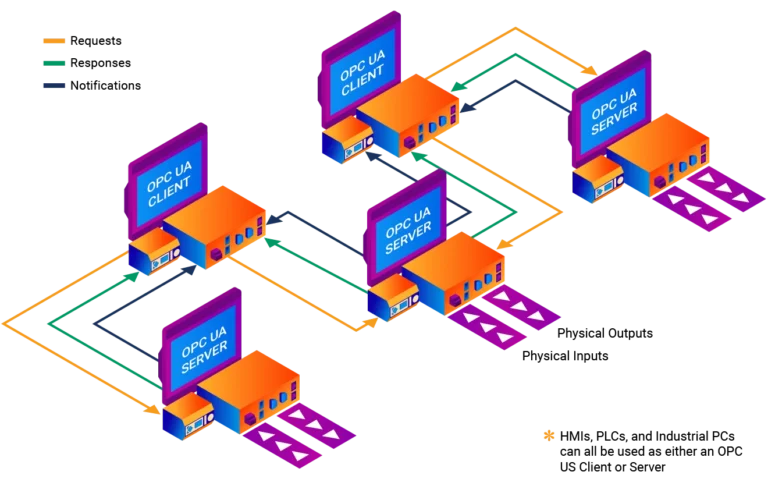
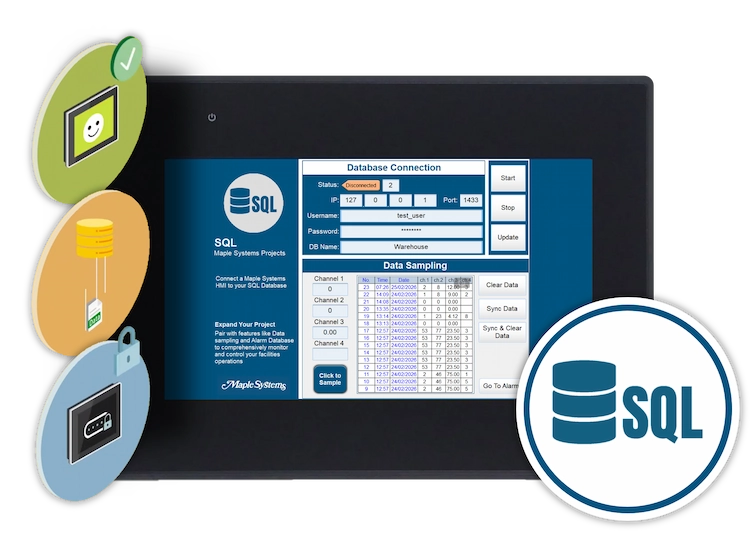
- IIoT, Remote Access, MQTT, OPCUA Client/Server, SQL Database
- cULus, CE, RoHS, IP65, NEMA4
The base options are selected by default. Select the options to get the desired configuration.
System
| CPU | Quad-Core RISC |
|---|---|
| Memory (RAM) | 1 GB |
| Memory (Flash) | 4 GB |
| RTC | Built-in |
I/O Ports
| Ethernet/LAN | See Connection Box |
|---|---|
| CANbus | N/A |
| Audio Output | N/A |
| SD Card Slot | SD/SDHC (32GB capacity) |
| USB Host Ports | USB 2.0 x 1 |
| USB Client Ports | N/A |
| Wi-Fi | N/A |
| HDMI Port | N/A |
| Serial Ports | See Connection Box |
| Tether Cable | 6 m (20 feet) 10 m (33 feet) |
Display
| Resolution | 1024 x 600 |
|---|---|
| Luminance (cd/m^2) | 350 |
| Contrast Ratio | 1000:1 |
| Backlight Lifetime (hrs) | 50,000+ |
| Colors | 16.7 M |
| Display Type | 10.1” WVA LCD |
| Viewing Angle (H°/V°) | 178/178 |
| Size (W x H) | 8.81 x 4.97 inches [223.7 x 126.3 mm] |
Touch Screen
| Type | 4-wire resistive touch |
|---|---|
| Accuracy | Length (X) ±2%, width (Y) ±2% |
Key Switch
| Contacts | NO x 1 NC x 1 |
|---|---|
| Rated Operating Voltage | 24 VDC |
| Rated Operating Current | 500 mA |
| Mechanical Life | ~250,000 Operations |
Emergency Stop Switch
| Rated Operating Voltage | 30 VDC |
|---|---|
| Rated Operating Current | 500 mA |
| Standards | IEC60947-5-1 EN60947-5-1 IEC60947-5-5 EN60947-5-5 UL60947-5-5 NFPA79, CSA C22.2 No. 14 GB14048.5 |
| Mechanical Life | ~250,000 Operations |
3-Position Enabled Switch
| Contacts | NO x 2 |
|---|---|
| Rated Operating Voltage | 30 VDC |
| Rated Operating Current | 500 mA |
| Standards | IEC/EN 60947-5-8 IEC/EN 60947-5-1 UL508, CSA C22.2 NO. 14 GS-ET-22 |
| Mechanical Life | 1→2→1 ~1,000,000 Operations 1→2→3→1 ~ 100,000 Operations |
Electrical
| Input Power | 11.52 W |
|---|---|
| Power Isolation | Built-in |
| Isolation Resistance | Exceed 50 MΩ – @ 500 VDC |
| Input Voltage | 24 ± 20% VDC |
| Input Current | 480mA @ 24 VDC |
Mechanical
| Enclosure Material | Plastic |
|---|---|
| PCB Coating | Yes |
| Dimensions WxHxD | 11.91 x 9.44 x 4.59" [302.7 x 240.0 x 116.8 mm] |
| Weight | Approx. 3.53 lbs. [1.6 kg] |
| Mounting | Wall Mount kit included |
Environmental
| Drop Resistance | 4 feet [1.2m] |
|---|---|
| Altitude (Air Pressure) | N/A |
| Operating Temperature | 32 ~ 122° F (0~50° C) |
| Storage Temperature | -4~140°F [-20~60°C] |
| Relative Humidity | 10% ~ 90% (non-condensing) |
| Vibration Endurance | 10 to 25 Hz (X, Y, Z direction, 2G, 30 minutes) |
Certification
| UL Type Rating | cULus |
|---|---|
| NEMA Rating | NEMA 4 |
| IP Rating | IP65 |
| CE | Yes |
| UL | cULus Listed |
| Class 1 Div 2 | N/A |
| ATEX | N/A |
| RoHS | Yes |
Unboxing a cMT3106XM
We'll go over all the features, unbox Handheld HMI and Connection Boxes, and show how they work together.
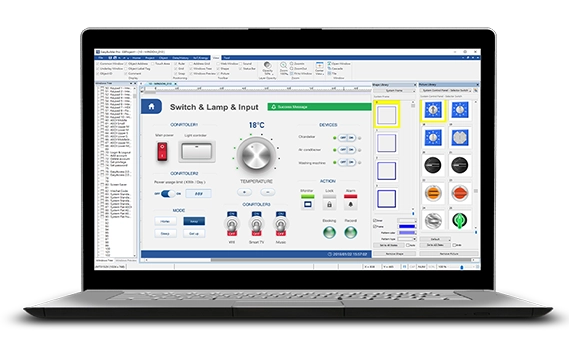
FREE User Friendly HMI Software
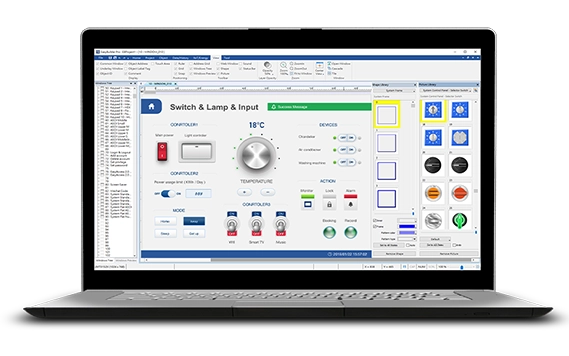
Download our free, full-featured HMI configuration software to create custom control applications for your industrial process. EBPro supports over 300 PLC & controller protocols, ensuring seamless integration with new or existing systems. No license or key required.
Why do I need a Connection Box with the handheld HMI (cMT3106XM)?
The handheld HMI, cMT3106XM, does not connect directly to the PLC, power supply or other equipment. All communication is managed centrally through the connection box. This architecture offers the following advantages:
- Improved system safety: The HMI can be removed or replaced at any time without affecting communication stability.
- Simplified wiring and maintenance: Only the connection box needs to be installed on-site, and the HMI can be plugged or unplugged using a single cable.
- Enhanced waterproof and dustproof protection: Reduced external wiring during operation helps protect equipment
The connection box is the external wiring module of the handheld HMI, handling all power
and communication interfaces. Whether for PLC communication, power supply, or safety
circuits (such as emergency stop switch or 3-position enable switch), all connections are
centralized in the connection box.
Two designs are available:
- Standard Connection Box: Mounts outside control cabinets or on walls, with clear
wiring and easy maintenance. - Compact Connection Box: Houses all terminals and wiring within the control
cabinet for a clean, organized setup
Do I need to purchase the E-Stop Plug with my cMT3106XM?
Only if you are planning on having multiple workstations accessible with one cMT3106XM. If you’re using the cMT3106XM at a single workstation, with no intent on unplugging and plugging into a nearby work station, there is no need.
The E-Stop Plug (cMT-XM-ESP) is designed to be mounted next to the Control Box, to be plugged into the same port the tether cable from the handheld unit plugs into. Once you unplug the cMT3106XM from the Control Box (cMT-XMBC or cMT-XMBS), the E-Stop plug is inserted, keeping the safety circuit closed while you move to the next work station and plug in there.
Where are the COM Ports on my cMT3106XM?
All communications, Serial and Ethernet, are wired directly into the Control Boxes and connected to the cMT3106XM via the 6 meter or 10 meter tether cable.
The IO is on the inside of the front panel on the cMT-XMBS Standard Control Box and the wiring is all directed out the bottom, through the cable glands. This control box is designed to be mounted on a wall, or the outside of a control panel.
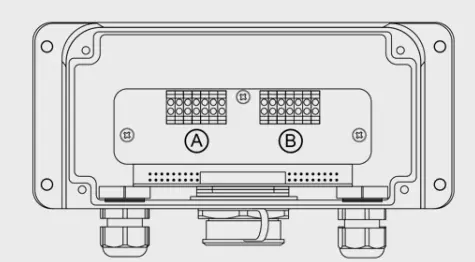
The IO is on the back side of the cMT-XMBC Compact Control Box and all the wiring is directed out the back side, directly inside the panel its mounted to.
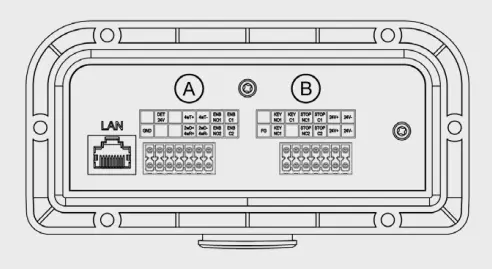
Refer to the Installation Guides for more wiring instruction:
Can we purchase extra sets of keys for the cMT3106XM?
That’s a great idea! Then you can have a set for maintenance, supervisor, and engineering. We recommend making spare keys immediately after purchase at your local hardware store.
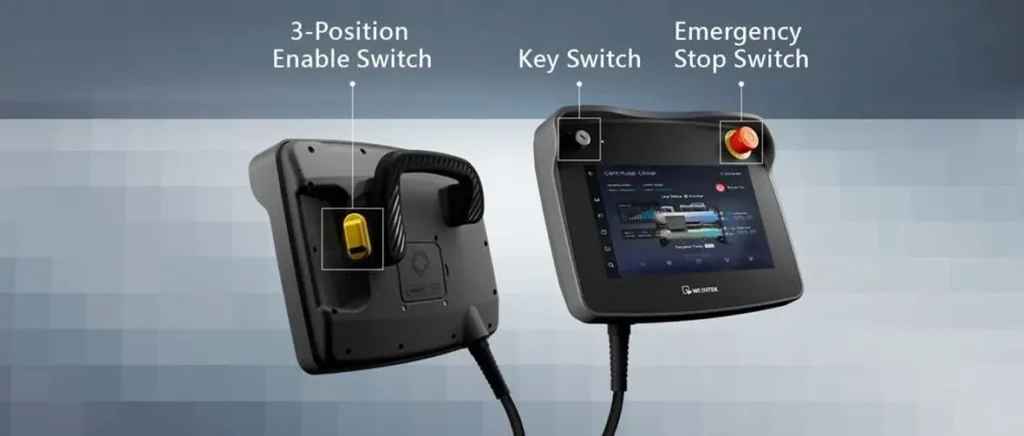
Why are there so many different Switches on the handheld cMT3106XM?
The safety trifecta of course! Triple layer safety built-in to the cMT3106XM for confident operations.
Key Switch – Limits operation to authorized personnel, strengthening access control.
Emergency Stop Switch – Instantly halts operations during malfunctions, offering manual safety protection.
3-Position Enable Switch – Prevents accidental activation from unintentional contact.
Can this HMI communicate with my PLC?
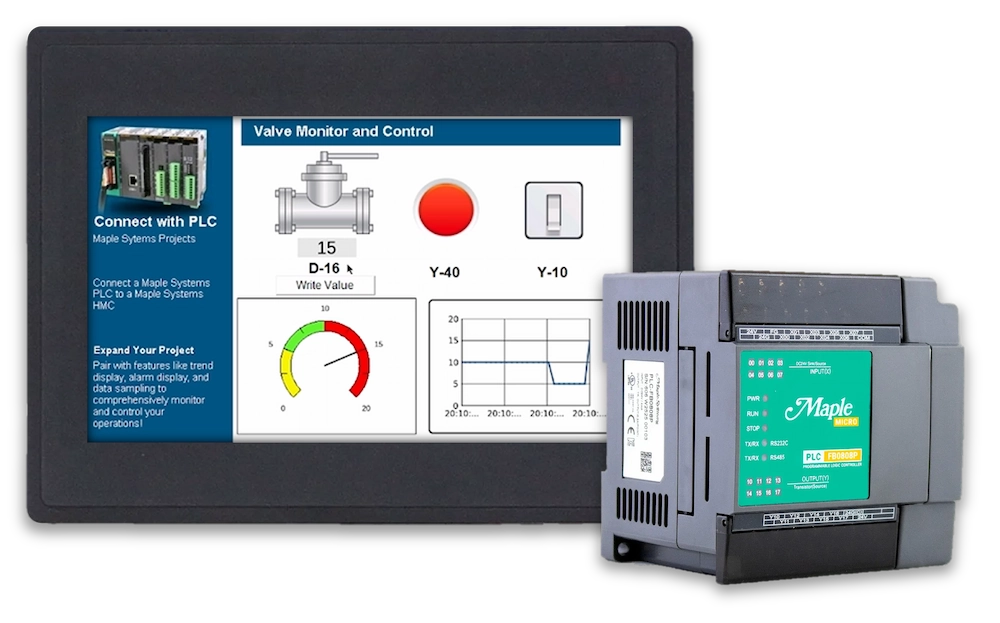
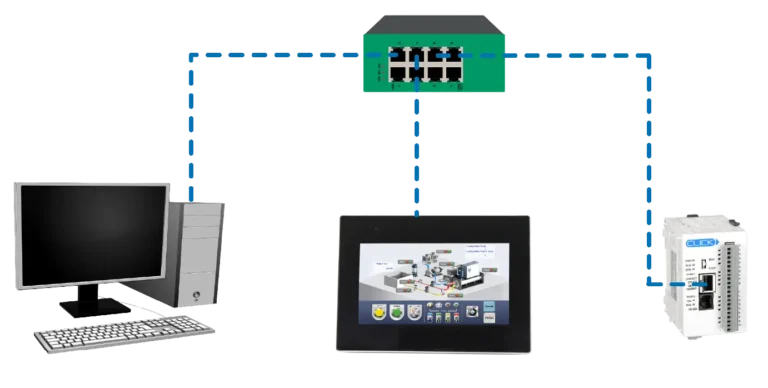
Maple Systems cMT HMIs support over +400 PLC and controller communication protocols via the built-in software, eliminating the need for additional converter hardware or software. Our cMT HMIs also support protocols such as Modbus TCP/IP or Modbus RTU, opening them up for use with a wide range of devices.
If you want to see the protocols that EBPro supports, visit our Controller Information Sheets page for more information. You can also download the EBPro software from our website for free, which includes simulation features. You can use these to test connections to your other devices before buying any hardware from Maple Systems.

Product
Software Downloads & Upgrades
Manuals & Guides
Tech Notes
Solutions
See our
Controller Information Sheets
Communication Cables
Videos
Is Maple Systems software free?
Yes! Maple Systems programming software is completely free of charge. This includes EBPro, MAPware-7000, and MapleLogic—our flagship software tools for HMI, HMI + PLC combo, or PLC programming and configuration. There are no licensing fees, subscriptions, or activation codes required to download, install, or use these programs. Creating a free account on the Maple Systems website is all that is required.
Whether you’re developing your first HMI project or configuring a complex control system, you can access the full functionality of our software without any cost.
Maple Systems is committed to providing cost-effective solutions for our customers, and offering free software is a core part of that mission. Updates are also free, and support resources—including user manuals, video tutorials, and US-based technical support—are available at no additional cost. This makes it easy for engineers, integrators, and OEMs to start building and maintaining projects right away, without worrying about hidden expenses or recurring fees.
Software Downloads & Upgrades
- EBPro (HMI/cMT)
- MapleLogic (PLC)
- MAPware-7000 (HMI+PLC)
- OITWare-200 (OIT)
Manuals & Guides
Tech Notes
Solutions
See our
Controller Information Sheets
Communication Cables
Videos
I’ve never used EBPro before. How long will it take me to learn how to program my HMI?
The free EBPro software design maximizes functionality while maintaining user-friendliness. In many cases our customers are able to get up to speed and create their first project within 24 hours.
For new users who want to accelerate their learning process, our EBPro HMI Software Training Series has you covered. This series breaks down multiple topics into small, easy-to-understand sections so you can learn at your own pace. You can view individual videos based on the topic, or view the entire series in a YouTube playlist.
The EBPro Programming Manual provides full descriptions of the software’s features, and is an excellent resource for users of all skill levels. We also offer the EBPro Quick Start Guide, which contains information for new users when getting started with Maple Systems devices.
Product
Software Downloads & Upgrades
Manuals & Guides
Tech Notes
Solutions
See our
Controller Information Sheets
Communication Cables
Videos
Does Maple Systems offer technical support?
Yes. Maple Systems provides 100% free, US-based technical support for all customers. Our Support Center includes extensive documentation, tutorials, and resources. However, if you’re unable to find what you need, our technical support team is ready to assist. You can reach our technicians by phone at (425) 745-3229 or by email at [email protected].
- Human Machine Interface (HMI)
- Industrial Panel PCs
- Industrial Box PCs
- Waterproof PCs
- PLCs and Control
- Network Switches
- HMI + PLC Combo Units
- Industrial Monitors
- Alphanumeric OIT
- Rugged Tablets
Need More Help?
- [email protected]
- 425.745.3229
Documents
Manuals
- cMT3106XM Installation Guide
- cMT3106XM User Manual
- cMT-XMBC Installation Guide
- cMT-XMBS Installation Guide
Certifications
- UL Certification Declaration – cMT Series
- CE UKCA Declaration of Conformity – cMT3106XM06, cMT3106XM10
- REACH EU Declaration of Conformity
- RoHS Declaration of Conformity (all series)
CAD Files







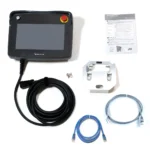
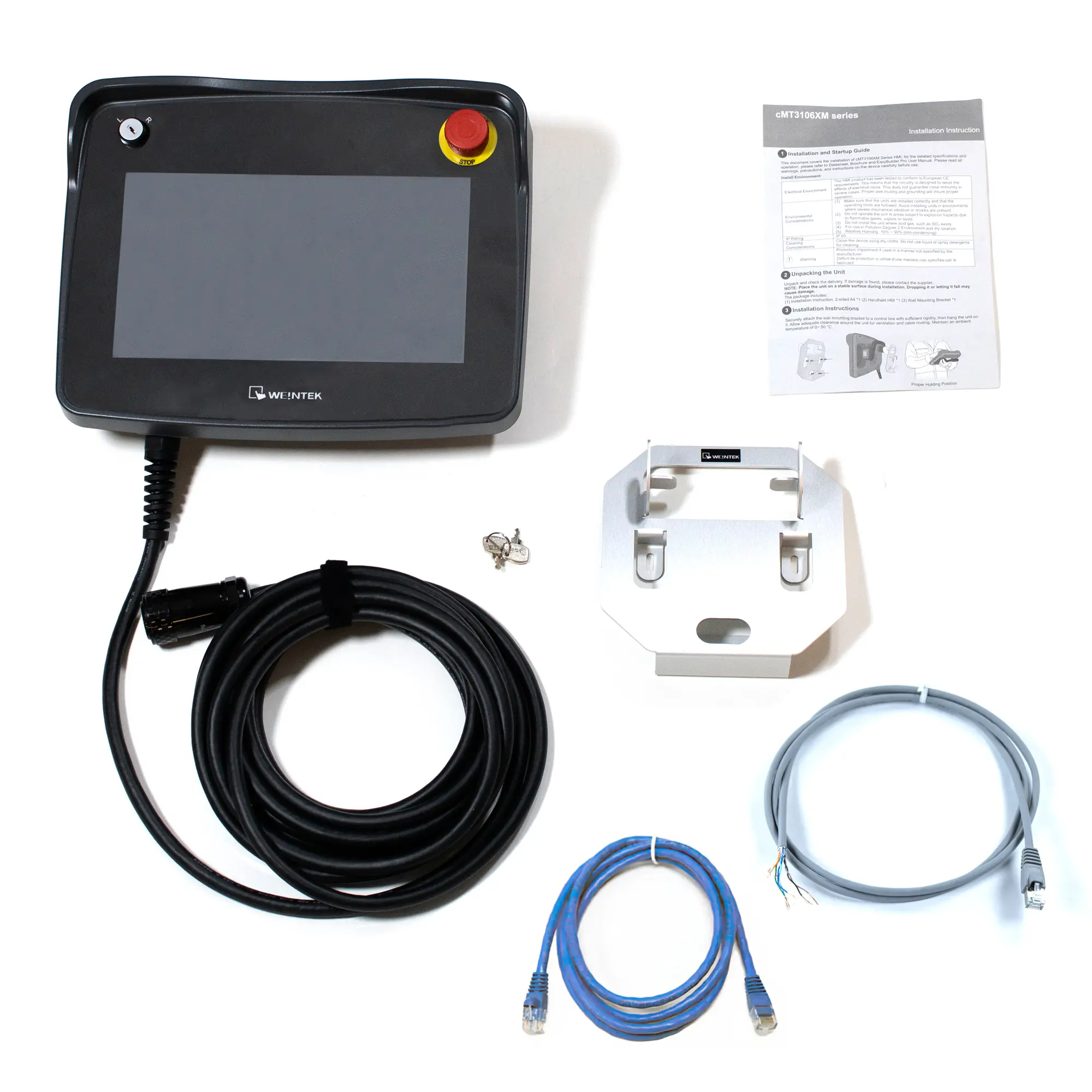
When you order the cMT3106XM the following items are included in the box:
- 1 x Quick Start Guide
- 1 x Warranty Statement
- 1 x cMT3106XM
- 1 x Wall Mounting Kit
- 1 x Ethernet Cable:
- RJ45 to RJ45 if cMT-XMBC (Compact Connection Box)
- RJ45 to leads if cMT-XMBS (Standard Connection Box)