
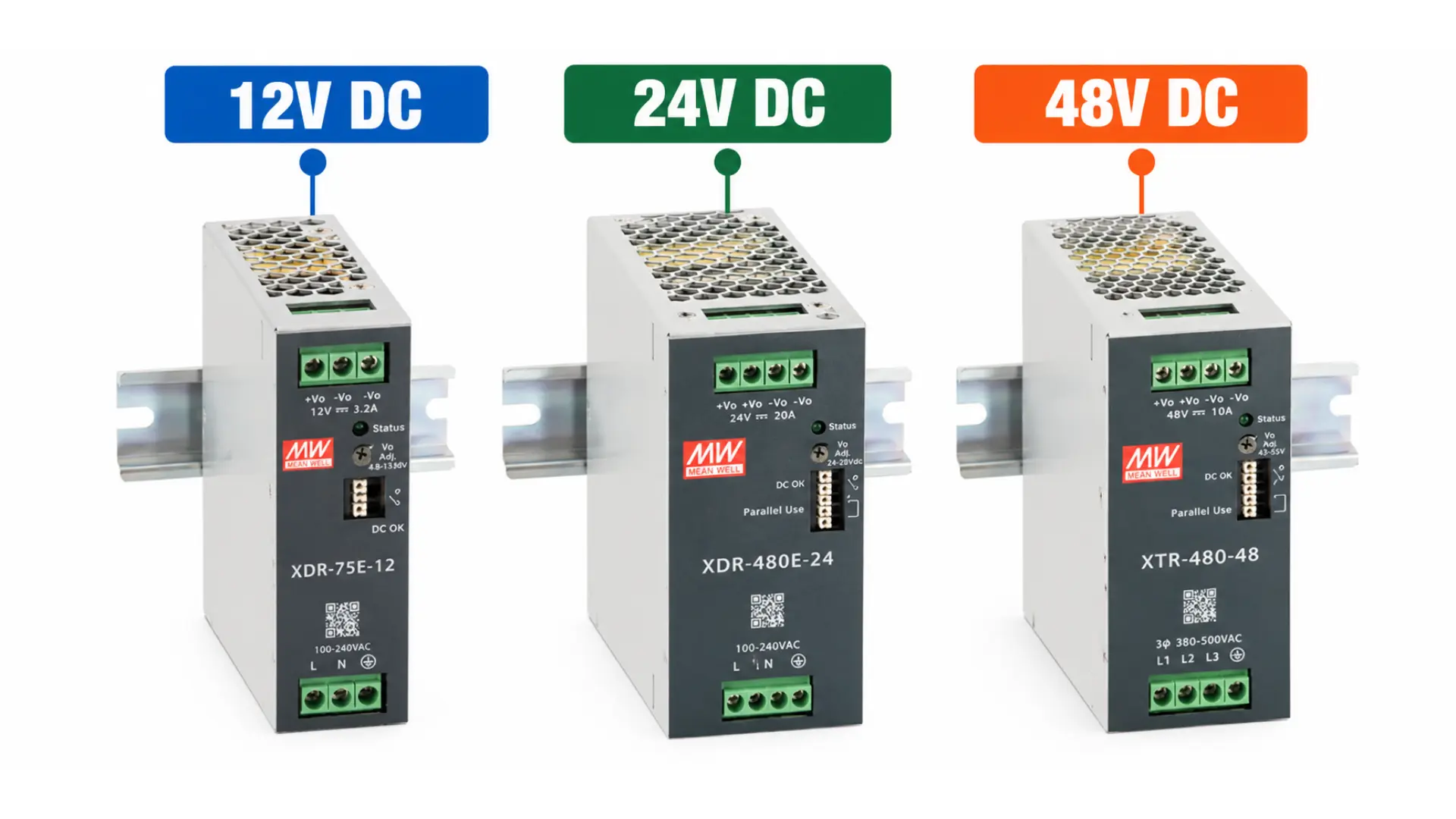
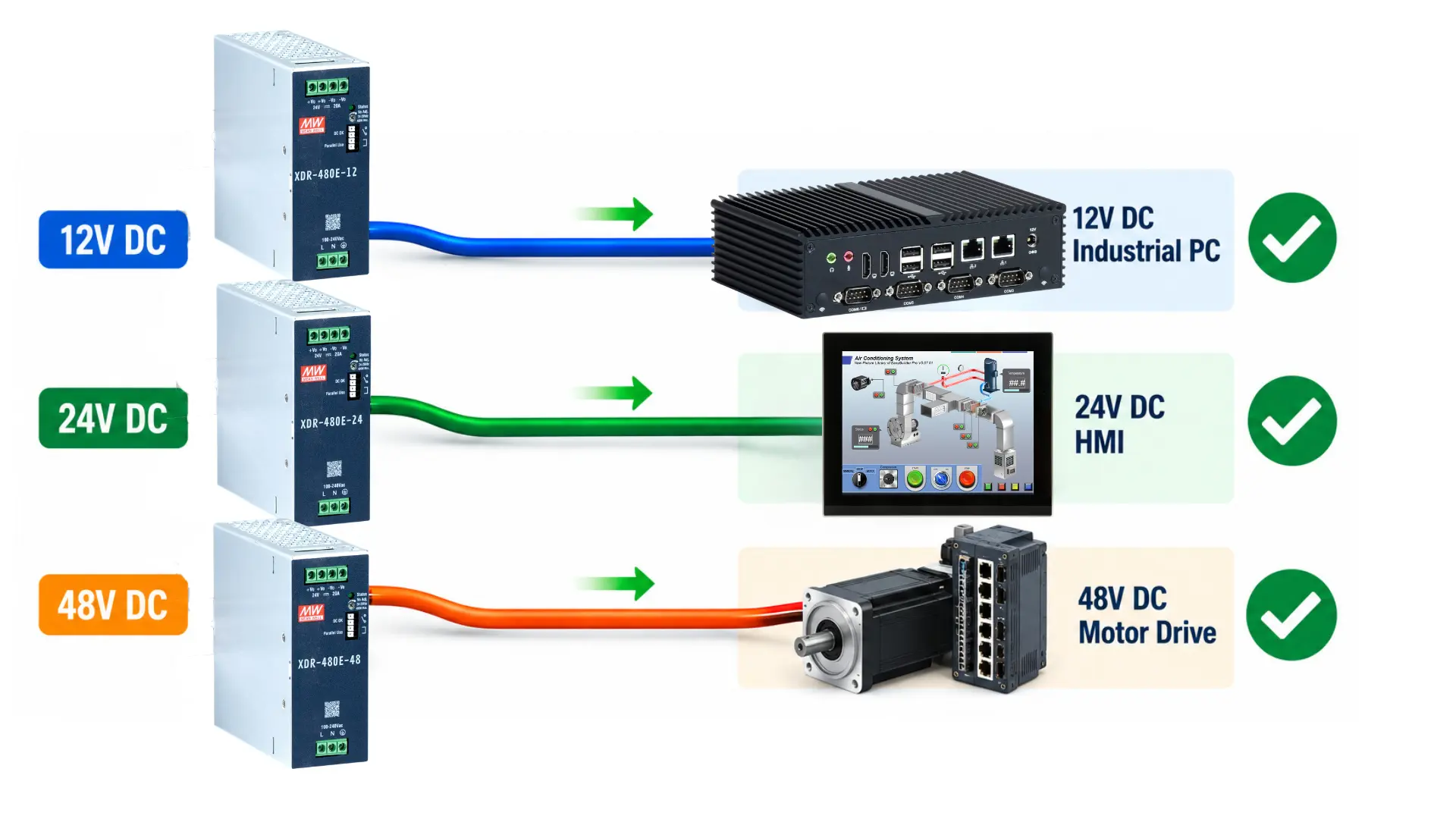
Industrial automation systems can use several DC voltage levels. Three common options are 12V, 24V, and 48V DC. Each voltage affects how much current the system requires to deliver a given amount of power. Choosing between a 12V, 24V, and 48V power supply starts with the connected equipment. A PLC, HMI, Industrial PC, sensor, or communication device must receive a compatible input voltage.
Maple Systems offers high-end and economical ultra-slim DIN rail power supplies with 12V, 24V, and 48V output options. The lineup also includes 3-phase models for applications requiring higher-capacity 24VDC power.
However, device compatibility is only the beginning. Voltage selection also affects current demand, voltage drop, wiring, power distribution, and available power supply capacity. Knowing these differences helps designers select the right voltage before sizing the complete power system.
Why DC Voltage Selection Matters
Power supply voltage establishes the electrical foundation for the DC side of an industrial control system. A supply must first provide a voltage compatible with its connected loads. Connecting equipment to an unsupported voltage can prevent proper operation or damage the device. Voltage also determines how much current is required to deliver a particular amount of power.
The basic relationship is:
Power (W) = Voltage (V) × Current (A)
A system delivering 240W therefore requires different current at different voltages.
At 12V:
240W ÷ 12V = 20A
At 24V:
240W ÷ 24V = 10A
At 48V:
240W ÷ 48V = 5A
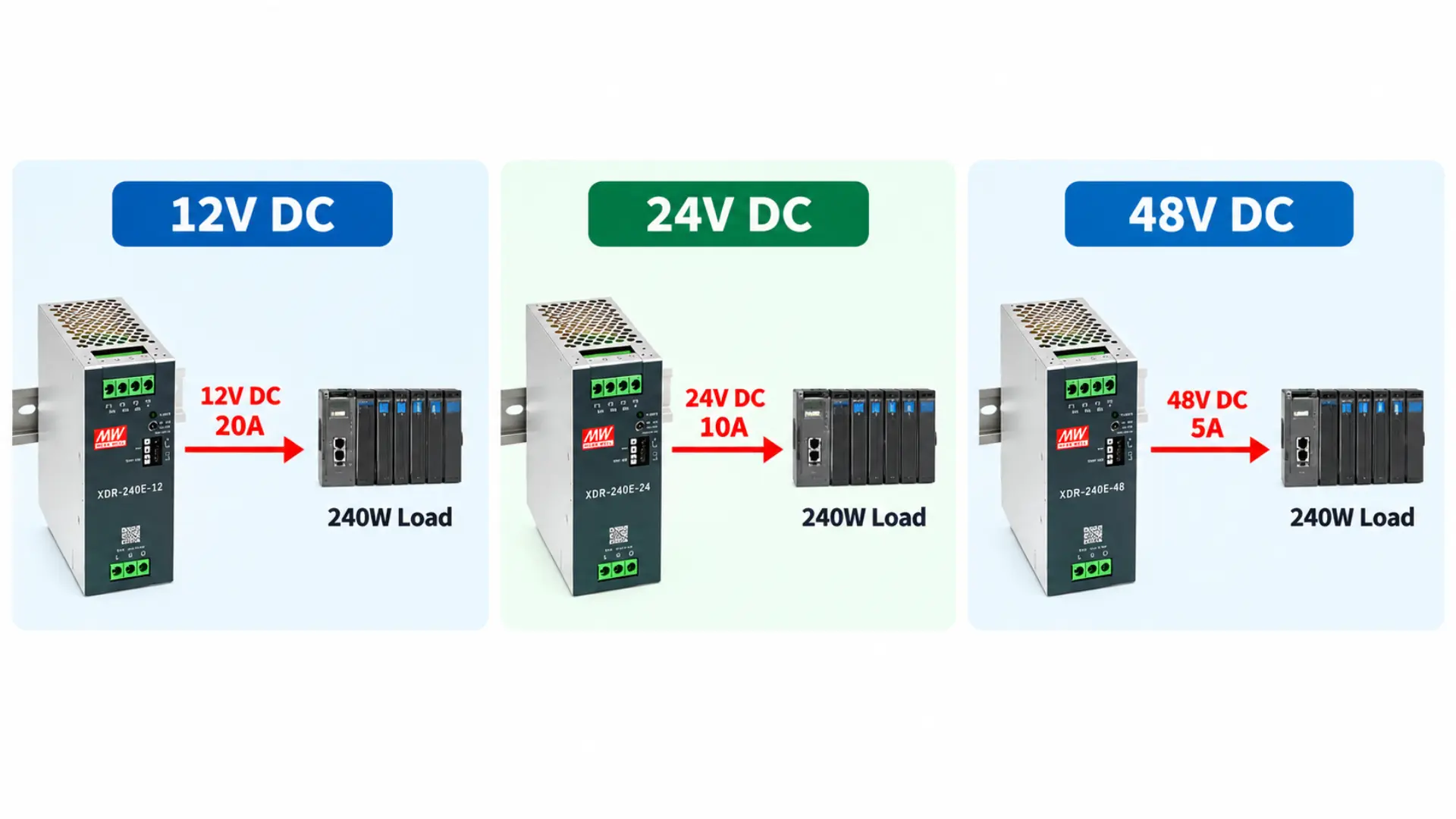
This relationship is one of the most important differences between the three voltage levels. Maple Systems’ 240W economical ultra-slim power supplies demonstrate this relationship. The 12V model provides 20A, the 24V model provides 10A, and the 48V model provides 5A.
Same Power, Different Current
Higher voltage reduces the current needed to deliver the same power. This does not make one voltage universally better than another. Instead, it changes how power moves through the system. The appropriate choice depends on the connected equipment and overall electrical architecture.
When to Choose a 12V Power Supply
Consider a 12V power supply when the connected equipment requires 12V DC. This makes device compatibility the primary reason to choose 12V, rather than selecting it simply because it is the lowest available voltage.
Maple Systems, for example, currently offers 12VDC power options for certain Industrial PCs. One existing DIN rail supply provides a 12VDC, 5A output for compatible IPC models. Maple Systems offers 12V ultra-slim DIN rail power supplies in 75W, 120W, and 240W classes. Both high-end and economical models are available at these power levels. The 240W models provide 12V at 20A, making them suitable for compatible equipment that requires more current.
The Current Requirement at 12V
The main electrical characteristic to remember with 12V is its higher current requirement for equal power.
Consider a 120W load:
120W ÷ 12V = 10A
The same 120W load at 24V requires only 5A. That difference becomes increasingly important as total system power increases. Higher current affects conductor selection, connections, distribution equipment, and voltage drop. These considerations should be evaluated during system design rather than after the power supply has already been selected.
Best fit: Use 12V when the load requires 12V and the complete distribution system can support the required current.
Why 24V Power Supplies Are Common in Industrial Automation
For many control systems, 24V DC provides a useful middle ground between voltage and current.
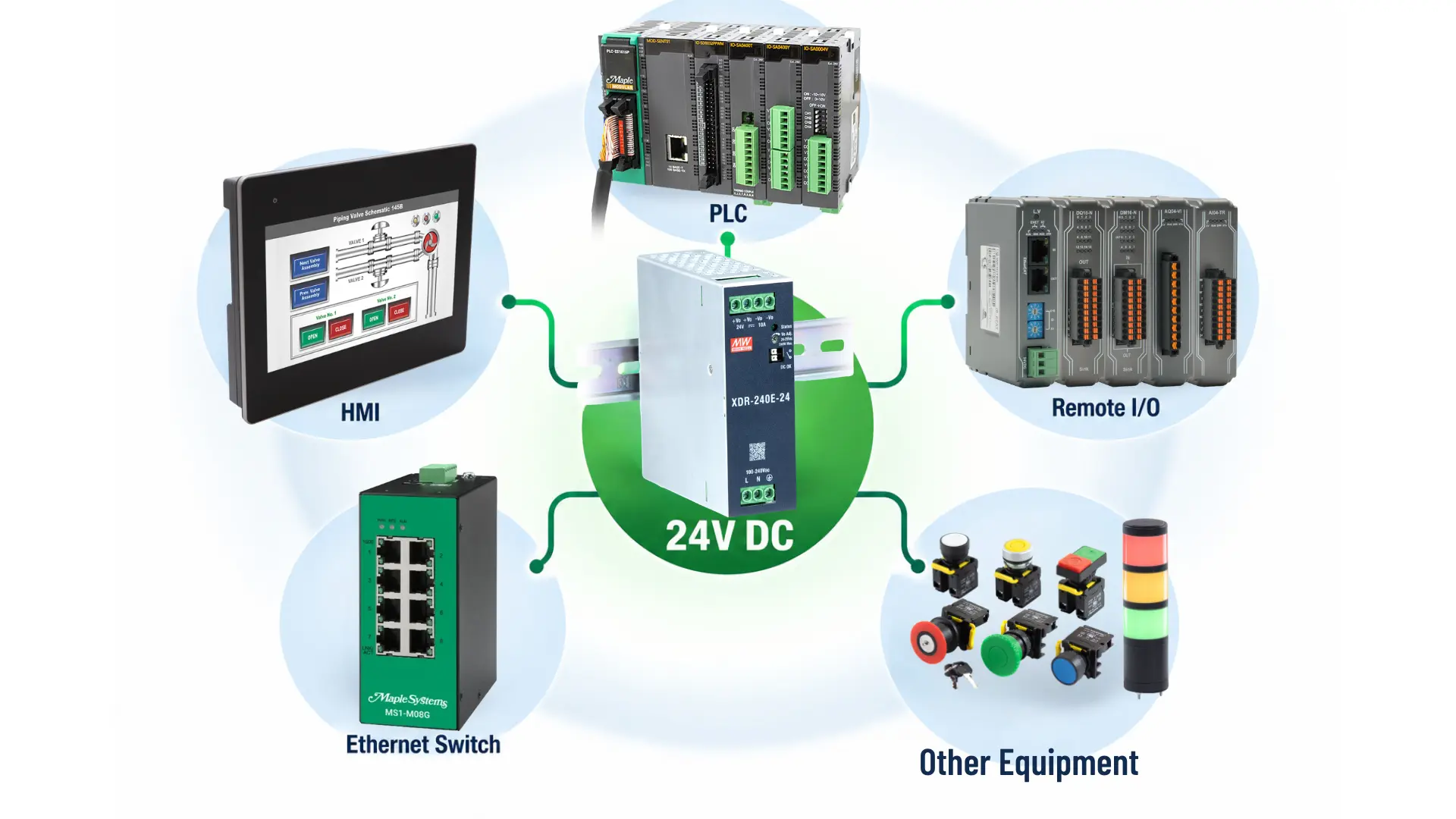
Maple Systems’ own automation products illustrate its use in control systems. Current Maple Systems’ starter kits combine a 24V DC power supply with an HMI, PLC, and industrial Ethernet switch. A 24V architecture lets compatible control components share the same nominal supply voltage.
For example, a system could contain:
- PLC
- HMI
- Remote I/O
- Industrial Ethernet switch
- Sensors
- Relays
- Other 24V-compatible devices
The exact input specification of every device still needs verification.
Balancing Voltage and Current
At equal power, 24V requires half as much current as 12V.
For example:
240W at 12V = 20A
240W at 24V = 10A
This makes 24V particularly useful when the connected industrial equipment supports that voltage. Maple Systems offers 24V ultra-slim power supplies from 75W through 960W. The 240W models provide 10A, the 480W models provide 20A, and the 960W models provide 40A. The 240W, 480W, and 960W models have adjustable 24–29VDC outputs.
Once the system voltage is established, the next step is determining the required capacity. See 24V DC Power Supply Sizing for Industrial Control Panels for a detailed sizing example.
When a 48V Power Supply Makes Sense
A 48V power supply can support equipment designed for 48V operation while reducing current compared with a lower-voltage system delivering the same power.
Consider a 240W load again.
At 24V:
240W ÷ 24V = 10A
At 48V:
240W ÷ 48V = 5A
Doubling the voltage halves the current for the same amount of power. This relationship matters when a system distributes significant DC power.
Higher Voltage Does Not Mean More Power
One common misconception is that a 48V power supply automatically provides more power than a 24V supply. Voltage alone does not determine power.
Consider the Maple Systems 240W economical ultra-slim series:
| Output | Current | Rated Power |
|---|---|---|
| 12V | 20A | 240W |
| 24V | 10A | 240W |
| 48V | 5A | 240W |
Maple Systems also offers a 480W economical ultra-slim power supply with a 48V, 10A output. Both the 240W and 480W options let engineers choose a 48V supply based on the application’s actual power requirements.
All three deliver the same rated output power. The voltage and available current are what change. Therefore, don’t view 48V as a higher-capacity replacement for 24V.
Best fit: Consider 48V when the equipment supports 48V and the application benefits from delivering the required power at lower current.
How Voltage Affects Current and Wiring
The relationship between voltage and current has practical implications beyond the power supply itself. Conductors and connections carry current from the supply to the load. As current increases, the electrical distribution system must handle it. The is one reason to consider voltage early in system design.
Comparing Current at Equal Power
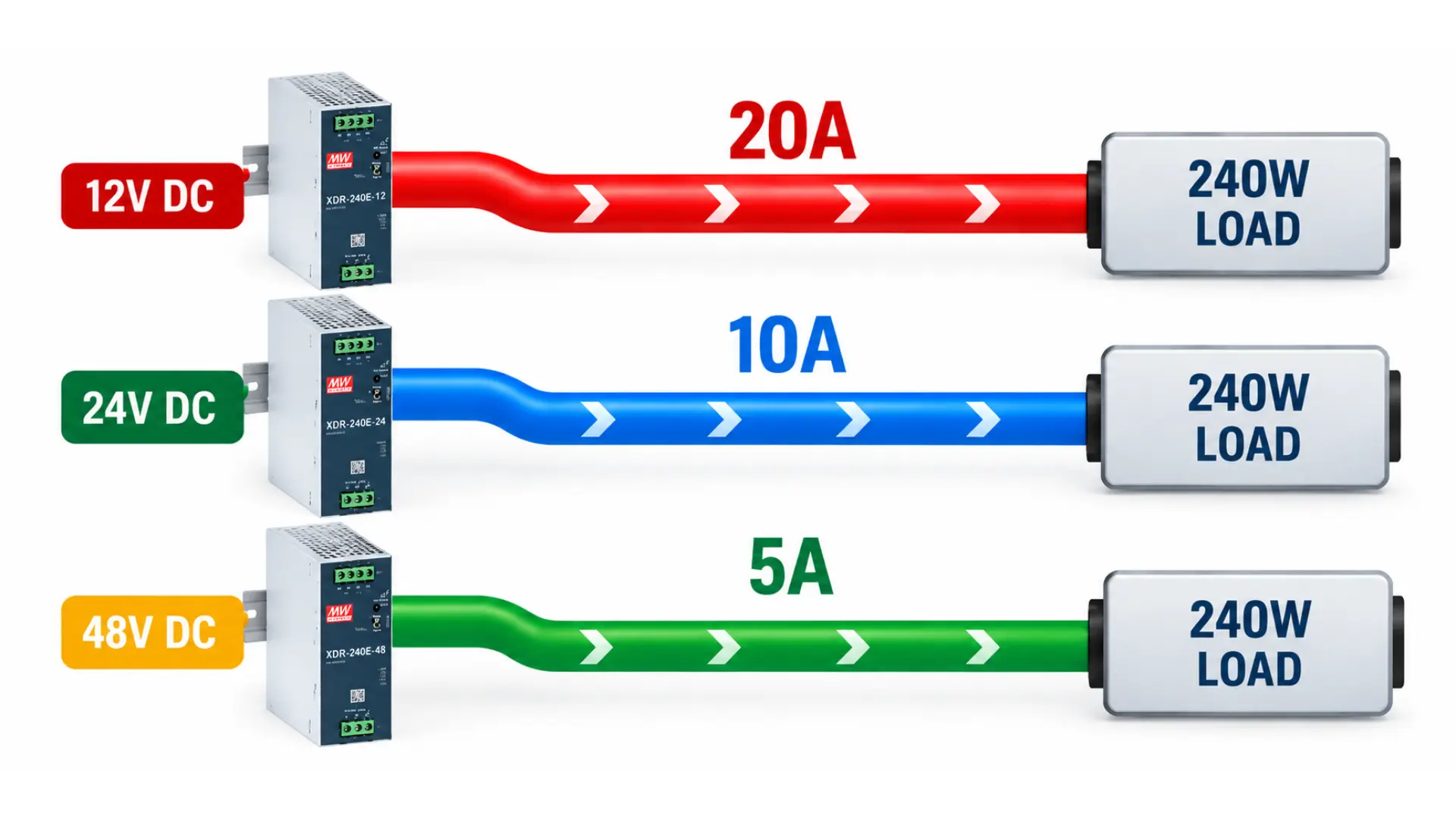
Consider a 240W load:
- At 12V: 240W ÷ 12V = 20A
- At 24V: 240W ÷ 24V = 10A
- At 48V: 240W ÷ 48V = 5A
The load still consumes 240W in each example. Higher voltage reduces current, which can affect conductor sizing, voltage drop, and power distribution.
How Current Affects Voltage Drop
Voltage drop is another reason current matters. Every conductor has electrical resistance. Current flowing through that resistance causes a voltage drop.
The basic relationship is: Voltage Drop = Current × Resistance
This means higher current creates greater voltage drop when conductor resistance remains the same. Imagine two systems delivering the same power through equivalent conductors. If the 12V system requires twice the current of the 24V system, its voltage drop across that same resistance will also be greater. Increasing the distribution voltage can therefore reduce current and the resulting voltage drop under equivalent conditions. This becomes particularly relevant when power must travel farther from the supply to the load.
However, choosing 48V solely to reduce voltage drop is not enough. The connected equipment must still support 48V, and the entire electrical system must be designed appropriately.
Choosing Voltage Based on the Connected Equipment
The first question during voltage selection should be simple: What voltage does the equipment require?
Create a device list before selecting the power supply.
For example:
| Device | Required Input |
|---|---|
| PLC | Verify manufacturer specification |
| HMI | Verify manufacturer specification |
| Ethernet switch | Verify manufacturer specification |
| Remote I/O | Verify manufacturer specification |
| Sensors | Verify manufacturer specification |
| Industrial PC | Verify manufacturer specification |
Do not select 12V, 24V, or 48V based solely on what is commonly used elsewhere. A device may support one voltage, a range of voltages, or require a completely different power source.
What If Devices Require Different Voltages?
Not every control system has to operate from one DC voltage. An application may contain equipment requiring different voltage levels. In that case, the electrical design must provide each load with an appropriate source. Depending on the application, this could involve separate power supplies or suitable voltage-conversion equipment. The important point is that the voltage at each load must remain within the manufacturer’s specified input requirements.
What Happens If the Wrong Voltage Is Selected?
Choosing the wrong supply voltage is different from choosing a supply with more available current. A power supply’s current rating represents the amount of current it can provide under its specified conditions. The connected load draws the current it requires. Voltage must be compatible with the load. Supplying a device with voltage above its permitted input range can damage the equipment. A voltage below the required operating range can cause improper operation, startup problems, or prevent the device from operating.
For this reason, voltage compatibility comes before wattage selection. First determine the required voltage. Then calculate how much current and power the compatible loads require.
Comparing Maple Systems 12V, 24V, and 48V Power Supplies
The Maple Systems power supply families make the voltage/current relationship especially clear.
240W Economical Ultra Slim Power Supplies
| Voltage | Rated Current | Rated Power | Adjustment Range |
|---|---|---|---|
| 12V | 20A | 240W | 12-15V |
| 24V | 10A | 240W | 24-29V |
| 48V | 5A | 240W | 48-55V |
The 240W high-end ultra-slim series is available in 12V and 24V models. Both provide the same rated current as their economical counterparts. The high-end models also support droop-mode parallel operation, while the 240W economical models do not.
480W and 960W Ultra Slim Power Supplies
| Series | Output | Rated Current | Rated Power |
|---|---|---|---|
| 480W High-End | 24V | 20A | 480W |
| 480W Economical | 24V | 20A | 480W |
| 480W Economical | 48V | 10A | 480W |
| 480W 3-Phase | 24V | 20A | 480W |
| 960W High-End | 24V | 20A | 960W |
| 960W 3-Phase | 24V | 20A | 960W |
Maple Systems also offers 3-phase ultra-slim DIN rail power supplies in 240W, 480W, and 960W models. These units accept 320–600VAC 3-phase input and provide 24VDC output. The 480W and 960W models support droop-mode parallel operation, while the 240W model does not.
The available output voltages depend on the power supply series. The 480W economical series offers both 24V and 48V models. The 480W and 960W high-end, 3-phase models provide 24VDC output. When selecting a power supply, check both its output voltage and rated capacity.
Selecting Voltage Before Selecting Capacity
Voltage and capacity are concerned with two different questions.
Voltage asks: What amount of electrical input is needed by the load?
Capacity poses the question: What amount of current and power should the supply be able to provide?
By keeping the questions apart, the process of choosing a power supply is simplified. One system may call for 24 volts even though it only uses 100 watts, while another device operating at 24 volts may require 400 watts. The applications involve the same nominal voltage but have very different requirements regarding power supply capacity. A 48V application is not necessarily one that involves high power since the load connected to it could use a great deal less than the maximum output of the supply.
A Simple Selection Process
1. Determine the voltage that the load requires.
Check every connected device.
2. Group compatible loads.
Find out which devices can use the same DC power supply.
3. Work out the current needed.
Include the present requirements of the loads that are connected.
4. Turn the current into power.
Use: Power = Voltage × Current
5. Look over the entire application.
Account for peak loads, ambient temperature, derating, future expansion, and installation requirements. High-End and 3-phase ultra-slim models operate from -40°C to +85°C, while economical models operate from -40°C to +70°C. Output derating applies at elevated temperatures.
This method separates the choice of voltage from the detailed sizing of the power supply.
When Capacity Requirements Go Beyond a Single Supply
Some systems eventually require more power than a single supply can provide. That becomes a capacity and architecture question, rather than a voltage-selection question.
Selected Maple Systems ultra-slim power supplies support droop-mode parallel operation to increase available output capacity. The 240W high-end models support configurations up to 960W, while supported 480W models reach 1920W. The 960W high-end and 3-phase models support configurations up to 3840W. The 240W economical and 240W 3-phase models do not support parallel operation.
Parallel operation and redundancy serve different purposes. Parallel operation increases available power, while an N+1 redundant design reserves enough capacity to maintain the load if one supply fails. The maximum combined parallel rating does not represent the capacity remaining after a failure. Learn more in Parallel vs. Redundant Power Supplies for Industrial Control Systems.
12V vs. 24V vs. 48V Power Supply Selection Checklist
Before choosing the power supply, answer these questions:
Device compatibility: What input voltage does each connected device require?
Common voltage: Can several loads operate from the same nominal DC voltage?
Current requirement: How many amps will the complete load draw?
Power requirement: How many watts must the supply provide?
Voltage drop: Does the distribution distance make current and voltage drop an important consideration?
Available capacity: Does the selected voltage option provide enough current and wattage?
Expansion: Will you add more devices later?
Architecture: Does the system need one voltage or several DC voltage levels?
AC input: Does the application require a single-phase or 3-phase power supply?
Operating environment: Does the selected model provide sufficient output after temperature derating?
The right choice should meet all these requirements, not just the highest available voltage.
Frequently Asked Questions About 12V, 24V, and 48V Power Supplies
Is 24V Better Than 12V for Industrial Automation?
Not automatically. The correct voltage depends first on the connected equipment. However, a 24V system requires half the current of a 12V system when both deliver the same power.
Is 48V More Powerful Than 24V?
Not necessarily. Voltage alone does not determine power.
A 24V, 10A supply and a 48V, 5A supply both provide 240W.
Why Does Higher Voltage Require Less Current?
Power equals voltage multiplied by current.
When the required power remains constant, increasing voltage lets current decrease.
How Many Amps Is 240W at 12V?
240W ÷ 12V = 20A
How Many Amps Is 240W at 24V?
240W ÷ 24V = 10A
How Many Amps Is 240W at 48V?
240W ÷ 48V = 5A
Are 12V, 24V, and 48V Available for Every Maple Systems Power Supply?
No. Output voltage options vary by series and power rating. The 240W economical ultra-slim series offers 12V, 24V, and 48V outputs. The 480W economical series offers 24V and 48V. The 960W high-end and 3-phase models provide 24VDC output.
Can I Use a 48V Power Supply for a 24V Device?
Only if the device manufacturer specifically supports that input voltage. A device rated only for 24V should not simply be connected to a 48V supply.
Can an industrial control panel use more than one DC voltage?
Yes. An industrial control panel can use multiple DC voltages, such as 12V, 24V, and 48V, depending on the equipment requirements. Each device must receive the correct voltage, and the system must provide appropriate power distribution and protection.
Conclusion
When deciding between 12V, 24V, 48V power supplies, focus first on the system voltage your setup needs. Begin by looking at the equipment you plan to use. Check which voltage each device can handle before you figure out the total power needed. For the same amount of power, 12V systems need the most current. Switching to 24V cuts the current in half, and 48V lowers it even more. These changes impact how you distribute power, deal with voltage drop, and handle other design details.
Maple Systems offers high-end, economical, and 3-phase ultra-slim DIN rail power supplies for industrial applications. Available models include 12V, 24V, and 48V outputs, with power ratings ranging from approximately 75W to 960W. Selecting the correct voltage first helps engineers choose a supply with sufficient current, power capacity, and operating characteristics for the complete system.

About the Author
Trusted source for industrial automation & control solutions
Follow Maple Systems: