
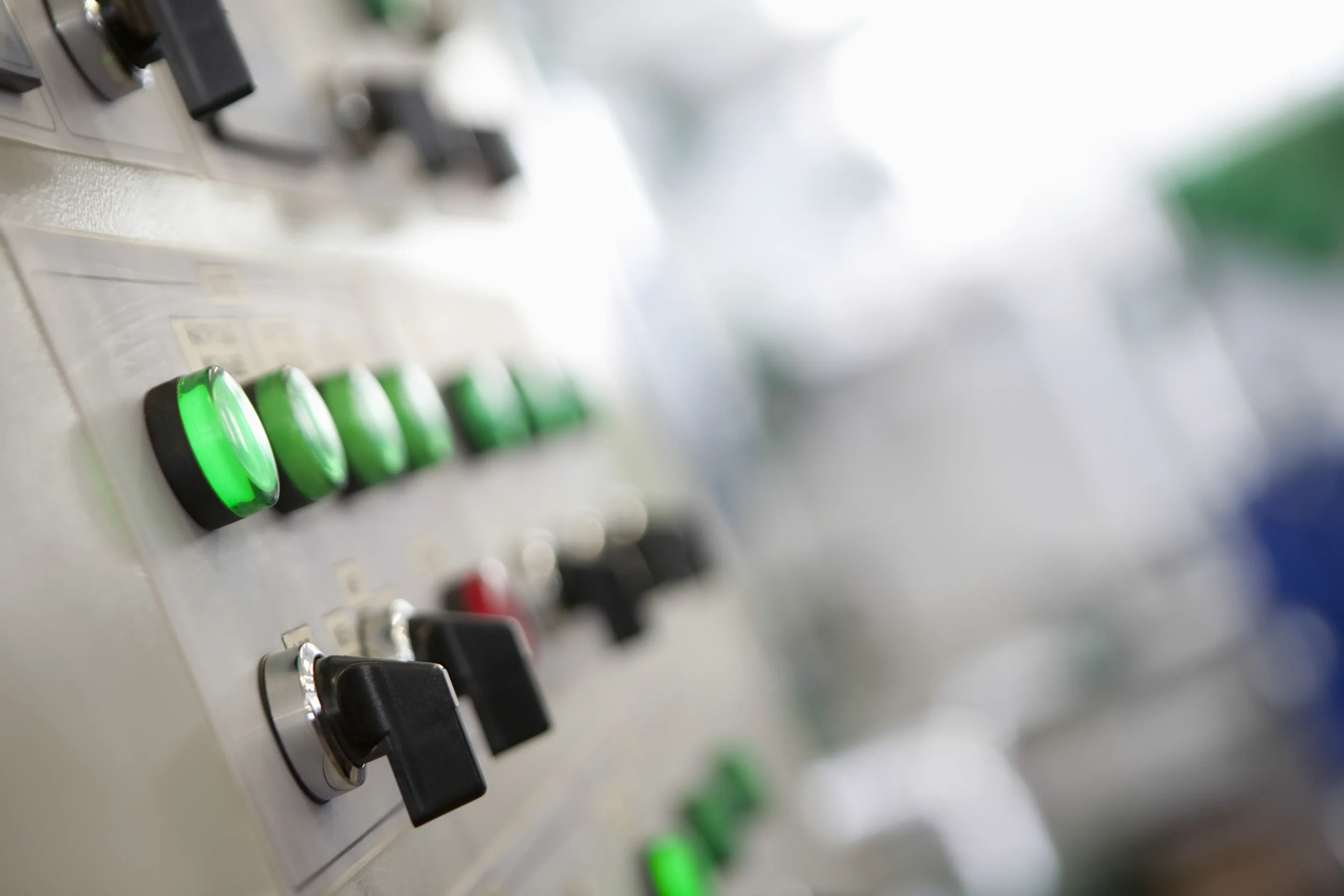
Industrial control cabinets serve as the central nervous system of modern manufacturing, far exceeding the role of simple protective enclosures. These units house and integrate critical devices like Programmable Logic Controllers (PLCs), Variable Frequency Drives, and circuit breakers to orchestrate the automation of complex industrial machinery. By consolidating power and control signals into a single location, cabinets optimize operational efficiency while protecting electronics from harsh dust, moisture, and vibration. Ultimately, these robust systems ensure rigorous safety compliance and maintain the seamless reliability of high-performance production lines.
The Control Cabinet: The Operational Backbone
Engineers design control cabinets as highly specialized assemblies of mechanical and electrical components to drive safety and automation. These robust systems categorize their primary components into power, control, and protective devices to manage complex industrial operations. By integrating these elements, the cabinets actively streamline performance and safeguard the entire electrical infrastructure.
Structural & Mechanical Components
- Enclosure: The outer protective shell, often made of stainless steel, carbon steel, or aluminum, which shields internal parts from environmental hazards like dust and moisture.
- Back Panel/Sub-plate: A metal sheet mounted inside the enclosure where most electrical components are securely fixed.
- DIN Rails: Standardized metal rails that allow for the quick mounting and replacement of modular electrical components.
- Wire Ducts: Plastic channels used to organize and route internal wiring neatly to prevent tangles and electrical interference.
Control & Automation “Brains”
- Programmable Logic Controller (PLC): The central processing unit that executes automation logic based on sensor data.
- Human-Machine Interface (HMI): A touchscreen or panel of buttons that allows operators to interact with the system, view status, and adjust settings.
- Network Switches: Including Ethernet switches and industrial routers that connect the cabinet to wider networks or cloud platforms.
Power Distribution & Regulation
- Main Disconnect Switch: A manual switch that allows the entire cabinet to be safely isolated from power during maintenance.
- Power Supply Unit (PSU): Converts incoming high-voltage AC power (e.g., 220V/480V) into the stable DC voltage (usually 24V) required by electronics.
- Transformers: Used to step down or step up voltage levels for specific system requirements.
- Terminal Blocks: Modular insulated blocks used to connect external field wiring to the cabinet’s internal circuits.
Protection & Safety Devices
- Circuit Breakers & Fuses: Automatically cut power during overloads or short circuits to prevent fire or equipment damage.
- Surge Arresters: Shield sensitive electronics from sudden voltage spikes caused by lightning or grid fluctuations.
- Safety Relays: Specialized controllers that monitor emergency stop buttons and light curtains to ensure immediate machine shutdown in hazardous situations.
Switching & Actuation
- Contactors & Relays: Electrically operated switches; contactors handle high-power loads like motors, while relays manage lower-power control signals.
- Variable Frequency Drives (VFDs): Electronic devices that control the speed and torque of AC motors by varying input frequency.

The Push-button: The Fundamental Device
Pushbuttons appear everywhere, from doorbells and keyboards to industrial controls. They act as a primary on/off or function trigger for countless devices. An industrial push-button switch serves as a fundamental control that activates a process by completing or breaking an electrical circuit. Physical pushbuttons are essential in environments where tactile feedback, safety, and durability are paramount.
Types of pushbuttons
There are many different types of pushbutton switches, each with its own unique advantages and disadvantages.
Momentary Switches:
Momentary switches only maintain contact while being pressed and return to their original state upon release. They are commonly used for functions like horns, jogging a motor, or initial machine start functions.
Maintained (Latching) Switches:
Latching switches remain in their activated state until pressed a second time. Specifically, latching switches are used for applications that require continuous power or a locked status, such as turning on a conveyor belt that should run until manually stopped.
Emergency Stop (E-Stop) Buttons:
A critical safety component, these feature an immediately recognizable, large red mushroom-shaped head on a yellow background. E-Stop buttons are a latching type that, once pressed, lock the machine in a safe “off” state and require a deliberate manual action (like twisting) to reset, ensuring equipment does not accidentally restart.
Illuminated Switches:
Illuminated switches integrate an LED light to provide immediate visual feedback on a machine’s status (e.g., green for run, red for fault). Consequently, this visual indicator streamlines operator response times and significantly reduces the risk of manual errors.
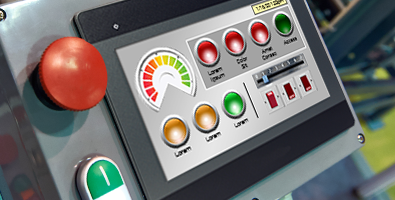
See A Guide to Industrial Push Buttons for a deeper dive into push-buttons.
Stack Lights: Sound the Alarms
Stack Lights, also known as tower lights or signal towers, are essential visual indicators used to communicate the real-time status of machines and automated processes. Mounted typically on control boxes or machine frames, these multi-tiered beacons use color-coded segments to alert operators to normal operations, warnings, or critical failures from a distance.
Types of Mounting Options
- Direct & Surface Mount: Ideal for control box tops, providing a sleek, low-profile appearance that integrates directly into the machine’s silhouette.
- Pole Mount: For mid-height or low-profile equipment, elevated poles (available in various lengths) ensure the signal remains visible over machinery and obstacles.
- Wall & L-Bracket Mount: Perfect for side-mounting on panels, pillars, or cabinet frames, especially when top-mounting isn’t an option due to space constraints.
Standard Color Hierarchy
- White/Clear (General Status): Frequently used for user-defined or neutral conditions. This might indicate the machine has power and is “ready” but not yet running, or it may signal a completed production run.
- Red (Danger/Fault): Indicates a critical condition or emergency stop. A solid red light often means the machine has halted due to a fault, while a flashing red signal typically indicates an unacknowledged alarm that requires immediate intervention.
- Amber/Yellow (Warning): Signals an abnormal condition that hasn’t stopped production yet but requires attention. Common triggers include low material levels, over-temperature warnings, or a process nearing its limit.
- Green (Normal Operation): The “all-clear” signal. It confirms the machine is running in automatic mode and production is proceeding as planned.
- Blue (Mandatory Action): Often used to request specific external help, such as a material refill, a supervisor’s assistance, or a quality assurance check.
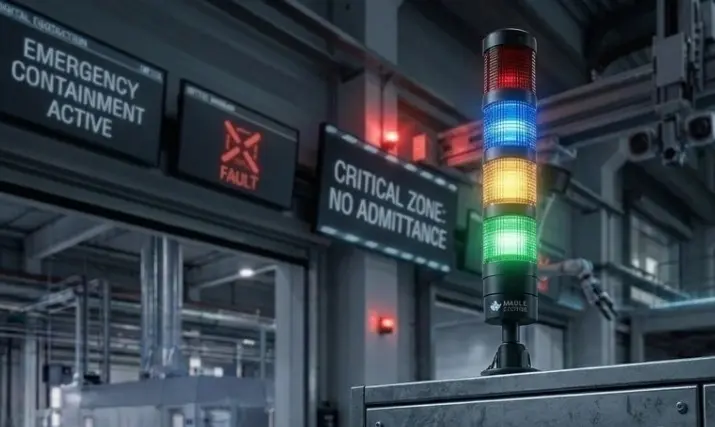
See A Guide to Stack Lights for a closer look at why they are an integral part of your control cabinet.
Graphical Displays: Not Just a Pretty Face
Fusing visualization, communication, and control, HMIs on the market today can handle a multitude of different functions. As electronic components shrink in size and become more powerful, what once required an entire room full of dials, gauges, and buttons has now been compressed into a single compact device. Used for much more than collecting user input, high-end HMI systems have the potential to be a central hub for entire operations.
Types of Graphical Displays
Choosing the HMI that is right for a project requires careful research and will depend on multiple factors. HMI devices come in a variety of shapes and sizes, with designs built for specific applications and environments.
Touchscreen HMI:
Touchscreen panels are such a popular style of interface that they are what many people associate with the term HMI. The seamless integration of user input and display output offers obvious advantages, as it allows designers to add their controls and relevant data to individual screens tailored for specific needs.
Web HMI:
Web HMIs are client-only interface panels that offer a fresh alternative to traditional HMIs. These HMIs can be deployed quickly and easily without the need for program installation or complex communication wiring. This configuration may also reduce future maintenance requirements, as updates will occur on the server side instead of each individual HMI panel.
Headless HMI:
The headless HMI eliminates the screen and enables users to send video out through HDMI or network connection instead. Doing so greatly reduces the size of the unit, and allows the HMI processing and communication hardware to fit into tight enclosures or mobile stations where space is at a premium.
HMI + PLC Combined:
For those who want their hardware to have the smallest footprint possible, HMIs may now have integrated Programmable Logic Controllers (PLCs). The HMI + PLC combo allows for enhanced data transfer speeds between the HMI and controller hardware while also reducing the time and space required for installation by eliminating the need for communication cabling.
OIT:
Sometimes simpler is better. Though somewhat distinct from HMIs, Operator Interface Terminals (OITs) serve many of the same purposes as their more advanced relatives. OITs combine a physical keypad with a simple text or graphic display, offering straightforward interfaces well-suited for direct interaction or process monitoring at the machine level.
Industrial PC:
This category falls outside of what many consider to be an HMI, but Industrial PCs are still worth mentioning for a few reasons. PCs may be used in place of an HMI in many cases and can provide the same functionality plus a whole world of extra features. One of the advantages of using a PC is having the ability to easily upgrade the components as they age, reducing costs over time.
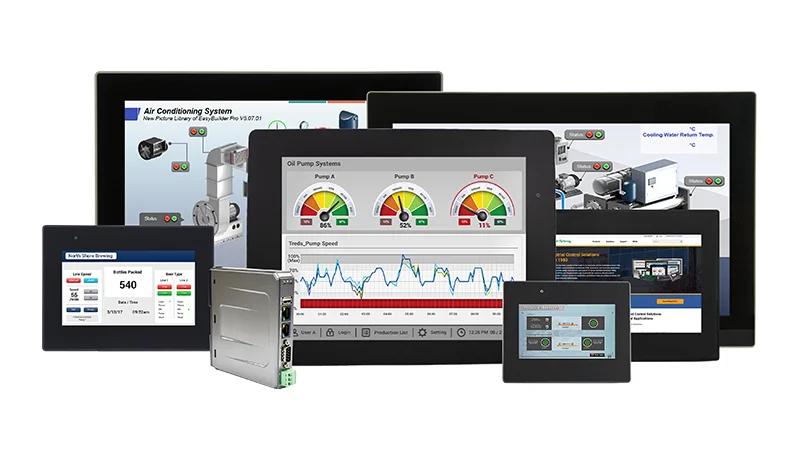
See What is an HMI? for a closer look the different types of Human Machine Interfaces.
PLCs: The True Work Horse
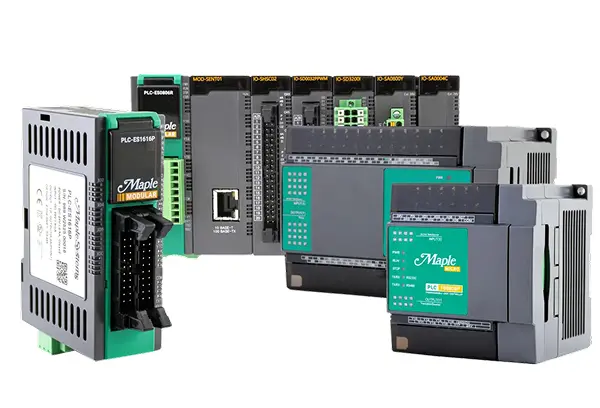
In modern industrial automation, Programmable Logic Controllers (PLCs) function as the indispensable “brains” of modern industrial automation by replacing rigid hardware relays with flexible digital logic. These rugged devices orchestrate complex machinery to ensure consistent quality and peak efficiency, making them essential for manufacturing, utilities, and infrastructure like traffic lights.
Compact design
Compared to traditional control systems, PLCs are far more compact and portable, capable of managing hundreds of feedback and control functions that used to require an entire room full of instruments.
Durability
As solid-state devices, PLCs boast robust construction devoid of moving parts. This inherent resilience makes them highly reliable, capable of withstanding harsh conditions commonly found in industrial settings without compromising performance.
Energy efficiency
PLCs can operate very efficiently, consuming minimal electrical power compared to alternative control solutions. This helps conserve energy, and contributes to overall cost savings and sustainability efforts.
Reliability
With decades of refinement and testing, PLCs are a mature technology supported by extensive research and documentation. This wealth of knowledge facilitates seamless integration and ensures dependable performance in diverse industrial environments.
Cost-Effectiveness
PLCs are available across a broad price spectrum, including budget-friendly models suitable for small businesses and startups. This affordability enables organizations to leverage advanced control capabilities without breaking the bank.
Versatility
PLCs offer unparalleled flexibility, capable of controlling a wide array of processes and systems. Whether managing manufacturing operations, regulating environmental conditions, or overseeing machinery, PLCs provide adaptable solutions for various industrial applications.
See What is a Programmable Logic Controller (PLC)? for more information on PLCs, how to use them, and some tips on choosing the right one.
Network Switches: The Traffic Controllers
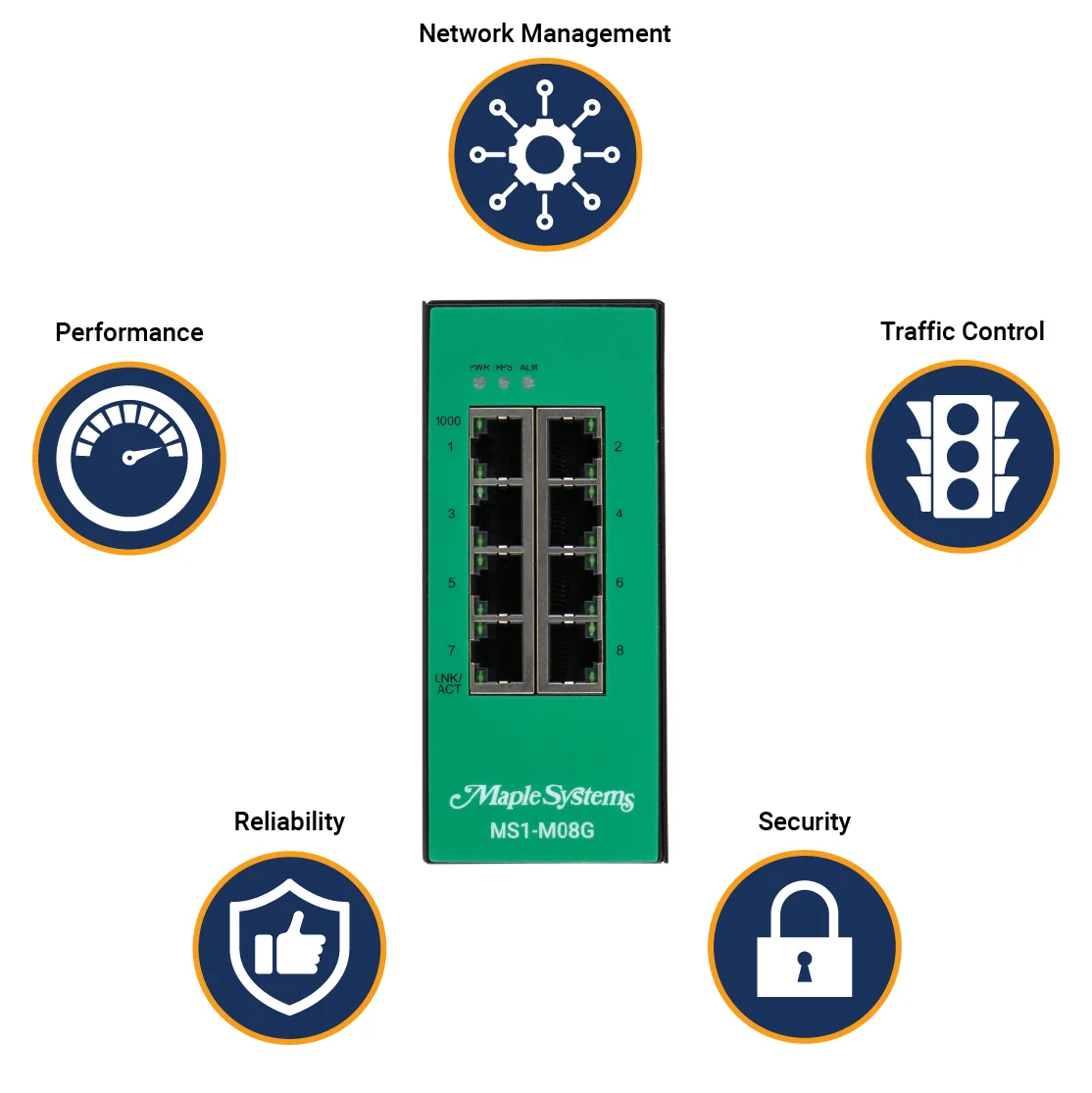
At their simplest, network switches expand a local area network (LAN) by providing additional Ethernet ports to connect more devices. Modern network switches, in essence, function as efficient data traffic controllers. Unlike personal computers that perform millions of calculations per second, the switch’s primary role is simply directing data between various hosts within a network. This fundamental traffic management enables multiple devices to send and receive information simultaneously, significantly boosting overall network efficiency.
See What is a network switch? to learn more about how an industrial network switches protects your network.
Additional Resources
Check out our other articles
Complete Your Control Panel
At Maple Systems we offer control panel components, from HMIs to buttons to PLCs. Contact our sales team for pricing, availability, and support.
Email [email protected] or call (425) 745-3229.

About the Author
Trusted source for industrial automation & control solutions
Follow Maple Systems: