
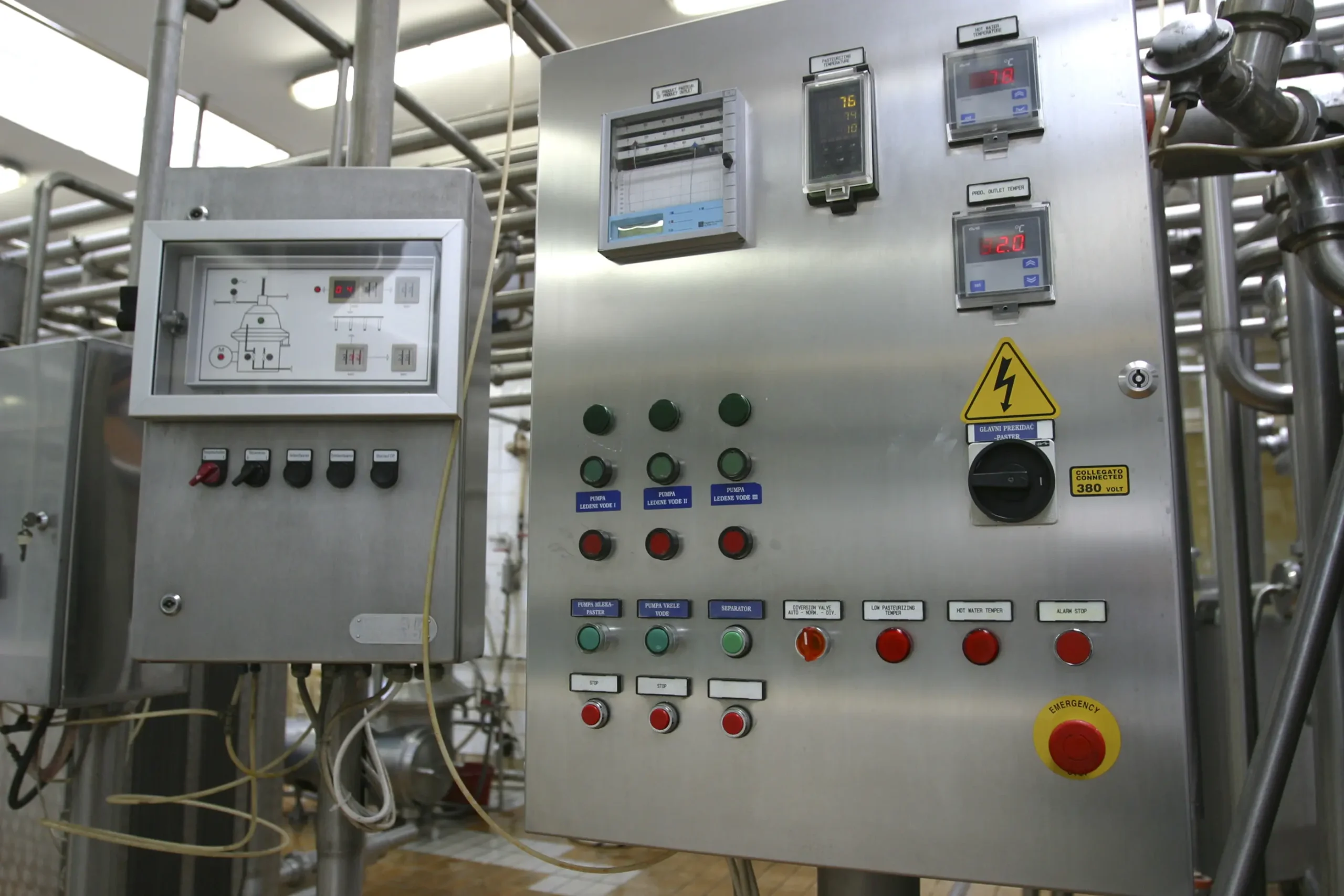
The primary strength of an industrial pushbutton lies in its straightforward operation: an operator applies pressure to an actuator to either open or close an electrical circuit. This simplicity is by design, ensuring intuitive use even in high-stress or gloved-hand environments where precise interaction with a touchscreen might be challenging. Choosing a suitable industrial push button for a given application often starts with understanding the required electrical connection, panel-mount style, and default state of the switch.
Engineers need industrial pushbuttons to withstand harsh conditions: dust, moisture, vibration, and extreme temperatures. Manufacturers typically construct them from robust materials like stainless steel, zinc alloy, or heavy-duty, flame-retardant plastics. This construction ensures exceptional durability and extends their mechanical lifespan, often to millions of cycles. This ruggedness, coupled with high Ingress Protection (IP) ratings, makes a push button ideal for demanding applications from mining equipment to food processing lines. Manufacturers have engineered these components to be reliable, and many industrial buttons are listed by part number in a manufacturer’s button catalog to simplify sourcing.
The Tactical Edge: Why Physical Still Wins
In an era of high-speed automation, the “feel” of a control matters. Today, operators still rely on the unmistakable click of a heavy-duty switch to confirm a command without looking away from the machinery.
- Built for the Extreme: Today’s pushbuttons are armored against the world. From the high-pressure washdowns of food processing plants to the abrasive dust of mining operations, modern switches feature stainless steel housings and IP69K ratings that laugh at environments that would destroy a tablet in minutes.
- Intuitive Safety: When seconds count, there is no substitute for the iconic red mushroom-head E-Stop. It is a universal language of safety that ensures immediate intervention even in low-visibility or high-stress situations.
Modern LED integration has turned control panels into intuitive dashboards. Multi-color rings and pulsing light patterns provide instant status updates—green for “ready,” amber for “caution,” and pulsing red for “critical”—allowing operators to diagnose machine health at a glance from across the warehouse.
The Push-button: The Fundamental Device
A push-button is a simple, common switch that activates a machine or process when pressed, typically by completing or breaking an electrical circuit. Pushbuttons appear everywhere, from doorbells and keyboards to industrial controls. They act as a primary on/off or function trigger for countless devices. While digital touchscreens are widespread, physical pushbuttons are essential in environments where tactile feedback, safety, and durability are paramount. The industrial design of a button also affects how it is wired into a control circuit, since a momentary switch, a latching pushbutton switch, or an illuminated version may each require a different connection.
Manufacturers typically craft buttons from hard materials like plastic or metal. Designers shape the surface to be flat or contoured, allowing a human finger or hand to depress the button with ease. There are many different types of pushbutton switches, each with its unique functions and applications. Some common types of pushbutton switches include momentary switches, latching switches, and illuminated switches.
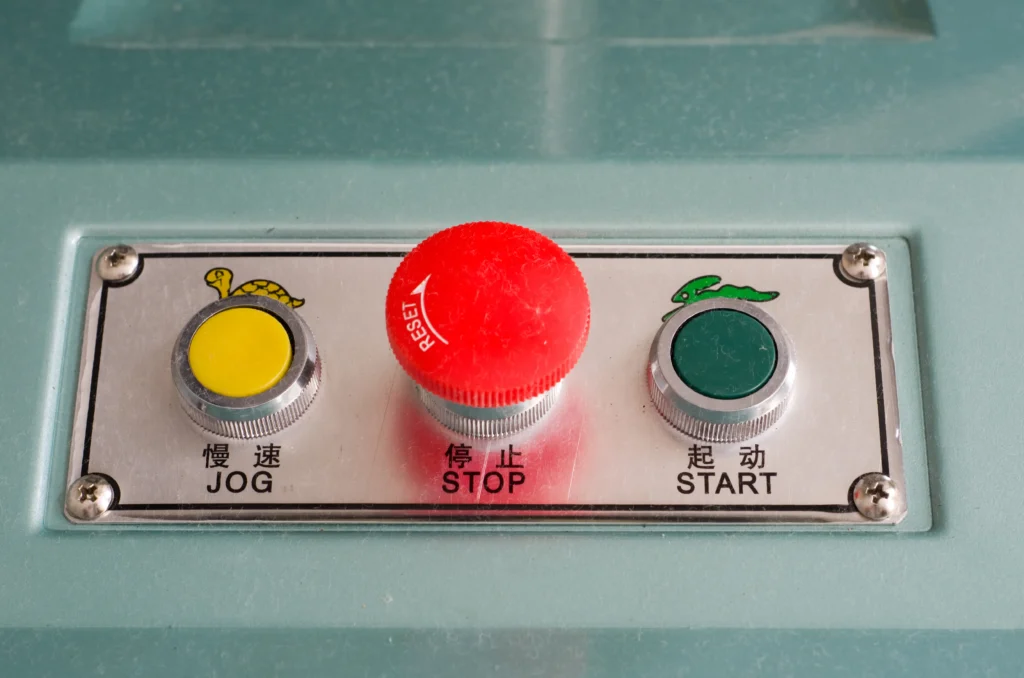
Completing the Circuit: How A Push Button Works
A push button is a switch that is activated by pressing a button. The button can be momentary, meaning it is only active when pressed, or it can be momentary off, meaning it is active when not pressed. There are also push button switches that are always on or always off.
When pressed, the button makes contact with the two metal terminals, completing the circuit and allowing current to flow. Current then flows through the load, such as a light bulb or motor, and activates it. When the button is released, the circuit is disconnected and the load is deactivated.
Most push buttons function the same. Pressure is applied to the button or actuator, causing the internal spring and contacts to be depressed and contact the stable contacts on the bottom of the switch. This process will close or open the circuit. Repeated application of pressure will cause the spring to retract and change the state of the button connection.
How push button switches operate depends on whether they provide a quick, momentary input or are designed to maintain their position until pressed again — a key consideration in any control operation. A quick press button action is often all that is needed to trigger a momentary function, while a latching design requires a second press to release.
Normally Open (NO): The circuit is disconnected at rest. Pressing the button completes the circuit (e.g., a “Start” button).
Normally Closed (NC): The circuit is complete at rest. Pressing the button breaks the connection (e.g., a “Stop” button)
Push Button Types
There are many different types of pushbutton switches, each with its own unique advantages and disadvantages.
- Momentary Switches: These switches only maintain contact while being pressed and return to their original state upon release. They are commonly used for functions like horns, jogging a motor, or initial machine start functions. Momentary switches only connect while pressed, and momentary switches return to normal state when released.
- Maintained (Latching) Switches: These switches remain in their activated state until pressed a second time. They are often used for applications that require continuous power or a locked status, such as turning on a conveyor belt that should run until manually stopped. Latching switches maintain their state until pressed again, and latching switches stay in position until pressed again. A latching pushbutton switch is often paired with an indicator light so operators can see at a glance that the machine is still running.
- Emergency Stop (E-Stop) Buttons: A critical safety component, these feature an immediately recognizable, large red mushroom-shaped head on a yellow background. They are a latching type that, once pressed, lock the machine in a safe “off” state and require a deliberate manual action (like twisting) to reset, ensuring equipment does not accidentally restart.
- Illuminated Switches: These integrate an LED light to provide immediate visual feedback on a machine’s status (e.g., green for run, red for fault), streamlining operator response and reducing errors. Illuminated pushbutton switches pair especially well with 24V control systems, since the LED can share the same low-voltage supply as the input circuit.
- Selector Switches: Selector push buttons switch between multiple control modes, giving operators a simple way to choose between manual, automatic, or off settings for a given machine or process.
Push Button Switches: Wiring, Applications, and Selection
Push button switches operate as the primary interface on many control panels, and choosing the right one starts with understanding how it will be wired into the circuit. In an industrial automation environment, pushbutton switches are typically installed at control stations alongside indicator lights and other panel-mount devices, giving the user a single, reliable point of input. This lets the user identify machine status without additional training, and these switches are built to handle constant use in demanding environments. When pushbutton switches operate under heavy vibration or dust, a sealed, IP-rated housing prevents debris from affecting the internal contacts. Each pushbutton switch also provides a discrete input to the PLC or control system, and operators typically operate these switches thousands of times over the life of a machine.
Unlike a standard toggle, momentary push button switches return to their default state as soon as they are released, while latching pushbutton switches stay in their new position — their last state — until they receive another press. A latching switch will continue to operate in its new position until manually reset. This is a key difference to consider: momentary types suit a quick start button or jog function, while latching and illuminated switches are better suited to functions that must stay active, such as running a conveyor until an operator intervenes. Understanding the difference between momentary and latching operation helps you choose the correct switch the first time, and there is also a difference in sealing and IP rating between economy and heavy-duty pushbutton switches. Ensuring safe operation also means choosing a switch that is engineered for the environment — a round, sealed, panel-mount design is a common, cost-effective choice for washdown applications, for example. Round or square, flush or extended, the bezel shape is largely a matter of panel layout and operator preference.
Explore the specific requirements of your application before you choose a switch: a switch designed for light-duty use may be a standard, off-the-shelf option, but demanding environments call for a more heavily engineered, industrial push button designed specifically for the task. Proper wiring and grounding also help ensure safe operation of every switch in the panel.
Selecting The Right Push Button
Despite the rise of advanced HMIs, physical pushbuttons continue to be essential components, often integrated alongside digital interfaces. Pushbutton switches come in many shapes, sizes, and colors, and choosing the right switch for your project can be a bit overwhelming.
Therefore, we can choose the most suitable button switch according to the following four principles:
- Select the appropriate button form according to the application. Such as handle rotation, key, emergency, light, etc.
- Select the type of button according to the occasion of use, such as open, protective, waterproof, anti-corrosion, etc.
- Select the color of the buttons and indicator lights according to the requirements of the working state, instructions, and working conditions. For example, green is “start” or “on”, and red is “stop”.
- According to the needs of the control loop, determine the number of different keys. There are single-button, double-button, three-button, multi-button, etc.
Additional Resources
Check out our other articles
Complete Your Control Panel
At Maple Systems we offer control panel components, from HMIs to buttons to PLCs. Contact our sales team for pricing, availability, and support. Explore our full line of industrial pushbuttons and switches, whether you’re upgrading a single switch or an entire fleet of control stations across your facility.
Email [email protected] or call (425) 745-3229.

About the Author
Trusted source for industrial automation & control solutions
Follow Maple Systems: