
Introduction
All Maple Systems HMI Touch Screens programmed with EBPro (EasyBuilder Pro), including every cMT X Series and cMT Series model, are compatible with Schneider Electric UniTelway. Configure your Controller and HMI/cMT with the following parameters to establish reliable communication.
Supported Series: Modicon TSX Micro & Nano & Neza series PLC
Website: www.modicon.com
HMI Settings
| Parameters | Recommended | Options | Notes |
|---|---|---|---|
| PLC type | Schneider UniTelway | ||
| PLC I/F | RS485 2W | RS232/RS485 | |
| Baud rate | 19200 | 9600~115200 | |
| Data bits | 8 | 7, 8 | Must set to 8 for this protocol |
| Parity | Odd | Even, Odd, None | |
| Stop bits | 1 | 1, 2 | |
| HMI sta. no. | 5 | 1-8 | |
| PLC sta. no. | 0 | 0-3 | |
| Online simulator | YES | ||
| Extend address mode | YES | ||
| Broadcast command | NO |
PLC Settings
Communication mode: UniTelWay protocol, set PLC as master
Device Address
| Bit/Word | Device type | Format | Range | Memo |
|---|---|---|---|---|
| B | S | DDDDD | 0 ~ 32767 | Internal relay |
| B | M | DDDDD | 0 ~ 32767 | Auxiliary relay |
| B | MW.B | DDDDDdd | 0 ~ 3276715 | Data register bit |
| W | MW | DDDDD | 0 ~ 32767 | Data register |
How to Import Tags
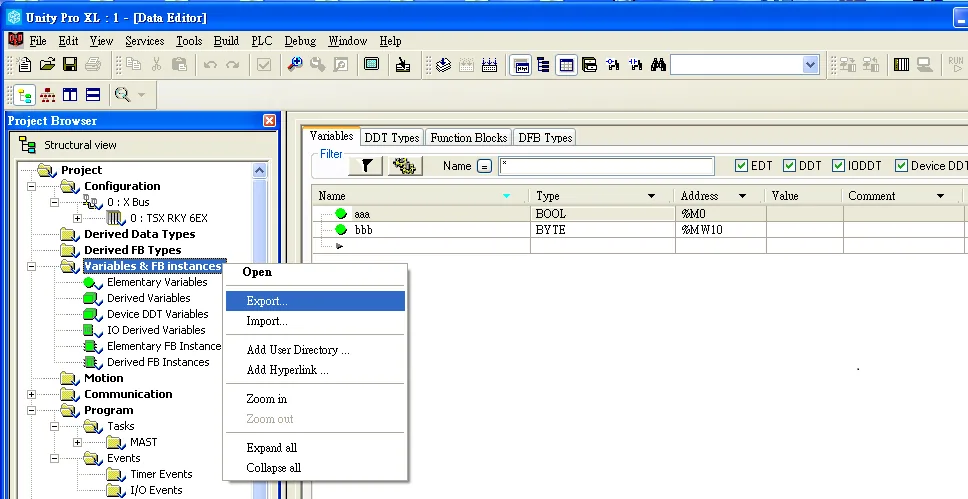
Export Tag (*.XSY) from Unity Pro XL
In Unity Pro XL, navigate to Variables & FB instances, then select Export to save the tag file as *.XSY.
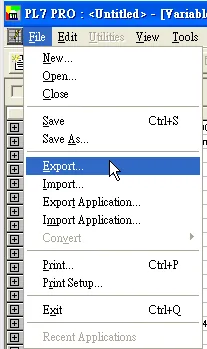
Export Tag (*.SCY) from PL7 PRO
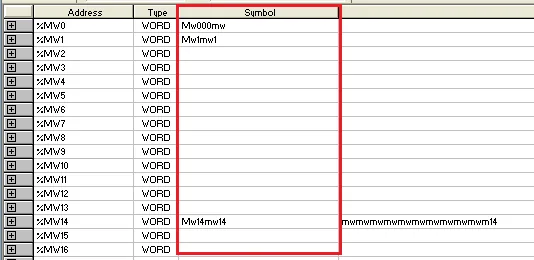
In PL7 PRO, open the Variables section and create your data. Then go to File > Export to save the tag file as *.SCY.
NOTE: Symbol must have data to be exported.
Import Tags into EBPro (EasyBuilder Pro)
Open System Parameter Settings
In EBPro (EasyBuilder Pro), go to System Parameter Settings and click Import Tags.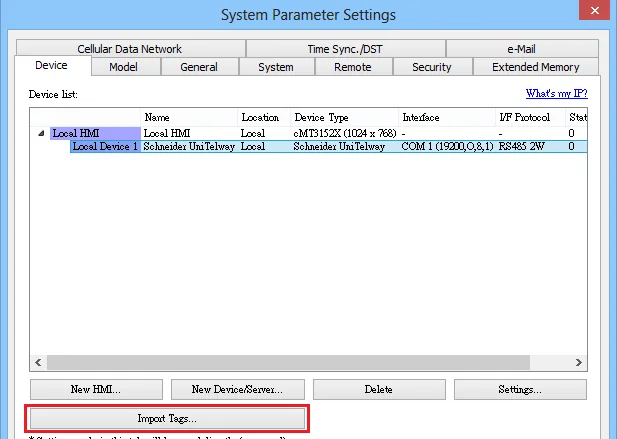
Select the file type
Choose the file type to import:XSY Files (*.xsy)for Unity Pro XL exports, orSCY Files (.SCY)for PL7 PRO exports.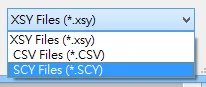
Select tags to import
In the Add Tags dialog, select the tags to import into the project and click OK.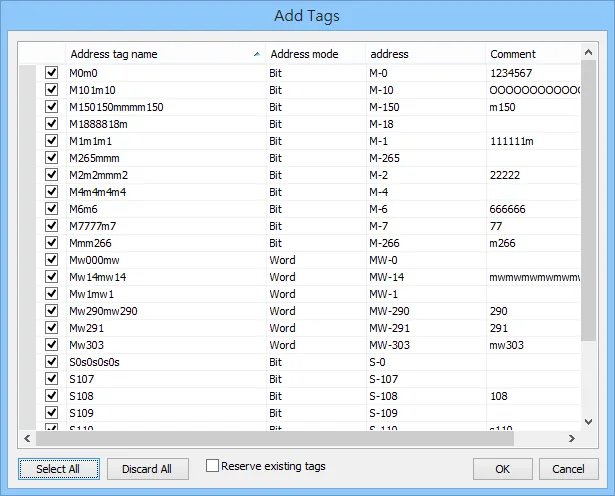
Wiring Diagram
NOTE: The serial port pin assignments may vary between HMI models.
RS-485 2W (TSX37-XX/TSX07-XX CPU: 9P D-Sub to 8P Mini-DIN)
The following is the view from the soldering point of a connector.
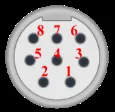
| HMI | Direction | PLC |
|---|---|---|
| Pin assignments | RS485 2W 8P Mini-DIN Male | |
| Data- | ↔ (bidirectional) | 2 |
| Data+ | ↔ (bidirectional) | 1 |
| GND | ↔ (bidirectional) | 7 |