Introduction
All Maple Systems HMIs programmed with EBPro (EasyBuilder Pro), including every cMT X Series and cMT Series model, are compatible with Bosch Rexroth IndraControl Free Tag Names (Ethernet). Configure your Controller and HMI/cMT with the following parameters to establish reliable communication.
Supported series: IndraDrive HCS02
HMI Setting
| Parameters | Recommended | Notes |
|---|---|---|
| PLC type | Bosch Rexroth IndraControl – Free Tag Names (Ethernet) | |
| PLC I/F | Ethernet | |
| Port no. | 6042 |
How to Import Tags
Add Driver and Open Tag Manager
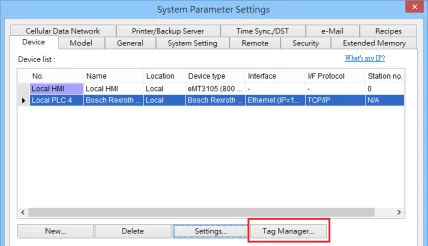
Click [New] to add [Bosch Rexroth IndraControl – Free Tag Names (Ethernet)] driver, and then click [Tag Manager].Import Tags from XML File
Select [Get Tags] » [Import Tags], and then select the Tag (.XML) to be imported.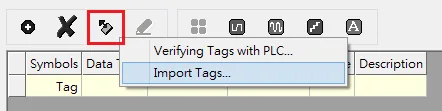
Review Imported Tags and Warnings
The successfully imported tags will be listed in a table. If any unsupported data type exists, a warning message will show in [Import Status] field.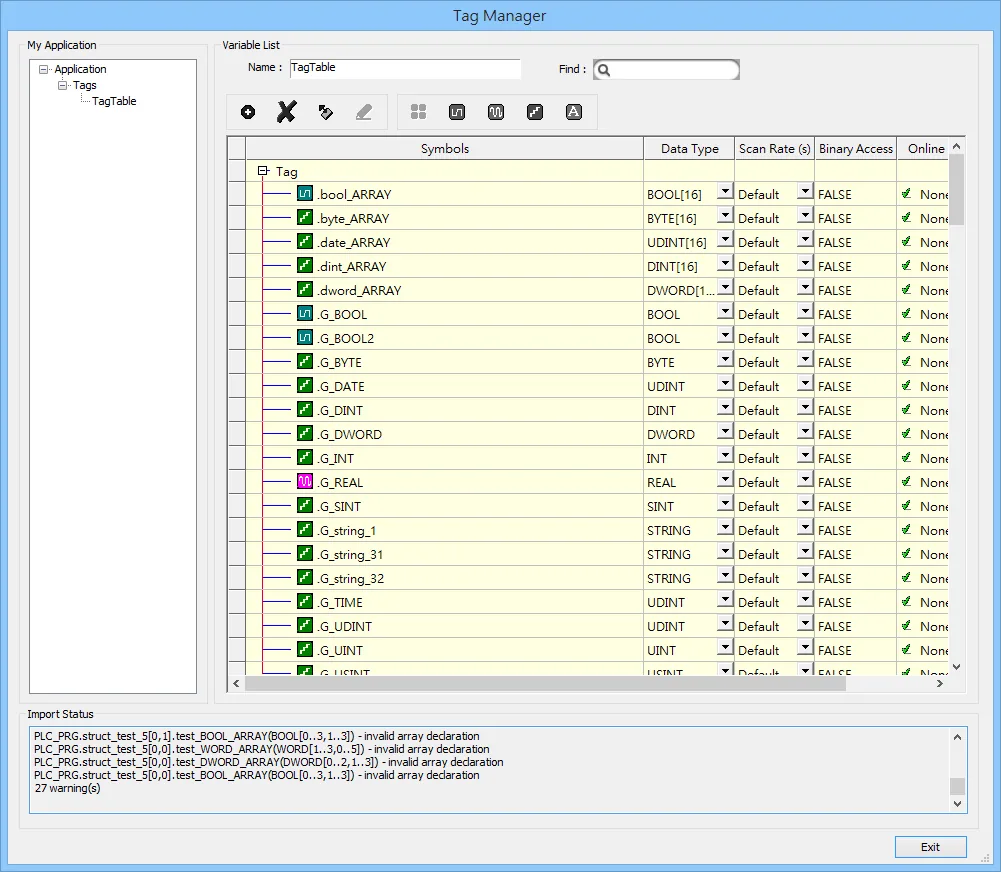
Support Device Type
| Data type | EBPro (EasyBuilder) data format | Memo |
|---|---|---|
| Bool | bit | |
| Byte | 16-bit BCD, Hex, Binary, Unsigned | 8-bit |
| SInt | 16-bit BCD, Hex, Binary, Signed | 8-bit |
| USInt | 16-bit BCD, Hex, Binary, Unsigned | 8-bit |
| Word | 16-bit BCD, Hex, Binary, Unsigned | 16-bit |
| Int | 16-bit BCD, Hex, Binary, Signed | 16-bit |
| UInt | 16-bit BCD, Hex, Binary, Unsigned | 16-bit |
| DWord | 32-bit BCD, Hex, Binary, Unsigned | 32-bit |
| DInt | 32-bit BCD, Hex, Binary, Signed | 32-bit |
| Real | 32-bit Float | 32-bit |
| UDInt | 32-bit BCD, Hex, Binary, Unsigned | 32-bit |
| Time | 32-bit BCD, Hex, Binary, Unsigned | 32-bit |
| Date | 32-bit BCD, Hex, Binary, Unsigned | 32-bit |
| String | Word array for ASCII input and display | Length=word |
Wiring Diagram
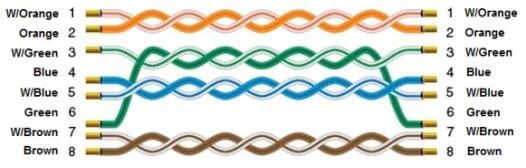
The diagram below shows the Ethernet cable wiring.