
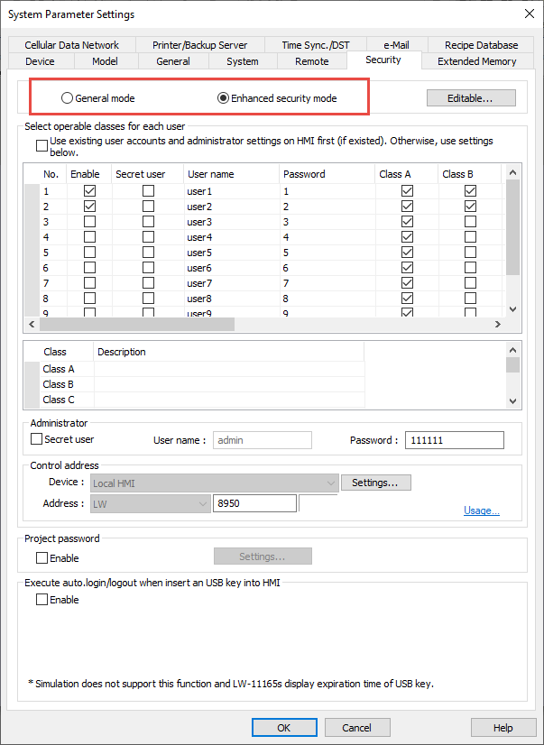
There are two methods of user security in Maple Systems our HMI Panel configuration software: General and Enhanced Mode.
General mode is for the majority of uses, where a simple user number and numeric password will suffice. This mode is not available in all models.
Enhanced security is for adding users dynamically to the HMI, adding temporary users, and passwords with alphanumeric/special characters.
Both modes of security are selected / configured via the System Parameters menu.
See our Security Sample Projects for more information.
Videos
Sample Projects
- Security (Basic Series HMIs)
- Security (Basic) (Mastering EBPro)
- Security (Enhanced Mode)
- Security Change Window Macro
- Security Password Pop-Up
- OEM Sample
- Quick Start Guide Project Files
FAQ Sheets
Tech Notes
Manuals & Guides