Introduction
All Maple Systems HMIs programmed with EBPro (EasyBuilder Pro), including every cMT X Series and cMT Series model, are compatible with Phoenix Contact ProConOS (Symbolic Addressing). Configure your Controller and HMI/cMT with the following parameters to establish reliable communication.
Supported Series: KW ProConOS
Website: phoenixcontact.com
HMI Settings
| Parameters | Recommended | Options | Notes |
|---|---|---|---|
| PLC type | KW ProConOS (Symbolic Addressing) | ||
| PLC I/F | Ethernet | ||
| Port no. | 41101 |
Import Tags
Export PLCopen XML File
Launch MULTIPROG software, select File → Export → Export PLCopen xml file.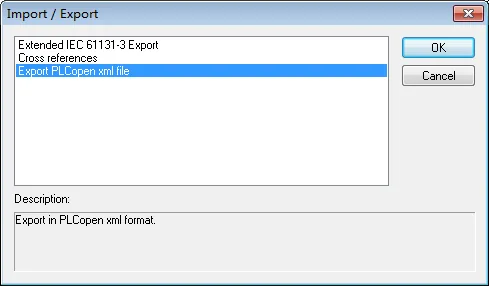
Configure Driver and Import Tags
Launch EBPro (EasyBuilder Pro), select the KW ProConOS driver, set communication parameters, and then click Import Tags.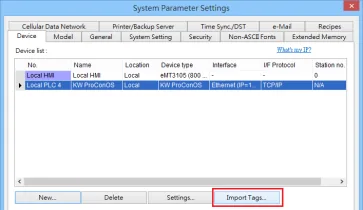
Select Tags and Enter Task Name
Select the imported.xmlfile, select the tags, and then enter the task name manually.Entering an incorrect task name can result in communication failure.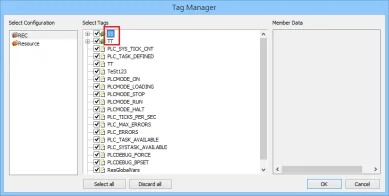
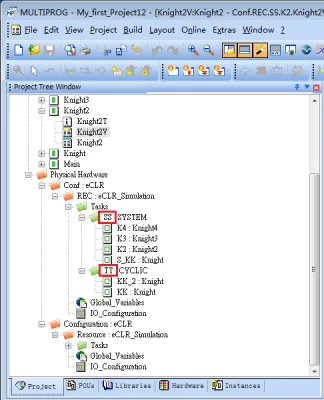
Confirm Successful Import
Click OK. The Import tag information successfully. message confirms the import completed without errors.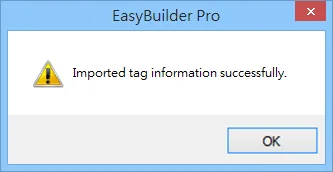
Supported Device Types
| Data type | EasyBuilder data format | Memo |
|---|---|---|
| Bool | bit | |
| Byte | 16-bit BCD, Hex, Binary, Unsigned | 8-bit |
| SInt | 16-bit BCD, Hex, Binary, Signed | 8-bit |
| USInt | 16-bit BCD, Hex, Binary, Unsigned | 8-bit |
| Word | 16-bit BCD, Hex, Binary, Unsigned | 16-bit |
| Int | 16-bit BCD, Hex, Binary, Signed | 16-bit |
| UInt | 16-bit BCD, Hex, Binary, Unsigned | 16-bit |
| DWord | 32-bit BCD, Hex, Binary, Unsigned | 32-bit |
| DInt | 32-bit BCD, Hex, Binary, Signed | 32-bit |
| Real | 32-bit Float | 32-bit |
| UDInt | 32-bit BCD, Hex, Binary, Unsigned | 32-bit |
Wiring Diagram
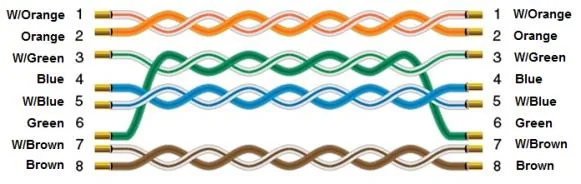
NOTE: Ethernet cable: straight-through (standard Cat5e/Cat6 patch cable).
The diagram below shows the Ethernet cable wiring.