Introduction
All Maple Systems HMI touch screens programmed with EBPro (EasyBuilder Pro), including every cMT X Series and cMT Series model, are compatible with Inovance Easy Tag (Ethernet). Configure your Controller and HMI/cMT with the following parameters to establish reliable communication.
Supported Series: Inovance Easy Series
Website: www.inovance.com
HMI Settings
| Parameters | Recommended | Options | Notes |
|---|---|---|---|
| PLC type | Inovance Easy Tag (Ethernet) | ||
| PLC I/F | Ethernet | ||
| Port no. | 44818 |
PLC Settings
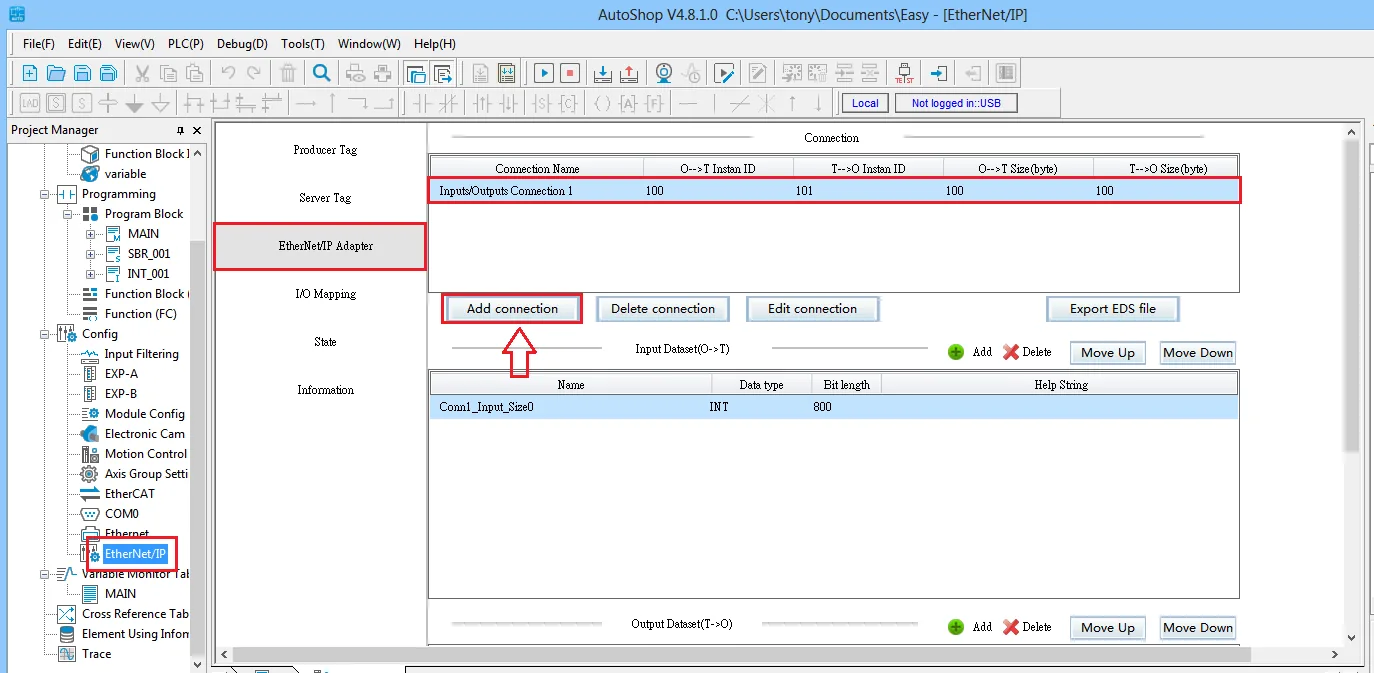
[EtherNet/IP Adapter] → Add connection
After adding a connection channel and downloading it correctly to the PLC, the HMI can communicate with the PLC normally.
Import Tags
Export variables from AutoShop
In AutoShop V4.2.0.0 or later, open thevariablelist. Right-click anywhere in the list, then choose Export and save the file as a CSV.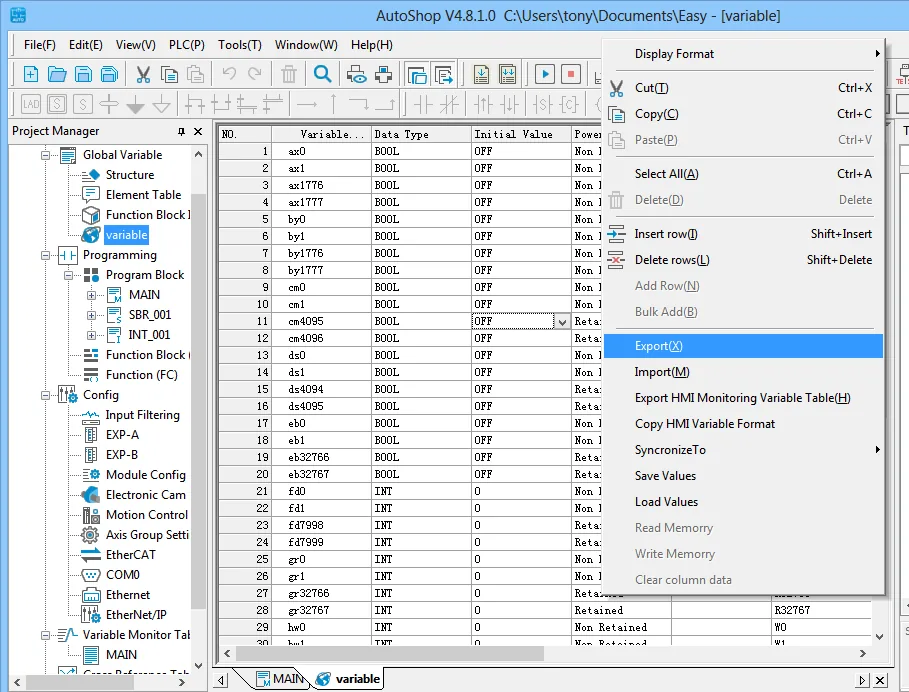
Import tags in EBPro (EasyBuilder Pro)
In EBPro (EasyBuilder Pro), open System Parameter Settings → Tag Manager, then click Import Tags (CSV) and select the exported CSV file.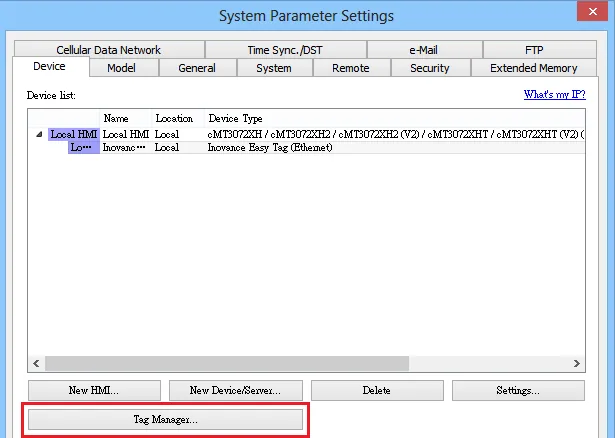
Confirm successful import
EBPro (EasyBuilder Pro) displays a confirmation dialog: Imported tag information successfully. Click OK to close.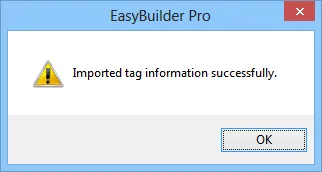
Supported Device Types
| Data type | EasyBuilder data format | Memo |
|---|---|---|
| Bool | Bit | |
| Byte | 16-bit BCD, Hex, Binary, Signed | 8-bit |
| Int | 16-bit BCD, Hex, Binary, Signed | 16-bit |
| DInt | 16-bit BCD, Hex, Binary, Signed | 32-bit |
| Real | 32-bit Float | 32-bit |
| String | ASCII input and ASCII display | |
| Array | Supports the above basic types |
Wiring Diagram
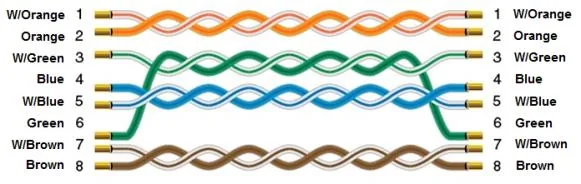
Ethernet cable (straight-through):