
Digital Signage PCs for Every Industry
4K Multi-Display | Open Platform | 24/7 Uptime
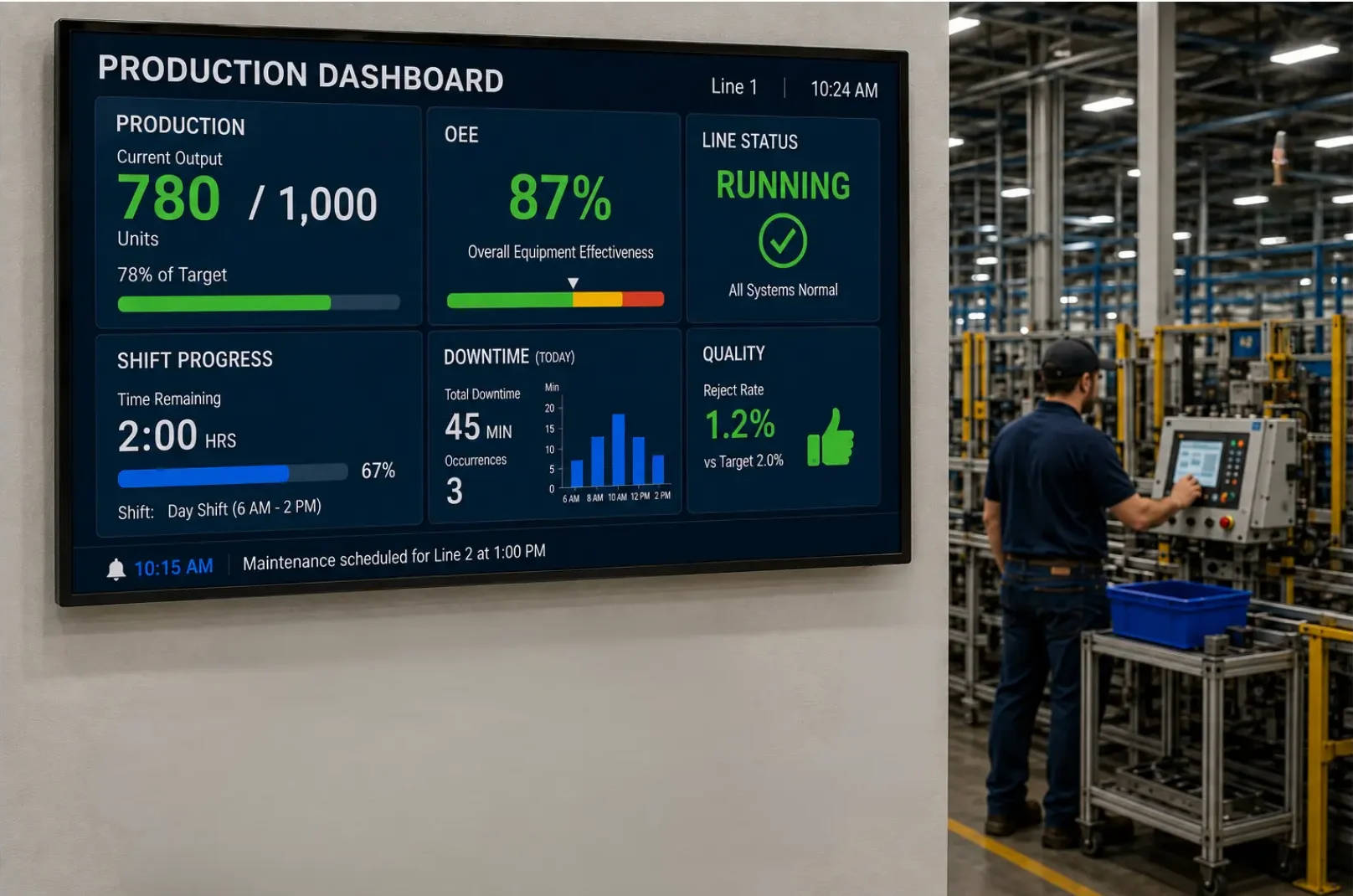
From manufacturing floors and corporate facilities to restaurants, retail stores, schools, healthcare environments, and public spaces, digital signage keeps important information visible and up to date. Use it for production dashboards, safety alerts, employee communications, digital menu boards, promotions, wayfinding, schedules, and more. Maple Systems digital signage solutions provide the reliable hardware needed to build signage systems for a wide range of commercial and industrial applications.
Partner With Maple Systems
Schedule a call with one of our Product Specialist. We would love the opportunity to talk with you about how we can help.
Digital Signage PCs Across all Industries
A digital signage PC is a compact computer that stores, processes, and displays digital content on one or more screens. It runs digital signage software that schedules and presents content such as promotional videos, menus, announcements, dashboards, and wayfinding information. Because the PC also performs the role of a content player, the terms “digital signage PC,” “signage player,” and “media player” are often used interchangeably. However, a digital signage PC typically provides the capabilities and flexibility of a full computer, while a signage or media player may be a simpler device designed primarily for just content playback.
Unlike an ordinary desktop computer, a purpose-built digital signage PC is typically designed for continuous operation, compact installation, and reliable multi-display output. Many models also provide features such as fanless cooling, solid-state storage, automatic recovery after power loss, remote management, and support for commercial or industrial environments.
Digital Signage PC Features
Choosing a digital signage PC requires more than comparing processors and display ports. Content, screen count, resolution, networking, operating environment, and reliability features, including EDID emulation, Wake-on-LAN, watchdog timers, and remote monitoring, affect hardware selection. Consider these features when choosing the right system for your application.
Multi-Display Video Outputs
Power video walls and multi-zone signage from a single player.
Digital signage often requires multiple displays, each potentially showing independent 4K content. A PC that supports a single display at 4K and 60 Hz will not necessarily support three or four displays at the same resolution and refresh rate. General-purpose commercial PCs may also provide a mixture of HDMI and DisplayPort connections, while digital signage PCs such as Maple Systems’ mid-range digital signage PC will provide four HDMI ports that each support 4K 60 Hz video.
Built for 24/7 Uptime
Fanless, solid-state design with zero moving parts to fail.
Fanless cooling, featured across Maple Systems’ digital signage PC lineup, is also common in purpose-built signage hardware. Removing intake fans reduces moving parts and limits the dust and contaminants entering the enclosure, which can reduce maintenance and operating noise while enabling a compact form factor. However, fanless PCs still require adequate clearance and airflow to prevent overheating. We have a full article on why 24/7 digital signage needs industrial-grade hardware if you’d like to learn more.
Open Platform, Any CMS
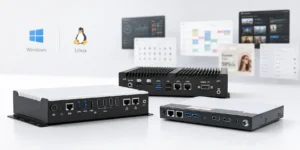
No proprietary lock-in, run any digital signage software you choose.
Choose Windows or Linux and run your preferred CMS, browser-based player, custom application, or other compatible digital signage software, without being tied to a proprietary ecosystem.
EDID and EDID Emulation
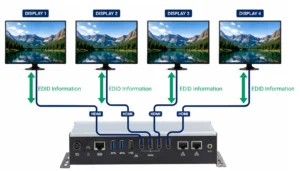
Create more reliable commercial signage systems.
EDID is another feature to consider with multi-display systems. When a PC connects to a display, Extended Display Identification Data (EDID) tells the computer which resolutions, refresh rates, and other display settings are supported. If a display is turned off, disconnected, or temporarily loses its signal, the PC may stop recognizing it. EDID emulation helps prevent these disruptions by preserving the display information when the physical screen is unavailable. Read our article Understanding EDID for Reliable Digital Signage Systems.
Remote Management and Power Recovery
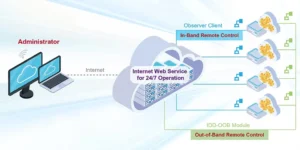
Remote-management capabilities allows personnel to check the PC, restart applications, install updates, or troubleshoot problems remotely.
A function like Observer Remote Monitoring (a feature on all Maple Systems Digital Signage PCs) becomes particularly useful in situations where it’s difficult to access displays or PCs. Observer Remote Monitoring allows for administrators to monitor the general statuses of their PCs. It also lets them remotely recover the system from unforeseen issues, which reduces the need to physically access a menu board computer, allowing for more seamless troubleshooting during business hours.
Processing and Graphics Performance
Different processor and graphics configurations to support different signage workloads.
Processing requirements increase with content complexity. Static images on one display require far less power than 4K video, animated webpages, live dashboards, or interactive applications across multiple screens. Consider both CPU and graphics capabilities, along with display count, resolution, refresh rate, video codecs, and signage software requirements.
Solid-State Storage
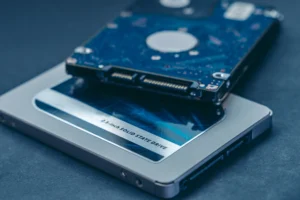
Ensure playback can continue through temporary network interruptions.
Although some consumer-grade PCs still use hard disk drives, solid-state storage is generally better suited to digital signage. In addition to providing faster read and write speeds, an SSD has no moving parts, which can contribute to a longer device lifespan and greater reliability during continuous operation. Local storage also allows the PC to cache frequently used content so playback can continue through temporary network interruptions.
Network Connectivity and Security
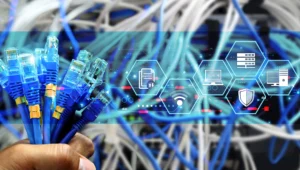
Network connectivity enables remote content updates and device management.
Wi-Fi offers installation flexibility, while wired Ethernet typically provides a more consistent connection. If the PC has multiple Ethernet ports, that can help separate network traffic when properly configured. Like any network-connected device, a signage PC should also have appropriate access controls, update policies, and security protections.
Applications and Use Cases for a Digital Signage PCs
Bring your digital experience to life with cULus-listed, fanless signage PCs built for reliable 24/7 operation. From single-screen signage and multi-screen installations to video walls with up to four 4K displays, touch-ready kiosks, and AI-enabled edge applications, Maple Systems digital PCs deliver the performance and flexibility to scale, on Windows or Linux, with the freedom to use your preferred CMS or digital signage platform.
Industrial Manufacturing Facilities
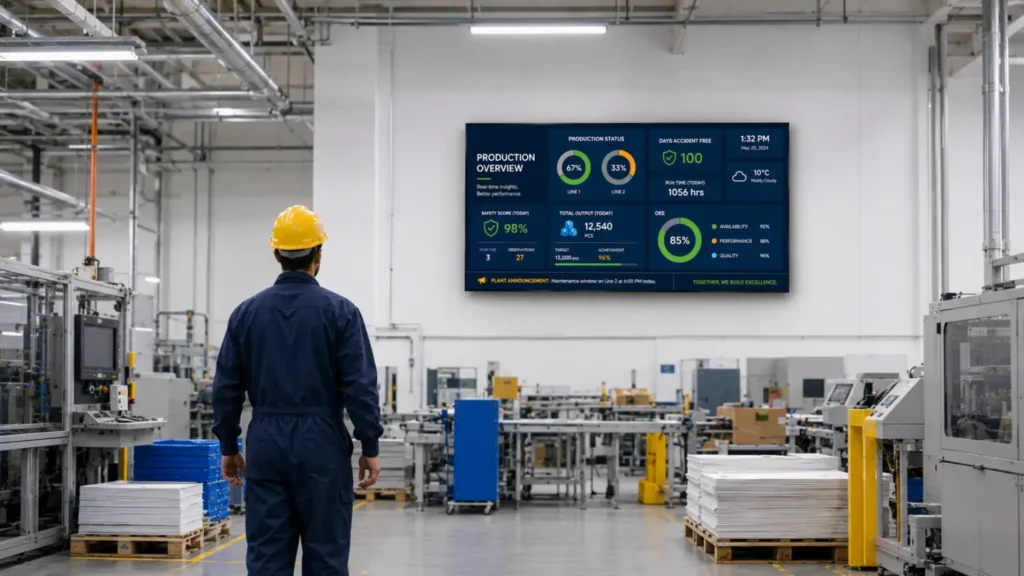
Industrial manufacturing facilities can use digital signage PCs to present production data, KPIs, safety messages, and equipment status across large displays. Keeping this system separate from the primary control interface allows information to be shared throughout the facility without using the operator’s HMI as the signage source. For more information, read our article on industrial digital signage.
Transportation Facilities
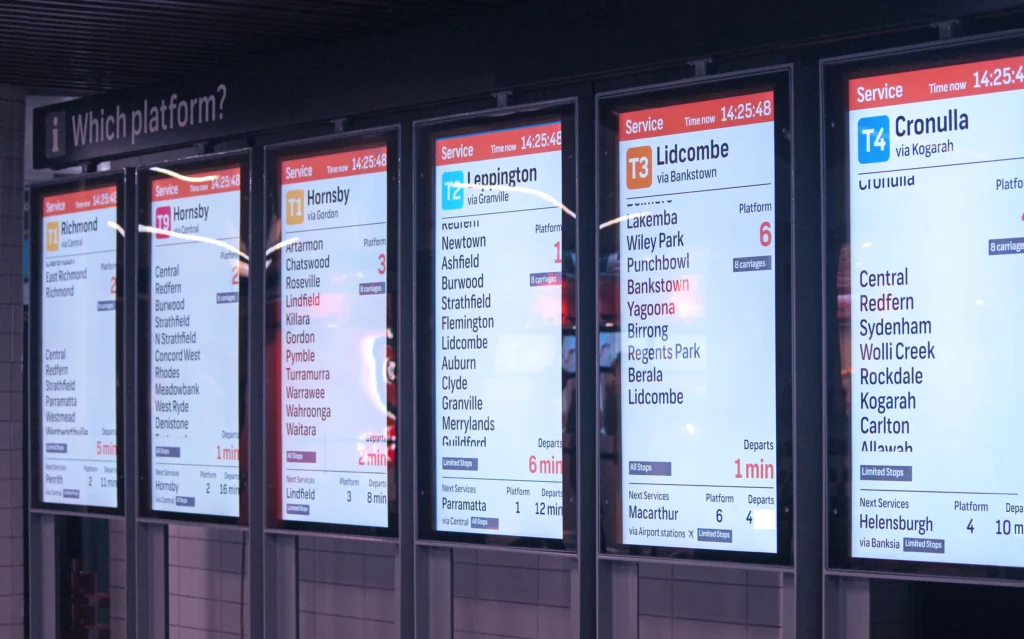
Transportation facilities can use digital signage PCs to display arrival and departure schedules, service alerts, and wayfinding information. Because this content may change frequently, network connectivity and reliable 24/7 operation are particularly important. If you’d like to know more, read our article on commercial displays and video walls.
Retail Stores and Shopping Malls

Retail stores and shopping malls can use them for product promotions, directories, advertisements, and interactive displays. A multi-display PC can also coordinate content across several screens or drive attention-grabbing video walls. Learn more in our article on digital signage PCs for retail stores and shopping malls.
Quick-Service Restaurants
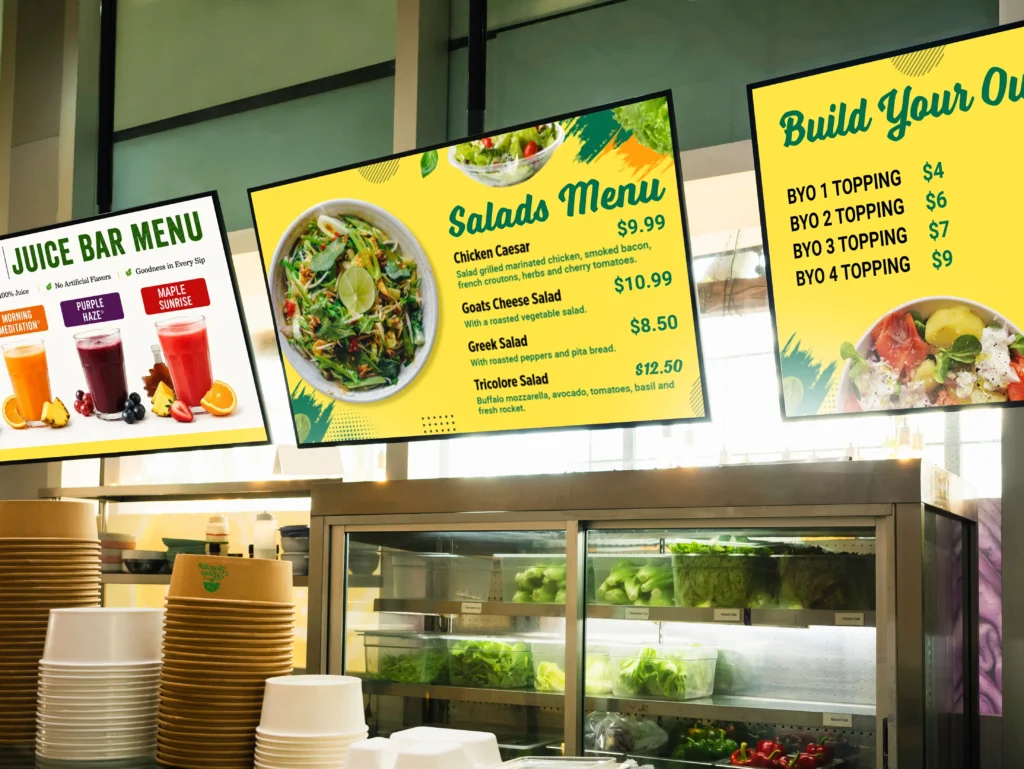
A restaurant menu board may seem like a straightforward application, but a proper playback system can place significant demands on the computer behind it. Quick-service restaurants can use digital signage PCs to display menu boards, pricing, and promotional animations for featured meals. Scheduled content can automatically change throughout the day, allowing the same screens to show breakfast, lunch, and dinner menus. To learn more, read our article on digital signage PCs for restaurant menu boards.
Display Signage Articles
We’ve written a wide range of digital signage article to help you find the answers you need. From hardware specifications to features, and everything in between, we’ve got you covered.
- Digital Signage PCs: Media Players for Multi-Display and 24/7 Signage – This article explains how digital signage PCs manage and deliver content, how they compare with dedicated media players and consumer mini PCs, and which features support dependable commercial use. Learn what to consider when evaluating multi-display outputs, 24/7 reliability, processing performance, solid-state storage, network connectivity, software compatibility, and installation requirements.
- Digital Signage PCs for QSR and Restaurant Menu Boards – Choosing the right Digital Signage PC for menu boards requires more than comparing processing power. Restaurants must also consider display count, resolution, software requirements, connectivity, storage, installation conditions, and remote-management capabilities. This article explains how these features affect restaurant and QSR signage while helping operators select reliable hardware for single-screen menus, multi-display installations, and content-rich 4K applications.
- Digital Signage PC Guide: How to Choose the Right PC – Choosing a digital signage PC requires more than comparing processors and display ports. This guide explains how content, screen count, resolution, networking, operating environment, and reliability features, including EDID emulation, Wake-on-LAN, watchdog timers, and remote monitoring, affect hardware selection. Helping you choose the right system for your application.
- Digital Signage PC vs Mini PC vs Industrial Box PC – Digital Signage PCs, Mini PCs, and Industrial Box PCs may look similar, but they are designed for different applications. Learn how display capabilities, EDID support, connectivity, operating environment, and other hardware requirements can help determine the right PC for your digital signage deployment.
- Understanding EDID for Reliable Digital Signage Systems – EDID helps Digital Signage PCs identify connected displays and determine compatible video settings. In multi-display systems, video walls, and installations using HDMI equipment, reliable EDID communication can help prevent blank screens, incorrect resolutions, and unexpected display changes. Understanding how EDID works makes it easier to plan, troubleshoot, and maintain dependable commercial digital signage systems.
- Built-In EDID Emulation vs. External EDID Adapters for Digital Signage – Built-in EDID emulation and external EDID adapters can both help maintain reliable communication between a Digital Signage PC and connected displays. Understanding how these solutions differ can help integrators maintain consistent resolutions, prevent unexpected display changes, and choose the right approach for multi-display and commercial digital signage systems.
- Digital Signage PCs for Manufacturing Dashboards, Andon Boards & Production Visibility – Digital Signage PCs help manufacturers improve production visibility by displaying dashboards, Andon boards, quality metrics, schedules, and real-time operational information across the facility. With support for multi-display configurations and flexible connectivity, these systems can make important production data more accessible to operators and plant personnel..
- Digital Signage PCs for Retail Stores and Shopping Malls – Learn how Digital Signage PCs support retail stores, shopping malls, restaurants, and interactive kiosks. This article explores common digital signage applications, essential hardware features, and key factors to consider when choosing a Digital Signage PC for reliable, long-term operation.
- Why 24/7 Digital Signage Needs Industrial-Grade Hardware – Learn how processors, storage, power delivery, fanless cooling, rugged construction, and system-level testing help industrial PCs keep 24/7 digital signage running reliably.
Free U.S. Based Support
If you weren’t able to find answers in our Support Center, you can ask a product or service-related question by:
- Opening a case with our Technical Support by using our online Case Logger. From this page, enter as much information as possible and a member of our Technical Support team will contact you within 2 business days.
- Reaching out to our Sales team. Email us at [email protected] or call 425-745-3229. We are here M-F 6:00am – 4:30pm Pacific Time to answer your questions.
Large In-Stock Inventory
We carry a large inventory, and most models can ship the next business day. Because we are located on the West Coast, we can handle late orders and get you what you need, fast.
Maple Systems offers our customers the ability to place Blanket Purchase Orders to better manage your inventory and cash flow. Additionally, this strategy helps our production team guarantee we can meet your delivery needs.
Flexible Pricing Structure
Our tiered pricing structure gives customers the most flexibility in purchasing. We will work with you to determine available discounts and maintain pricing from order-to-order regardless of order size.
Call 425-745-3229 or email our Sales team at [email protected] for a quote today
Customer Service / Warranty
At Maple Systems, providing exceptional customer service is our top priority. As a valued customer, you’ll work with one of our Product Specialist. They are ready to assist with any request: from helping you select the right PC, to starting a technical support case, checking on an order status, to locating a missing invoice.
Our online customer portal makes it easy to manage your account anytime. You can view and print sales orders, track shipments, update shipping addresses, and access invoices or our secure payment portal 24/7. In addition, customers with specific permission levels can buy on terms and see established discounts directly on the website. For more details, contact one of our product specialist.
Support & Service Resources