Introduction
All Maple Systems HMI Touch Screens programmed with EBPro (EasyBuilder Pro), including every cMT X Series and cMT Series model, are compatible with Keyence KV-8000 (Symbolic) (Ethernet). Configure your Controller and HMI/cMT with the following parameters to establish reliable communication.
Supported Series: KEYENCE KV-8000
Website: www.keyence.com
HMI Setting
| Parameters | Recommended | Options | Notes |
|---|---|---|---|
| PLC type | KEYENCE KV-8000 (Symbolic) (Ethernet) | ||
| PLC I/F | Ethernet | ||
| Port no. | 8500 | ||
| On-line simulator | Yes | ||
| Multi-HMI connect | Yes |
Export Tags
Use KV STUDIO to create and export tags. Variable names cannot exceed 60 characters.
Create global or local variables
In KV STUDIO, go to Variable and create tags under Global or Local. Tag name length cannot exceed 60 characters.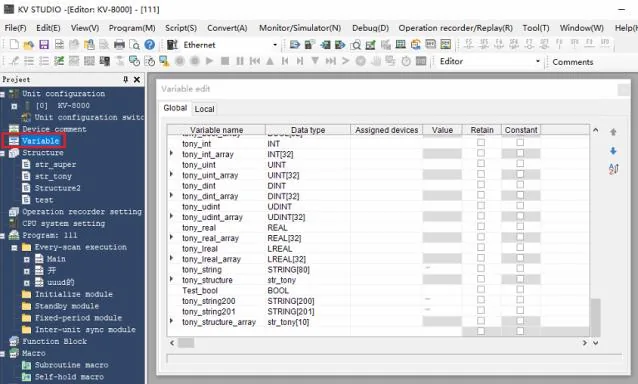
Define structure addresses
Support Structure address types. Define members in the Structure editor as needed.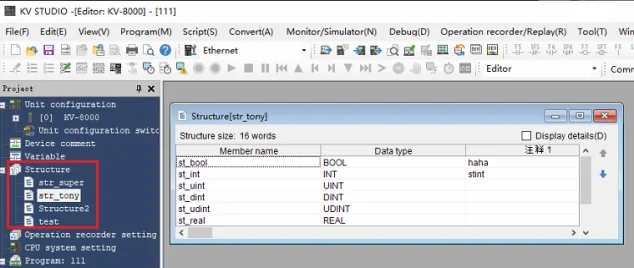
Export variable information to CSV or TXT
Go to File → Output CSV/TXT file → Variable information to export the tag database.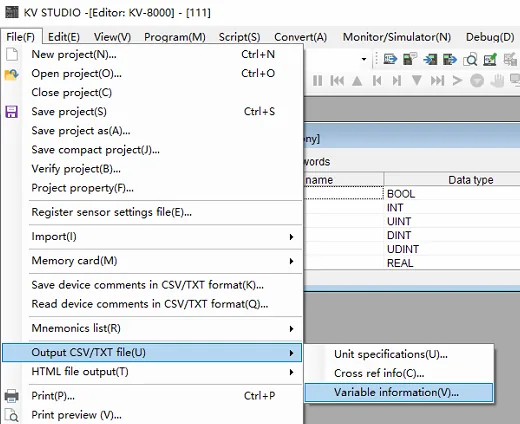
Import Tags
Import the exported tag file into EBPro (EasyBuilder Pro) using the System Parameter Settings.
Open Import Tags in EBPro (EasyBuilder Pro)
In EBPro (EasyBuilder Pro), go to System Parameter Settings → select the KV-8000 (Symbolic) (Ethernet) device under New Driver → click Import Tags.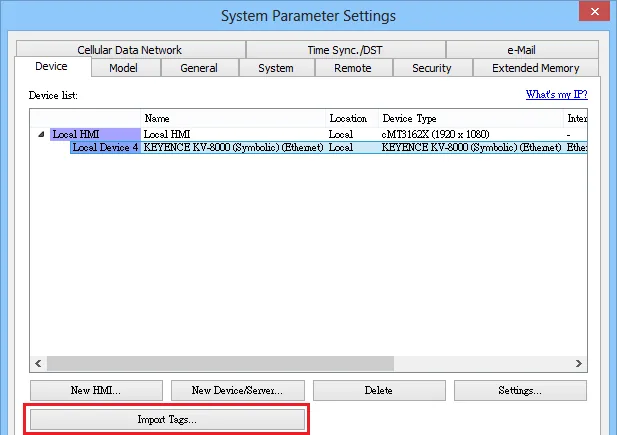
Select the TXT file to import
Browse to the location of the exported.txtfile and select it, then click Open.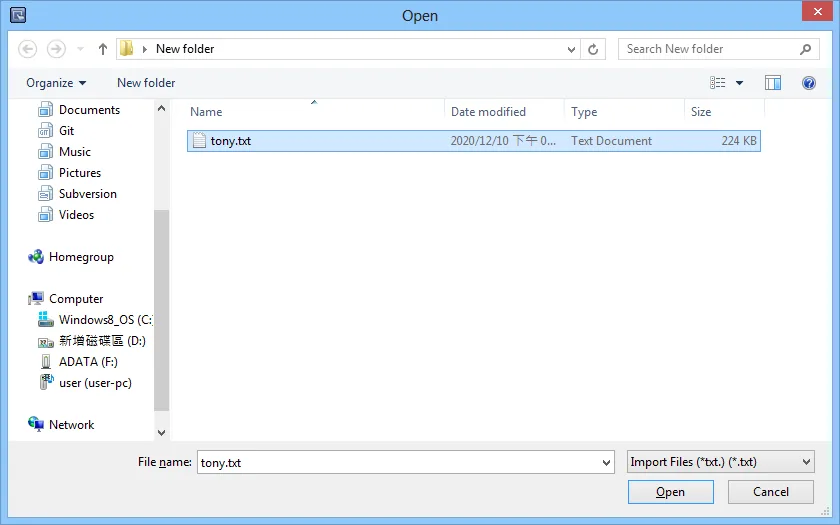
Choose to select or import all tags
When prompted, click Select tags to choose specific tags, or click Import all to import the entire tag database.Loading the tag selection dialog may take some time if there are many tags.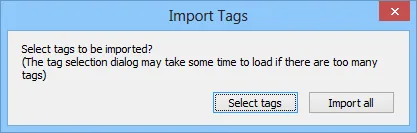
Select tags in Tag Manager
In the Tag Manager dialog, check the tags you want to import, then click OK.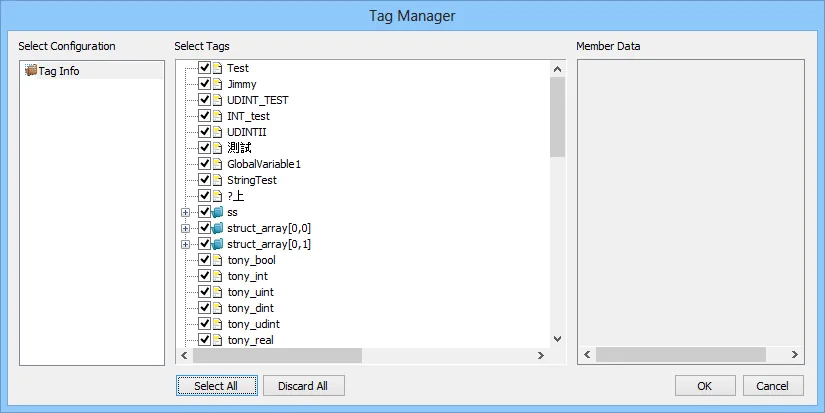
Confirm successful import
EBPro (EasyBuilder Pro) displays a confirmation dialog: Imported tag information successfully. Click OK.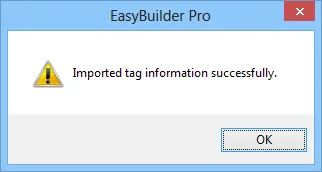
Verify imported tag addresses
The imported tags are now available in EBPro (EasyBuilder Pro). Select a tag and choose an array index to assign its address.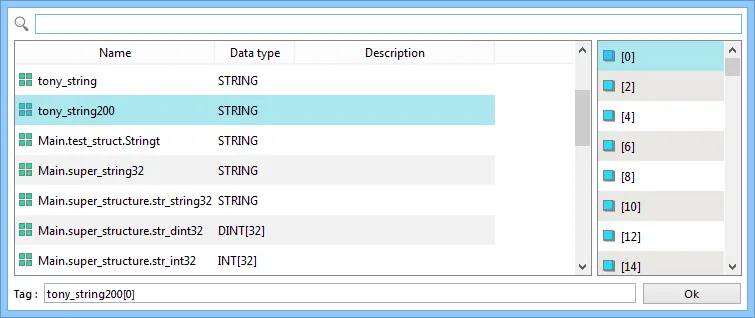
Support Device Type
| Data type | EBPro (EasyBuilder) data format | Memo |
|---|---|---|
| BOOL | bit | |
| INT | 16-bit BCD, Hex, Binary, Signed | 16-bit |
| UINT | 16-bit BCD, Hex, Binary, Unsigned | 16-bit |
| DINT | 32-bit BCD, Hex, Binary, Signed | 32-bit |
| UDINT | 32-bit BCD, Hex, Binary, Unsigned | 32-bit |
| REAL | 32-bit Float | 32-bit |
| LREAL | 64-bit Float | 64-bit 1 |
| STRING | Word array for ASCII input and display | 2 |
| Array | BOOL, INT, UINT, DINT, UDINT, REAL, LREAL, Structure | 3 |
| Struct | BOOL, INT, UINT, DINT, UDINT, REAL, LREAL, STRING Array |
1 EBPro V6.03.02 or later supports 64-bit data type (cMT Series only), but the address limit range is 48 bits maximum.
2 String: In EBPro (EasyBuilder Pro), only even addresses can be selected, and string length up to 2000 is supported.
3 Array: Supports 1–3D arrays; 4D arrays and above cannot be imported.
Wiring Diagram
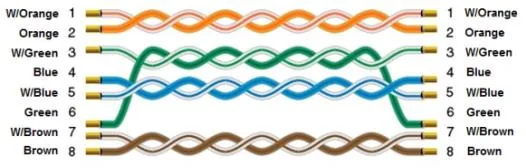
NOTE: Use a standard Ethernet cable to connect the HMI to the KEYENCE KV-8000 PLC.
The diagram below shows the Ethernet cable wiring.