
Communication-Coupler Module | iR-ETN40R
$339.00
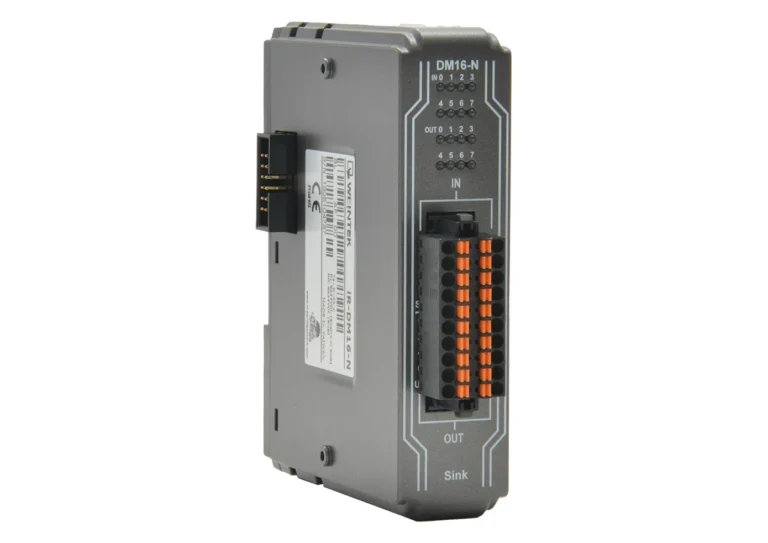
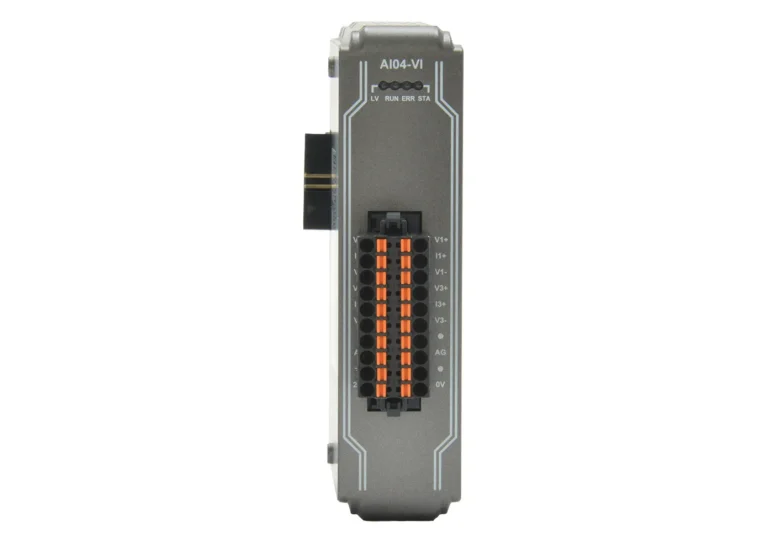
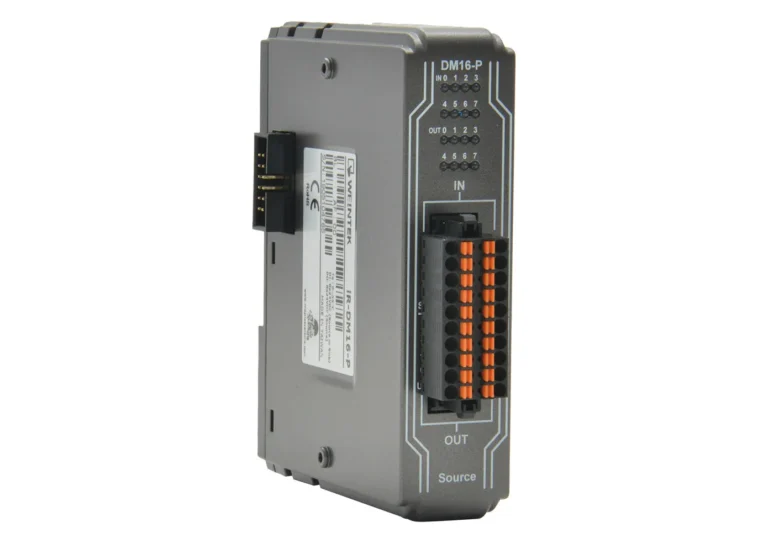
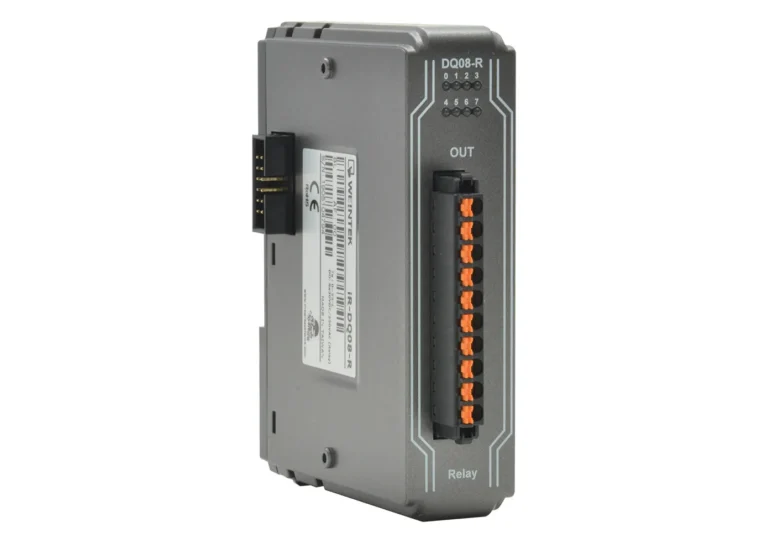
This product acts as a Modbus TCP, or EtherNet/IP, communication coupler between your CMT X Series HMI and your I/O. This unit comes with 24 Digital Inputs (4-High Speed) and 16 Digital Outputs (Relay) built-in, but you can connect additional Digital or Analog I/O modules to this unit to meet your project needs. Exclusive to the iR-ETN40R, this unit supports Stop Output and Pulse Capture. Add up to 224 Additional Digital Inputs, 112 Digital Outputs, and up to 64 Analog Inputs/Outputs.
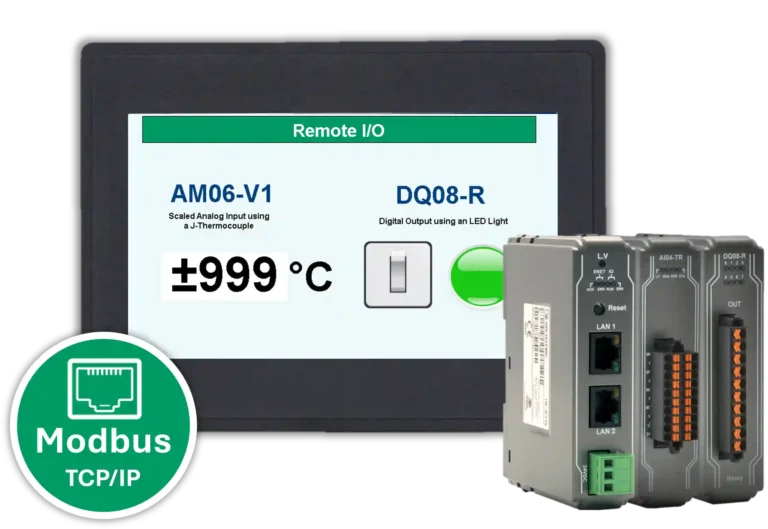
By connecting this product to a CMT X Series HMI and selecting the “Modbus TCP” communication protocol in EBPro, you can view the status of the connected digital inputs or turn the digital outputs on/off directly using a graphical button on your HMI screen without CODESYS software programming. If you want to add more automation and PLC programming functionality to your process, you can add CODESYS software to your CMT X HMI and connect it to this coupler to control the Digital Inputs/Outputs with more complex functionality like timers, or other common programming logic functions.
- US-based technical support.
Share the product:


- Modbus TCP/IP Server, EtherNet/IP
- Pair with up to 16 I/O Modules (Depending on Power consumption)
- 24 Digital Inputs Relay (4-High Speed)
- 16 Digital Outputs
- Stop Output & Pulse Capture
Expansion IO Modules
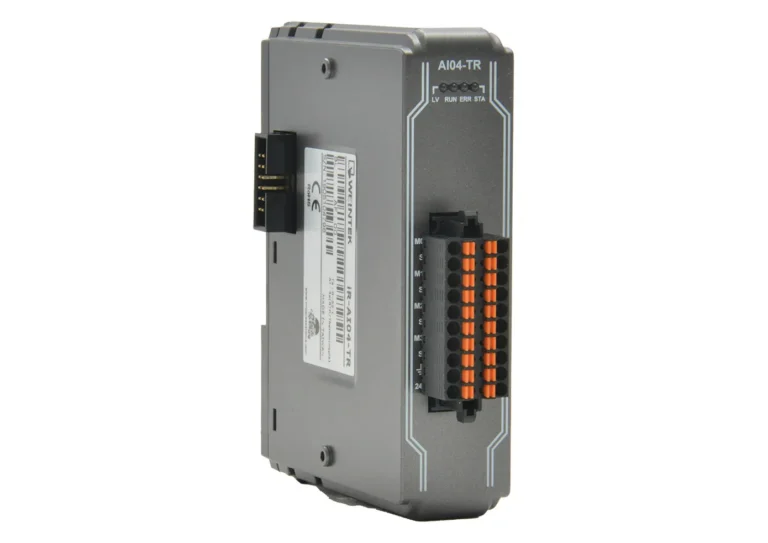
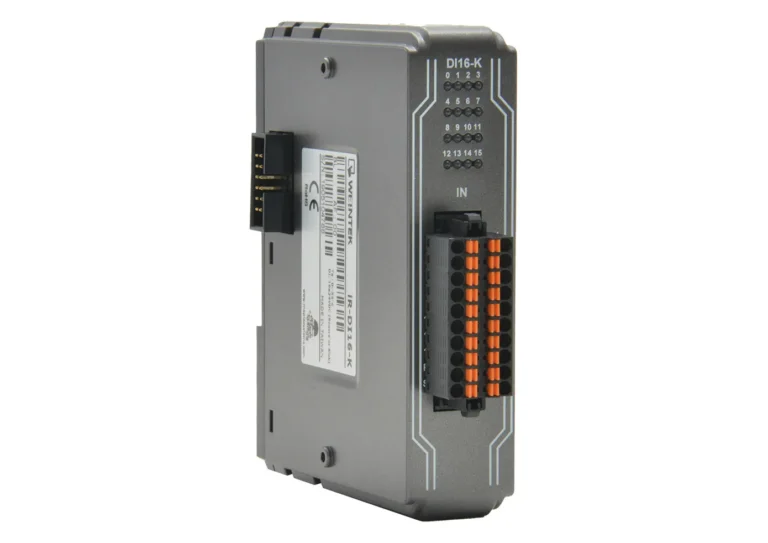
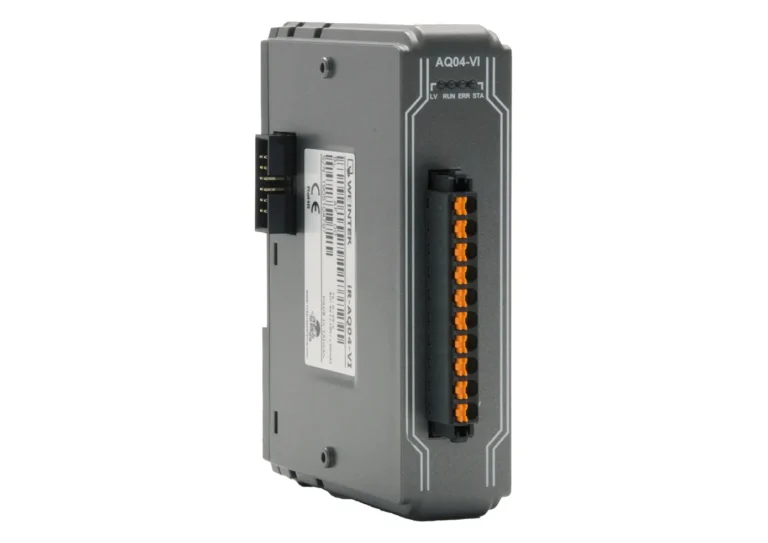
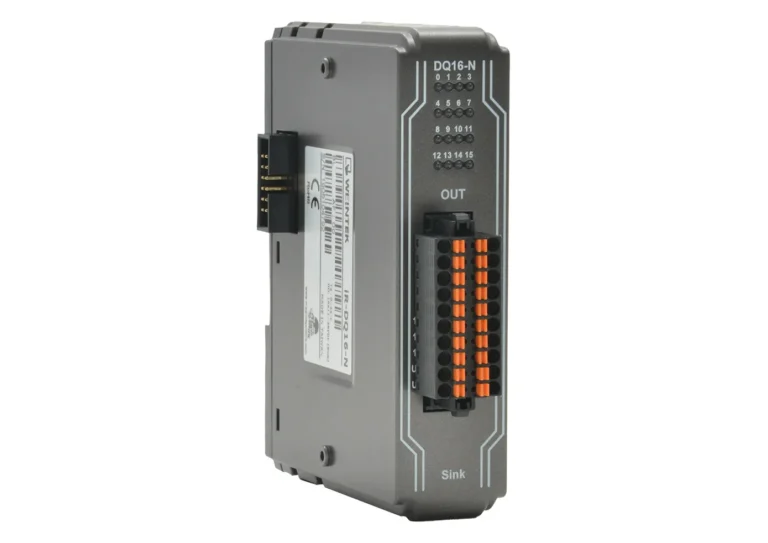
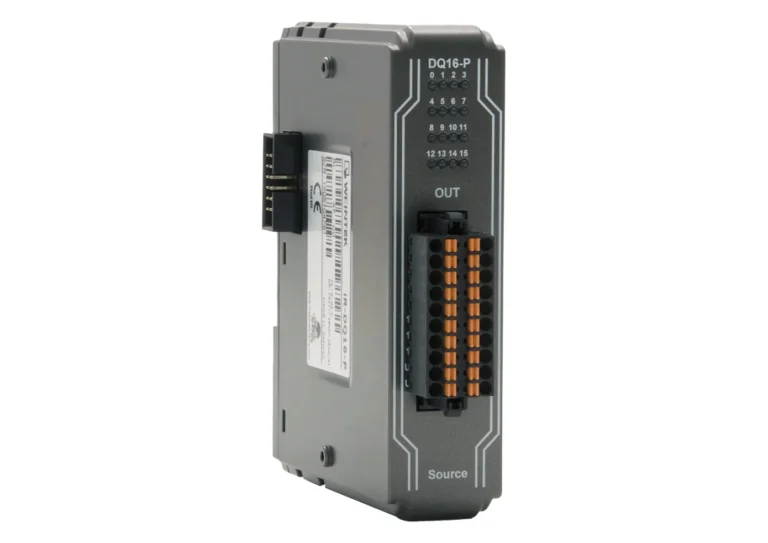
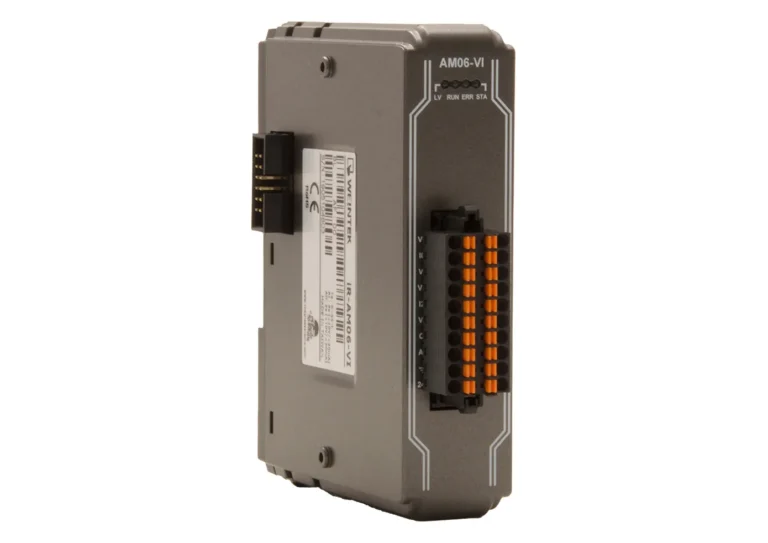
Indicators
| ENET Green | Device Status Indicator |
| ENET Red | Device Error Indicator |
| IO Green | Module Status Indicator |
| IO Red | Module Error Indicator |
Communication
| No. of Ports | 1 |
| Network to Logic Isolation | Yes |
| Data Transfer Rate | 10/100 Mbps |
| Data Transfer Medium | 4 x 2 twisted pair copper cable; category 3 (10 Mbps), category 5 (100 Mbps) |
| Distance Between Stations | 100m between hub/switch and Bus Coupler or between Bus Coupler and Bus Coupler |
| Protocol | Modbus TCP Server, EtherNet/IP adapter |
| Max. Number of TCP/IP Connections | 8 connections |
Digital Input
| Isolation | Yes, optical isolation |
| Number of General Inputs | 20 |
| Input Logic | Sink or Source |
| Logic 1 Input Voltage | 15~28 VDC |
| Logic 0 Input Voltage | 0~5 VDC |
| Response Time | OFF -> ON 5ms; ON -> OFF 1ms |
| Input Impedance | 5.6 KΩ |
High Speed Digital Input
| High Speed Input Logic | Sink Input (PNP) |
| High Speed Logic 1 Input Voltage | 15~28 VDC |
| High Speed Logic 0 Input Voltage | 0~5 VDC |
| Max. High Speed Input Frequency | 20 KHz |
| High Speed Input Impedance | 3 KΩ |
| Number of High Speed Digital Inputs | 4 |
Digital Output
| Total Number of Outputs | 16 |
| Output Logic | Relay |
| Output Voltage | 250VAC/30VDC |
| Output Current | 2A per channel (Max 8A) |
| Response Time | 10ms |
| Isolation | Yes, electromagnetic isolation |
Expansion I/O
| Digital Input Point | Max. 224 (Including 24 built-in points and the max. allowable number is 248 points.) |
| Digital Output Point | Max. 112 (Including 16 built-in points and the max. allowable number is 128 points.) |
| Analog Input Channel | Max. 64 |
| Analog Output Channel | Max. 64 |
Electrical
| Power Dissipation | Nominal 255mA@24VDC |
| Current for Internal Bus | Max 2A@5VDC |
| Current Consumption | 520mA@5VDC |
| Power Supply | 24 VDC (-15%/+20%) |
| Back-up Fuse | ≤ 1.6A Self-recovery |
| Electrical Isolation | Logic to Field Power Isolation: Yes |
Mechanical
| Enclosure Material | Plastic |
| PCB Coating | Yes |
| Dimensions WxHxD | 64 x 109 x 81 mm |
| Weight | Approx. 0.27 kg |
| Mounting | 35mm DIN Rail Mounting |
Environmental
| Altitude (Air Pressure) | Below 3000 meters (70.1kPa) |
| Operating Temperature | -10° ~ 60°C (14° ~ 140°F) |
| Storage Temperature | -20° ~ 70°C (-4° ~ 158°F) |
| Relative Humidity | 10% ~ 90% (non-condensing) |
| Vibration Endurance | 10 to 25 Hz (X, Y, Z direction, 2G, 30 minutes) |
Certification
| IP Rating | IP20 |
| CE | Yes |
| UL | cULus Listed |
| EMC Immunity | Conforms to EN 55032: 2012+AC: 2013, Class A EN 61000-6-4: 2007+A1:2011 EN 55024: 2010+A1: 2015 EN 61000-6-2:2005 |
Remote IO Webinar
Remote IO product line demonstration and it's quick and simple integration into an existing system
User Friendly Configuration Software
Experience the freedom of configuring remote I/O without any cost.
Our free and user friendly configuration tool lets you easily design custom IO blocks by selecting digital and analog modules. With a straightforward interface, mapping them to your controller is seamless and stress-free. No hidden fees, no complicated steps—just simple setup to get your control systems up and running faster.

Can I use the iR Series Remote I/O without CODESYS?
Yes, the iR series remote I/O couplers and modules can be used with any device that supports the following protocols:
| Coupler | Protocol |
| iR-COP | CANopen Slave |
| iR-ECAT | EtherCat® Slave |
| iR-ETN | Modbus TCP/IP Server, EtherNet/IP Adapter |
| iR-ETN40-P | Modbus TCP/IP Server, EtherNet/IP Adapter |
| iR-ETN40-R | Modbus TCP/IP Server, EtherNet/IP Adapter |

Manuals & Guides
- EasyRemote IO User Manual
- iR Series Remote I/O Product Data Sheet
- iR-ETN40R/P User Manual
- iR-ETN User Manual
- iR-ECAT User Manual
- iR-COP User Manual
- cMT-CTRL01 User Manual
- iR-AQ04-VI, iR-AM06-VI, iR-AI04-VI User Manual
- iR-AI04-TR User Manual
- CODESYS Activation Instructions
Sample Projects
- Communicating to I/O Module Sample Project
- iR-COP Sample Project
- iR-ECAT Sample Project
- iR-ETN Sample Project
- iR-ETN40R Sample Project
Tutorials
Tech Notes
- See our list of Tech Notes
Solutions
- See our Case Studies & Solutions
Controller Information Sheets
- See our list of Controller Information Sheets
Videos
- See our list of Training Videos
How can Remote I/O save me money?
Not only can it save you money, but it can also result in a control solution that is easier to organize, deploy, and maintain, contributing to significant cost savings over time. By minimizing the amount of physical wiring, installation times are shorter, and material costs are reduced, leading to lower upfront capital expenses.
Because remote I/O can centralize control and simplify system architecture, it also lowers the potential for errors during installation and maintenance, further reducing costs associated with troubleshooting and downtime. Over the long term, the modularity and scalability of remote I/O systems mean that modifications can be made with minimal disruption and without the need for extensive re-wiring.
For more information, see our article What is Remote IO?

Software Downloads & Upgrades
Manuals & Guides
- EBPro Programming Manual
- EasyRemote IO User Manual
- iR Series Remote I/O Product Data Sheet
- iR-ETN40R/P User Manual
- iR-ETN User Manual
- iR-ECAT User Manual
- iR-COP User Manual
- cMT-CTRL01 User Manual
- iR-AQ04-VI, iR-AM06-VI, iR-AI04-VI User Manual
- iR-AI04-TR User Manual
Tech Notes
- See our list of Tech Notes
Solutions
- See our Case Studies & Solutions
Controller Information Sheets
- See our list of Controller Information Sheets
Communication Cables
- See our list of Communication Cables
Videos
- See our list of Training Videos
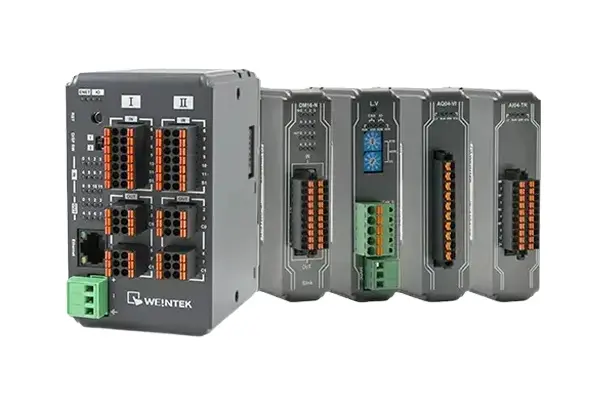
How many modules can you attach to a coupler for Remote I/O?
You can connect up to 16 I/O Modules to one Coupler!
Software Downloads & Upgrades
Manuals & Guides
- EBPro Programming Manual
- EasyRemote IO User Manual
- iR Series Remote I/O Product Data Sheet
- iR-ETN40R/P User Manual
- iR-ETN User Manual
- iR-ECAT User Manual
- iR-COP User Manual
- cMT-CTRL01 User Manual
- iR-AQ04-VI, iR-AM06-VI, iR-AI04-VI User Manual
- iR-AI04-TR User Manual
Tech Notes
- See our list of Tech Notes
Solutions
- See our Case Studies & Solutions
Controller Information Sheets
- See our list of Controller Information Sheets
Communication Cables
- See our list of Communication Cables
Videos
- See our list of Training Videos
What are common uses for remote I/O?
Because remote I/O offers significant advantages in terms of flexibility, scalability, and reduced wiring complexity, it is ideal for many applications.
Large facilities
Remote I/O is an ideal solution for large facilities that require centralized control. Remote I/O greatly reduces the amount of cabling required between field devices and PLCs that are located far from each other. Using remote I/O also allows a centralized PLC to collect input from multiple disparate stations across a facility.
Hazardous areas
Certain locations may be too hazardous for personnel to work in during operations, making maintenance and troubleshooting a real challenge. Using remote I/O, control devices like PLCs can be installed away from field instruments operating in dangerous areas. This means that workers will be able to easily access their PLCs and other components from a safe location without shutting down operations.
System upgrades
Remote I/O can be added to almost any pre-existing system, regardless of the control device manufacturer. Simply connect a communication module that supports the appropriate protocol to your controller, then connect your I/O device. This can make system upgrades easier by reducing compatibility concerns, allowing you to update your I/O without being locked into a proprietary ecosystem.
Software Downloads & Upgrades
Manuals & Guides
- EBPro Programming Manual
- EasyRemote IO User Manual
- iR Series Remote I/O Product Data Sheet
- iR-ETN40R/P User Manual
- iR-ETN User Manual
- iR-ECAT User Manual
- iR-COP User Manual
- cMT-CTRL01 User Manual
- iR-AQ04-VI, iR-AM06-VI, iR-AI04-VI User Manual
- iR-AI04-TR User Manual
Tech Notes
- See our list of Tech Notes
Solutions
- See our Case Studies & Solutions
Controller Information Sheets
- See our list of Controller Information Sheets
Communication Cables
- See our list of Communication Cables
Videos
- See our list of Training Videos
What communication protocols are used to connect to Remote I/O?
Depending on your needs and existing equipment, one protocol may be better for a particular task than another. The protocol you choose will largely depend on device support, so it is important to confirm that the controller and remote I/O devices support the same protocol.
Here is a brief overview of common communication protocols used in remote I/O systems.
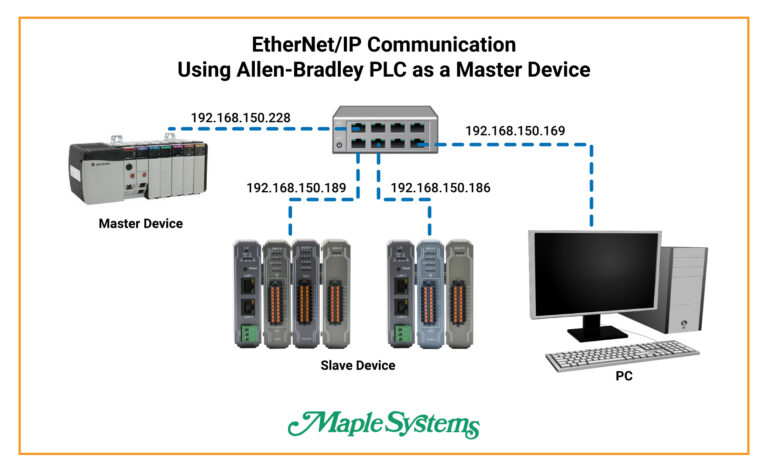
- Ethernet/IP (Ethernet Industrial Protocol) is a common communication protocol in industrial automation. It leverages standard Ethernet technology to provide high-speed, reliable communication between devices on the factory floor. To implement remote I/O using the Ethernet/IP protocol, you will need an Ethernet communication coupler such as the iR-ETN or iR-ETN40R. For more information on how to use remote I/O with Ethernet/IP, check out this helpful connection guide.
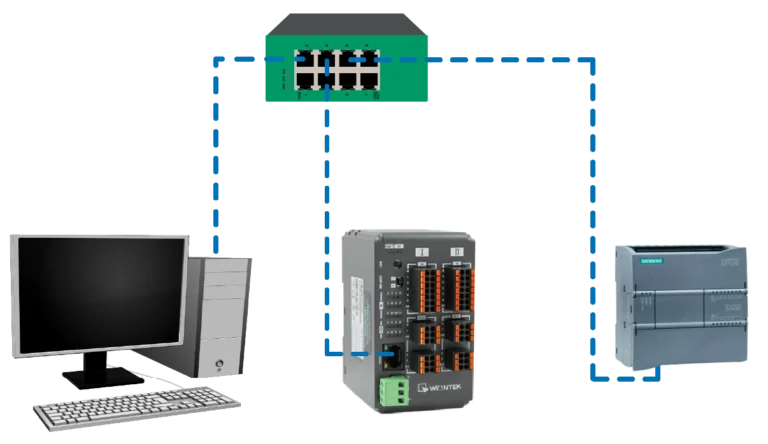
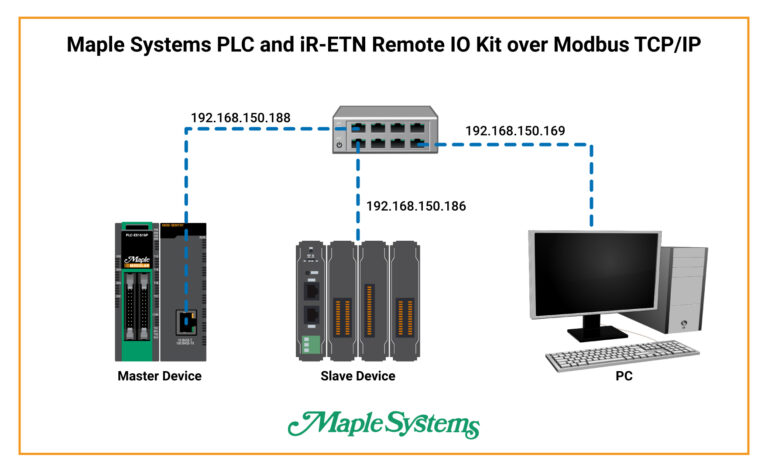
- Modbus is one of the oldest and most widely used communication protocols in industrial automation. It is simple to implement and highly versatile. In our guide, Connecting Remote IO to PLCs over Modbus, you will gain the knowledge needed to establish a reliable connection, which ensures seamless interoperability between your Maple Systems Remote IO and Maple Systems Modular PLCs, ultimately enhancing your industrial automation capabilities.
- EtherCAT (Ethernet for Control Automation Technology) is a high-performance Ethernet-based communication protocol used in industrial automation. To enable remote I/O communication using the EtherCAT protocol, a communication coupler such as the iR-ECAT will be required. For more information on how to connect to remote I/O using EtherCAT, please refer to the iR-ECAT User Manual for specs, configuration tips, and examples.
- CAN Bus (Controller Area Network) is a robust communication protocol that is common in automotive and industrial automation applications. Remote I/O communication using CAN Bus requires a communication coupler such as the iR-COP. For more information on how to set up remote I/O using CAN Bus and the iR-COP, check out this connection guide.
- Profibus (Process Field Bus) is another prevalent communication protocol in industrial automation, particularly in process automation and factory automation applications. Profibus may have additional limitations in terms of speed and bandwidth compared to Ethernet/IP. Integrating older Profibus setups with newer Ethernet-based systems may require additional gateways or converters.
For a comparison of each of these protocols, see our article What is Remote IO?
Check out our Couplers and I/O Modules
Manuals & Guides
- EasyRemote IO User Manual
- iR Series Remote I/O Product Data Sheet
- iR-ETN40R/P User Manual
- iR-ETN User Manual
- iR-ECAT User Manual
- iR-COP User Manual
- cMT-CTRL01 User Manual
- iR-AQ04-VI, iR-AM06-VI, iR-AI04-VI User Manual
- iR-AI04-TR User Manual
- CODESYS Activation Instructions
Sample Projects
- Communicating to I/O Module Sample Project
- iR-COP Sample Project
- iR-ECAT Sample Project
- iR-ETN Sample Project
- iR-ETN40R Sample Project
Tutorials
Tech Notes
- See our list of Tech Notes
Solutions
- See our Case Studies & Solutions
Controller Information Sheets
- See our list of Controller Information Sheets
Videos
- See our list of Training Videos
What is Remote I/O?
Remote I/O, or distributed I/O, refers to I/O devices that can be installed in a remote location away from the PLC, while still maintaining a reliable connection between it and the field devices in the system. Using remote I/O allows designers the freedom to place their equipment where it is most effective without worrying about reduced signal quality or expensive wiring requirements.
Characteristics:
- Proximity: Devices can be located far from the main controller, offering increased flexibility across large or complex facilities.
- Wiring: Uses network cables or fieldbus systems to connect remote I/O modules to the main controller, significantly reducing the amount of wiring required over long distances and simplifying overall system layout.
- Latency: Comparable to local I/O when using a modern communication network. Older networks may see some increased latency.
- Reliability: remote I/O systems are highly dependable when part of a robust network infrastructure. Enables designers to build in redundancy to prevent downtime during an emergency event.
- Maintenance: Although more complex due to the distributed nature of devices and network diagnostics, the modularity of remote I/O allows for easier troubleshooting and expansion.
- Cost: Provides maximum value for large or distributed systems by reducing the need for long cable runs and simplifying future expansions.
For more information, see our article What is Remote IO?
Software Downloads & Upgrades
Manuals & Guides
- EBPro Programming Manual
- EasyRemote IO User Manual
- iR Series Remote I/O Product Data Sheet
- iR-ETN40R/P User Manual
- iR-ETN User Manual
- iR-ECAT User Manual
- iR-COP User Manual
- cMT-CTRL01 User Manual
- iR-AQ04-VI, iR-AM06-VI, iR-AI04-VI User Manual
- iR-AI04-TR User Manual
Tech Notes
- See our list of Tech Notes
Solutions
- See our Case Studies & Solutions
Controller Information Sheets
- See our list of Controller Information Sheets
Communication Cables
- See our list of Communication Cables
Videos
- See our list of Training Videos
What is EasyRemoteIO
EasyRemoteIO is a tool designed for configuring the iR-ETN/iR-ETN40R/iR-ETN40P devices.
Through the EasyRemoteIO interface, users have the capability to configure
iR-ETN/iR-ETN40R/iR-ETN40P’s IP address and various parameters and monitor or modify
device values.
Additionally, the export feature of EasyRemoteIO facilitate users,
especially those using EasyBuilder Pro, CODESYS, or EtherNet/IP devices, in
generating essential files for establishing a connection with iR-ETN/iR-ETN40R/iR-ETN40P.
User Friendly Configuration Software
Experience the freedom of configuring remote I/O without any cost.
Our free and user friendly configuration tool lets you easily design custom IO blocks by selecting digital and analog modules. With a straightforward interface, mapping them to your controller is seamless and stress-free. No hidden fees, no complicated steps—just simple setup to get your control systems up and running faster.
Software Downloads & Upgrades
Manuals & Guides
- EBPro Programming Manual
- EasyRemote IO User Manual
- iR Series Remote I/O Product Data Sheet
- iR-ETN40R/P User Manual
- iR-ETN User Manual
- iR-ECAT User Manual
- iR-COP User Manual
- cMT-CTRL01 User Manual
- iR-AQ04-VI, iR-AM06-VI, iR-AI04-VI User Manual
- iR-AI04-TR User Manual
Tech Notes
- See our list of Tech Notes
Solutions
- See our Case Studies & Solutions
Controller Information Sheets
- See our list of Controller Information Sheets
Communication Cables
- See our list of Communication Cables
Videos
- See our list of Training Videos
Documents
Manuals
Certifications
- CE-Declaration of Conformity – iR-ETN, iR-COP, iR-DI16-K, iR-DM16-P, iR-DQ16-P, iR-DM16-N, iR-DQ16-N, iR-DQ08-R
- UL Certification Declaration – cMT Series
- RoHS Declaration of Conformity (all series)
- Trade Agreement Act Declaration of Conformity
- Russian Iron and Steel Declaration
- Country of Origin Certification
CAD Files



When you order the IR-ETN40R the following items are included in the box:
- 1 x iR-ETN40R
- 1 x Warranty Statement
- 1 x Installation Instruction
- 1 x Power Connector
