
EasyBuilderX (EBX)
Experience the New Generation of HMI Design
Weintek Tiawan officially introduced EBX (EasyBuilder X) to the marketplace. EBX is a new HMI visualization and programming software, giving automation engineers a more efficient and flexible platform for HMI development.
EBX (EasyBuilder X) brings together object-oriented concepts, modular design, advanced data structures, and a modern UI/UX to meet today’s HMI development needs. For large, complex projects that require future expansion, EBX is an ideal choice for improving maintenance efficiency and team collaboration.
IMPORTANT NOTICE: EasyBuilder X (EBX) Availability in North America
Maple Systems has not officially released EBX (EasyBuilder X). It is highly recommended to continue using EBPro (EasyBuilder Pro) for HMI development until its official U.S. release. EBPro (EasyBuilder Pro) has a broad feature set, years of proven stability and is fully supported by Maple Systems. It will continue to be supported alongside EBX so you can be confident in the software for years to come.
Elevate Your HMI Development with Next-Gen Logic
Design components with core concepts in mind and group them together in a custom model. By defining properties, events, and methods you give this model its own unique logic. Design is once, copy and paste it across any project.
Cross-Project Compatibility
Open projects freely across EasyBuilder X versions for effortless project maintenance.
Optimized Communication
Strengthen HMI-PLC communication for greater data transfer efficiency and stability.
Efficient Development
Modify multiple objects at once with batch editing to reduce development time.
Modern UI/UX
Navigate projects faster with an intuitive interface designed to reduce menu complexity.
Build Once, Deploy Many
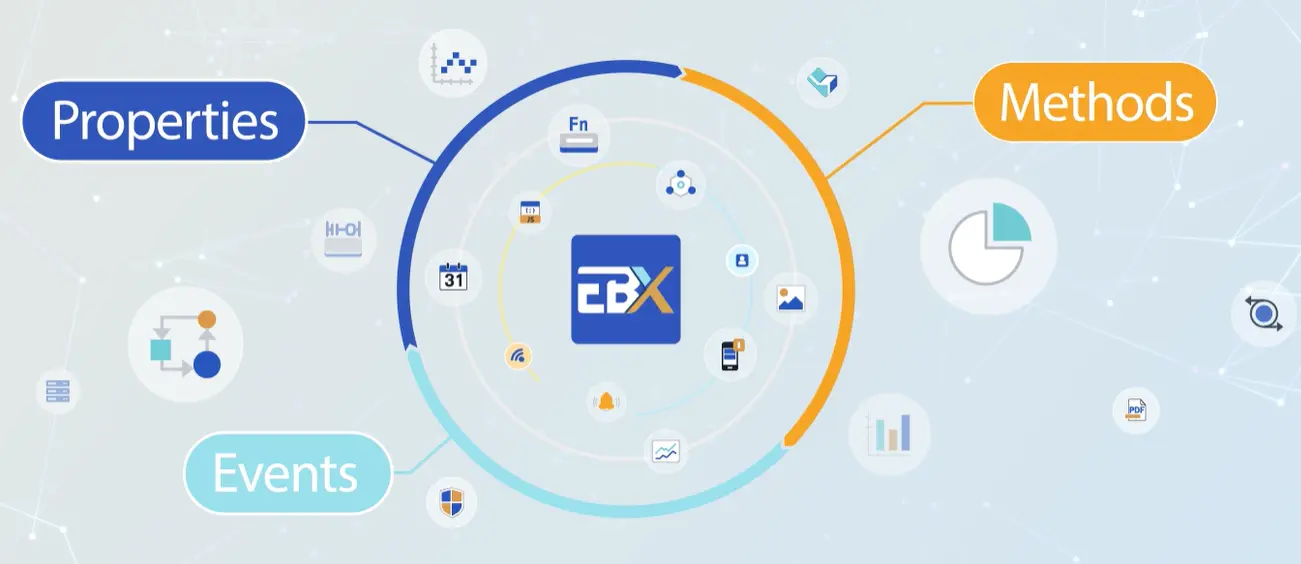
Object-oriented design uses objects as the basic building blocks of an HMI project. By combining objects and defining how they interact, engineers can progressively build complete HMI projects. Each object has its own properties, events, and methods. Event-driven actions and method calls create clear, intuitive interactions between objects, reducing the need to exchange status information through shared addresses.
In EBX (EasyBuilder X), every element, from visual widgets to the background, is treated as an object with its own properties, events, and methods. This new design logic simplifies complex setup, making development more intuitive and modules easier to scale and reuse.
Property
Used to define an object’s appearance and data content.
Event
Triggered when an object’s state changes to initiate the next action.
Methods
Determined by each object’s characteristics.
Newest Features in EBX
EBX uses variables as the core of data exchange. Instead of directly linking HMI widgets to PLC device addresses, widget properties are bound to variables, while variables are mapped to actual PLC addresses. This separation creates a more flexible and manageable data architecture.
Variable Binding
- Select an object you want to bind.
- Click the binding option in the Properties panel.
Picture Library
- Hover to display the full image name.
- Drag and drop images into an object’s image property.
Multiple Copy
- Batch-copy and arrange a single component in a matrix layout.
- Automatically increment or decrement address offsets.
Dynamic Text
- Edit and translate directly in the Properties panel without switching pages.
- Bind data across multiple string tables.
- Dynamic string indexing for greater flexibility and performance.
Audit Trail
- Electronic signature security for recipe changes.
- Configure the trend and data logging settings.
- Access the audit trail feature,
- Track recipe modification records.
- Back up audit data.
Redesigned Workspace
- The Sidebars make it easy to view and adjust settings without repeatedly opening and switching between windows.
- The central workspace allows screen design and resource configuration to be completed in one unified workspace.
Basic EBX Tutorials
From Device Setup to Online Simulation
Getting started with Project Setup & Device Configuration, Variable Definition & Address Mapping, and UI Design & Online Simulation.
Custom Models
Understanding Custom Models, Creating a Custom Model, Configure Custom Properties.
Built-in Data Types
Understanding Built-in Data Types, Binding with Variables, Binding with Properties.
Using Widget Methods
Understanding Trigger Switch and Numeric Methods with a Button.