
EasyAccess2.0 Release Notes
Remote Access software for HMI and CMT series
Whether you’re familiar with EasyAccess2.0, or new to Maple Systems, check out the Latest Release notes to see what’s new about the latest version of EasyAccess 2.0.
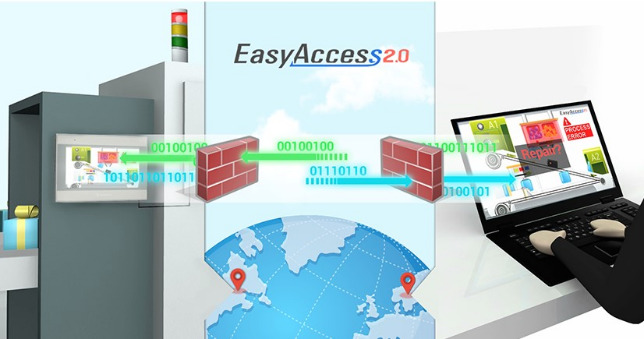
May 18, 2026 — v2.23.5
- Improved the IP forward feature by adding a new mode
- Fixed bugs
April 14, 2026 — v2.23.4
- Fixed bugs
March 18, 2026 — v2.23.3
- Fixed bugs
March 9, 2026 — v2.23.1
- Fixed bugs
February 9, 2026 — v2.22.1
- Adjusted Social Login first-time login flow
- Fixed bugs
December 9, 2025 — v2.22.0
- Command Line Interface for EasyAccess 2.0
- Lightweight Usage statistics for EA2.0
- Quick Launch VNC Viewer from PC Activator
August 27, 2025 — v2.21.5
- Fixed minor issues
- Enhancements: expanded sign-in options to provide more flexibility for certain users
July 23, 2025 — v2.21.4
- Fixed minor issues
July 16, 2025 — v2.21.1
- Added support for signing in via social platforms
June 16, 2025 — v2.20.13
- Added filtering support to saved login accounts for easier account selection
May 23, 2025 — v2.20.12
- Minor UI adjustments for improved usability
- Fixed several minor bugs to enhance stability
May 15, 2025 — v2.20.10
- Minor fixes
May 8, 2025 — v2.20.9
- Minor fixes
May 6, 2025 — v2.20.8
Fixes
- Minor fixes
December 20, 2024 — v2.20.3
New Features
- Added support for remembering multiple domain user accounts for quick switching.
- Bug fixes, improved user experience, and performance enhancements
August 13, 2024 — v2.19.1
New Features
- Added support for MFA (Multi-Factor Authentication) login
June 18, 2024 — v2.18.1
New Features
- Supports Landscape mode
- Display of top-up card list
May 3, 2024 — v2.17.8
Fixes
- Minor fixes
- Performance enhancements
March 11, 2024 — v2.17.6
New Features
- Built-in VNC with Touch Support
- Bug Fixes, Improved User Experience, and Performance Enhancements
September 27, 2023 — v2.16.11
Fixes
- Fixed folder names with + plus signs are not shown
- Fixed no connection with OVPN over proxy
- Other minor fixes
May 31, 2023 — v2.16.9
Fixes
- Minor Fixes
February 23, 2023 — v2.16.4
New Features
- Support IPv6
- Support display with high DPI settings
December 27, 2021 — v2.15.3
New Features
- Super-user can use activator dialog to activate or add HMI into domain
- Increase event query performance
- Support adjustable column on event dialog, activate dialog and PC activator
October 18, 2021 — v2.14.3
New Features
- Add sort options (Name(A-Z), Name (Z-A))
- Fix permission problem on VPN connection
May 20, 2020 — v2.13.1
New Features
- Support Dutch language
Version: 2.12 and Earlier
New Features
- Support port forwarding: Users can configure both pass-through (maximum 6 rules) and port forwarding (maximum 6 rules) at the same time
- Domain admin can disable pass-through and port forwarding functionality for specific users: Go to “User” tab => Select User => Edit User => Account Setting => Pass-through setting
- And pass-through and port forwarding information on activity report
- Add event type filter on Windows application
- Support multiple pass-through on mobile platform (Pass-through should be configured before connecting vpn)
- Display HMI information (project name, CPU usage, memory usage, and disk usage) – Use EasyBuilder Pro V6.05.01 or later.
- Register new domain account on EasyAccess 2.0 Applications
- Search HMIs under your LAN environment and add them to your current login domain
- HMI naming
- Multiple users can connect to the HMI at the same time
- Ability to send Activity reports to domain users
- Push notifications to social media accounts