Introduction
All Maple Systems HMIs programmed with EBPro (EasyBuilder Pro), including every cMT X Series and cMT Series model, are compatible with an Emerson (Bristol) ControlWave (Ethernet) – Free Tag Names PLC. Configure your Controller and HMI/cMT with the following parameters to establish reliable communication.
Supported Series: EMERSON ControlWave MICRO
Website: www.emerson.com
HMI Setting
| Parameters | Recommended | Options | Notes |
|---|---|---|---|
| PLC type | EMERSON ControlWave (Ethernet) – Free Tag Names | Use UDP | |
| PLC I/F | Ethernet | ||
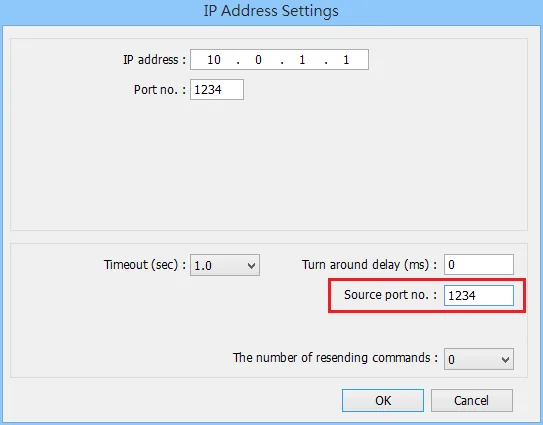
| Port no. | 1234 | ||
| Source port no. | 1234 |
Support Device Type
| Data type | EBPro (EasyBuilder) data format | Memo |
|---|---|---|
| Bool | bit | |
| Byte | 16-bit BCD, Hex, Binary, Unsigned | 8-bit |
| SInt | 16-bit BCD, Hex, Binary, Signed | 8-bit |
| USInt | 16-bit BCD, Hex, Binary, Unsigned | 8-bit |
| Word | 16-bit BCD, Hex, Binary, Unsigned | 16-bit |
| Int | 16-bit BCD, Hex, Binary, Signed | 16-bit |
| UInt | 16-bit BCD, Hex, Binary, Unsigned | 16-bit |
| DWord | 32-bit BCD, Hex, Binary, Unsigned | 32-bit |
| DInt | 32-bit BCD, Hex, Binary, Signed | 32-bit |
| Real | 32-bit Float | 32-bit |
| UDInt | 32-bit BCD, Hex, Binary, Unsigned | 32-bit |
| LInt | 64-bit Signed | 64-bit |
| ULInt | 64-bit Unsigned | 64-bit |
| LWord | 64-bit Unsigned | 64-bit |
| Double | 64-bit Float | 64-bit |
Note1: For device types: DWord / DINT / UDINT / Real, error may occur if the value exceeds 7 digits (million).
Note2: EBPro V6.03.02 or later supports 64 bits data type (cMT Series only), but please note that the address limit range is 48 bits in maximum.
PLC Setting
Create Tags in Global Variables
Under Global Variables create the tags. A tag name with over 20 words can affect communication; please avoid it.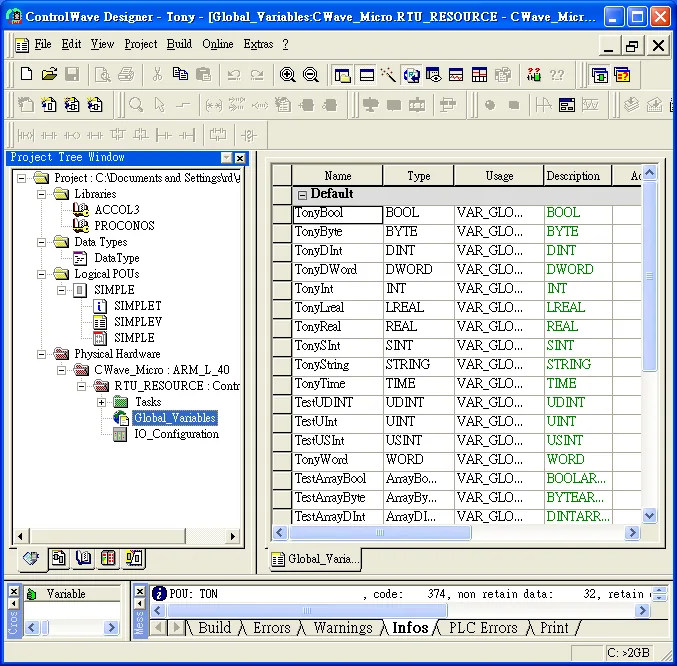
Open Signal Extractor Tool
Open the program from Programs → OpenBSI Tool → Common Tools → Signal Extractor.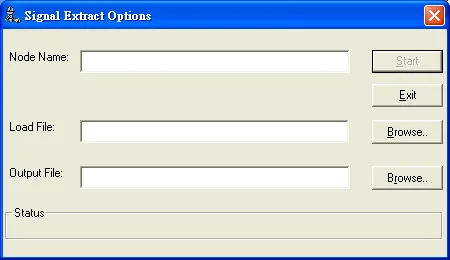
Configure Options and Generate SIG File
Browse for the file name in the Load File field; the Output File field will automatically generate the.SIGfile name. In the IEC-61131 Options group box, deselect Datatype conversion enable and Output MSD Values check boxes, then click Start to generate the file for tag import.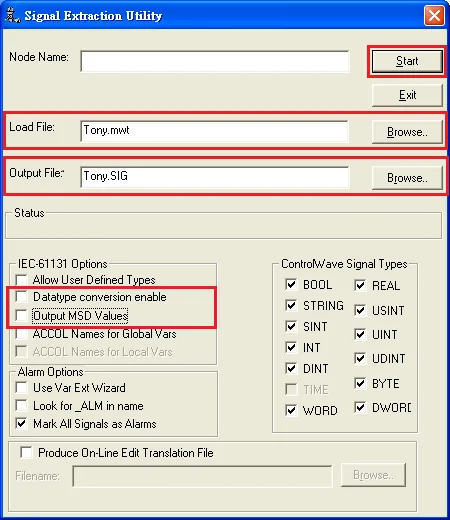
Import Tags in EBPro (EasyBuilder)
Import the tags after adding the driver in EBPro (EasyBuilder).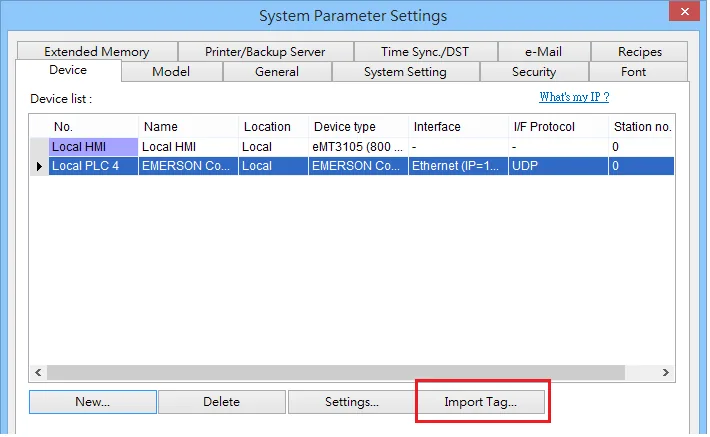
Wiring Diagram
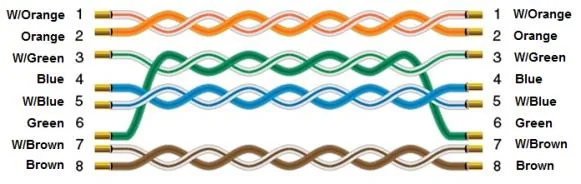
The diagram below shows the Ethernet cable wiring.