Introduction
All Maple Systems HMIs programmed with EBPro (EasyBuilder Pro), including every cMT X Series and cMT Series model, are compatible with CoDeSys V3 Ethernet. Configure your Controller and HMI/cMT with the following parameters to establish reliable communication.
Website: https://www.codesys.com/
HMI Setting
| Parameters | Recommended | Options | Notes |
|---|---|---|---|
| PLC type | CODESYS V3 (Ethernet) | ||
| PLC I/F | Ethernet | ||
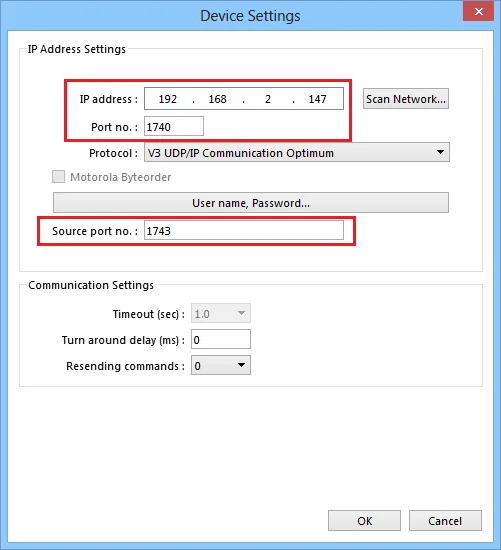
| Port no. | 1740 | *Note | |
| Source port no. | 1742 | *Note | |
| Protocol | V3 UDP/IP | V3 UDP/IP V3 TCP/IP V3 TCP/IP Communication Optimum V3 UDP/IP Communication Optimum | |
| Motorola Byteorder | |||
| User name, Password |
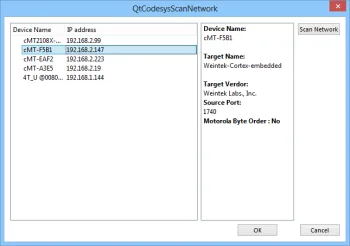
*Note: Codesys V3 UDP, UDP Communication Optimum — through the [Scan Network] function, you can get IP address and related Port no. information.
PLC Setting
Device user management: Enable or disable according to the settings.
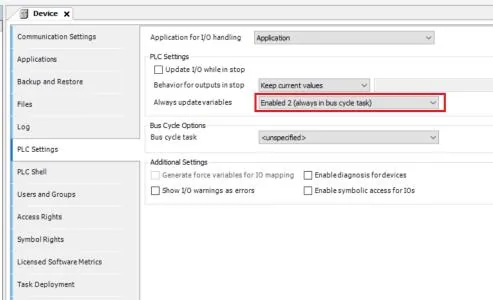
If the response of the communication value is delayed, you can try to adjust the “Always update variables” setting parameter to “Enabled 2 (always in bus cycle task)”.
How to Import Tags
Set POU Under MainTask
Under u0022MainTasku0022 set POUPLC_PRG.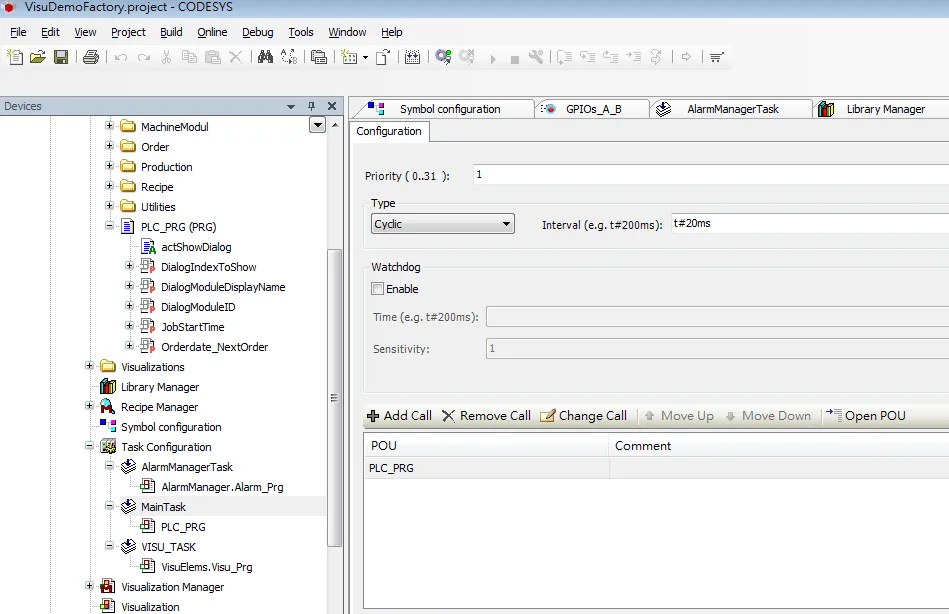
Add Symbol Configuration to Devices
Add u0022Symbol configurationu0022 into the Devices list.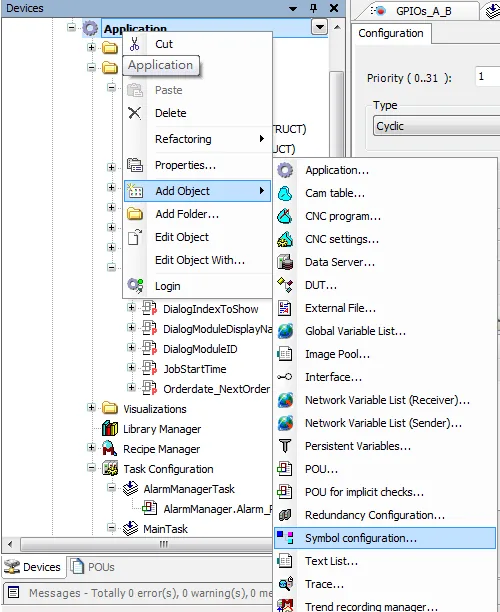
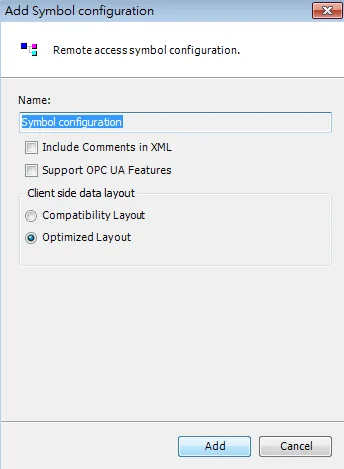
Select PLC_PRG and Build Project
SelectPLC_PRGand its tag information is shown, then build the project: [Build] → [Generate Code].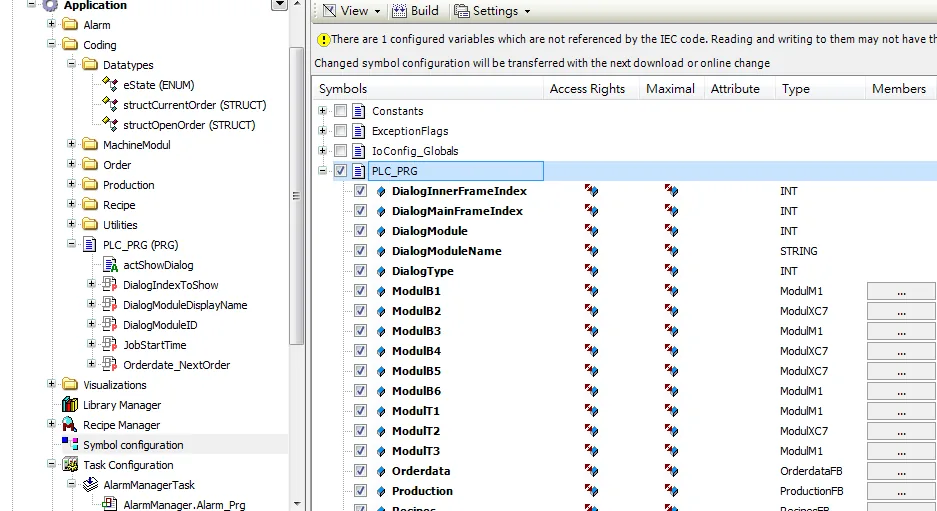
Locate Generated XML File
A*.xmlfile is generated in the directory of the project.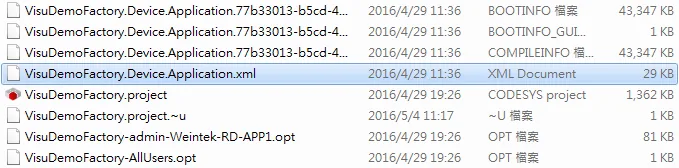
Add Driver and Import Tags
In System Parameter Settings click [New] to add the CoDeSys V3 (Ethernet) driver into the device list, then click [Import Tags] and select the tag file (.xml) generated by the PLC software.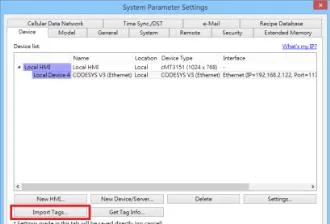
Confirm Import and Close
When the tags are imported successfully, click [OK] to leave.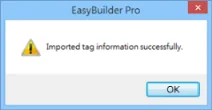
NOTE: [Get Tag Info] The obtained address may be incomplete; it is recommended to use the [Import Tags] function.
Support Device Type
| Data type | EBPro (EasyBuilder) data format | Memo |
|---|---|---|
| Bool | bit | |
| Byte | 16-bit BCD, Hex, Binary, Unsigned | 8-bit |
| SInt | 16-bit BCD, Hex, Binary, Signed | 8-bit |
| USInt | 16-bit BCD, Hex, Binary, Unsigned | 8-bit |
| Word | 16-bit BCD, Hex, Binary, Unsigned | 16-bit |
| Int | 16-bit BCD, Hex, Binary, Signed | 16-bit |
| UInt | 16-bit BCD, Hex, Binary, Unsigned | 16-bit |
| DWord | 32-bit BCD, Hex, Binary, Unsigned | 32-bit |
| DInt | 32-bit BCD, Hex, Binary, Signed | 32-bit |
| Real | 32-bit Float | 32-bit |
| UDInt | 32-bit BCD, Hex, Binary, Unsigned | 32-bit |
| TIME | 32-bit BCD, Hex, Binary, Unsigned | 32-bit |
| TIME_OF_DAY | 32-bit BCD, Hex, Binary, Unsigned | 32-bit |
| DATE | 32-bit BCD, Hex, Binary, Unsigned | 32-bit |
| DATE_AND_TIME | 32-bit BCD, Hex, Binary, Unsigned | 32-bit |
| LInt | 64-bit Signed | 64-bit |
| ULInt | 64-bit Unsigned | 64-bit |
| LWord | 64-bit Unsigned | 64-bit |
| LReal | 64-bit Float | 64-bit |
| String | Word array for ASCII input and display | Length=word |
| WString | Word array for ASCII input and display | Length=word |
Note 1: String length must be set identical to the length in Codesys software.
Note 2: EBPro V6.03.02 or later supports 64 bits data type (cMT Series only), but please note that the address limit range is 48 bits in maximum.
Note 3: The array type of DUT is not supported, as shown in the following example.
Note 4: Arrays starting with values other than 0 are not supported, for example, tag[1..7] type.
Wiring Diagram
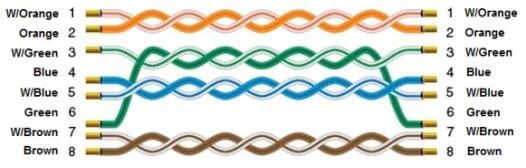
The diagram below shows the Ethernet cable wiring.