
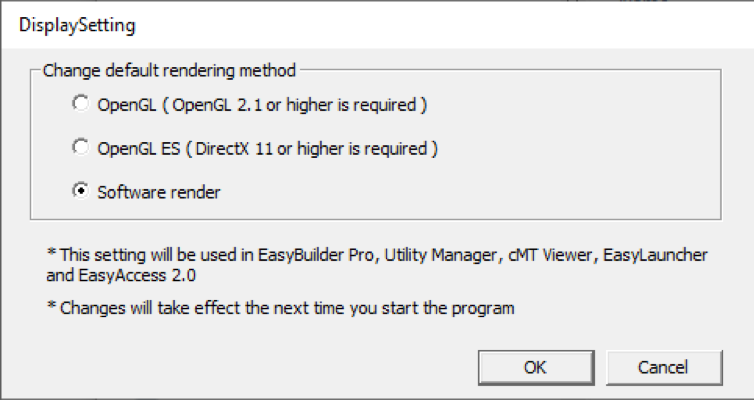
If you are experiencing any issues with how the software displays, first attempt updating any video card or graphics drivers on the computer running EBPro. If the drivers are up to date, or OpenGL is not supported by the computer running EBPro, then you should change the default rendering method of EBPro.
To change the default rendering method, first navigate to the download directory of EBPro, which defaults to C:MapleSystemsEBPro. In this directory, search for DisplaySetting.exe and run it. When run, DisplaySetting will open a window to change the default rendering method. Select Software render and click Ok. After clicking Ok, restart EBPro and the display should appear correct.
Software Downloads & Upgrades
Manuals & Guides
Tech Notes
Videos
Sample Projects
Controller Information Sheets
Communication Cables