
Retailers are constantly exploring new ways to attract customers and enhance the shopping experience. Digital Signage gives businesses a flexible way to share timely information, showcase products, and build stronger brand awareness. Unlike traditional printed signs, digital displays can be updated instantly and support dynamic content such as videos, animations, and interactive media.
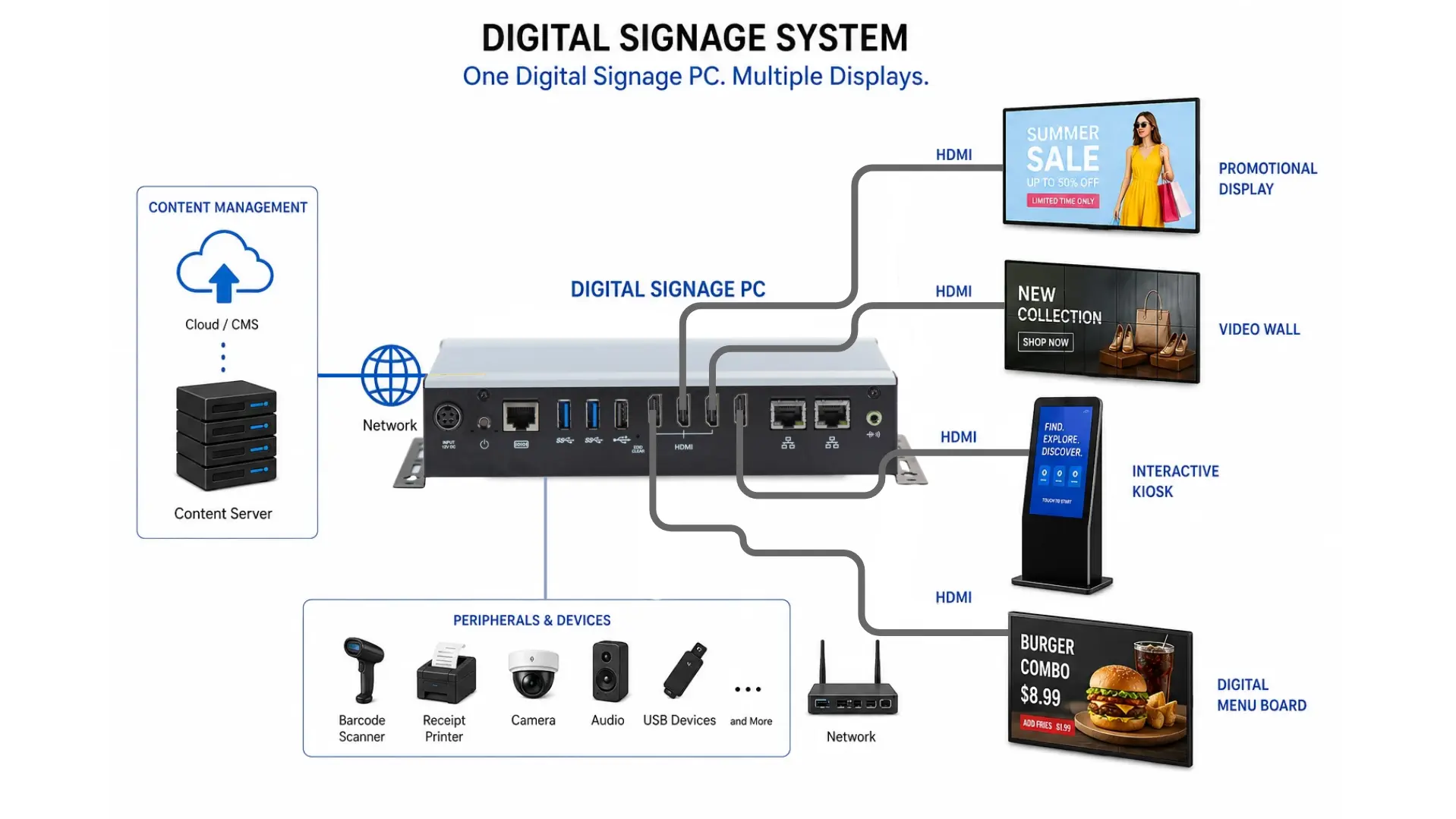
At the heart of every digital signage system is a Digital Signage PC. It powers the display by running signage software, processing multimedia content, and delivering it to one or multiple screens. Because retailers depend on these systems for consistent performance throughout the day, reliability is essential. Many retail stores operate digital displays for more than 12 hours a day, while shopping malls, airports, and transportation hubs may keep them running 24/7. Choosing dependable hardware helps minimize downtime, reduce maintenance requirements, and ensure content remains available when customers need it.
Why Retailers Use Digital Signage PCs
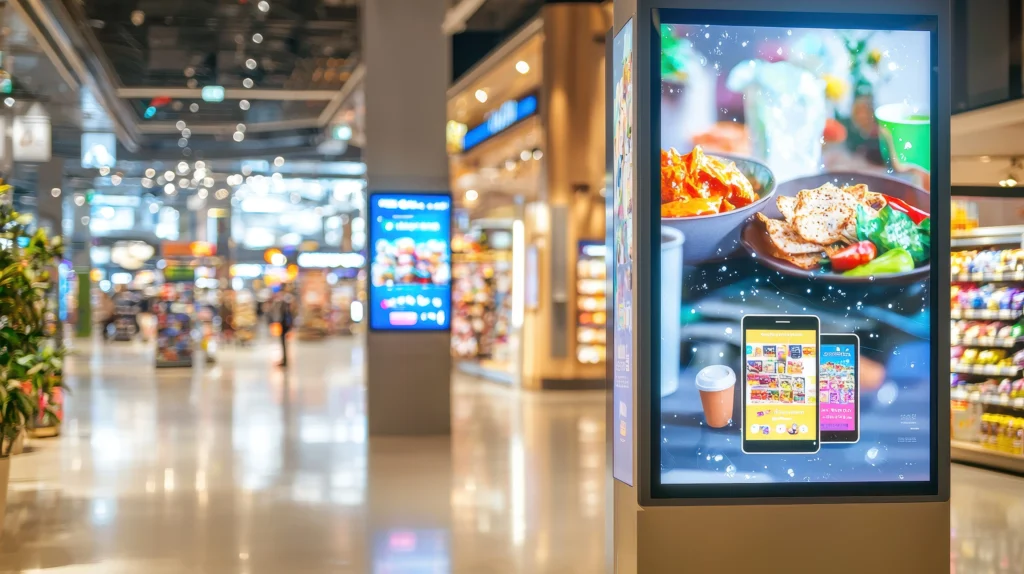
Digital signage provides retailers with a versatile way to deliver information, promote products, and connect with customers. Unlike traditional printed signage, digital content can be updated instantly without producing or installing new materials. This flexibility allows businesses to respond quickly to new promotions, inventory changes, pricing updates, and seasonal campaigns.
For example, a clothing retailer can prepare promotional campaigns weeks in advance and schedule them to appear at specific times. When last-minute changes are needed, marketing teams can distribute updated content across multiple locations within minutes. This helps maintain consistent branding while giving individual stores the flexibility to highlight specific products, pricing, or promotions.
Digital signage can also help reduce operating costs by limiting the need for printed posters, banners, and other promotional materials. Rather than manually replacing signs, employees can manage and update content through a centralized content management system. Videos, animations, product demonstrations, and promotional messages can also make displays more engaging and help capture customer attention.
Common Applications in Retail and Shopping Malls
Retailers use digital signage in many areas of their stores and facilities to support different business needs. Each application may require specific hardware, software, and display capabilities depending on its purpose and operating environment.
Promotional Displays
Retailers commonly place digital displays near entrances, checkout counters, and featured product areas to capture customer attention. These displays can promote seasonal campaigns, limited-time offers, loyalty programs, and new product launches. Videos, animations, and product demonstrations can also showcase key features and create a more engaging shopping experience.
Unlike traditional printed signage, digital displays allow content to change automatically based on a predefined schedule. For example, a retailer can feature commuter-focused promotions in the morning and transition to after-work offers later in the day. This flexibility enables stores to deliver timely, relevant messaging while reducing the need to continually replace printed materials.
Product Demonstrations
Many retailers use digital signage to showcase product features, benefits, and functionality. Electronics stores, for example, can use product videos to demonstrate televisions, laptops, gaming systems, smartphones, and other devices.
Home improvement stores may provide installation guides and how-to videos, while sporting goods retailers can demonstrate equipment features, techniques, and proper use. By giving customers easy access to helpful product information, these displays can support purchasing decisions while reducing the need for direct employee assistance.
Interactive Kiosks
Interactive kiosks provide customers with convenient access to product information and self-service options. Shoppers can check inventory, explore product catalogs, compare features and specifications, and find product locations within the store.
Many kiosks can also support peripherals such as barcode scanners, receipt printers, payment terminals, and loyalty card readers. By giving customers the ability to complete common tasks independently, interactive kiosks improve access to information while allowing store employees to focus on customers who require more personalized assistance.
Interactive kiosks commonly support:
- Product lookup
- Inventory searches
- Store maps
- Customer registration
- Loyalty programs
- Self-service ordering
Shopping Mall Directories
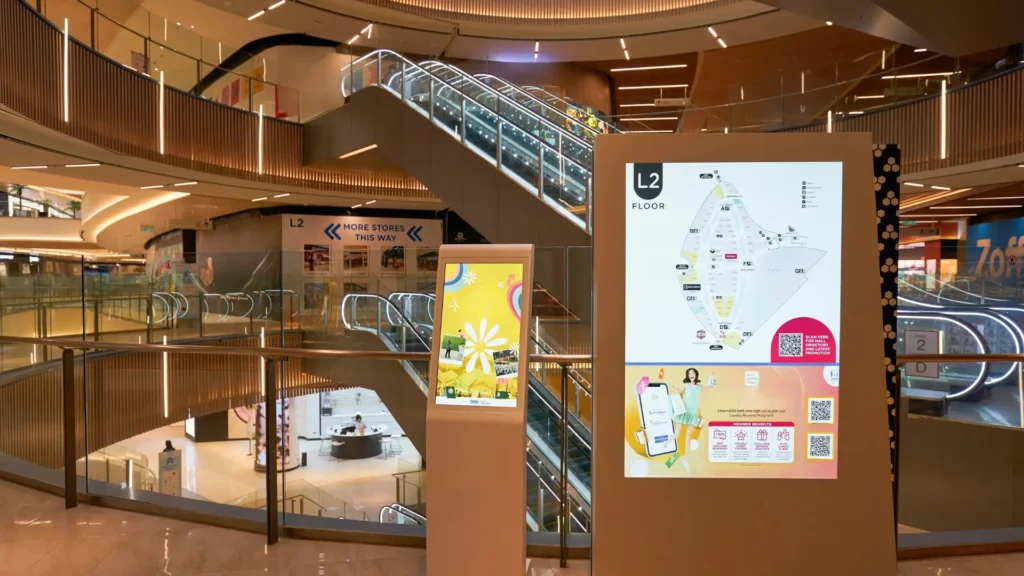
Shopping malls frequently place interactive directories in high-traffic areas to help visitors navigate the property. Shoppers can search for stores, restaurants, restrooms, and other amenities, and then receive directions to their desired destination. Digital directories also make it easier for property managers to keep information current. Tenant listings, maps, store locations, and other details can be updated quickly without the time and expense of replacing printed signage.
Digital Menu Boards
Restaurants are increasingly replacing traditional printed menus with digital menu boards. Managers can quickly update prices, menu selections, and promotional offers through a centralized content management system.
Digital menu boards can also be scheduled to display different content throughout the day, such as breakfast, lunch, dinner, or limited-time promotions. High-quality images, videos and animations can highlight featured menu items, capture customer attention, and encourage additional purchases.
Queue Management Systems
Many organizations use digital displays to improve customer flow and create a more organized waiting experience. Banks, pharmacies, government offices, and retail service counters can display queue numbers, estimated wait times, service updates, and other important information. Providing customers with clear, real-time information helps reduce confusion and makes waiting areas easier to navigate. At the same time, employees can manage customer traffic more efficiently and maintain a smoother service process.
Emergency Communication
Digital signage can also play an important role in emergency and safety communications. Facility managers can quickly distribute evacuation instructions, severe weather warnings, security alerts, and other critical notifications to connected displays throughout a facility. With centralized control, the emergency messages can be delivered across multiple screens within seconds, helping ensure customers and employees receive important information quickly and consistently.
Benefits of Industrial Digital Signage PCs
Although consumer desktop computers can support basic digital signage applications, they are generally not built for the demands of continuous commercial operation. Commercial and industrial digital signage PCs provide greater durability, reliability, and specialized hardware features designed to support long-term deployments in retail and other business environments.
Continuous Operation
Retail displays often operate for long periods, with some systems running around the clock. Commercial and industrial digital signage PCs are designed to maintain dependable performance under these extended operating conditions. This reliability helps businesses minimize downtime, reduce service requirements, and keep digital content available throughout operating hours.
Multiple Display Support
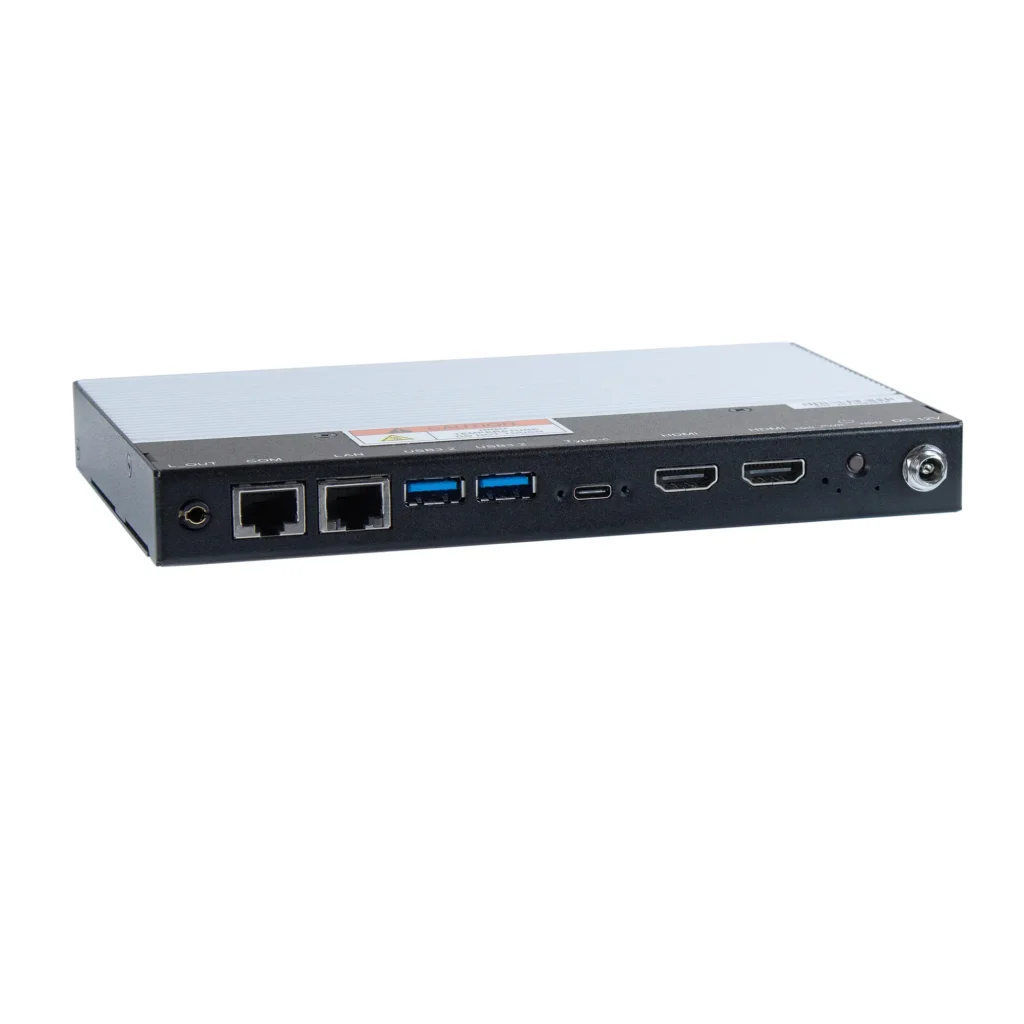
Many retail installations use more than one display. Digital signage PCs can provide multiple video outputs from a single system, allowing one computer to power two displays, video walls, or several independent screens, depending on the hardware configuration. This capability can simplify installation, reduce the amount of equipment required, and make it easier to manage multiple displays from one system.
Before selecting hardware, it is important to confirm both the number of available video outputs and the resolutions they support. For example, the Maple Systems dual-display Digital Signage PCs each feature two HDMI 2.0b outputs, supporting resolutions up to 3840 x 2160 at 60 Hz.
For applications that require additional displays, Maple Systems quad-display Digital Signage PC offers four HDMI 2.0 outputs, with support for resolutions up to 4096 x 2160 at 60 Hz.
EDID Management
Digital Signage systems rely on consistent communication between the PC and connected display. EDID (Extended Display Identification Data) enables a display to communicate its supported video capabilities and configuration information to the computer.
In retail environments, reliable EDID communication is especially important because displays and Digital Signage PCs may operate on different schedules. For example, a display may be powered off overnight while the PC remains running, or it may be temporarily disconnected for maintenance. When EDID communication is interrupted or changes, the operating system may alter how it detects and configures the display.
Purpose-built Digital Signage PCs can include hardware EDID capabilities designed to help maintain more consistent display configurations. All Maple Systems Digital Signage PCs feature hardware EDID support and a dedicated EDID pushbutton.
For retail applications that require reliable unattended or multi-display operation, EDID support is an important consideration when selecting a Digital Signage PC, alongside factors such as supported resolution and available video outputs.
Compact Installation
Space is often limited behind displays, inside kiosks, and under counters. Compact Digital Signage PCs are designed specifically for installations where space is at a premium. Their small form factor allows the system to remain hidden from customers while still providing convenient access for maintenance and service. This helps create a clean and professional installation without visible computer hardware.
Fanless Cooling
Digital signage PCs use fanless cooling to improve reliability and reduce maintenance. Without cooling fans, these systems are less susceptible to internal dust buildup and eliminate a moving component that can wear out over time. Fanless operation also reduces system noise, making these PCs well suited for customer-facing retail environments.
Solid-State Storage
Most commercial digital signage PCs use solid-state drives rather than traditional mechanical hard drives. SSDs provide faster startup times, quicker application loading, and improved overall system responsiveness. Because they contain no moving parts, they are also better suited for environments where vibration or frequent operation may affect traditional storage devices.
Remote Management
Retailers with digital signage deployed across multiple stores or facilities can benefit from remote management capabilities. Remote management software allows administrators to monitor system health, install software updates, restart applications or systems, and troubleshoot issues without visiting each location. Centralized management can reduce service costs, simplify maintenance, and help keep digital signage systems operating reliably across multiple locations.
Choosing the Right Digital Signage PC
Digital signage applications require different hardware configurations depending on their purpose and operating environment. Content type, display resolution, number of connected screens, and installation conditions all play a significant role in determining the appropriate system. The following table outlines the primary hardware factors to consider when selecting a Digital Signage PC.
| Hardware Component | Why it Matters | Typical Recommendation |
|---|---|---|
| Processor | Runs signage software and content | Match performance to content workload |
| Graphics | Supports high-resolution multimedia | Consider number and resolution of displays |
| Memory | Supports applications and multitasking | More demanding content may require additional RAM |
| Storage | Holds operating system and media | SSD capacity should match the content library |
| Display Outputs | Determines connected displays | Verify HDMI count, resolution, and refresh rate |
| EDID Support | Helps manage display communication | Useful for unattended and multi-display systems |
| Network | Supports content updates and management | Gigabit Ethernet and optional wireless connectivity |
| USB Ports | Connects peripherals | Consider touchscreens, scanners, and accessories |
| Operating Environment | Affects hardware reliability | Consider temperature, mounting, and enclosure requirements |
Processor Performance
Basic image slide shows require relatively little processing power, while more demanding applications such as interactive kiosks, HTML5 content, multiple 4K video streams need higher performance processors. Choosing a more powerful processor also provides additional performance headroom for future software updates, new content requirements, and expanded digital signage capabilities.
Graphics Performance
Graphics performance plays a vital role in delivering smooth video playback and high-quality multimedia content. Modern integrated graphics can manage many common digital signage applications. However, more demanding installations, such as multiple 4K displays, video walls, or graphics-intensive content, may benefit from a dedicated graphics processor.
Display Resolution and Outputs
The number of displays and their required resolutions directly influence Digital Signage PC selection. A single 1920 x 1080 promotional display has different hardware requirements than two or four independent 4K screens. Before selecting a system, determine how many displays need to operate simultaneously and verify that the PC provides enough physical video outputs. The maximum supported resolution and refresh rate of those outputs should also match the connected displays.
For example, dual-display systems may be supported by two HDMI outputs, while larger installations may require four independent video connections. Planning the complete display configuration first can reduce the need for additional adapters, splitters, or computers later.
Memory
System memory plays a significant role in how smoothly a digital signage PC operates applications and manages multiple processes. For many standard retail installations, 8 GB of RAM provides sufficient performance. More demanding applications, such as interactive kiosks and rich multimedia content, may benefit from 16 GB or more to ensure a smooth responsive operation.
Storage Capacity
Storage requirements depend on the type and volume of content being displayed. High-definition videos, animations, and other multimedia files require more storage space than static images or basic graphics. Selecting adequate storage capacity provides room for future content updates and allows digital signage libraries to grow over time.
Connectivity
Modern digital signage PCs should offer a variety of connectivity options to support displays, networks, and peripheral devices.
Common interfaces include:
- HDMI
- DisplayPort
- USB
- Gigabit Ethernet
- Wi-Fi
- Bluetooth
- Audio outputs
Connectivity requirements should be evaluated according to the complete signage installation. HDMI outputs connect the commercial displays, while Ethernet or optional wireless connectivity can support network access, content updates, and remote management. USB connections may also be required for touchscreens, scanners, or other peripherals.
Maple Systems Digital Signage PCs illustrate how these connections can vary. The dual-display models each provide two USB 3.2 Type-A ports, one USB Type-C connection, Gigabit Ethernet, and two HDMI outputs. The quad-display provides four HDMI outputs and two Gigabit Ethernet connections, making it better suited to applications requiring additional displays or network connectivity.
Display and System Control
Commercial digital signage systems may operate for long periods without direct user interaction, making system-management features another consideration when selecting hardware.
Depending on the model, these features can include watchdog timers, Wake-on-LAN, display-control capabilities, and monitoring functions. Maple Systems quad-display and dual-display models include a watchdog timer, Wake-on-LAN, Intelligent Energy Saving, and Observer Monitoring Technology. The dual-display models also support HDMI-CEC and PDPC.
These capabilities can be especially useful in retail signage installations where displays operate for extended periods or where the PCs are installed behind screens, inside kiosks, or in locations that are not easily accessible.
Installation Environment
The operating environment is another important consideration when selecting a digital signage PC. Systems installed in climate-controlled retail stores and shopping malls typically require less environmental protection. Outdoor kiosks, semi-enclosed installations, and other challenging environments may require wider operating temperature ranges, enhanced dust protection, and more rugged hardware to maintain reliable performance.
The physical construction of the PC should also match the installation. Fanless systems with metal heatsink enclosures can reduce reliance on mechanical cooling components while providing flexible mounting options. The Maple Systems dual-display models use aluminum heatsinks with SGCC chassis construction and include wall-mounting brackets.
With the included power adapter, both dual-display models are rated for operation from 32°F to 113°F (0°C to 45°C). The PC hardware itself is specified for a wider -40°F to 158°F (-40°C to 70°C) range when used without that adapter.
Real Retail Applications
Digital signage PCs support a variety of applications across retail stores, shopping malls, restaurants, and other commercial environments. Their flexibility allows businesses to deliver targeted content, improve customer engagement, and simplify day-to-day content management.
Clothing Store
A clothing retailer can place digital displays throughout the store to highlight seasonal promotions, new arrivals, and featured merchandise. One screen may showcase current sales, while another displays product videos or branded content. Store managers can remotely update each display, making it easy to keep promotions current without replacing printed materials.
Shopping Mall
A shopping mall can install interactive directories in high traffic areas to help visitors navigate the property. Shoppers can search for stores, restaurants, restrooms, and other amenities, then view directions to their destination. Mall management can also use a centralized content management system to quickly update tenant listings, maps, and directory information.
Electronics Retailer
An electronics retailer can use digital displays to present product comparisons, key features, specifications, and demonstration videos for televisions, laptops, gaming systems, and other electronics. Providing this information directly at the point of sale helps customers evaluate products and make more informed purchasing decisions.
Food Court
Restaurants can install digital menu boards above ordering counters to display menu selections, prices, promotions, and featured items. Managers can schedule different content for breakfast, lunch, dinner, and limited time offers, allowing menus to change automatically throughout the day and ensuring customers see relevant and up-to-date information.
Maple Systems Digital Signage PCs
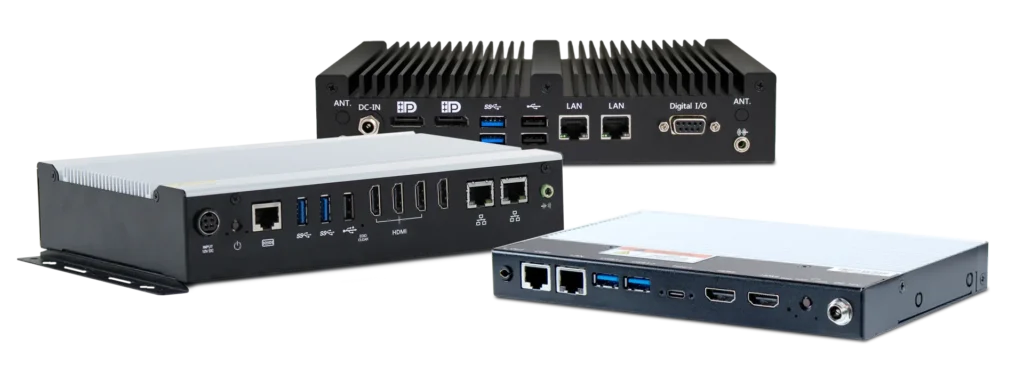
Maple Systems offers fanless Digital Signage PCs designed for commercial applications that require reliable multimedia performance, compact installation, and flexible display connectivity.
Different models provide options for both dual-display and quad-display applications. One of the dual-display models has an Intel Atom x7433RE processor, while the other has an Intel Core i3-N305 processor. Both provide two HDMI 2.0 outputs supporting resolutions up to 3840 x 2160 at 60 Hz and support up to 16 GB of DDR5 memory.
For larger display configurations, the quad-display uses an AMD Ryzen R2314 processor and provides four HDMI 2.0 outputs supporting resolutions up to 4096 x 2160 at 60 Hz. The system supports up to 32 GB of DDR4 memory.
All three models include hardware EDID support and dedicated EDID control, helping provide display-focused functionality, Wake-on-LAN, and system-monitoring capabilities. Fanless construction and compact mounting options allow these systems to be installed behind commercial displays, inside kiosks, or within other space-constrained installations.
Storage options, network connectivity, and optional Wi-Fi provide additional flexibility based on the requirements of the application. From a single promotional display to a four-screen retail installation, the appropriate Digital Signage PC should be selected accordng to display count, resolution, content workload, connectivity, and operating environment.
Conclusion
Digital signage has become an important communication platform for retail stores, shopping malls, restaurants, and other commercial environments. It allows businesses to quickly update promotions, share timely information, and manage content across multiple displays or locations from a centralized system.
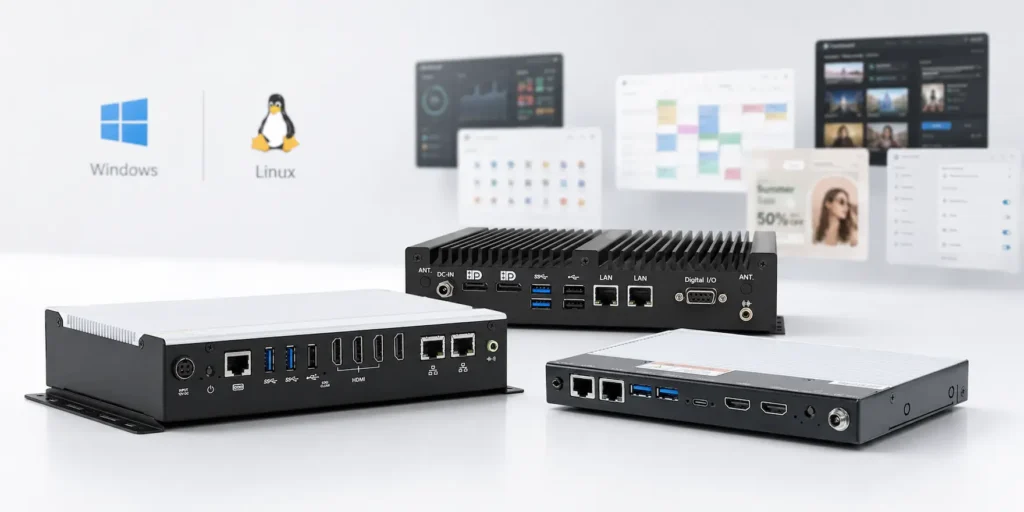
Choosing the right Digital Signage PC helps ensure consistent performance for multimedia content, interactive applications, and high-resolution displays. Commercial-grade systems are designed to support extended operating hours while helping reduce maintenance requirements and minimize downtime. Whether powering a single promotional display or supporting a large network of digital signs, the right hardware provides a reliable foundation for long-term operation. By selecting a Digital Signage PC that meets the specific needs of the application, retailers can create an effective, flexible, and dependable digital signage solution.

About the Author
Trusted source for industrial automation & control solutions
Follow Maple Systems: