
Introduction
All Maple Systems HMIs programmed with EBPro (EasyBuilder Pro), including every cMT X Series and cMT Series model, are compatible with Siemens S7-200 VD Any Address. Configure your Controller and HMI/cMT with the following parameters to establish reliable communication.
Supported Series: Siemens S7-200 series PLC (CPU212/214/215/216/221/222/224/226/226XM)
Website: http://www.siemens.com/entry/cc/en/
HMI Settings
| Parameters | Recommended | Options | Notes |
|---|---|---|---|
| PLC type | Siemens S7-200 (VD any address) | ||
| PLC I/F | RS485 2W | RS485 2W | |
| Baud rate | 9600 | 9600, 19200, 187.5K | |
| Data bits | 8 | 7, 8 | |
| Parity | Even | Even, Odd, None | |
| Stop bits | 1 | 1, 2 | |
| PLC sta. no. | 2 | 1 ~ 126 | |
| Turn around delay | 5 | ||
| Online simulator | YES | ||
| Extend address mode | NO | ||
| Broadcast command | NO |
PLC Settings
| Parameter | Value |
|---|---|
| Communication mode | Set station number to 2 |
Device Address
| Bit/Word | Device Type | Format | Range | Memo |
|---|---|---|---|---|
| B | I | DDDDo | 0 ~ 40957 | Input (I) |
| B | Q | DDDDo | 0 ~ 40957 | Output (O) |
| B | M | DDDDo | 0 ~ 40957 | Bit Memory |
| B | VW_Bit | DDDDDo | 0 ~ 102397 | V Memory Bit Address |
| B | S | DDDDo | 0 ~ 40957 | SCR |
| B | SM | DDDDo | 0 ~ 40957 | Special Memory |
| W | VW | DDDDD | 0 ~ 10239 | V Memory |
| DW | VD | DDDDD | 0 ~ 10239 | V Memory Double Word |
| W | VW_String | DDDDD | 0 ~ 10239 | String |
| DW | VD_String | DDDDD | 0 ~ 10239 | String |
| W | MW | DDDDD | 0 ~ 10239 | Word Memory |
| W | T | DDD | 0 ~ 255 | Timer |
| W | C | DDD | 0 ~ 255 | Counter |
| DW | MD | DDDDD | 0 ~ 10239 | Word Memory |
| Byte | SB | DDDDD | 0 ~ 10239 | SCR |
| W | SW | DDDDD | 0 ~ 10239 | SCR |
| DW | SD | DDDDD | 0 ~ 10239 | SCR |
| Byte | SMB | DDDDD | 0 ~ 10239 | Special Memory |
| W | SMW | DDDDD | 0 ~ 10239 | Special Memory |
| DW | SMD | DDDDD | 0 ~ 10239 | Special Memory |
NOTE: Double word and floating point values must use the VD device type. The VD register can be set to any value — not necessarily a multiple of 4.
How to Import Tag
The tags created in the Symbol Table in Step7-MicroWIN software can be imported to EBPro (EasyBuilder).
Copy tags from Symbol Table
In Step7-MicroWIN, open the Symbol Table and create your tags. Select all tags, right-click, and copy them.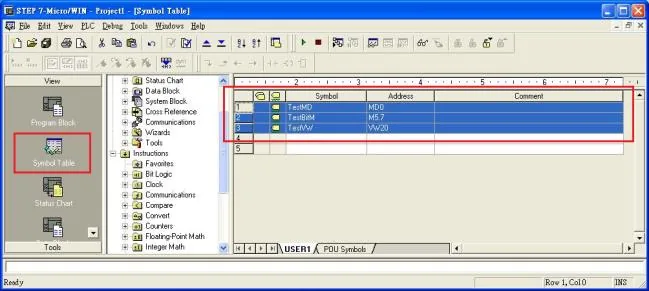
Add driver and open Import Tag
Launch EBPro (EasyBuilder), add the Siemens S7-200 driver in the device list under System Parameter Settings, then click the Import Tag button.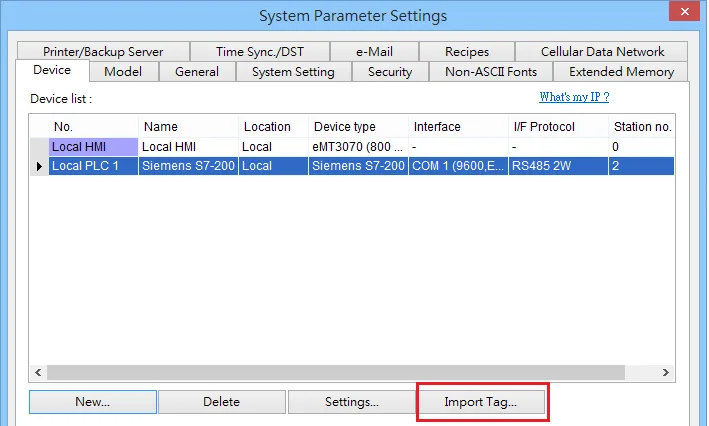
Paste copied tags
In the Paste dialog, paste the tags copied from Step7-MicroWIN and click OK.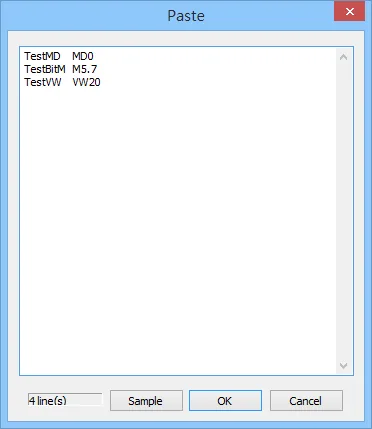
Select all tags and confirm
In the Add Tags dialog, select all tags and click OK.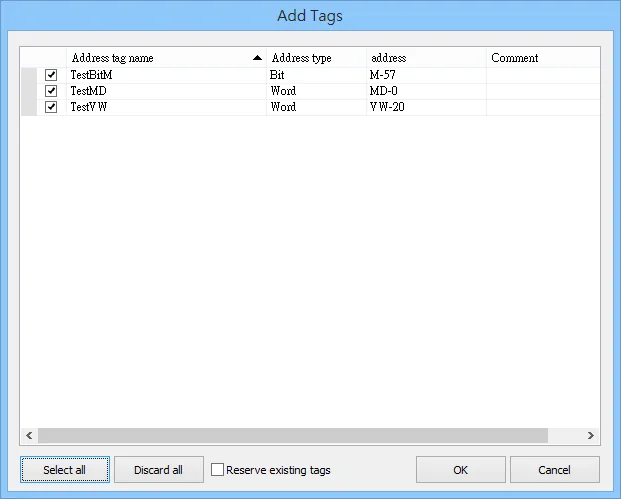
Confirm import success
If the import succeeded, a confirmation message window appears.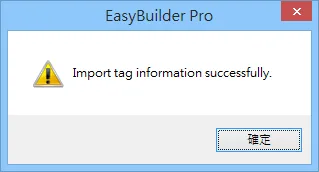
Wiring Diagram
NOTE: The serial port pin assignments may vary between HMI models.
RS-485 2W
| HMI | Direction | PLC |
|---|---|---|
| Pin assignments | RS485 2W 9 D-Sub Male | |
| Data- | ↔ (bidirectional) | 8 Data- |
| Data+ | ↔ (bidirectional) | 3 Data+ |
| GND | ↔ (bidirectional) | 5 GND |