
Open the System Settings
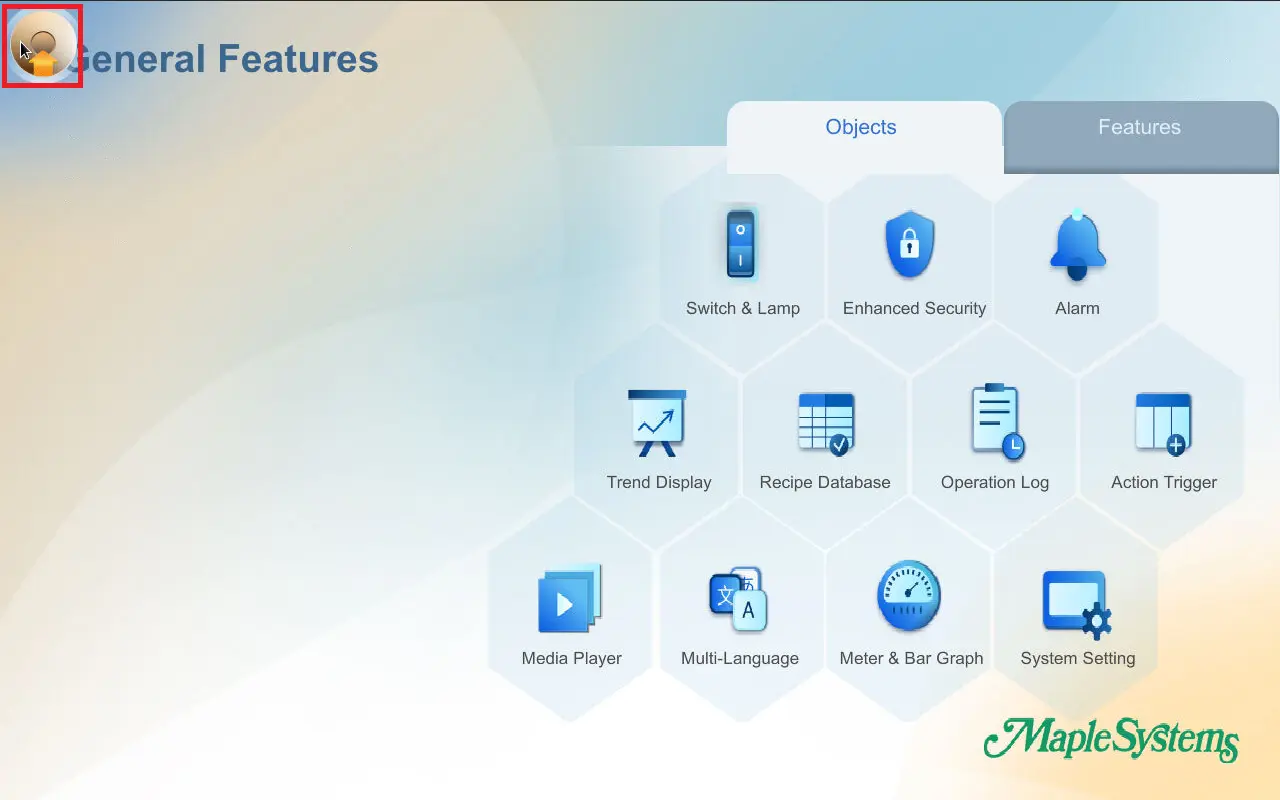
- On the HMI screen, tap the system toolbar (Arrow in the bottom right corner or the System Icon in the top left corner depending on the model), then the system settings will open.
Log in to the Settings Menu
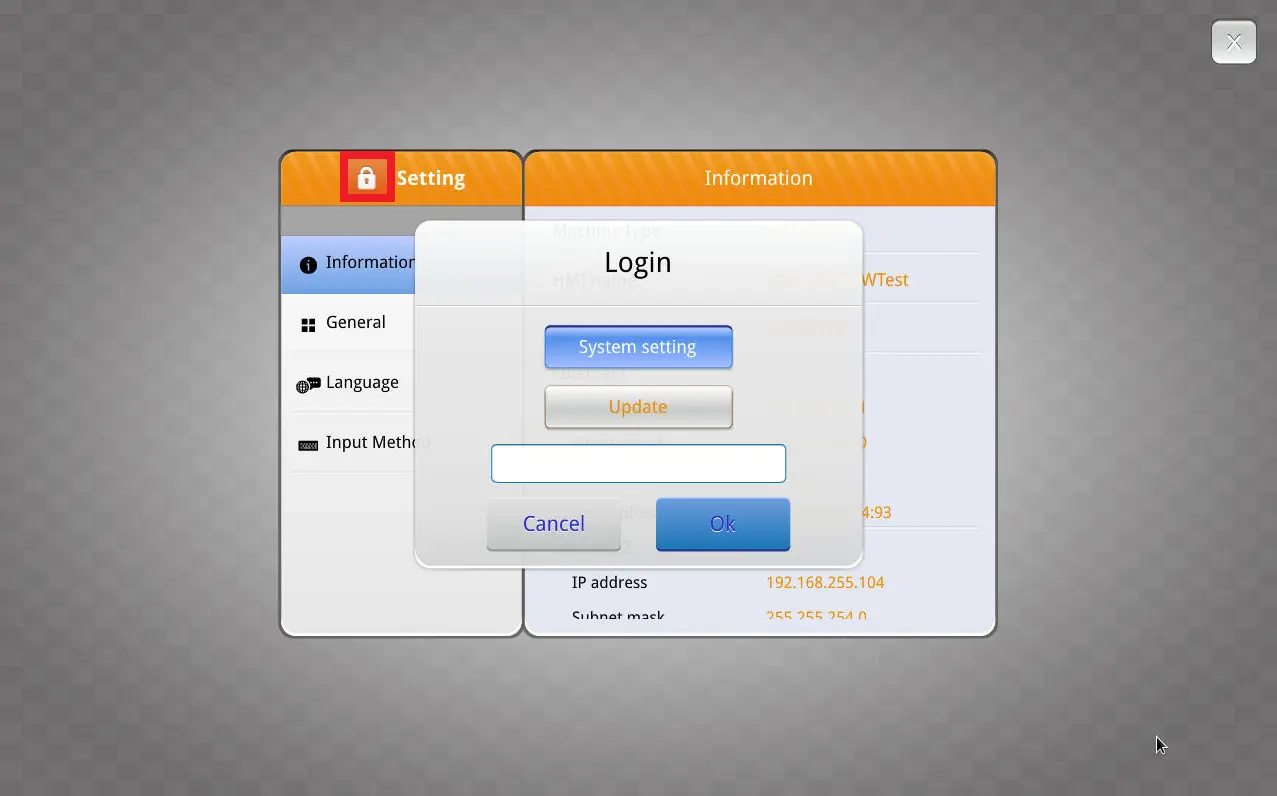
- Click the Lock icon.
- You will need to enter the admin password (default is 111111) to access the configuration window.
Change the Network Settings
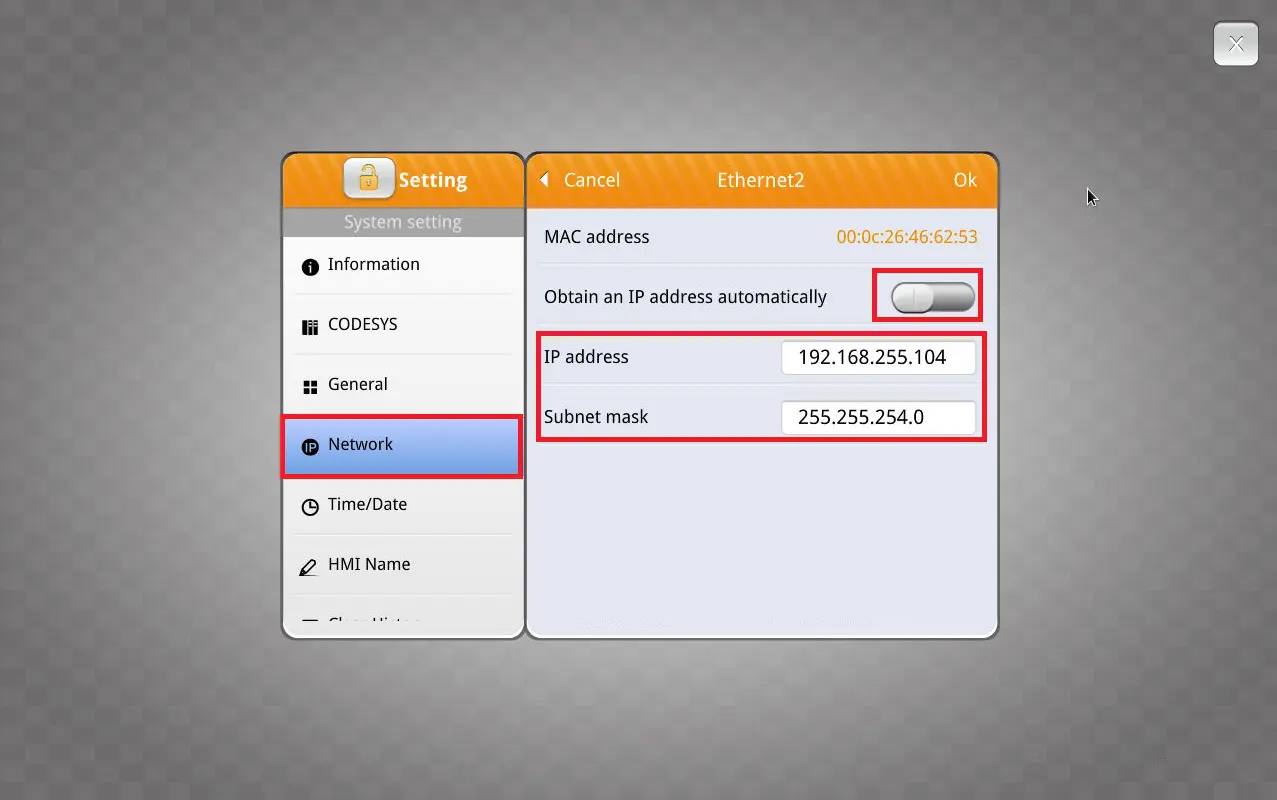
- Go to the Network tab, disable automatic IP (DHCP) if needed, enter the new IP address and subnet mask (Static IP) then apply the changes.
Product
Software Downloads & Upgrades
Manuals & Guides
Tech Notes
Solutions
See our
Controller Information Sheets
Communication Cables
Videos