
Compare HMI Products
|
Filters |
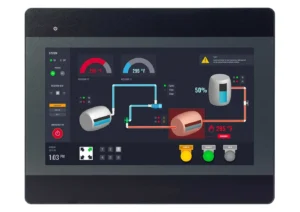
Legacy 10.1" Low-Cost Standard Model HMI HMI5100B Price Not Available (N/A)
|
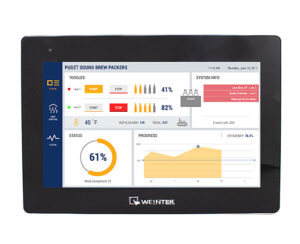
10.1" WiFi Capable High-Resolution High Performance HMI cMT3108XP $1419
|

10.1" WiFi Capable Advanced HMI cMT2108X2v2 $919
|
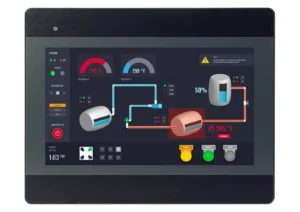
10.1" Low-Cost HMI HMI5100Bv3 $725
|
|---|---|---|---|---|
| Loading product data… | ||||
| HMI5100B | cMT3108XP | cMT2108X2v2 | HMI5100Bv3 | |
| CPU | 32-bit RISC 528MHz | Quad-Core RISC | Quad-Core RISC | Quad-Core RISC |
| Memory (RAM) | 128 MB | 1 GB | 1 GB | 128 MB |
| Memory (Flash) | 128 MB | 4 GB | 4 GB | 256 MB |
| RTC | Built-in | Built-in | Built-in | Built-in |
| Programming Software | EasyBuilder Pro | EBPro (Latest Version) | EBPro (Latest Version) | EBPro (Latest Version) |
| HMI5100B | cMT3108XP | cMT2108X2v2 | HMI5100Bv3 | |
| Ethernet/LAN | 10/100 Base-T x 1 | LAN 1: 10/100/1000 Base-T x 1; LAN 2: 10/100 Base-T x 1 | LAN 1: 10/100/1000 Base-T x 1; LAN 2: 10/100 Base-T x 1 | 10/100 Base-T x 1 |
| CANbus | N/A | Yes | N/A | N/A |
| Audio Output | N/A | Built-in Mono Speaker | N/A | N/A |
| SD Card Slot | N/A | N/A | N/A | N/A |
| USB Host Ports | USB 2.0 x 1 | USB 2.0 x 1 | USB 2.0 x 1 | USB 2.0 x 1 |
| USB Client Ports | N/A | N/A | N/A | N/A |
| Wi-Fi | N/A | MO2 Wifi – Expansion Module (Optional) | MO2 Wifi – Expansion Module (Optional) | N/A |
| COM Port | 1 x DE9S COM2: RS-485 2 or 4 wire, COM3: RS-485 2 wires, 1 x DE9P COM1: RS-232, COM3: RS-232 | CANbus, 1 x DE9S COM2: RS-485 2 or 4 wire, COM3: RS-485 2 wires, 1 x DE9P COM1: RS-232, COM3: RS-232 | 1 x DE9S COM2: RS-485 2 or 4 wire, COM3: RS-485 2 wires, 1 x DE9P COM1: RS-232, COM3: RS-232 | 1 x DE9S COM2: RS-485 2 or 4 wire, COM3: RS-485 2 wires, 1 x DE9P COM1: RS-232, COM3: RS-232 |
| RS-485 Dual Isolation | N/A | N/A | N/A | N/A |
| Local bus | N/A | N/A | N/A | N/A |
| HDMI Port | N/A | N/A | N/A | N/A |
| Video Input | N/A | N/A | N/A | N/A |
| Serial Ports | 2 | 2 | 2 | 2 |
| HMI5100B | cMT3108XP | cMT2108X2v2 | HMI5100Bv3 | |
| Display Size | 10.1" TFT | 10.1" WVA LCD | 10.1" TFT | 10.1" TFT |
| Resolution | 1024 x 600 | 1280 x 800 | 1024 x 600 | 1024 x 600 |
| Luminance (cd/m^2) | 350 | 425 | 350 | 350 |
| Contrast Ratio | 500:1 | 800:1 | 500:1 | 1000:1 |
| Backlight Type | LED | LED | LED | LED |
| Backlight Lifetime (hrs) | 50,000+ | 50,000+ | 50,000+ | 50,000+ |
| Colors | 16.7 M | 16.7 M | 16.7 M | 16.7 M |
| LCD Viewing Angle (T/B/L/R) | 70/70/80/80 | N/A | N/A | N/A |
| Display Type | 10.1” TFT | 10.1” WVA LCD | 10.1" TFT | 10.1” TFT |
| Viewing Angle (H°/V°) | 160/140 | 178/178 | 160/140 | 178/178 |
| Size (W x H) | 8.70 x 5.12 inches [221 x 130 mm] | 8.58 x 5.38 inches [218 x 137 mm] | 8.82 x 4.96 inches [224 x 126 mm] | 8.70 x 5.12 inches [221 x 130 mm] |
| View Angle (H° V°) | N/A | N/A | 160/140 | N/A |
| HMI5100B | cMT3108XP | cMT2108X2v2 | HMI5100Bv3 | |
| Type | 4-wire resistive touch | Tempered Glass, Capacitive Touch | 4-wire resistive touch | 4-wire resistive touch |
| Accuracy | Length (X) ±2%, width (Y) ±2% | N/A | Length (X) ±2%, width (Y) ±2% | Length (X) ±2%, width (Y) ±2% |
| Touch Panel Hardness Scale | N/A | 7H | N/A | N/A |
| HMI5100B | cMT3108XP | cMT2108X2v2 | HMI5100Bv3 | |
| Input Power | 12.3 W | 16.8 W | 24 W | 9.6 W |
| Power Isolation | Built-in | Built-in | Built-in | Built-in |
| Power Dissipation | N/A | N/A | N/A | N/A |
| Current for Internal Bus | N/A | N/A | N/A | N/A |
| Current Consumption | N/A | N/A | N/A | N/A |
| Isolation Resistance | Exceed 50 MO – @ 500 VDC | Exceed 50 MΩ – @ 500 VDC | Exceed 50 MΩ – @ 500 VDC | Exceed 50 MΩ – @ 500 VDC |
| Input Voltage | 24 ± 20% VDC | 24 ± 20% VDC | 24 ± 20% VDC | 24 ± 20% VDC |
| Input Current | 1.3 A @ 12 VDC; 650 mA @ 24 VDC | 700 mA @ 24 VDC | 1 A @ 24 VDC | 400 mA @ 24 VDC |
| HMI5100B | cMT3108XP | cMT2108X2v2 | HMI5100Bv3 | |
| Vibration Endurance | 10 to 25Hz (X, Y, Z direction 2G 30 minutes) | 10 to 25 Hz (X, Y, Z direction, 2G, 30 minutes) | 10 to 25 Hz (X, Y, Z direction, 2G, 30 minutes) | 10 to 25 Hz (X, Y, Z direction, 2G, 30 minutes) |
| Enclosure Material | Plastic, charcoal grey | Plastic, charcoal grey | Plastic, charcoal grey | Plastic, charcoal grey |
| PCB Coating | Yes | Yes | Yes | N/A |
| Dimensions WxHxD | 10.67 x 8.39 x 1.44 inches [271 x 213 x 36.5 mm] | 10.47 x 7.72 x 1.68 inches [266 x 196 x 43 mm] | 10.67 x 8.39 x 1.50 inches [271 x 213 x 38 mm] | 10.67 x 8.39 x 1.44 inches [271 x 213 x 36.5 mm] |
| Panel Cutout (inches) [mm] | 10.24 x 7.95 [260 x 202] | 10.04 x 7.28 [255 x 185] | 10.24 x 7.95 [260 x 202] | 10.24 x 7.95 [260 x 202] |
| Weight | Approx. 2.2 lbs. [1.0 kg] | Approx. 2.43 lbs. [1.1 Kg] | Approx. 2.65 lbs. [1.2 Kg] | Approx. 2.2 lbs. [1.0 kg] |
| Mounting | Panel mount | Panel mount, VESA 75 x 75 mm | Panel mount, VESA 75 x 75 mm | Panel mount |
| HMI5100B | cMT3108XP | cMT2108X2v2 | HMI5100Bv3 | |
| Operating Temperature | 32° ~ 122°F (0° ~ 50°C) | 32° ~ 131°F (0° ~ 55°C) | 32° ~ 122°F (0° ~ 50°C) | 32° ~ 131°F (0° ~ 55°C) |
| Storage Temperature | -4° ~ 140°F (-20° ~ 60°C) | -4° ~ 140°F (-20° ~ 60°C) | -4° ~ 140°F (-20° ~ 60°C) | -4° ~ 140°F (-20° ~ 60°C) |
| Relative Humidity | 10% ~ 90% (non-condensing) | 10% ~ 90% (non-condensing) | 10% ~ 90% (non-condensing) | 10% ~ 90% (non-condensing) |
| HMI5100B | cMT3108XP | cMT2108X2v2 | HMI5100Bv3 | |
| 3G/4G Dongle | Yes | Yes | Yes | Yes |
| Access Levels (Security) | Yes | Yes | Yes | Yes |
| Alarm & Event Messages | Yes | Yes | Yes | Yes |
| Analog Meters | Yes | Yes | Yes | Yes |
| Animation – Flow Block | Yes | Yes | Yes | Yes |
| Animation – Objects | N/A | Yes | Yes | N/A |
| ASCII Characters | Yes | Yes | Yes | Yes |
| BACnet Schedule | N/A | Yes | Yes | N/A |
| Bar Graphs | Yes | Yes | Yes | Yes |
| Barcode Scanner | N/A | Yes | N/A | N/A |
| Build Data | Yes | Yes | Yes | Yes |
| CANBus (Software) | N/A | Yes | N/A | N/A |
| Circular Trend Display | Yes | Yes | Yes | Yes |
| cMT Diagnoser | N/A | Yes | Yes | N/A |
| cMT Viewer Support | N/A | Yes | Yes | N/A |
| CODESYS | N/A | Optional | Optional | N/A |
| Combo Button | Yes | Yes | Yes | Yes |
| Data Logging | Yes | Yes | Yes | Yes |
| Data Sampling | Yes | Yes | Yes | Yes |
| Database Server | N/A | Yes | N/A | N/A |
| Date / Time | Yes | Yes | Yes | Yes |
| Design Up to 1999 Screens | Yes | Yes | Yes | Yes |
| Development Software | EasyBuilder Pro | EasyBuilder Pro | EasyBuilder Pro | EasyBuilder Pro |
| Display Controls | Yes | Yes | Yes | Yes |
| Dynamic Drawing | Yes | Yes | Yes | Yes |
| Dynamic Scale | Yes | Yes | Yes | Yes |
| EasyAccess 2.0 | Optional | Optional | Optional | Optional |
| EasyConverter | Yes | Yes | Yes | Yes |
| EasyDiagnoser | Yes | N/A | N/A | Yes |
| EasyPrinter | Yes | N/A | N/A | Yes |
| EasySimulator | Yes | N/A | N/A | Yes |
| EasyWatch | Yes | Yes | Yes | Yes |
| N/A | Yes | Yes | N/A | |
| Enhanced Security Mode | Yes | Yes | Yes | Yes |
| Ethernet Printer | N/A | Yes | Yes | N/A |
| Event Alarm Log | Yes | Yes | Yes | Yes |
| File Browser | Yes | Yes | Yes | Yes |
| File Transfer Protocol (FTP) | Yes | Yes | Yes | Yes |
| Fonts | Yes | Yes | Yes | Yes |
| FTP Server | Yes | Yes | Yes | Yes |
| Graphics | Yes | Yes | Yes | Yes |
| Grid Display | Yes | Yes | Yes | Yes |
| IP Camera | N/A | Yes | Yes | N/A |
| JS Object (Java Script Editor) | N/A | Yes | Yes | N/A |
| Languages | Yes | Yes | Yes | Yes |
| LDAP | N/A | Yes | Yes | N/A |
| Library – Label | Yes | Yes | Yes | Yes |
| Library – Picture | Yes | Yes | Yes | Yes |
| Library – Shape | Yes | Yes | Yes | Yes |
| Library – Tag | Yes | Yes | Yes | Yes |
| Macro Windows Open/Cycle/Close | N/A | Yes | Yes | N/A |
| Media Player | N/A | Yes | Yes | N/A |
| Meters & Gauges | Yes | Yes | Yes | Yes |
| ModBus | Yes | Yes | Yes | Yes |
| MQTT (Advanced) | N/A | Yes | Yes | N/A |
| MQTT (Publisher) | N/A | Yes | Yes | N/A |
| MQTT (Subscriber) | N/A | Yes | Yes | N/A |
| Object Modification | Yes | Yes | Yes | Yes |
| Offline Simulation | Yes | Yes | Yes | Yes |
| OPC UA Client | Yes | Yes | Yes | Yes |
| OPC UA Server | N/A | Yes | N/A | N/A |
| Operation Log Printing | Yes | Yes | Yes | Yes |
| Operation Log Settings | Yes | Yes | Yes | Yes |
| Operation Log View | Yes | Yes | Yes | Yes |
| Pass-Through Mode | Yes | Yes | Yes | Yes |
| PDF Reader | N/A | Yes | Yes | N/A |
| Picture Object | Yes | Yes | Yes | Yes |
| Picture Viewer | Yes | Yes | Yes | Yes |
| Picture/Shape Library Embedded in Project | Yes | Yes | Yes | Yes |
| Pie Chart | Yes | Yes | Yes | Yes |
| PLC Tag Embedded in Project | Yes | Yes | Yes | Yes |
| Program Capacity | See Project Size Limit | N/A | N/A | See Project Size Limit |
| Project Password | Yes | Yes | Yes | Yes |
| Project Protection | Yes | Yes | Yes | Yes |
| Project Size Limit | 22.5MB | 64MB | 64MB | 22.5MB |
| Recipe Database | Yes | Yes | Yes | Yes |
| Recipe Import / Export | Yes | Yes | Yes | Yes |
| Recipe View | Yes | Yes | Yes | Yes |
| Remote Access | Yes | Yes | Yes | Yes |
| Scheduler | Yes | Yes | Yes | Yes |
| Security Controls | Yes | Yes | Yes | Yes |
| Security Interlock, User Restriction, Safety Control | Yes | Yes | Yes | Yes |
| Security Levels (Enhanced) | Yes | Yes | Yes | Yes |
| Security Levels (Simple) | Yes | Yes | Yes | Yes |
| Siemens PLC Pass-Through | Yes | Yes | Yes | Yes |
| SQL Database Server Integration | N/A | Yes | N/A | N/A |
| String Table | N/A | Yes | Yes | N/A |
| System Setting Editor | Yes | Yes | Yes | Yes |
| Table | Yes | Yes | Yes | Yes |
| Text Object | Yes | Yes | Yes | Yes |
| Time Synchronization | N/A | Yes | Yes | N/A |
| Timer Object | Yes | Yes | Yes | Yes |
| Trend Display | Yes | Yes | Yes | Yes |
| Trend Graphs | Yes | Yes | Yes | Yes |
| USB Camera | N/A | Yes | Yes | N/A |
| USB Camera Web Streaming | N/A | Yes | Yes | N/A |
| USB Disk Download | Yes | Yes | Yes | Yes |
| USB Tethering | N/A | Yes | Yes | N/A |
| User-Defined Start-Up Screen | Yes | Yes | Yes | Yes |
| Utility Manager | Yes | Yes | Yes | Yes |
| VNC Server | Yes | Yes | Yes | Yes |
| VNC Viewer | N/A | Yes | Yes | N/A |
| Wi-Fi | N/A | With additional WIFI Module | With additional WIFI Module | N/A |
| 64-bit Data Type | N/A | Yes | Yes | N/A |
| EasyRemote IO | N/A | Yes | Yes | N/A |
| Event Bar Chart | N/A | Yes | Yes | N/A |
| FTP Client | N/A | Yes | Yes | N/A |
| PLC Web Browser | N/A | Yes | N/A | N/A |
| Web Interface (EasyWeb 2.0) | N/A | Yes | Yes | N/A |
| Web Server | N/A | See PLC Web Browser | N/A | N/A |
| Web Streaming | N/A | Yes | Yes | N/A |
| WebView | N/A | Yes | Yes | N/A |
| HMI5100B | cMT3108XP | cMT2108X2v2 | HMI5100Bv3 | |
| UL Type Rating | N/A | UL Type 4X (indoor use only) | UL Type 4X (indoor use only) | N/A |
| NEMA Rating | NEMA4 | NEMA4 | NEMA4 | NEMA4 |
| IP Rating | IP65 compliant front panel | IP66 Compliant Front Panel | IP66 Compliant Front Panel | IP65 compliant front panel |
| CE | Yes | Yes | Yes | Yes |
| UL | N/A | cULus Listed | cULus Listed | N/A |
| Class 1 Div 2 | N/A | N/A | N/A | N/A |
| ATEX | N/A | ATEX Zone 2/22 Category 3 G/D | N/A | N/A |
| RoHS | Yes | Yes | Yes | Yes |
| CE UKCA | N/A | Yes | Yes | N/A |