Introduction
All Maple Systems HMIs programmed with EBPro (EasyBuilder Pro), including every cMT X Series and cMT Series model, are compatible with a Rockwell/Allen-Bradley Micro850 (Ethernet) Free Tag Names PLC. Configure your Controller and HMI/cMT with the following parameters to establish reliable communication.
Supported Series: Rockwell Micro820/850 Ethernet Module
Website: rockwellautomation.com
HMI Setting
| Parameters | Recommended | Options | Notes |
|---|---|---|---|
| PLC type | Rockwell/Allen-Bradley Micro850 (Ethernet) – Free | ||
| PLC I/F | Ethernet | ||
| Port no. | 44818 | ||
| HMI sta. no. | 0 | ||
| PLC sta. no. | 1 | ||
| Protocol (Multiple Service Packet) | Disable (Default) | Disable/Enable | *Note |
NOTE: Model: 2080-L50E, 2080-L70E supports Multiple Service Packet Protocol, the firmware version needs to be upgraded to v22 or above.
Support Device Type
| Data Type | EBPro (EasyBuilder) Data Format | Memo |
|---|---|---|
| Bool | bit | |
| Byte | 16-bit BCD, Hex, Binary, Unsigned | 8-bit |
| SInt | 16-bit BCD, Hex, Binary, Signed | 8-bit |
| USInt | 16-bit BCD, Hex, Binary, Unsigned | 8-bit |
| Word | 16-bit BCD, Hex, Binary, Unsigned | 16-bit |
| Int | 16-bit BCD, Hex, Binary, Signed | 16-bit |
| UInt | 16-bit BCD, Hex, Binary, Unsigned | 16-bit |
| DWord | 32-bit BCD, Hex, Binary, Unsigned | 32-bit |
| DInt | 32-bit BCD, Hex, Binary, Signed | 32-bit |
| Real | 32-bit Float | 32-bit |
| UDInt | 32-bit BCD, Hex, Binary, Unsigned | 32-bit |
| String | ASCII Object | Length=word |
| LINT | 64-bit Signed | 64-bit |
NOTE: EBPro V6.03.02 or later supports 64-bit data type (cMT Series only), but please note that the address limit range is 48 bits in maximum.
Export and Import Tags
The Connected Components Workbench software terms for Controller Tags are Global Variables and Local Tags are called Local Variables.
Export Controller Tags
Right-click the Micro800 controller icon in the Project Organizer and select Export u0026gt; Variables. Browse to the desired directory, enter a filename, and click Save. The file is saved in the Microsoft Excel format.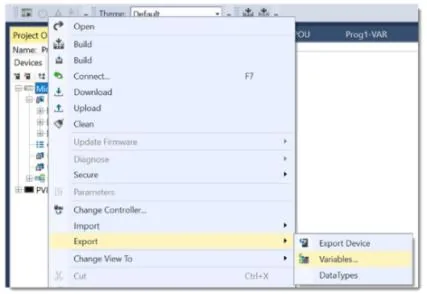
Open EBPro (EasyBuilder) System Parameters
Open the EBPro (EasyBuilderPro) software, enter System Parameters and add a Rockwell Micro850 device. Navigate to System Parameter Settings u0026gt; Device u0026gt; Select Driver u0026gt; Import Tags.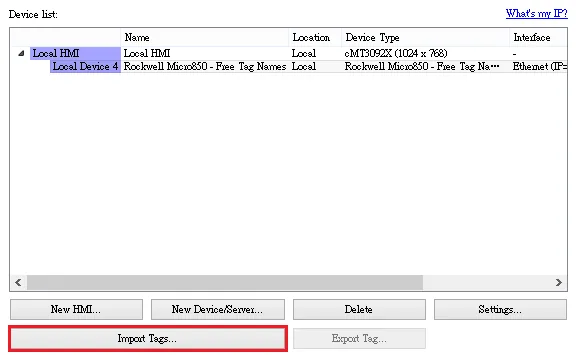
Select Import File Type
Choose the appropriate import file type:nn- Import Files (.XLS, .XLSX): Rockwell Soft Export Tag Filen- Import Files (*.CSV): EBPro (EasyBuilderPro) Export Tag File
Select Tags and Confirm
Select the imported tags, then press OK.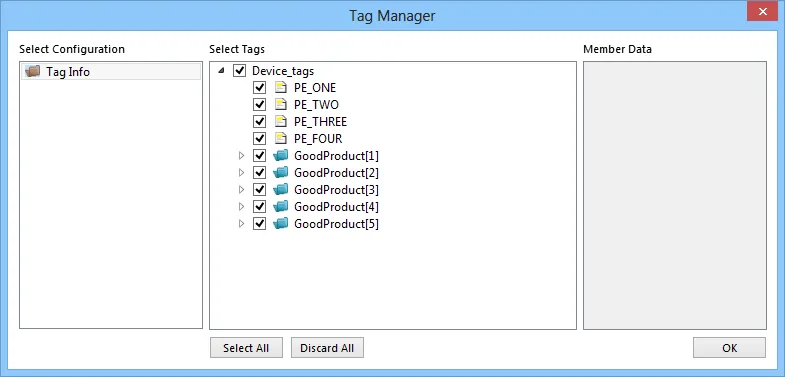
Enable Binary Access
ForSINT,INT, orDINTtype tags, choose whether to enable binary access.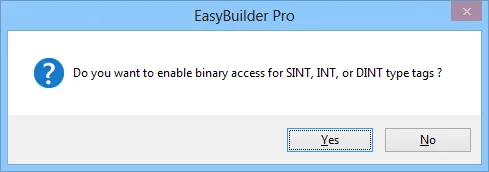
Confirm Successful Import
Import tag information successfully.This driver allows you to select multiple spreadsheets (XLS or XLSX) at once when importing tags in EasyBuilderPro, so you can import Global Variables and I/O tags simultaneously.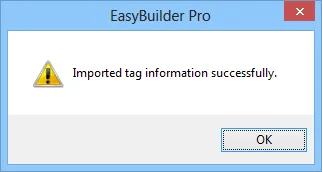
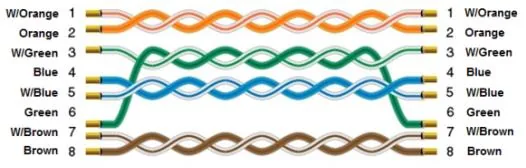
Wiring Diagram
The diagram below shows the Ethernet cable wiring.