Introduction
All Maple Systems HMIs programmed with EBPro (EasyBuilder Pro), including every cMT X Series and cMT Series model, are compatible with CoDeSys V2 (Symbolic Addressing) (Ethernet). Configure your Controller and HMI/cMT with the following parameters to establish reliable communication.
HMI Setting
| Parameters | Recommended | Options | Notes |
|---|---|---|---|
| PLC type | CODESYS V2 (Symbolic Addressing) (Ethernet) | ||
| PLC I/F | Ethernet | ||
| Port no. | 1200 | ||
| Protocol | TCP/IP | TCP/IP, TCP/IP[Level 2] | |
| Password | Does not support |
How to Import Tags
Add Driver and Open Tag Manager
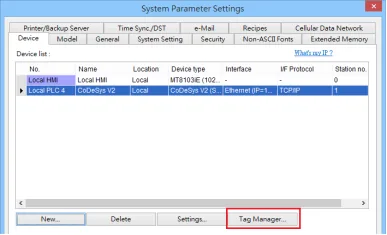
Click [New] to add [CODESYS V2 (Symbolic Addressing) (Ethernet)] driver, and then click [Tag Manager].Select and Import SYM_XML Tag File
Select [Get Tags] » [Import Tags], and then select the Tag (.SYM_XML) to be imported.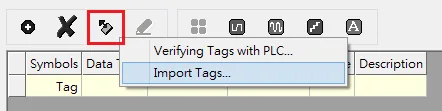
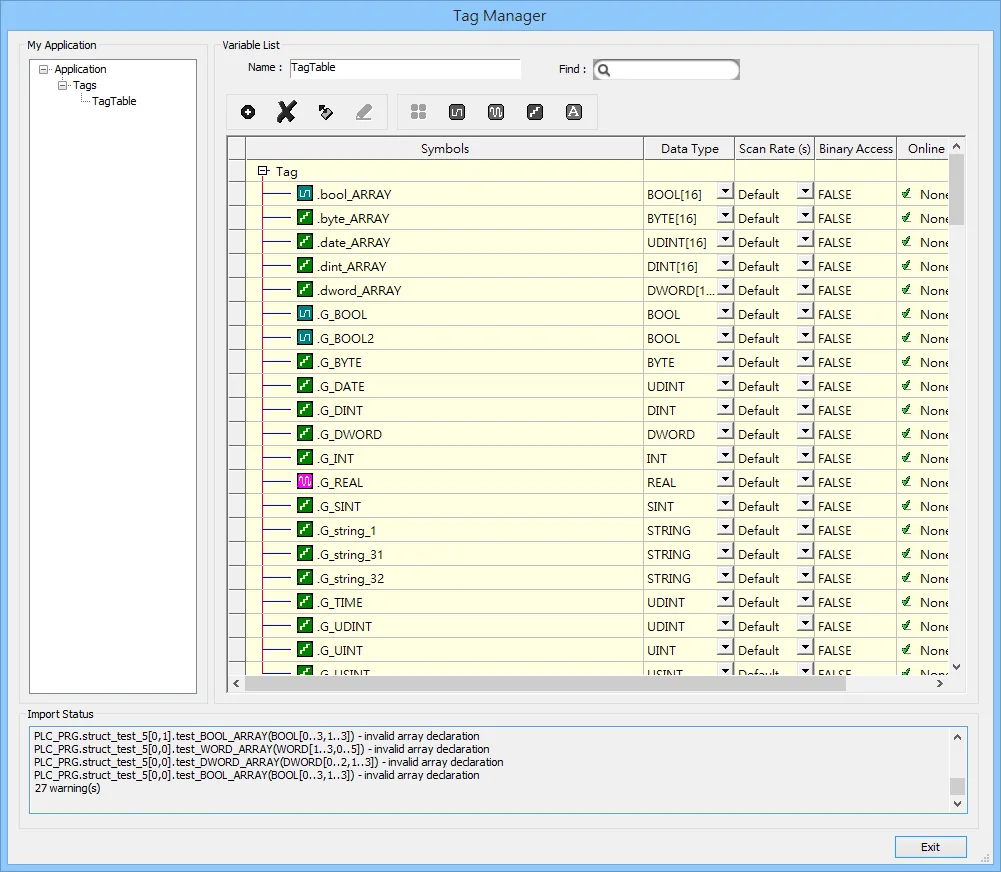
- The successfully imported tags will be listed in a table. If any unsupported data type exists, a warning message will show in [Import Status] field.
NOTE: Generate *.SYM_XML
Generate SYM_XML File
Generate `*.SYM_XML`
Enable Symbol Configuration Options
[Project] -u0026gt; [Options] -u0026gt; [Symbol configuration], select [Dump symbol entries] and [Dump XML symbol table].Export Data Entries from Symbol File
Open [Configure symbol file], select [Export data entries].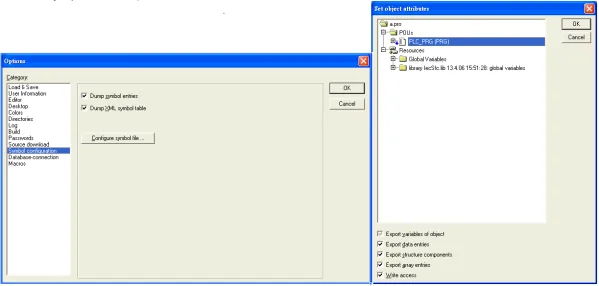
Support Device Type
| Data type | EBPro (EasyBuilder) data format | Memo |
|---|---|---|
| Bool | bit | |
| Byte | 16-bit BCD, Hex, Binary, Unsigned | 8-bit |
| SInt | 16-bit BCD, Hex, Binary, Signed | 8-bit |
| USInt | 16-bit BCD, Hex, Binary, Unsigned | 8-bit |
| Word | 16-bit BCD, Hex, Binary, Unsigned | 16-bit |
| Int | 16-bit BCD, Hex, Binary, Signed | 16-bit |
| UInt | 16-bit BCD, Hex, Binary, Unsigned | 16-bit |
| DWord | 32-bit BCD, Hex, Binary, Unsigned | 32-bit |
| DInt | 32-bit BCD, Hex, Binary, Signed | 32-bit |
| Real | 32-bit Float | 32-bit |
| UDInt | 32-bit BCD, Hex, Binary, Unsigned | 32-bit |
| LInt | 64-bit Signed | 64-bit |
| ULInt | 64-bit Unsigned | 64-bit |
| LWord | 64-bit Unsigned | 64-bit |
| Double | 64-bit Float | 64-bit |
| String | Word array for ASCII input and display | Length=word |
NOTE: EBPro V6.03.02 or later supports 64 bits data type (cMT Series only), but please note that the address limit range is 48 bits in maximum.
Wiring Diagram
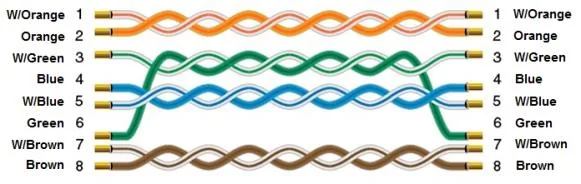
The diagram below shows the Ethernet cable wiring.