Introduction
All Maple Systems HMIs programmed with EBPro (EasyBuilder Pro), including every cMT X Series and cMT Series model, are compatible with a Rockwell/Allen-Bradley EtherNet/IP (CompactLogix) – Free Tag Names. Configure your Controller and HMI/cMT with the following parameters to establish reliable communication.
Supported Series: Rockwell CompactLogix, FelxLogix Ethernet
Website: https://www.rockwellautomation.com/
HMI Settings
| Parameters | Recommended | Options | Notes |
|---|---|---|---|
| PLC type | Rockwell EtherNet/IP (CompactLogix) – Free Tag Names | ||
| PLC I/F | Ethernet | ||
| Port no. | 44818 | ||
| PLC sta. no. | 1 |
PLC Settings
Set PLC IP Address
Set the PLC IP address in Logix Designer via the Controller Properties Internet Protocol tab.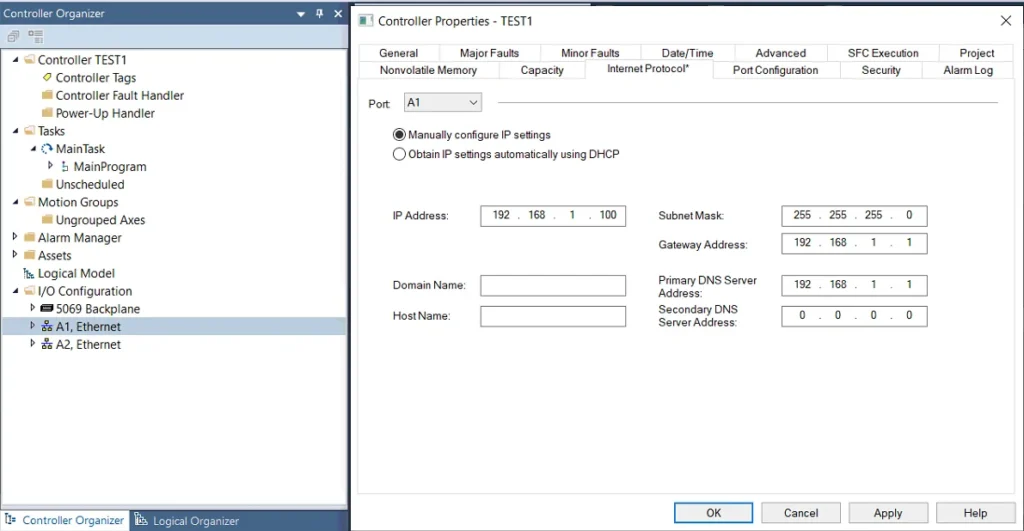
Create New Tags
Create new tags — Controller Tags and Program Tags are both supported. There are two ways to get tags: import.L5Xor.CSVfiles (click Import Tags…), or connect to the PLC directly (click Get Tag Info…). After creating a project using one of these methods, use the same method for future maintenance to prevent compilation failure.nnRecommended for PLC Offline: Import.L5XnnRecommended for PLC Online: Get Tag Info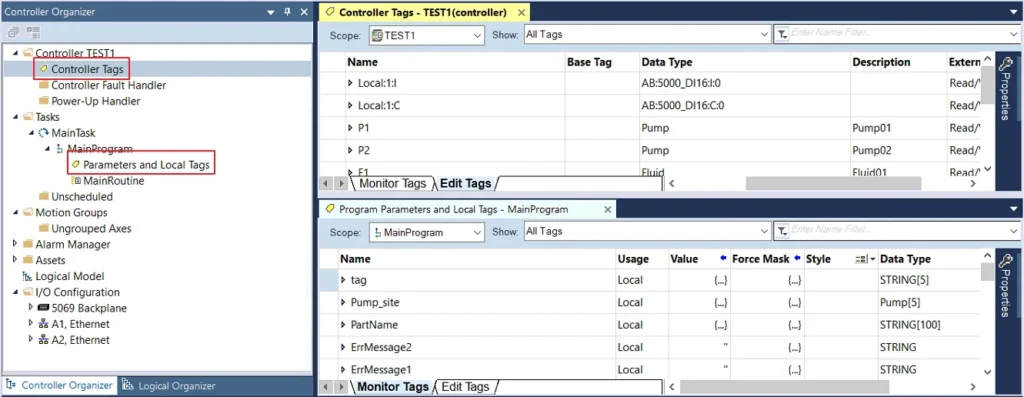
Tag Import Method Comparison
| L5X | CSV | Get Tag Info | |
|---|---|---|---|
| Can Description be Imported? | Yes | Yes | No |
| Need Adding Data Type? | No | Yes | No |
NOTE: Description is only supported for atomic tags. (Not supported for structure or array.)
Get Tag Info
Verify Parameters and Get Tag Info
After adding the driver in EBPro (EasyBuilder Pro), check whether all communication parameters are correct, and then click Get Tag Info.Select Tags to Import
Select the tag information to be imported and then click OK.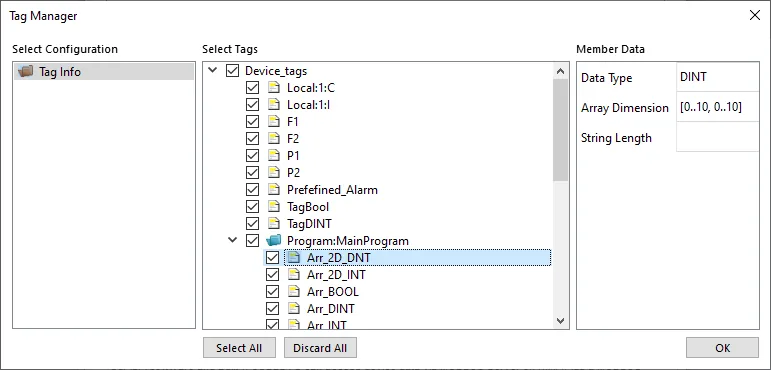
Confirm Successful Import
Click OK after tag information is imported successfully.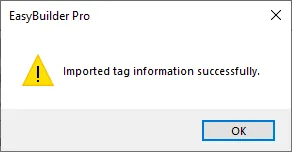
Review Imported Tags and Close
View the imported tag information and click the close icon X to leave.
Import Tag (L5X)
Export L5X File from RSLogix 5000
Export the.L5Xfile from RSLogix 5000. The path is: File → Save As → *Logix Designer XML File (.L5X)**.Import L5X in EBPro (EasyBuilder Pro)
Add the driver in EBPro (EasyBuilder Pro), click Import Tags, select *Import Files (.L5X), and then click OK**.
Review Tags and Close
View the imported tag information and click the close icon X to leave.Confirm Successful Import
Click OK after tag information is imported successfully.
Import Tag (CSV)
Export Tags to CSV from RSLogix 5000
Export tag data to a CSV file via Tools → Export → Tags and Logic Comments.The separator character in the CSV file must be a comma,; otherwise the file is invalid. To change the list separator: Control Panel → Date, Time, Language, and Regional Options → Change the format of numbers, dates, and times → Customize → List separator. Select,and then export the CSV file.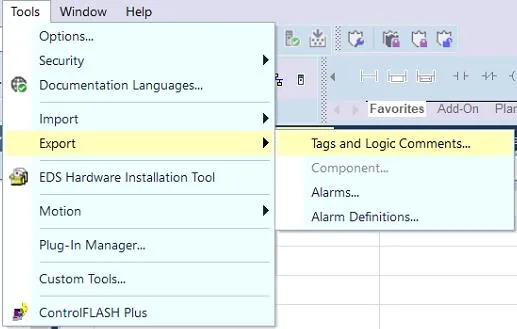
Import CSV in EBPro (EasyBuilder Pro)
In System Parameters, click Import Tags, select *Import Files (.CSV), and then click OK**.
Choose Data Type Handling
Decide whether to keep the current data type (User-Defined, Strings, Predefined, Module-Defined) or replace with the default data type.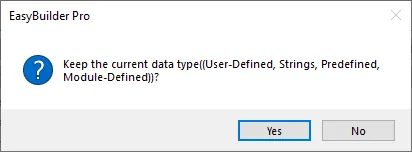
Review Warnings for Unsupported Tags
A Warning window appears when unsupported tags are encountered. Check whether these tags use data types that need to be added. The following message appears when tags are successfully imported.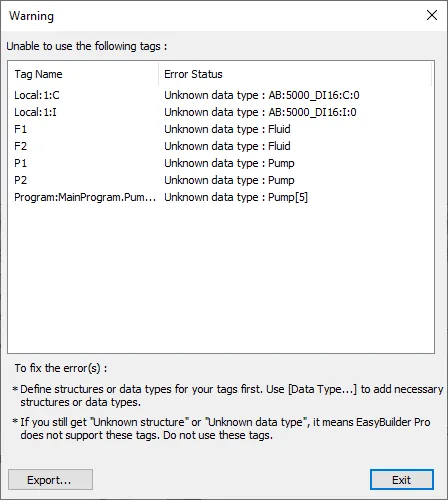
Device Address
| PLC Data Type Name | Bit/Word | EBPro (EasyBuilder) Data Format | Memo |
|---|---|---|---|
| BOOL | Boolean | Bit object | |
| BitArray | |||
| SINT | Integer | 16-bit signed, ASCII | -128 ~ 127 |
| USINT | Integer | 16-bit signed, ASCII | 0 ~ 255 |
| INT | Integer | 16-bit signed, ASCII | -32768 ~ 32767 |
| UINT | Integer | 16-bit signed, ASCII | 0 ~ 65535 |
| DINT | Double Integer | 32-bit signed | -231 ~ (231-1) |
| UDINT | Double Integer | 32-bit signed | 0 ~ 4294967295 |
| REAL | Single Precision Float | 32-bit float | IEEE 754 |
| LINT | Long Integer | 64-bit signed | *Note1 |
| ULINT | Long Integer | 64-bit unsigned | *Note1 |
| LREAL | Double Precision Float | 64-bit double | *Note1 |
| STRING | *Note4 |
NOTE:
- EBPro V6.03.02 or later supports 64-bit data types (cMT Series only), but note that the address limit range is 48 bits maximum.
- Avoid using
.in the tag name as this may affect macro execution. - Shorter tag names are recommended for enhancing communication efficiency.
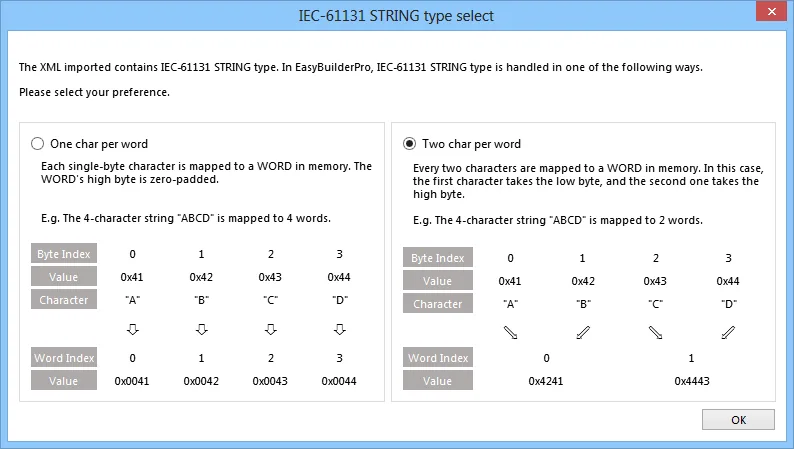
- When importing, there are two modes — one or two characters per word. When importing one char per word, choose Unicode data format for ASCII objects; choose UTF-8 (Default) data format for two char per word.
- Data formats supported for Binary Access:
INT,DINT, andSINT.
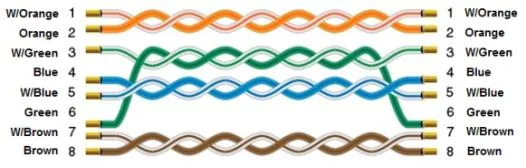
Wiring Diagram
The diagram below shows the Ethernet cable wiring.