Introduction
All Maple Systems HMIs programmed with EBPro (EasyBuilder Pro), including every cMT X Series and cMT Series model, are compatible with Mitsubishi iQ-R Series (Binary Mode, Symbolic Addressing, Ethernet). Configure your Controller and HMI/cMT with the following parameters to establish reliable communication.
Supported Series: Mitsubishi R00/R01/R02/R04/R08/R16/R32/R120/R04EN /R08EN/R16EN/ R32EN/ R120EN/ R08P/R16P/R32P/R120P/R08SF/R16SF/ R32SF/ R120SF/R08PSF/R16PSF/R32PSF/R120PSF CPU Ethernet Module, M80 CNC Controller
Website: http://www.mitsubishi-automation.com
HMI Settings
| Parameters | Recommended | Options | Notes |
|---|---|---|---|
| PLC type | Mitsubishi iQ-R Series – Binary Mode (Symbolic Addressing) (Ethernet) | ||
| PLC I/F | Ethernet | ||
| Port no. | 4999 | ||
| Station No. | 255 | ||
| Network number | 0 | 0 ~ 999 |
PLC Settings
| Parameter | Value |
|---|---|
| Communication Data Code | Binary |
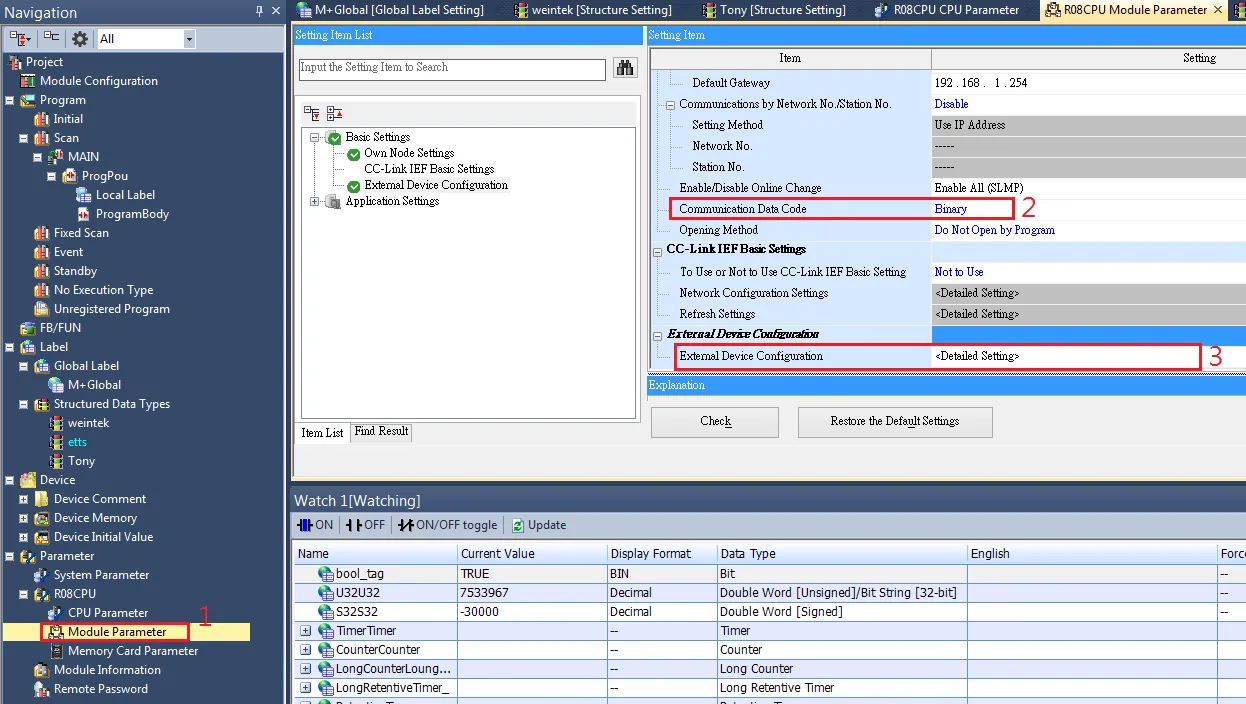
External Device Configuration
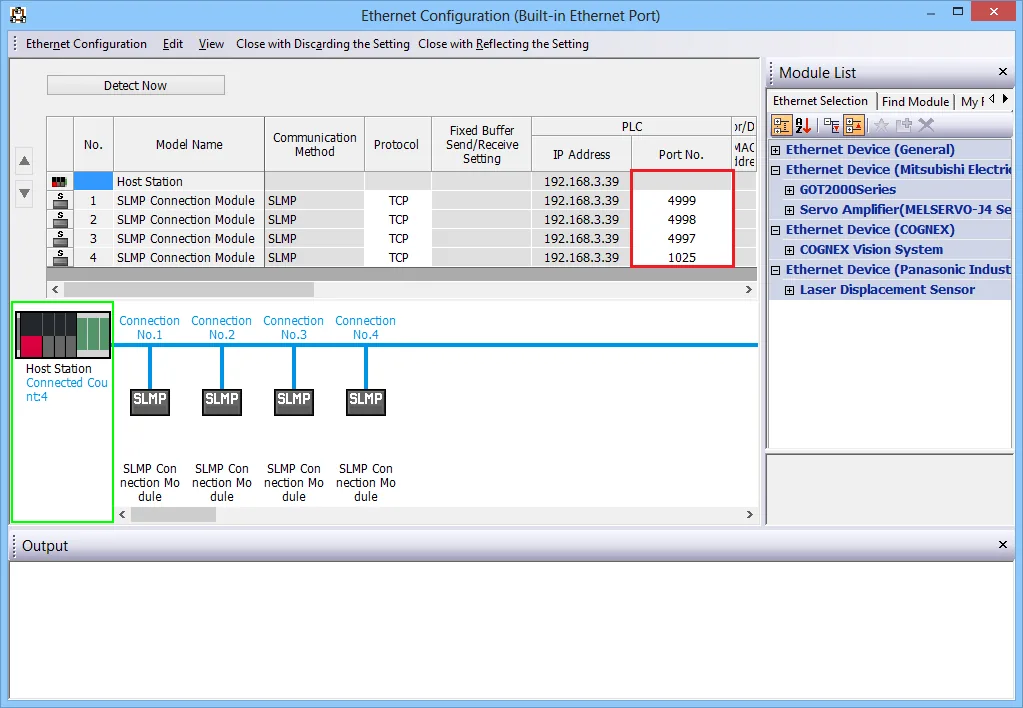
External Device Configuration: Add SLMP Connection Modules and set different port numbers to use when multiple HMIs communicate at the same time.
Remote Password Setting
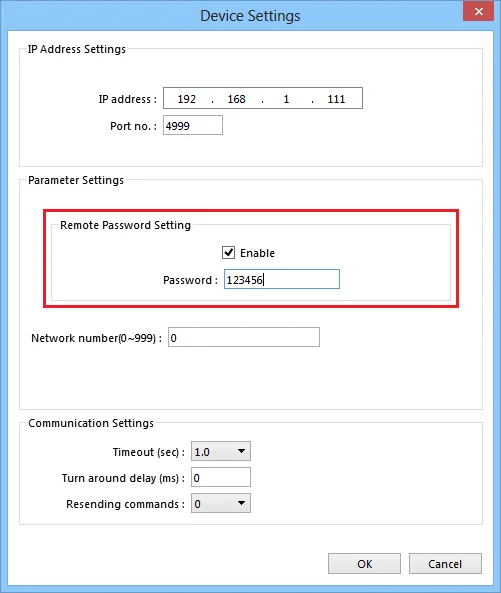
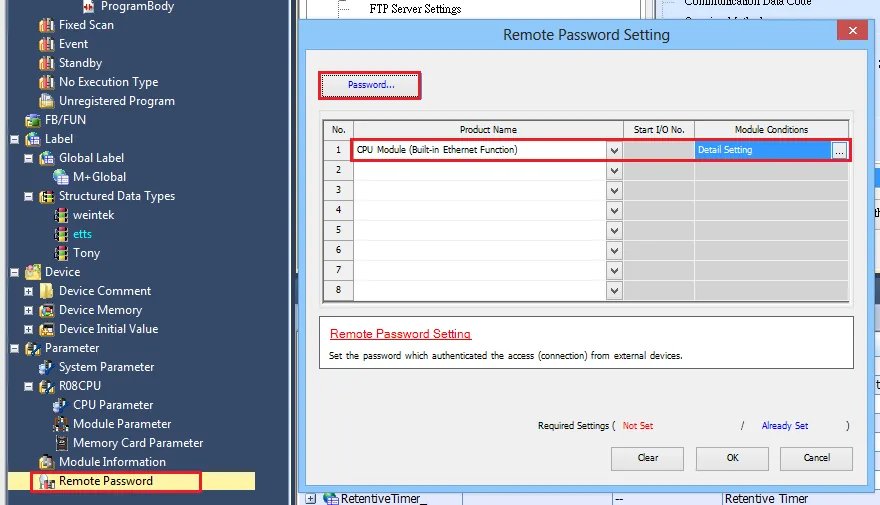
Set a remote password and a target connection in the engineering tool, and write the data to the CPU module.
EBPro (EasyBuilder Pro) Device Settings
Navigation: Navigation Window → System Parameter → Device → Driver Settings → Remote Password Setting
GX Works3 Setting Screen
Import Tags
Create Global Labels and Structured Data Types
Create data in Global Label and Structured Data Types in GX Works3.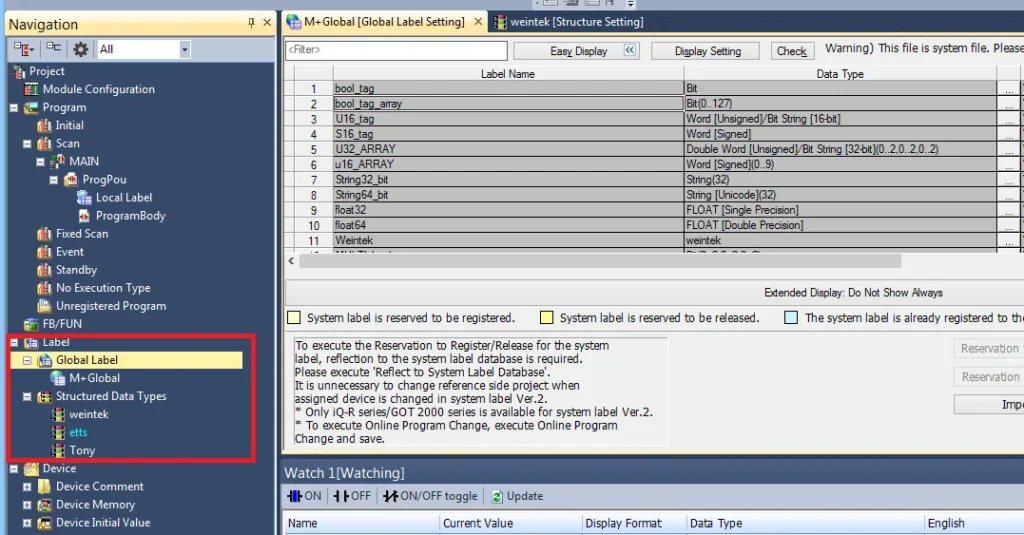
Enable Access from External Device
In Global Label, the Access from External Device setting must be checked for each label to enable communication with the PLC.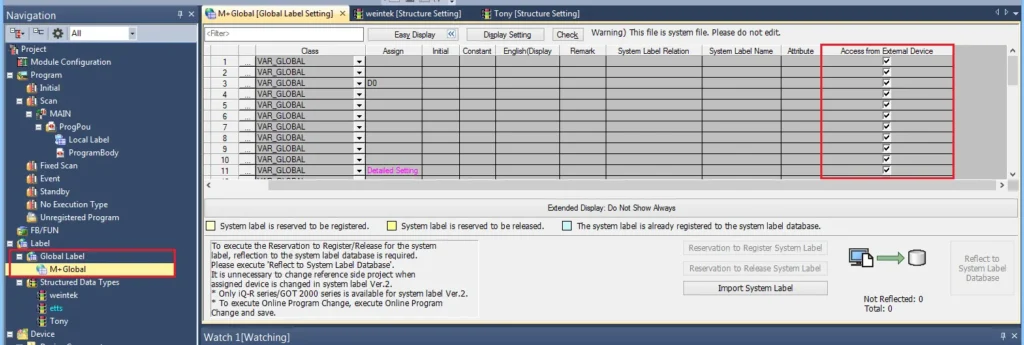
Export Global Label and Structured Data Type Files
Export Global Label and Structured Data Types as separate label files. Right-click each item in the navigation tree and select Export to File…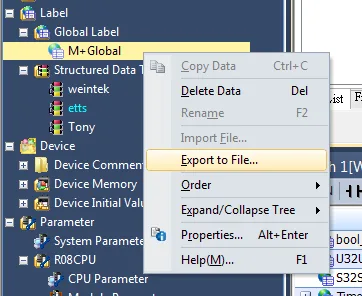
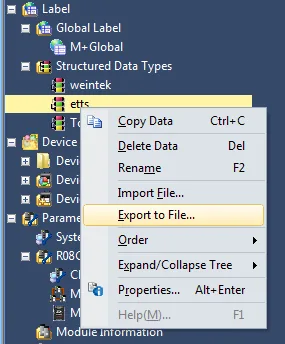
Open Tag Manager in EBPro (EasyBuilder Pro)
After adding a driver in EBPro (EasyBuilder Pro), open System Parameter Settings and click Tag Manager.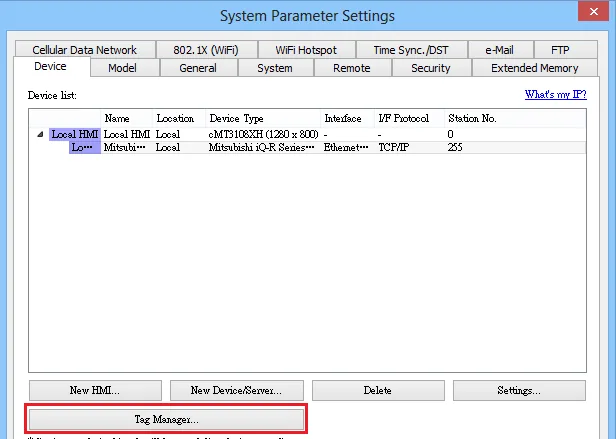
Import Global Label File
In the Mitsubishi Tag Manager, select the Label tab and click Import… to import the Global Label file (single file).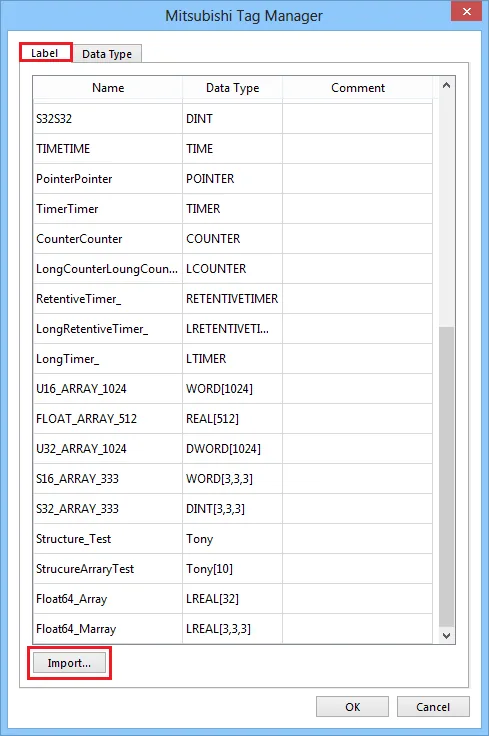
Import Structure Data Type Tags
Select the Data Type tab and click Import… to import Structure Data Type tag files. Multiple files can be imported at the same time.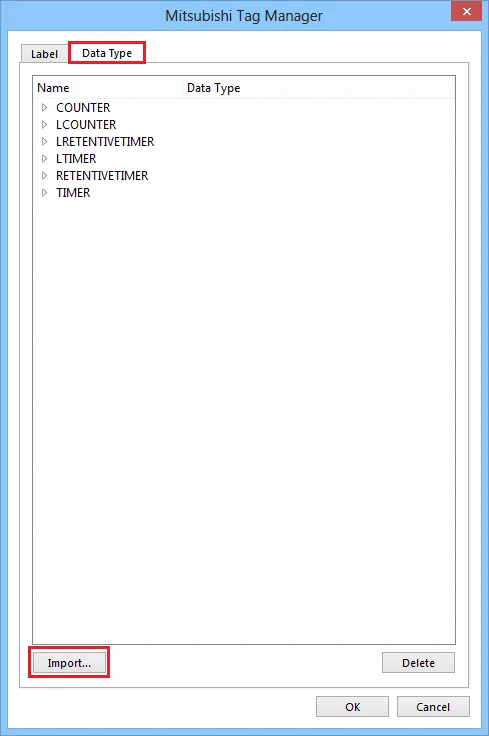
Support Device Type
| Data type | EasyBuilder data format | Memo |
|---|---|---|
| Bit | bit | |
| Word [Unsigned] | 16-bit BCD, Hex, Binary, Unsigned | 16-bit |
| Word [Signed] | 16-bit BCD, Hex, Binary, Signed | 16-bit |
| Double Word [Unsigned] | 32-bit BCD, Hex, Binary, Unsigned | 32-bit |
| Double Word [Signed] | 32-bit BCD, Hex, Binary, Signed | 32-bit |
| Float [Single Precision] | 32-bit Float | 32-bit |
| Float [Double Precision] | 64-bit Double | 64-bit |
| String (32) | *Note1 | |
| Timer | ||
| Counter | ||
| Long Counter | ||
| Retentive Timer | ||
| Long Retentive Timer | ||
| Long Timer |
NOTE: *Note1: String (32) arrays are not supported.
NOTE: *Note2: Tag name length cannot exceed 30 characters.
NOTE: *Note3: String [Unicode] (32), Time and Pointer are not supported.
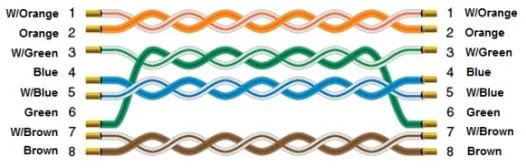
Wiring Diagram
The diagram below shows the Ethernet cable wiring.