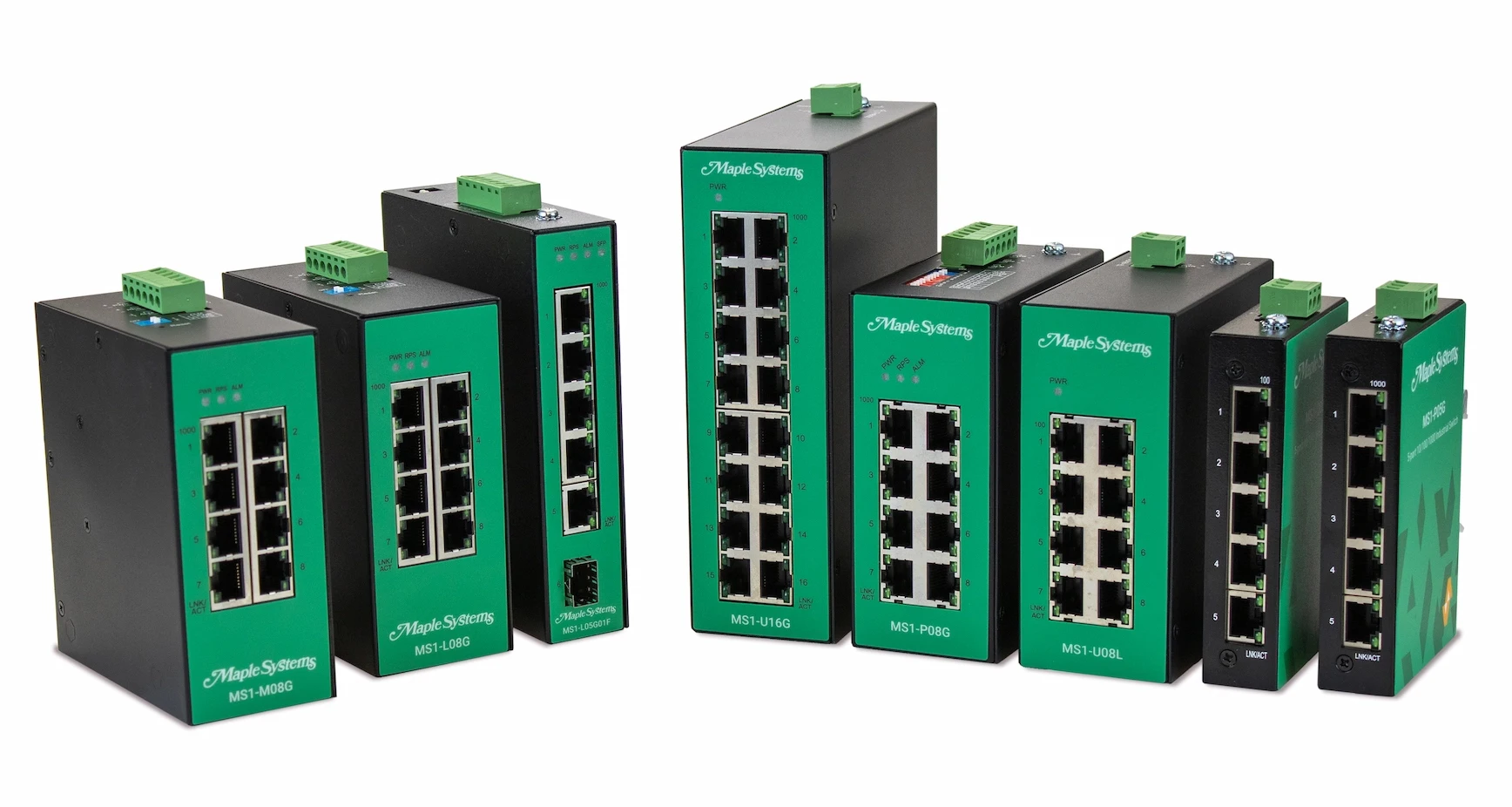
Network Switches Comparison Table
Deciding between an Unmanaged, Premium Unmanaged, Lite-Managed, or Fully Managed Industrial Network Switch? Let us help.
Maple Systems Industrial Network Switches offer a wide range of features, giving you the flexibility to select the right network switch for your specific application needs. To help you find the right solution, we’ve put together this overview table as a quick reference on the difference series we offer. If you need to compare specific part-numbers we can help with that too, just go to our side-by-side comparison tool .
Search By Feature
Looking for a specific feature? Click the category to jump to that section. This table is for reference only, refer to the product data sheet for more information and specification.
Download a PDF Comparison Table
Network Switches Comparison Table
Unmanaged Premium Unmanaged Lite-Managed Fully Managed
General Plug-and-Play Operations X X X X
Port Specifications 10/100 Ethernet Ports X X X X
Port Specifications Gigabit Ethernet Ports Optional X X X
Port Specifications 2.5G Ethernet Ports Optional Optional Optional Optional
Port Specifications RJ45 Copper Ports X X X X
Port Specifications SFP Fiber Slots X X
Port Specifications Gigabit SFP Support Optional X X
Port Specifications Auto-Negotiation X X X X
Port Specifications Auto MDI/MDI-X X X X X
Port Specifications Full/Half Duplex Support X X X X
Performance Packet Buffer X X X X
Performance Jumbo Frame Size X X X X
Performance MAC Table Size X X X X
Performance L2 Forwarding Rate X X X X
Performance Switch Fabric X X X X
Traffic Control Flow Control X X X X
Traffic Control Storm Control X X X X
Traffic Control VLAN PassthruX X X X
Traffic Control LLDP FilterX X X X
Traffic Control Port Priority X X X
Traffic Control 802.1p QoS/CoS Limited X X
Traffic Control Port Isolation Limited X X
Security STP /RSTP X X
Security IGMP Snooping X X
Security Port Security X X
Security Port-Based 802.1X X X
Security Trusted Managed Host X X
Traffic Control Storm Alarm Threshold per Port X X
Traffic Control Loop Detection X X
Traffic Control Traffic Monitor X X
VLAN 802.1Q VLAN X X
Reliability ERPS v1/v2 X X
Reliability Code Redundency X X
Reliability STP /RSTP X X
Network Management Topology Map X X
Network Management GUI X X
Network Management Installation Wizard X X
Network Management SNMP v1/v2c/v3 X X
Network Management SNMP Trap X X
Network Management Management VLAN (MVLAN) X X
Network Management Configuration Backup X X
Network Management Syslog X X
Network Management SNTP X X
Network Management LLDP X X
Network Management DHCP Client X X
Network Management Port Mirroring X X
Network Management Port Utilization X X
Network Management Alarm Information X X
Network Management Power Down Trap X X
Network Management Port Configuration X X
Network Management ONVIF X X
Network Management Port Statistics X X
Network Management Remote System Reboot X X
Traffic Control Static Multicast Address X
Reliability Dual Homing X
Reliability LACP / MSTPX
Reliability Static Trunk X
VLAN QinQ X
VLAN Management VLAN X
VLAN MAC-Based VLAN X
Network Management DHCP Option X
Network Management DHCP Relay X
Network Management TACACS+ X
Security IP Source Guard X
Security Managed Host X
Security SNMPv3 X
Security Static/Sticky MAC X
Port Specifications Unmanaged Lite-Managed Fully Managed SFP Ports N/A Yes (product specific) N/A Fiber Port Connectors N/A Yes (product specific) N/A Optimal Fiber Transceiver N/A Yes (product specific) N/A Optimal Copper Transceiver N/A Yes (product specific) N/A Wavelength (Bi-Directional) N/A Yes (product specific) N/A Wavelength (Multi Mode) N/A Yes (product specific) N/A Wavelength (Single Mode) N/A Yes (product specific) N/A Fiber Nominal Max. Distance N/A Yes (product specific) N/A RJ45 Copper Ports Yes (product specific) Yes (product specific) Yes (product specific) RJ45 Speed Yes (product specific) Yes (product specific) Yes (product specific) Auto Negotiation & MDI/MDI-X Supported Supported Supported RJ Nominal Max. Distance 328 feet (100 meters) 328 feet (100 meters) 328 feet (100 meters)
Back to Top
Back to Top
Reliability Unmanaged Lite-Managed Fully Managed Code Redundency N/A Yes (select models) Yes ERPS v1/v2 N/A Yes Yes RSTP N/A Yes Yes STP N/A Yes Yes Dual Homing N/A N/A Yes LACP N/A N/A Yes MSTP N/A N/A Yes Static Trunk N/A N/A Yes
Back to Top
Back to Top
Back to Top
IEEE Standards Unmanaged Lite-Managed Fully Managed Compliance 802.3, 802.3u, 802.3x, 802.3ab, 802.1p 802.3, 802.3u, 802.3ab, 802.3x, 802.3az, 802.1AB, 802.1D, 802.1w, 802.1p, 802.1Q, 802.1X, 802.3z 802.3, 802.3u, 802.3ab, 802.3x, 802.3az, 802.1AB, 802.1D, 802.1w, 802.1p, 802.1Q, 802.1X, 802.1ad, 802.3ad, 802.1s
Back to Top
Power Details Unmanaged Lite-Managed Fully Managed Input Voltage – Primary N/A 20~57 VDC 24~48 VDC Input Voltage – Redundant N/A 20~57 VDC 24~48 VDC Input Connector Terminal Block Terminal Block Terminal Block Max Input Current See Product Specification See Product Specification See Product Specification Max Power Consumption See Product Specification See Product Specification See Product Specification Current Overload Protection Yes Yes Yes Redundant Power SystemYes (product specific) Yes Yes Reverse Polarity Protection Yes Yes Yes
Back to Top
Network Management Unmanaged Lite-Managed Fully Managed GUI N/A Connect over HTTP or HTTPs Connect over HTTP or HTTPs Auto Provision N/A N/A Supports TFTP, FTP, and HTTP protocols Topology Map N/A Yes Yes Device Management N/A Supports IP-Cam, HMI, PLC, Switch, IPC, and PC Supports IP-Cam, HMI, PLC, Switch, IPC, and PC TACACS+ N/A N/A Yes Installation Wizard N/A Yes N/A Dashboard N/A Yes N/A CLI N/A Connect over Telnet or SSH Connect over Telnet or SSH SNMP v1/v2c/v3 N/A Yes Yes SNMP Trap N/A Yes Yes Management VLAN (MVLAN) N/A Yes Yes Firmware Upgradable N/A Yes Yes Configuration Backup/Restore N/A Yes Yes Syslog N/A Yes Yes SNTP N/A Yes Yes LLDP N/A Yes Yes DHCP Client N/A Yes Yes DHCP Relay N/A N/A Yes DHCP Option N/A N/A Yes Port Mirroring N/A Yes Yes Server (Service) Control N/A Yes Yes Port Utilization N/A Yes Yes Alarm Information N/A Yes Yes Modbus TCP Client N/A Read Only Read Only Power Down Trap N/A Yes Yes Port Configuration N/A Yes Yes ONVIF N/A Yes Yes Port Statistics N/A Yes Yes Remote System Reboot N/A Yes Yes User Account with Authority N/A Yes Yes
Back to Top
Security Unmanaged Lite- Managed Fully Managed STR/RSTP N/A Yes Yes GUI N/A Yes Yes CLI N/A Yes Yes IGMP Snooping N/A Yes Yes ACL (Access Control List) N/A Yes Yes Port Security N/A Yes Yes Port-Based 802.1X N/A Yes Yes Trusted Managed Host N/A Yes Yes DHCP Server Screening N/A N/A Yes DHCP Snooping N/A N/A Yes IP Source Guard N/A N/A Yes MAC Search N/A N/A Yes Managed Host N/A N/A Yes Refusal MAC N/A N/A Yes SNMPv3 N/A Yes Yes Static MAC N/A N/A Yes Sticky MAC N/A N/A Yes
Back to Top
Mechanical Unmanaged Lite-Managed Fully Managed LED Panel Yes Yes Yes Dip Switches N/A Yes Yes Alarm Relay N/A 1 Relay Output, 1A @ 24VDC 1 Relay Output, 1A @ 24VDC Enclosure Material Black Powder-Coated Metal Black Powder-Coated Metal Black Powder-Coated Metal Dimensions See Product Data Sheet See Product Data Sheet See Product Data Sheet Weight See Product Data Sheet See Product Data Sheet See Product Data Sheet Mounting 35 mm DIN Rail 35 mm DIN Rail 35 mm DIN Rail
Back to Top
Environmental Unmanaged Lite-Managed Fully Managed Operating Temperature 40°F~167°F (-40°C~75°C) 40°F~167°F (-40°C~75°C) 40°F~167°F (-40°C~75°C) Storage Temperature 40°F~185°F (-40°C~85°C) 40°F~185°F (-40°C~85°C) 40°F~185°F (-40°C~85°C) Operating/Storage Relative Humidity 5 to 95% RH (non-condensing) 5 to 95% RH (non-condensing) 5 to 95% RH (non-condensing)
Back to Top
Certifications / Standards Unmanaged Lite-Managed Fully Managed UL Yes Yes No RoHS Compliant Compliant Compliant FCC Class A Compliant Class A Compliant Class A Compliant Ingress Protection IP30 IP30 IP30 Shock Test IEC 60068-2-27 IEC 60068-2-27 IEC 60068-2-27 Freefall Test IEC 60068-2-31 IEC 60068-2-31 IEC 60068-2-31 Vibration IEC 60068-2-6 IEC 60068-2-6 IEC 60068-2-6 EMI / CE YES (see specific product datasheet) YES (see specific product datasheet) YES (see specific product datasheet) EMS / CE YES (see specific product datasheet) YES (see specific product datasheet) YES (see specific product datasheet) CE UKCA Yes Yes Yes CE Yes Yes Yes
With straight forward configuration menus, both MapleLink and MapleLink Lite allow users to quickly setup their lite and fully managed network switch. The integrated topology map of connected devices and neighboring switches gives the user information such as IP address and link status.
Back to Top