Introduction
All Maple Systems HMIs programmed with EBPro (EasyBuilder Pro), including every cMT X Series and cMT Series model, are compatible with Sigmatek S-DIAS CPU Ethernet. Configure your Controller and HMI/cMT with the following parameters to establish reliable communication.
Supported Series: SIGMATEK S-DIAS Digital Mix DM162
HMI Settings
| Parameters | Recommended | Options | Notes |
|---|---|---|---|
| PLC type | SIGMATEK S-DIAS CPU (Ethernet) | ||
| PLC I/F | Ethernet | ||
| Port no. | 1956 | ||
| PLC sta. no. | 0 | ||
| On-line simulator | Yes | ||
| Multi-HMI connect | Yes |
How to Import Tag
Launch LASAL Class 2 Network View
Launch LASAL Class 2, click the Network View tab, and the software editing area opens.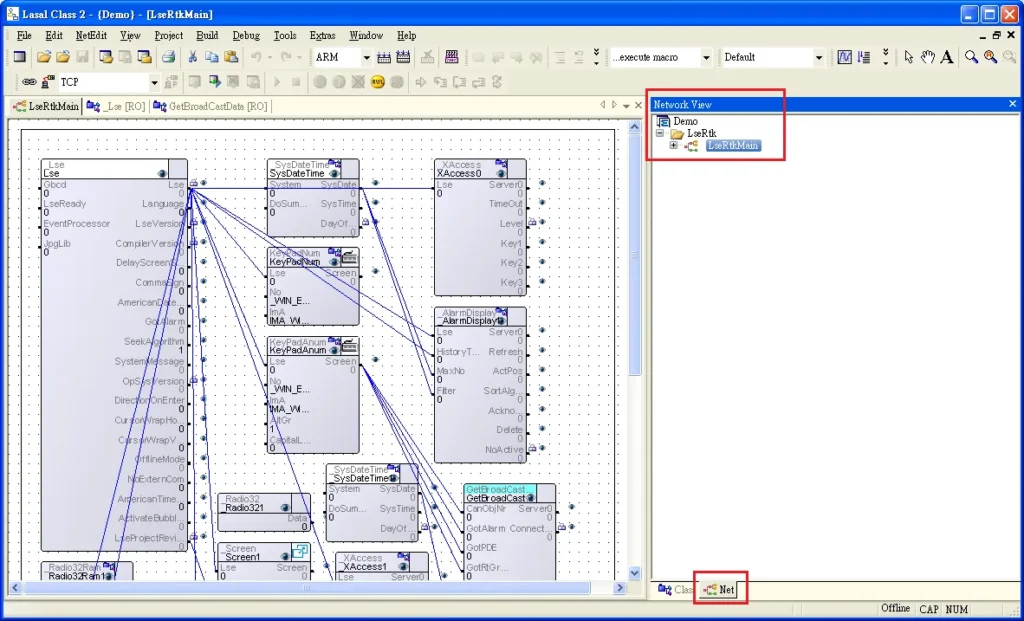
Drag Object to Editing Area
Switch to the Class View tab and drag the object to the editing area.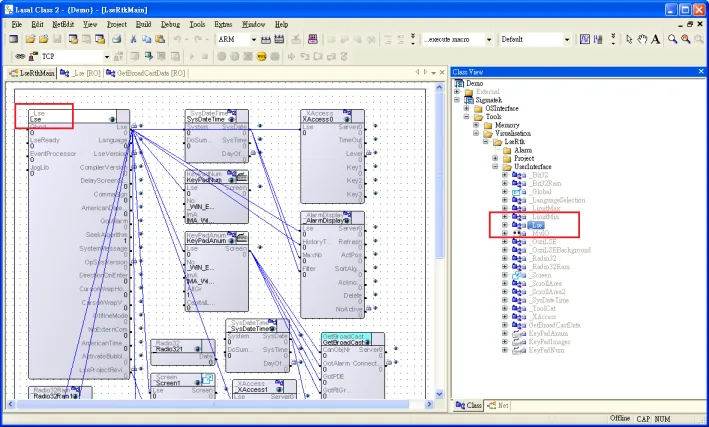
Set Visualized to True
In the editing area, select the object. In the Properties tab, set Visualized totrue.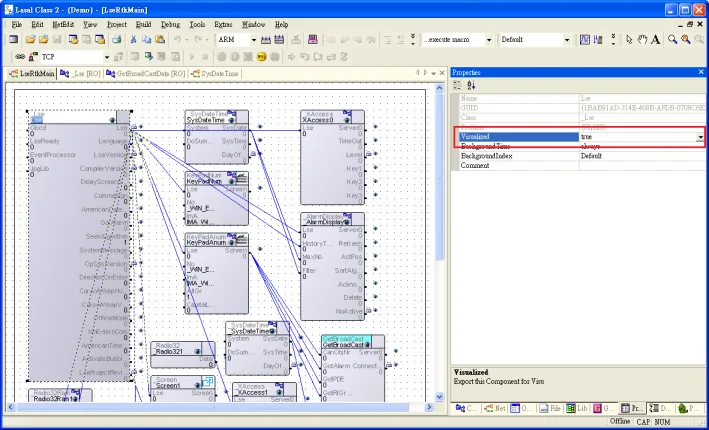
Build the File
Build the file using the Build menu.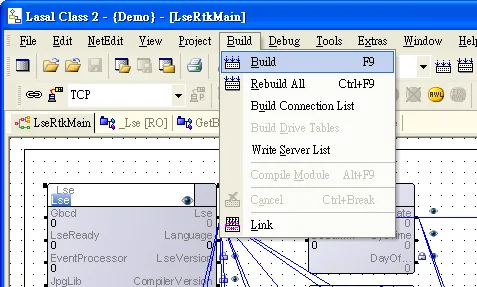
Locate the MaeExp.txt File
After editing, theMaeExp.txtfile will be generated under the project folder. This file can be imported to EasyBuilder. Iffalsewas selected for Visualized in step 3, the file will not be importable to EasyBuilder.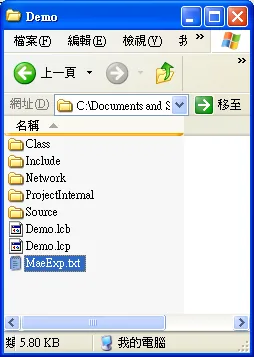
Import Tags in EBPro (EasyBuilder)
Launch EBPro (EasyBuilder), select the SIGMATEK driver and set the parameters, then select Import Tag. After the import is completed, click Verify Tags to enable communication with the driver.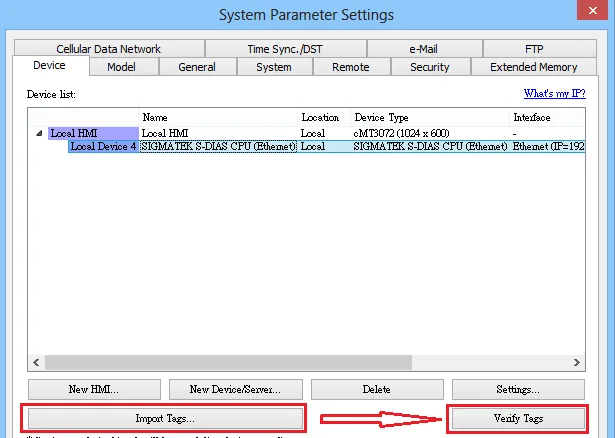
Support Device Type
| Data type | EasyBuilder data format | Memo |
|---|---|---|
| Bool | bit | |
| Byte | 16-bit BCD, Hex, Binary, Unsigned | 8-bit |
| SInt | 16-bit BCD, Hex, Binary, Signed | 8-bit |
| USInt | 16-bit BCD, Hex, Binary, Unsigned | 8-bit |
| Word | 16-bit BCD, Hex, Binary, Unsigned | 16-bit |
| Int | 16-bit BCD, Hex, Binary, Signed | 16-bit |
| UInt | 16-bit BCD, Hex, Binary, Unsigned | 16-bit |
| DWord | 32-bit BCD, Hex, Binary, Unsigned | 32-bit |
| DInt | 32-bit BCD, Hex, Binary, Signed | 32-bit |
| Real | 32-bit Float | 32-bit |
| UDInt | 32-bit BCD, Hex, Binary, Unsigned | 32-bit |
| String | ASCII (Use Unicode) | 16-bit |
Wiring Diagram
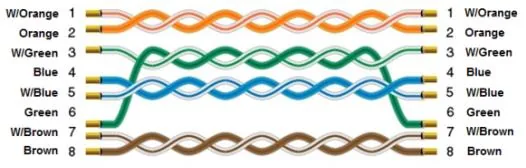
The diagram below shows the Ethernet cable wiring.