Introduction
All Maple Systems HMIs programmed with EBPro (EasyBuilder Pro), including every cMT X Series and cMT Series model, are compatible with MTConnect Ethernet. Configure your Controller and HMI/cMT with the following parameters to establish reliable communication.
Supported Series: MTConnect protocol device
HMI Setting
| Parameters | Recommended | Options | Notes |
|---|---|---|---|
| PLC type | MTConnect (Ethernet) | ||
| PLC I/F | Ethernet | ||
| Port no. | 5000 | ||
| Device name | Must match the PLC setting | ||
| Online simulator | Yes |
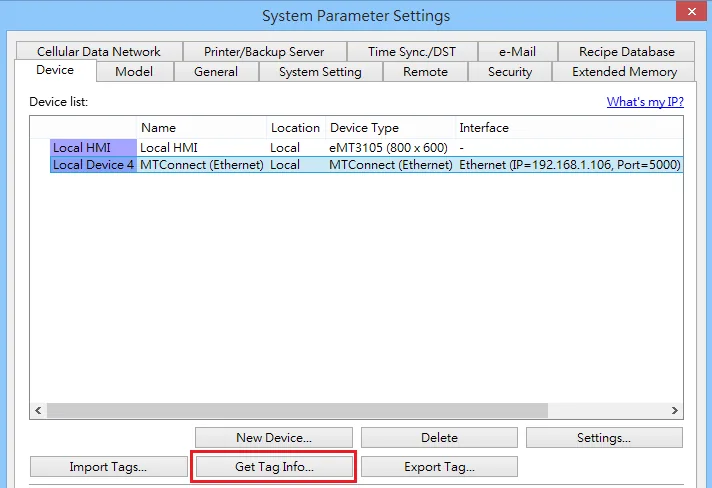
*Click Get Tag Info
Support Device Type
| Data type | EasyBuilder data format | Memo |
|---|---|---|
| CHAR | ASCII input and display | |
| STRING | ASCII input and display | |
| DWord | 32-bit BCD, Hex, Binary, Unsigned |
Wiring Diagram
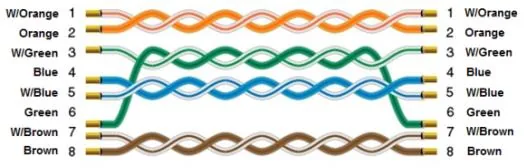
Ethernet Cable