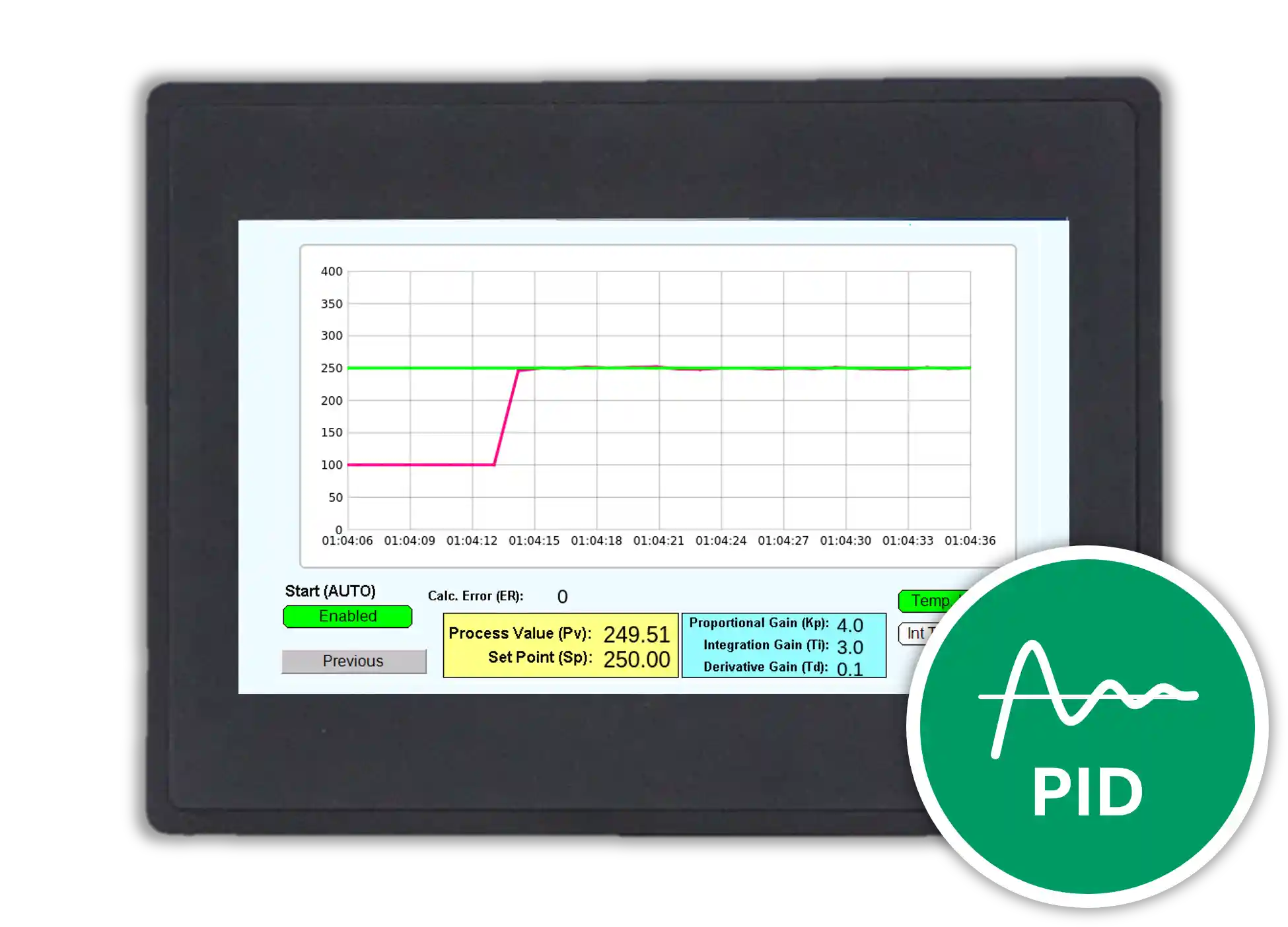
This tutorial shows you how to read a 4–20 mA analog input, display the raw reading, and convert the signal into more meaningful values on the user interface. In the example below, you will also review a PID loop demonstration, related software logic, and a sample MAPware-7000 project that you can use as a reference for your own application.
Software Required
Hardware Required
- HMC4070A-M — Other HMC2000 and HMC4000 models can also be used.
- 24 VDC Power Supply (4010-0011)
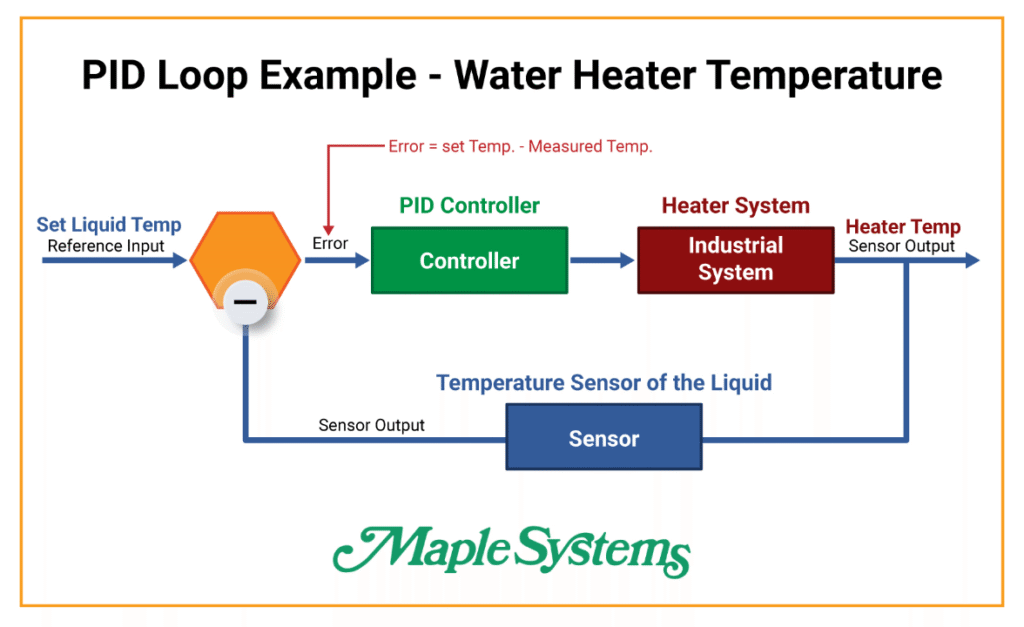
PID Loop Example
The example below shows a PID loop application that uses a water heater simulation.
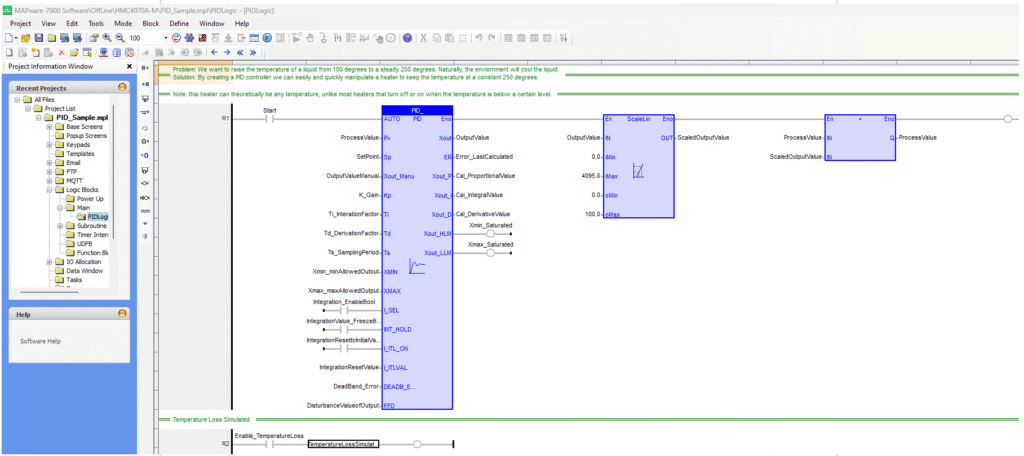
Software Code
The following ladder logic shows PID loop programming that uses a water heater as the simulation.
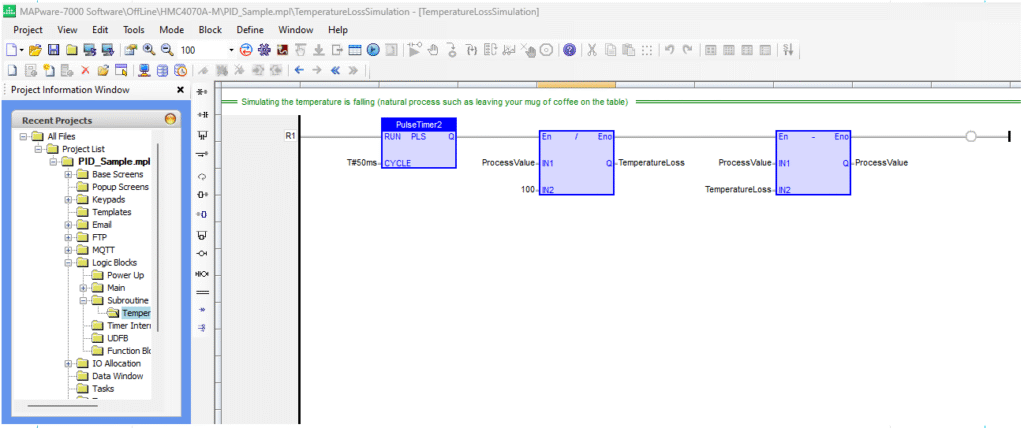
The next example shows ladder logic used for a loss-of-temperature simulation.
User Interface
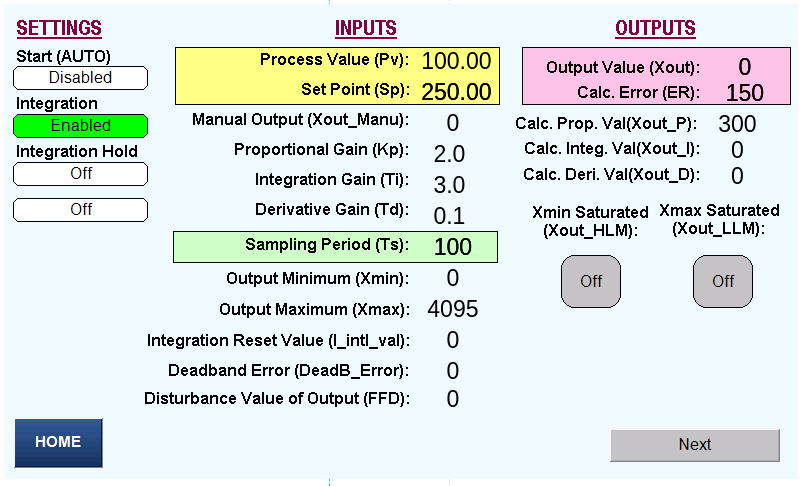
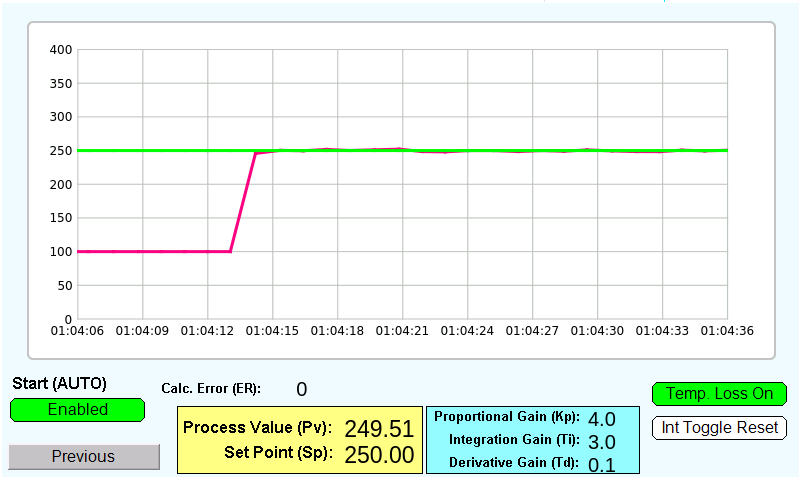
The user interface below displays the raw analog input data and the converted values used in the PID loop example.
Sample Project
The project shown above targets the specific hardware listed at the beginning of the tutorial and provides guidance when programming your unit. If you use different models than those specified in this MAPware sample project, you can follow the same steps within your own project.
Final Thoughts
Reading a 4–20 mA analog input and converting it into meaningful values gives operators clearer insight into process data. By displaying both the raw reading and the scaled value on the user interface, you can monitor signals more effectively and support better control decisions.
With the PID loop example, ladder logic, and sample project in this tutorial, you have a practical reference that you can adapt to your own MAPware-7000 application.
Resources & Documentation
The following guides and documentation are specific to the hardware used in this integration tutorial and will help you with setup, configuration, and programming:
- PID Loop Configuration Technical Note
- MAPware-7000 Getting Started Guide
- MAPware-7000 Programming Manual
- IEC 61131-3 Programming Guide for MAPware-7000
Looking for additional learning resources? Explore our library of tutorials, example projects, and software tools to help you get the most out of your system:
Also, browse our Support Center for a complete list of installation guides, FAQs, and additional technical documentation.

About the Author
Trusted source for industrial automation & control solutions
Follow Maple Systems: