Connecting to an Allen-Bradley PLC
Maple Systems offers integration options for working with Allen-Bradley PLC in industrial automation environments. This overview outlines common integration concepts, connection methods, and supporting resources for Allen-Bradley controllers. Use the guides below to access detailed guides that explain how to connect Allen-Bradley PLCs with operator interfaces and control hardware, including Maple Systems HMIs.

-
MicroLogix and SLC500 Series Controllers
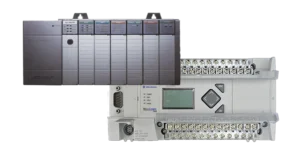
This guide covers how to establish communication between Maple Systems HMIs and Allen-Bradley MicroLogix or SLC 500 PLCs using DF1 PCCC over Ethernet, DF1 serial drivers, or DH485 via RS-485. It explains driver setup, communication configuration, and testing procedures to support stable and accurate data exchange.
-
Micro800 Series Controllers
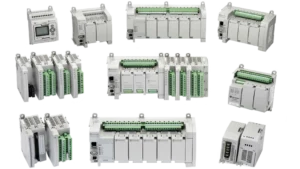
This guide covers how to connect Maple Systems HMIs to Allen-Bradley Micro800 series PLCs using the available communication drivers. It includes driver selection, communication settings, tag addressing configuration, and validation steps to help ensure stable and accurate data exchange within Micro800-based systems.
-
ControlLogix, CompactLogix & FlexLogix Series Controllers
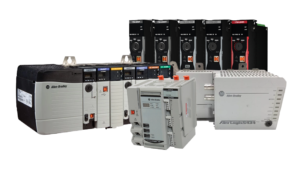
This guide covers how to establish EtherNet/IP communication between Maple Systems HMIs or cMT devices and Allen-Bradley ControlLogix, CompactLogix, and FlexLogix PLCs. It explains driver setup, automatic tag import, UDT browsing, and communication testing for reliable system integration.
Video Resources
Looking for additional information while integrating with Allen-Bradley PLCs? For deeper technical guidance, visit the Support Center to browse our complete library of tutorials, sample projects, technical notes, controller information sheets and related system integration resources.
![Secure Remote Access and PLC Pass-Through on Maple Systems HMIs [EasyAccess 2.0]](https://media.maplesystems.com/wp-content/uploads/2024/07/23Ei4UoLV9g-maxresdefault-300x169.webp)