
AVEVA™ Edge
Award-winning AVEVA™ Edge is a powerful HMI/SCADA software package that enables you to create custom industrial control applications for your unique industry. With easy-to-use commands/tool bars and a Microsoft Windows® environment, AVEVA™ Edge’s feature-rich application puts you in the driver’s seat of creating your industrial process.
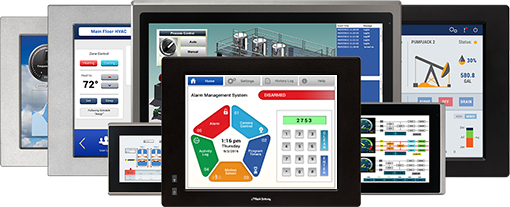
Choosing the ideal AVEVA™ Edge runtime edition solution for your project
You can use the same development environment (AVEVA Edge STUDIO), on Windows, to create all projects and run each project with the runtime edition most suitable for the technical and commercial constraints of each platform:
- AVEVA Edge SCADA for full version, all the bells and whistles, SCADA projects running on Windows-based stations
- AVEVA Edge Embedded HMI, less bandwidth, not as many bells and whistles as SCADA, but for full featured HMIs running on Industrial Panel PCs with Windows IoT Enterprise LTSB/LTSC
- AVEVA Edge IoT View for IoT edge devices or local HMI solutions using Linux or non-Windows OS
For help choosing which Runtime License version/platform (SCADA, Embedded HMI, IoT View) is best for your application, refer to this Comparison Tool for more information on what runtimes are compatible with different operating systems and system requirements. This guide is valid for AVEVA Edge 2023.
The first set for each part number tells you what kind of AVEVA license it is:
- EDGEDR – AVEVA Edge Development + Runtime (SCADA Full Version for both)
- EDGED – AVEVA Edge Development Only (Development for All Platforms)
- EDGER – AVEVA Edge Runtime Only (SCADA Full Version)
- EDGEEH – AVEVA Edge Runtime Only (Windows Embedded Standard Version)
- EDGEIV – AVEVA Edge Runtime Only (Non-Windows/Linux Version)
The second, third, and forth set for each part number tells you how many tags are allowed, N means its a new license, 23 is the current version.
- 15 = 150 tags
- 30 = 300 tags
- 01 = 1500 tags
- 04 = 4000 tags
- 16 = 16000 tags
- 32 = 32000 tags
- 64 = 64000 tags
Explore the full list of prices for AVEVA™ Edge to discover the cost details and make informed decisions for your industrial control applications needs.
NOTE: For AVEVA Edge or WebStudio Upgrade options, please contact [email protected] or call us at 425.745.3229
Results
-
Featured
AVEVA™ Edge All Platform – Development + Runtime license, 1,500 tags, 1 Thin Client
EDGEDR-01-N-23- HMI/SCADA Full Version
- 1 Development License, 1 Runtime License Included
- 1,500 Tags, 1 Thin Client (Runtime only)
- Softkey Only, Hardkey Sold Separately
$3,971.00Quantity Discounts Available -
Featured
AVEVA™ Edge Development License – All Platforms, 1,500 tags, 1 Thin Client
EDGED-01-N-23- All Platforms
- Development Only License
- 1,500 Tags, 1 Thin Client
- Softkey Only, Hardkey Sold Separately
$1,478.00Quantity Discounts Available -
Featured
AVEVA™ Edge Windows®/ Full Version – Runtime license, 1,500 tags, 1 Thin Client
EDGER-01-N-23- HMI/SCADA Full Version
- 1 Runtime License Included
- 1,500 Tags, 1 Thin Client
- Softkey Only, Hardkey Sold Separately
$2,457.00Quantity Discounts Available -
AVEVA™ Edge All Platform – Development + Runtime license, 4,000 tags, 1 Thin Client
EDGEDR-04-N-23- HMI/SCADA Full Version
- 1 Development License, 1 Runtime License Included
- 4,000 Tags, 1 Thin Client (Runtime only)
- Softkey Only, Hardkey Sold Separately
$6,994.00Quantity Discounts Available -
AVEVA™ Edge All Platform – Development + Runtime license, 16,000 tags, 1 Thin Client
EDGEDR-16-N-23- HMI/SCADA Full Version
- 1 Development License, 1 Runtime License Included
- 16,000 Tags, 1 Thin Client (Runtime only)
- Softkey Only, Hardkey Sold Separately
$7,056.00Quantity Discounts Available -
AVEVA™ Edge All Platform – Development + Runtime license, 32,000 tags, 1 Thin Client
EDGEDR-32-N-23- HMI/SCADA Full Version
- 1 Development License, 1 Runtime License Included
- 32,000 Tags, 1 Thin Client (Runtime only)
- Softkey Only, Hardkey Sold Separately
$8,163.00Quantity Discounts Available -
AVEVA™ Edge All Platform – Development + Runtime license, 64,000 tags, 1 Thin Client
EDGEDR-64-N-23- HMI/SCADA Full Version
- 1 Development License, 1 Runtime License Included
- 64,000 Tags, 1 Thin Client (Runtime only)
- Softkey Only, Hardkey Sold Separately
$10,815.00Quantity Discounts Available -
AVEVA™ Edge Development License – All Platforms, 4,000 tags, 1 Thin Client
EDGED-04-N-23- All Platforms
- Development Only License
- 4,000 Tags, 1 Thin Client
- Softkey Only, Hardkey Sold Separately
$2,936.00Quantity Discounts Available -
AVEVA™ Edge Development License – All Platforms, 16,000 tags, 1 Thin Client
EDGED-16-N-23- All Platforms
- Development Only License
- 16,000 Tags, 1 Thin Client
- Softkey Only, Hardkey Sold Separately
$2,977.00Quantity Discounts Available -
AVEVA™ Edge Development License – All Platforms, 32,000 tags, 1 Thin Client
EDGED-32-N-23- All Platforms
- Development Only License
- 32,000 Tags, 1 Thin Client
- Softkey Only, Hardkey Sold Separately
$3,430.00Quantity Discounts Available -
AVEVA™ Edge Development license – All Platforms, 64,000 tags, 1 Thin Client
EDGED-64-N-23- All Platforms
- Development Only License
- 64,000 Tags, 1 Thin Client
- Softkey Only, Hardkey Sold Separately
$4,403.00Quantity Discounts Available -
AVEVA™ Edge Windows®/ Full Version – Runtime license, 150 tags, 1 Thin Client
EDGER-15-N-23- HMI/SCADA Full Version
- 1 Runtime License Included
- 150 Tags, 1 Thin Client
- Softkey Only, Hardkey Sold Separately
$778.00Quantity Discounts Available
AVEVA™ Edge Overview
AVEVA™ Edge, formerly known as InduSoft Web Studio, is scalable HMI/SCADA software for building visualization, monitoring, control, and industrial IoT applications across a wide range of industrial environments.
Designed for Windows-based systems, AVEVA Edge provides a single development environment for creating applications that can run on industrial Panel PCs, embedded systems, workstations, and larger Windows-based platforms. Applications can scale from machine-level HMI projects to more advanced SCADA systems without requiring a completely different development platform.
AVEVA Edge can operate as a standalone HMI, SCADA, or IIoT gateway solution while also integrating with the broader AVEVA industrial software portfolio. Paired with Maple Systems industrial PCs, it provides a flexible platform for building new automation systems or modernizing existing applications.

InduSoft Web Studio to AVEVA™ Edge
- Existing InduSoft Web Studio projects are compatible with AVEVA™ Edge and do not require project conversion.
- AVEVA Edge projects cannot be opened in older InduSoft Web Studio versions.
- Existing InduSoft Web Studio licenses may be eligible for replacement or upgrade to AVEVA™ Edge.
- Customers with active maintenance may qualify for version upgrades at no additional software upgrade cost.
Development & Runtime Licensing
AVEVA™ Edge development software is used to create and configure your industrial application. Each target system running the completed application requires an appropriate AVEVA™ Edge runtime license.
Try AVEVA™ Edge Before You Buy
Evaluate AVEVA Edge with full access to its development features before selecting a license. Build your own application, test functionality, and run projects on a target system during the evaluation period. After your evaluation, Maple Systems can help you determine the AVEVA Edge development and runtime configuration that fits your application.
Features of AVEVA™ Edge
AVEVA™ Edge provides a rich set of HMI and SCADA tools for visualization, industrial connectivity, data collection, remote access, security, and application development. From machine-level operator interfaces to larger industrial automation systems, its scalable development environment brings the capabilities needed to build, deploy, monitor, and maintain applications across a wide range of industrial environments.
HMI Visualization & Operator Interface
Create intuitive industrial HMI screens that give operators clear access to machine and process information, while providing the flexibility to standardize visualization across equipment, applications, and deployments.
Industrial Graphics & Screen Design
Build operator screens using powerful graphic design tools, Industrial Graphics, and libraries containing more than 1,000 industrial symbols for motors, valves, tanks, meters, controls, and other common automation components.
Animation & Data Visualization
Bring process information to life with dynamic color, position, rotation, visibility, resizing, bar graphs, data links, commands, and other animations that respond to real-time application and equipment data.
Multi-Touch HMI
Create touchscreen operator interfaces that support familiar gestures such as pinch-to-zoom, panning, swiping, scrolling, rotation, and dual-touch commands for a more natural interaction with industrial applications.
Multi-Language & Custom Interfaces
Support multilingual operations with Unicode-based translation capabilities and extend the interface with reusable JavaScript, HTML5, and CSS custom widgets for specialized visualization and application requirements.
Industrial Connectivity & System Integration
Connect AVEVA Edge to plant-floor equipment, industrial networks, databases, and enterprise systems using communication tools designed to integrate both new and existing automation infrastructure.
Industrial Communication Drivers
Connect PLCs, motion controllers, temperature controllers, barcode and RFID readers, robots, and other industrial devices using more than 100 native communication drivers for widely used automation platforms and protocols.
OPC UA, OPC DA & MQTT
Integrate heterogeneous automation systems using native OPC UA and OPC DA interfaces, MQTT with Sparkplug B, and other industrial communication technologies for flexible machine, controller, and edge connectivity.
SQL, ERP/MES & Historian Integration
Connect operational applications with SQL databases, Microsoft Access and Excel, ERP/MES systems, AVEVA Historian, AVEVA Insight, and other data platforms to move information beyond the machine level.
Tag Database & Open Architecture
Build reusable applications using project tags, arrays, classes, structures, indirect tags, and system tags while integrating with open technologies including TCP/IP, REST, ADO/ODBC, .NET, and ActiveX.
Alarms, Events & Notifications
Keep operators informed of changing process conditions and maintain a detailed record of application activity with configurable alarms, event logging, notifications, and automated actions.
Alarm Management
Configure real-time and historical alarms by group, priority, and custom fields, with acknowledgement, filtering, historical storage, and visual presentation options that help operators identify conditions requiring attention.
Event Logging
Record operator actions and system activities including user logins, screen changes, tag-value changes, recipes, reports, system warnings, and custom events to support troubleshooting and operational traceability.
Email & Remote Notifications
Automatically distribute alarms, process values, reports, and other runtime information through email and supported remote notification workflows, helping maintenance and operations teams stay informed beyond the local HMI.
Scheduler & Automated Actions
Trigger reports, scripts, communications, simulations, and other application behavior based on tag values, date and time, frequency, or other defined conditions to automate routine HMI/SCADA tasks.
Historian, Trends & Reporting
Turn real-time machine and process data into useful operational information with tools for historical logging, visualization, reporting, production recipes, and integration with industrial data platforms.
Historical Data & KPI Logging
Record process data to local files, SQL databases, AVEVA Historian, or AVEVA Insight to create an operational history that can support analysis, troubleshooting, and performance monitoring.
Real-Time & Historical Trends
Visualize current and historical process values using configurable trends, statistical process control tools, date/time views, and XY plots that help operators and engineers understand changing operating conditions.
Reports & PDF Export
Generate operational reports in different formats including text, RTF, XML, PDF, HTML, and CSV, or integrate with Microsoft Office tools to share production and process information with key stakeholders.
Recipes & Production Data
Manage repeatable production parameters using recipe tools that can load values directly to PLCs or allow operator review before changes are committed, helping standardize machine and process settings.
Remote Access & Mobile HMI
Extend operational visibility beyond the machine by providing authorized users with access to HMI and SCADA information from remote workstations, mobile devices, and browser-based interfaces.
HTML5 Mobile Access
Access AVEVA Edge applications through HTML5-compatible browsers on supported smartphones, tablets, PCs, and other devices without requiring a traditional HMI workstation at every viewing location.
Thin Client Access
Extend the application to remote users with native thin-client technologies designed to provide access to visualization and operational information across PCs, tablets, smartphones, and other supported devices.
Secure Viewer
Provide a dedicated thin-client experience for operator stations where users need access to the runtime application while restricting the ability to close or switch away from the operational interface.
Remote Edge Management
For supported architectures, AVEVA Edge Management extends remote device capabilities with tools for provisioning, deployment, application updates, and monitoring of distributed edge systems through the broader AVEVA ecosystem.
Security, Traceability & Access Control
Control access to HMI/SCADA applications and maintain accountability for operator and system activity using built-in user management, authentication, electronic-signature, and project-protection capabilities.
User & Group Security
Define users, groups, and access levels to control who can view or interact with protected parts of an AVEVA Edge application based on operational responsibilities.
Active Directory Integration
Integrate AVEVA Edge projects with Microsoft Active Directory users and groups to align HMI/SCADA access management with existing organizational account and authentication structures.
E-Signatures & Traceability
Use electronic signatures and event traceability to record important operator actions and build applications requiring detailed accountability, including functionality used in projects designed for 21 CFR Part 11 requirements.
Intellectual Property Protection
Password-protect individual screens, documents, scripts, and worksheets to help prevent unauthorized viewing or modification of application logic, engineering work, and other proprietary project content.
Development, Scripting & Engineering Tools
Give controls engineers, system integrators, OEMs, and machine builders the tools to develop, migrate, customize, test, and maintain industrial applications throughout the project lifecycle.
Python, VBScript & AVEVA Scripting
Extend application functionality with built-in AVEVA functions, VBScript, Industrial Graphics QuickScript, and Python scripting for supported AVEVA Edge environments, including Windows SCADA and Linux-based IoT View applications.
Application Import Wizards
Modernize existing HMI applications with import tools for supported FactoryTalk™ ME/SE, PanelBuilder™32, and PanelMate™ projects, helping preserve previous engineering work while transitioning to AVEVA Edge.
Troubleshooting & Debugging
Verify projects and diagnose issues using runtime status information, Watch Window, LogWin, communication monitoring, script debugging, and other tools for examining tags, databases, OPC communications, reports, recipes, and application events.
XML Screen Toolkit & Customization
Extend specialized projects with tools for creating, modifying, or importing screens programmatically, giving advanced developers and OEMs additional flexibility when building reusable or highly customized HMI/SCADA applications.
Scalable HMI/SCADA Deployment
Use a common development environment to build applications for different HMI, SCADA, embedded, and edge architectures while selecting the runtime platform that fits the application and hardware requirements.
Develop Once, Deploy Across Platforms
Create projects in AVEVA Edge Studio and deploy the same application architecture across supported runtime environments, reducing the need to maintain completely separate development platforms as system requirements evolve.
OEM & Machine Builder Solutions
Create standardized HMI/SCADA applications for machines and equipment using reusable templates, scalable runtime options, remote-access capabilities, and flexible customization for deployment across multiple products or customer installations.
System Redundancy
Support applications where availability and industrial data are critical with redundancy options for web servers, databases, and overall AVEVA Edge system architectures.
SCADA, Embedded HMI & IoT View
Choose from AVEVA Edge SCADA for advanced Windows-based systems, Embedded HMI for compact Windows environments, or IoT View for supported Linux and embedded edge platforms.
Supported Industrial Hardware
Industrial hardware for AVEVA™ Edge applications, from panel-mounted operator interfaces and industrial computing platforms to the network infrastructure connecting your automation system.
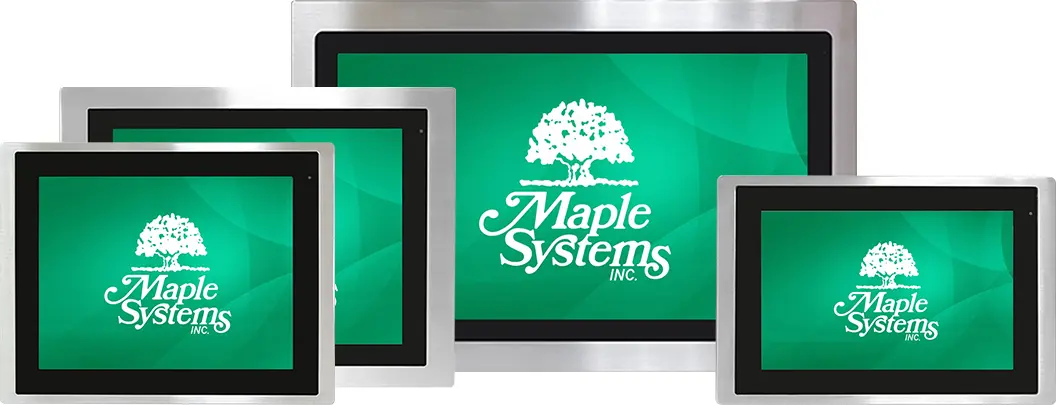
Industrial Panel PCs
Integrated industrial-grade touchscreen computers for AVEVA™ Edge visualization, monitoring, and control. Choose a Panel PC when your application requires the display and industrial computer in a single panel-mounted operator interface.
Available with multiple display sizes, processors, I/O, storage, and connectivity options.
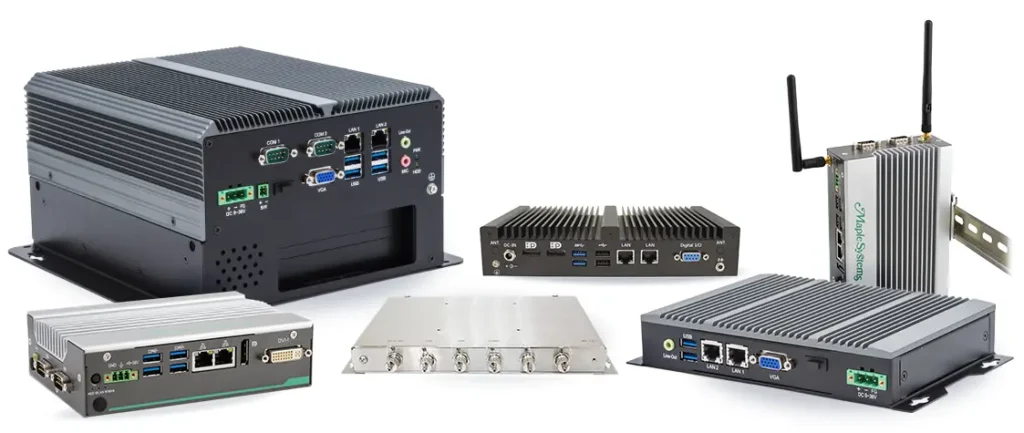
Industrial Box PCs
Industrial computing platforms for AVEVA™ Edge applications where the computer is installed separately from the display or inside a control cabinet. Designed for demanding manufacturing, processing, and machine-control environments.
Available with multiple processors, I/O, storage, and connectivity configurations.
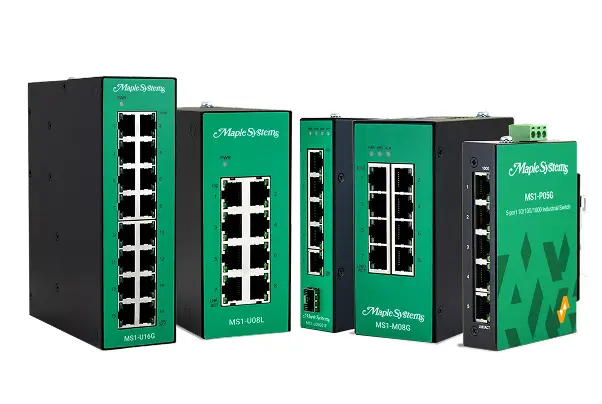
Industrial Network Switches
Industrial Ethernet switches for connecting HMIs, industrial PCs, PLCs, controllers, and other automation equipment throughout your AVEVA™ Edge system. Built for reliable operation in harsh environmental conditions, from individual machines to larger industrial networks.
Available in unmanaged, lightly managed, and fully managed configurations.
Technical Support
Maple Systems provides Tier 1 technical support for AVEVA™ Edge software purchased with our industrial PCs. Our team can assist with common setup and usage questions to help you get your AVEVA™ Edge system up and running.
What We Can Help With
Our Tier 1 technical support includes assistance with:
- Installation
- Licensing
- Common setup questions
- Documentation-based support
Support Resources
Note: Registration is required to access Knowledge Base. Create an AVEVA account to access the portal.
Need Additional Help?
For AVEVA™ Edge issues requiring support beyond Tier 1 assistance, contact Maple Systems for additional guidance. Our team can help coordinate the next steps with AVEVA when necessary.
AVEVA Technical Support
Contact AVEVA directly through their Support & Success portal, including live chat.
Live Chat Support
Phone Support
SCADA Systems
SCADA systems connect machines, controllers, and industrial devices to centralize monitoring, alarm management, data collection, and process control.
AVEVA™ Edge provides capabilities needed for SCADA applications ranging from individual machines and production lines to larger distributed industrial systems. Pair it with Maple Systems industrial hardware to build a reliable platform that integrates into new or existing industrial automation environments.
